

Amibroker VS MultiCharts: Comparing Backtesting Software for Systematic Trading
If you’re focused on lightning-fast backtesting, deep customization, and have the time to learn a niche scripting language, Amibroker is a powerful and affordable option.
If you’re after multi-broker execution, visual strategy design, and integration with TradeStation-style scripting (EasyLanguage), MultiCharts delivers more polished execution and compatibility.
But for those who want a platform that truly empowers fast, realistic, and easy-to-validate system testing with minimal friction, neither of these tools are ideal.
Let’s dive into the details:
Amibroker VS MultiCharts at a Glance
Short on time? Here’s how Amibroker VS MultiCharts compare side by side.
| Feature | Amibroker | MultiCharts |
| Platform Type | Scripting-first backtesting engine | Charting & visual strategy platform |
| Price | One-time: from US$299 | Subscription or lifetime license |
| Strategy Scripting | AFL (custom scripting) | PowerLanguage (EasyLanguage compatible) |
| Broker Integration | Partial (with plugins/API) | Multi-broker support (IB, CQG, etc.) |
| Portfolio Backtesting | Yes – built in | Yes – built-in |
| Realism in Execution Simulation | Advanced with effort | Good – but varies by broker |
| Learning Curve | Moderate to Steep | Moderate |
|
OS Support |
Windows only (Mac via VM) |
Windows only (Mac via VM) |
Platform Overview, Cost & Compatibility
Amibroker is a high-performance backtesting engine which operates at a very acceptable speed. Its core strength lies in AFL – a proprietary scripting language optimized for vectorized computation. However, this comes with a learning curve. It’s affordable, with a one-time license starting at US$299.
MultiCharts is a visual, chart-driven platform that supports EasyLanguage (used in TradeStation). It offers a more polished UI, integrated broker support, and features like drag-and-drop strategy building. However, it’s pricier and typically subscription-based.
Both tools are Windows-only, but can run on Mac via Parallels or Bootcamp. Wine is technically possible but not recommended.
Amibroker Main View:

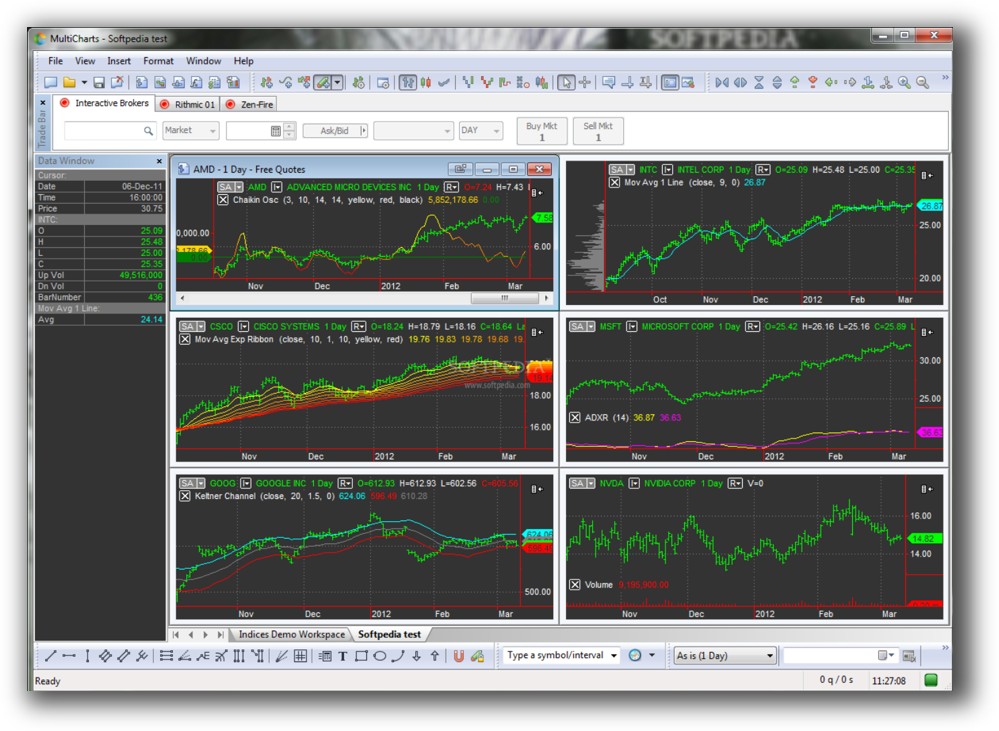
MultiCharts Main View:
Market Access & Data Support in Amibroker VS MultiCharts
|
Category |
Amibroker |
MultiCharts |
|
EOD Data |
Supported via Norgate, Yahoo, etc. |
Supported via data vendors, brokers |
|
Real-Time Data |
Requires plugin setup |
Native integration with brokers like IB |
|
Market Coverage |
Global stocks, ETFs, futures, FX, crypto |
Same – broader integration via brokers |
If you’re building a diversified portfolio of systems across markets, both platforms will support you with the right data feeds.
MultiCharts has a slight edge with built-in broker integrations for live data.
Amibroker Backtesting Interface:
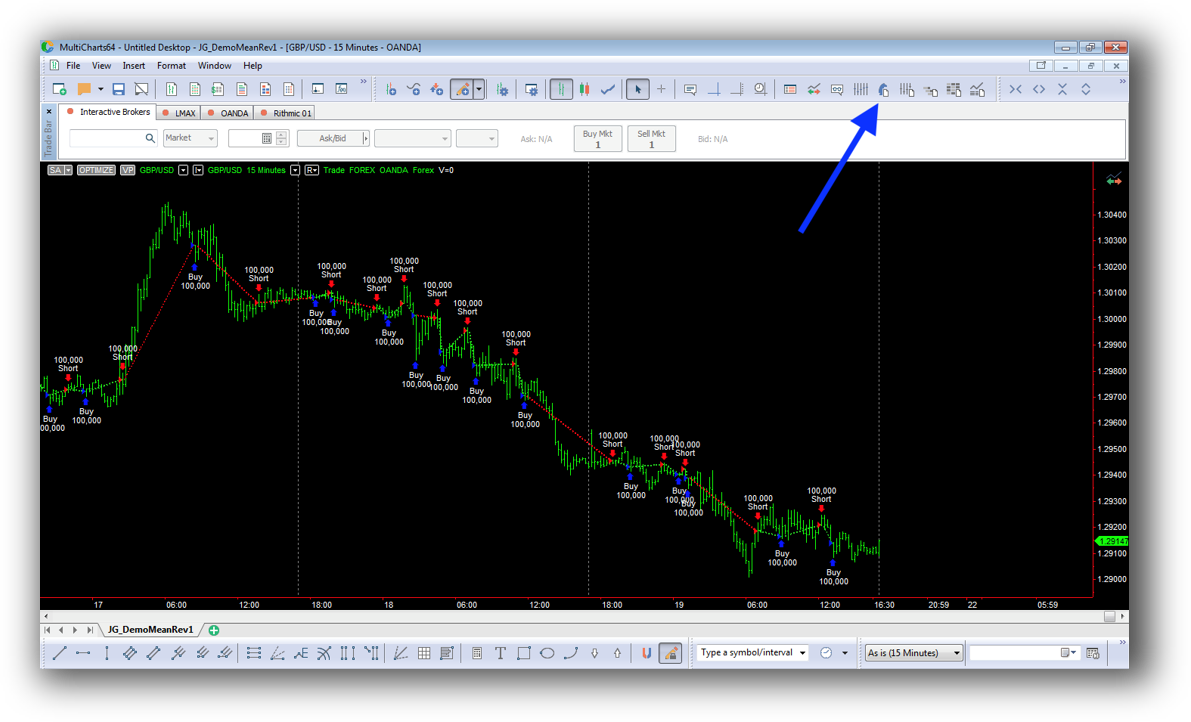
MultiCharts Backtesting Interface:
Building & Customizing Trading Strategies
Amibroker is built for developers. You write your strategies in AFL. While this gives you complete control, it also requires a deep understanding of logic and syntax. For traders that are willing to put in the time, this is empowering. For others, unless you’re already familiar with scripting, this could be a barrier.
If you’ve used TradeStation before, MultiCharts will feel familiar. It offers PowerLanguage (EasyLanguage-compatible) scripting and visual strategy building. This makes it easier to experiment without writing everything from scratch.
Bottom Line:
If you want maximum flexibility, go with Amibroker.
If you want ease of visual setup and live integration, MultiCharts wins.
Check Out: Trading System Development
Amibroker Code Editor:

MultiCharts Code Editor:

Backtesting Performance, Speed & Realism
This is where Amibroker shines. With proper use of its custom backtesting (CBT) functions, Amibroker delivers very fast multi symbol-level backtests. But a thorough knowledge of AFL will be required.
MultiCharts provides multi symbol-level backtesting out of the box. While not as fast as Amibroker, it’s more approachable for beginners.
Realism in execution depends on how well you set up slippage, commissions, and trade execution logic. MultiCharts integrates this more easily; Amibroker gives you more control, but it’s manual.
If execution realism is critical to your workflow, neither platform is ideal. RealTest is a better fit because it allows highly realistic multi-system, multi-instrument simulation without convoluted code.
Check out: Backtesting | Drawdown
Amibroker Backtest Report:

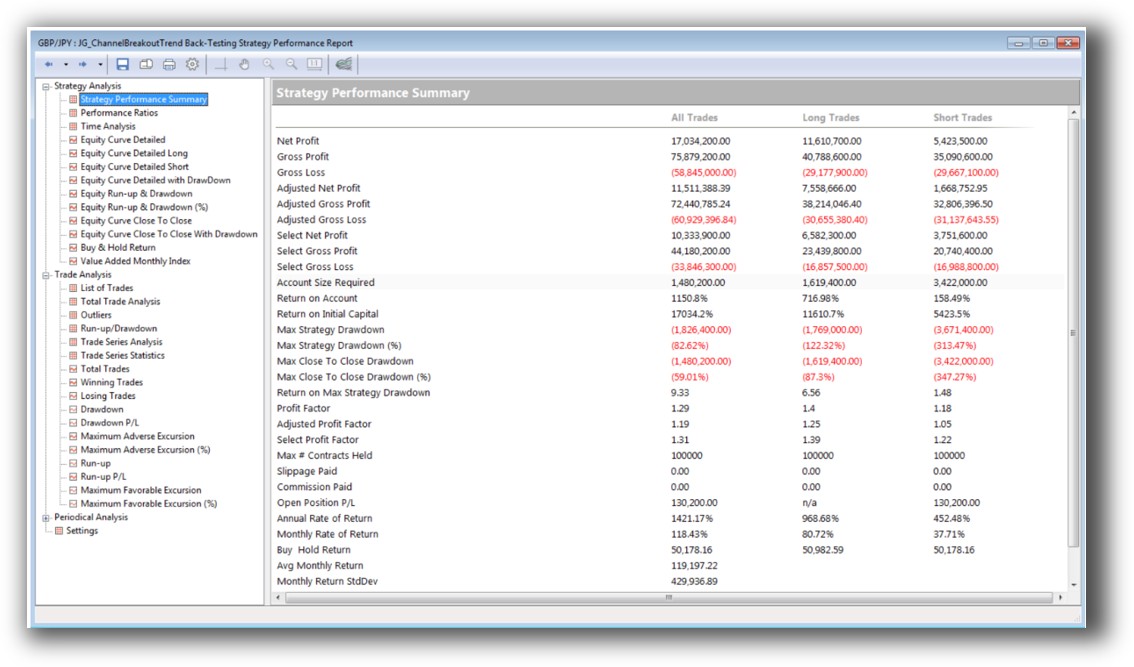
MultiCharts Backtest Report:
Strategy Optimization & Stress Testing Tools
|
Feature |
Amibroker |
MultiCharts |
|
Parameter Optimization |
Yes – grid and genetic |
Yes – exhaustive and genetic |
|
Walk Forward Analysis |
Yes |
Built-in WFO module |
|
Monte Carlo Testing |
Yes |
Built-in |
Both platforms have built-in tools for robustness testing like Walk Forward Optimization and Monte Carlo simulations.
For traders concerned about curve fitting, both platforms require thoughtful design.
Check Out: Trading System Optimization
Amibroker Walk-Forward Tab:
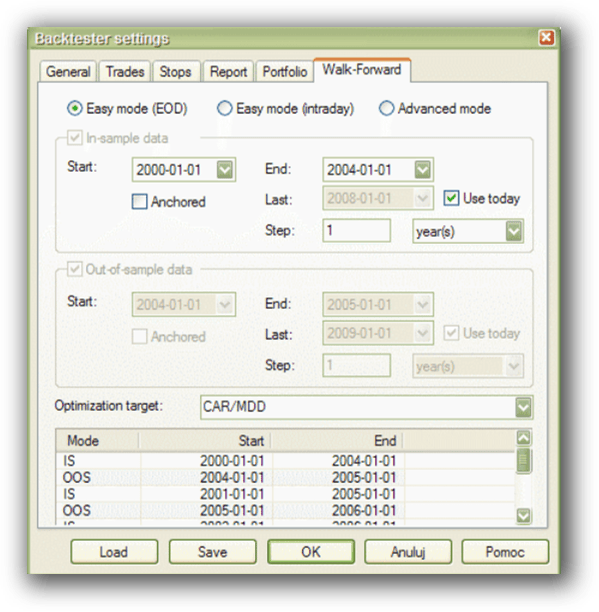
MultiCharts Walk-Forward Parameters:

Charting Features, Signal Exploration & Live Execution
Amibroker is famous for its advanced charting and custom scans. If you’re a chartist, this is paradise. The flexibility of AFL means you can build virtually any custom indicator or visual setup you can imagine.
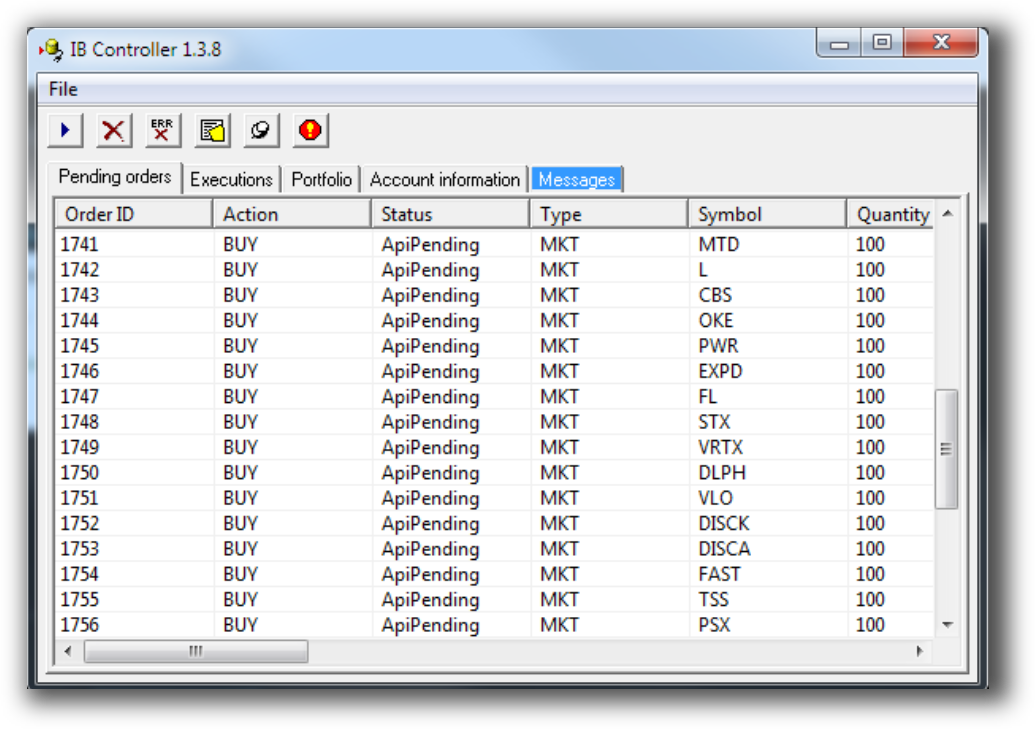
Execution is possible via Interactive Brokers using plugins, but only for one instrument at a time unless you build automation yourself.
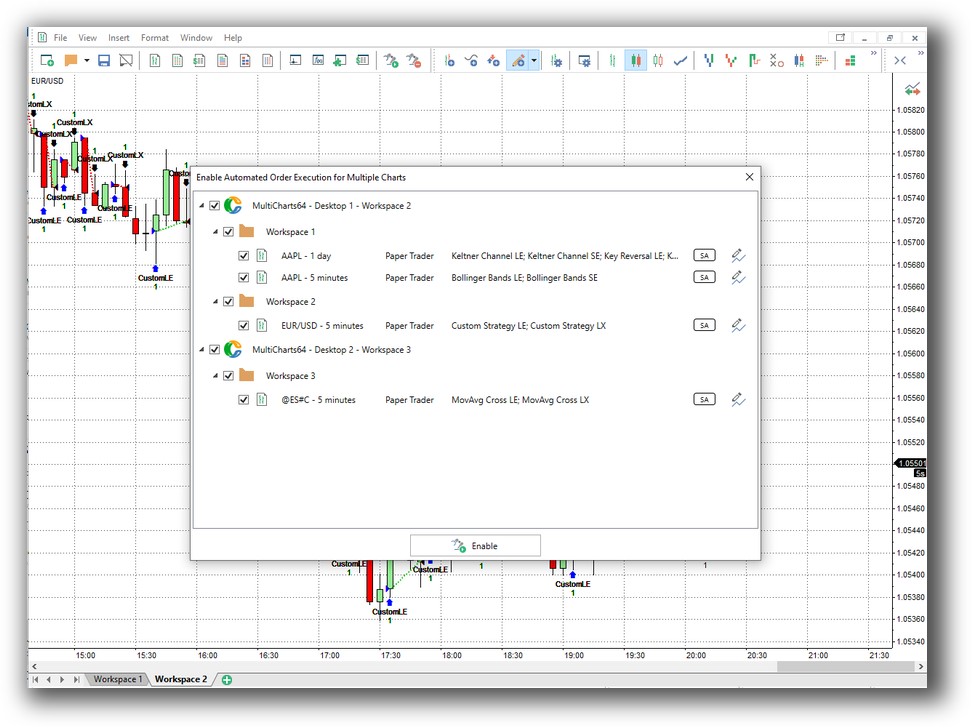
MultiCharts provides polished charting and native multi-broker execution (e.g., IB, CQG, Rithmic). You can automate multiple strategies simultaneously and execute trades across instruments easily.
If automation is a must for your trading system, MultiCharts is more plug-and-play.
Check Out Order Types | Automated Trading Systems
Amibroker Automation Set Up (IB Controller):
MultiCharts Automation Set Up:
Support, Documentation & Learning Resources
The Amibroker community is active, but the documentation is dated and technical. If you’re not already comfortable debugging code, you’ll likely hit some roadblocks.
MultiCharts offers modern documentation and a more guided onboarding process. Forums, video tutorials, and customer support are more accessible.
Compared to RealTest, both platforms still feel a bit clunky for new traders building confidence. RealTest’s documentation is more current and user-friendly.
Amibroker Forum is illustrated down below:

MultiCharts Forum is illustrated down below:

Amibroker VS MultiCharts: Which One Should You Use?
If you’re deciding based purely on feature depth and flexibility, Amibroker offers more power for less money – but it demands more time and skill.
If you want a smoother start with multi-broker execution, visual workflows, and more built-in tools, MultiCharts is a solid choice – albeit at a higher price point.
Our Recommendation
At Enlightened Stock Trading, we’ve used both platforms extensively.
We recommend:
- Amibroker if you are comfortable with scripting and want maximum flexibility and control over your backtesting software.
- MultiCharts if you prefer a visual, all-in-one trading platform with easier automation and integration.
- RealTest if you want the fastest, most realistic, and easiest-to-use platform for systematic strategy development and portfolio-level simulation.
Ultimately, the best trading software for you is the one that supports your trading personality, lifestyle, and goals. That’s the missing piece most traders overlook.
Want the Rest of the Puzzle?
Tools like Amibroker are powerful – but without a structured process, they can lead you into the weeds of endless tinkering, curve fitting, and decision fatigue.
That’s why I created the Trader Success System – to give you:
- Proven trading systems
- A clear roadmap for building your portfolio
- Mentoring to keep you focused and on track
Don’t waste years figuring this out the hard way.
Remember – You are only one trading system away!
Trading and Backtesting Software Review List
- RealTest vs Amibroker
- RealTest VS TradeStation
- RealTest VS NinjaTrader
- RealTest VS MultiCharts
- RealTest VS Wealth-Lab
- RealTest VS Beyond Charts
- RealTest VS Optuma
- RealTest VS TradingView
- RealTest VS MetaTrader 4 (MT4)
- RealTest VS MetaTrader 5 (MT5)
- AmiBroker VS TradeStation
- AmiBroker VS NinjaTrader
- AmiBroker VS MultiCharts
- AmiBroker VS Wealth-Lab
- AmiBroker VS Beyond Charts
- AmiBroker VS Optuma
- AmiBroker VS TradingView
- AmiBroker VS MetaTrader 4 (MT4)
- AmiBroker VS MetaTrader 5 (MT5)
- TradeStation VS NinjaTrader
- TradeStation VS MultiCharts
- TradeStation VS Wealth-Lab
- TradeStation VS Beyond Charts
- TradeStation VS Optuma
- TradeStation VS TradingView
- TradeStation VS MetaTrader 4 (MT4)
- TradeStation VS MetaTrader 5 (MT5)
- NinjaTrader VS MultiCharts
- NinjaTrader VS Wealth-Lab
- NinjaTrader VS Beyond Charts
- NinjaTrader VS Optuma
- NinjaTrader VS TradingView
- NinjaTrader VS MetaTrader 4 (MT4)
- NinjaTrader VS MetaTrader 5 (MT5)
- MultiCharts VS Wealth-Lab
- MultiCharts VS Beyond Charts
- MultiCharts VS Optuma
- MultiCharts VS TradingView
- MultiCharts VS MetaTrader 4 (MT4)
- MultiCharts VS MetaTrader 5 (MT5)
- Wealth-Lab VS Beyond Charts
- Wealth-Lab VS Optuma
- Wealth-Lab VS TradingView
- Wealth-Lab VS MetaTrader 4 (MT4)
- Wealth-Lab VS MetaTrader 5 (MT5)
- Beyond Charts VS Optuma
- Beyond Charts VS TradingView
- Beyond Charts VS MetaTrader 4 (MT4)
- Beyond Charts VS MetaTrader 5 (MT5)
- Optuma VS TradingView
- Optuma VS MetaTrader 4 (MT4)
- Optuma VS MetaTrader 5 (MT5)
- TradingView VS MetaTrader 4 (MT4)
- TradingView VS MetaTrader 5 (MT5)
- MetaTrader 4 (MT4) VS MetaTrader 5 (MT5)


