

TradeStation VS MultiCharts: Comparing Backtesting Software for Systematic Trading
If your goal is to become a consistent, confident, and systematic trader, MultiCharts is a better fit than TradeStation for most traders, especially those who want multi-broker access, deep backtesting features, and flexibility without being locked into a single broker. However, TradeStation may suit traders who prefer an all-in-one trading platform tightly integrated with a brokerage account.
Both platforms have their strengths. But if you’re serious about running portfolios of proven strategies and want to avoid being boxed in by proprietary infrastructure, MultiCharts offers greater freedom.
TradeStation VS MultiCharts at a Glance
Short on time? Here’s how TradeStation VS MultiCharts compare side by side.
|
Feature Category |
TradeStation |
MultiCharts |
|
OS Compatibility |
Windows only; browser & mobile for brokerage |
Windows only |
|
Pricing Model |
Broker + platform fees |
Lifetime license or subscription |
|
Broker Integration |
TradeStation only |
Multiple brokers supported |
|
Programming Language |
EasyLanguage (proprietary) |
PowerLanguage (EasyLanguage-compatible) |
|
Portfolio Backtesting |
Limited |
Full portfolio-level backtesting |
|
Automation |
Limited to TradeStation brokers |
Broad automation with multi-broker support |
|
Charting Tools |
Strong visual tools |
Comparable or better, plus more scanning tools |
|
Documentation |
Mixed (some outdated) |
Clear, regularly updated |
Platform Overview, Cost & Compatibility
TradeStation started as a broker-first platform. It offers integrated trading and analysis but ties you to using their brokerage. It’s Windows-based, with mobile/browser access mostly focused on brokerage functions.
MultiCharts, by contrast, is standalone trading software. While also Windows-only, it gives traders the freedom to choose brokers, feeds, and automate outside of TradeStation’s ecosystem. It runs fine on Mac using Parallels or Bootcamp, although Wine is not recommended.
Pricing:
- TradeStation: You pay through brokerage fees and market data subscriptions.
- MultiCharts: Choose between a lifetime license or monthly/annual subscription. This flexibility appeals to systematic traders looking to separate tools from brokers.
TradeStation Main View:

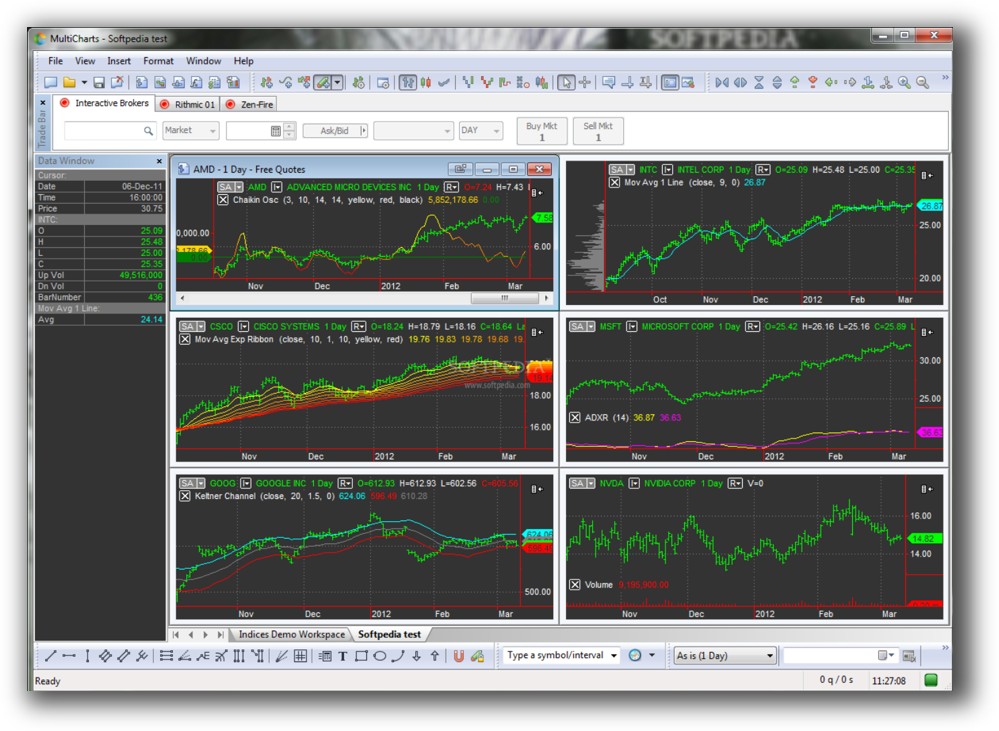
MultiCharts Main View:
Market Access & Data Support in TradeStation VS MultiCharts
MultiCharts offers broader market access thanks to support for multiple data providers and brokers including Interactive Brokers, CQG, and Rithmic. This is crucial if you want to test and trade strategies across international markets or asset classes.
TradeStation’s market access is limited to what their brokerage offers. If you trade non-US stocks or want broader data sources, you’ll quickly feel restricted.
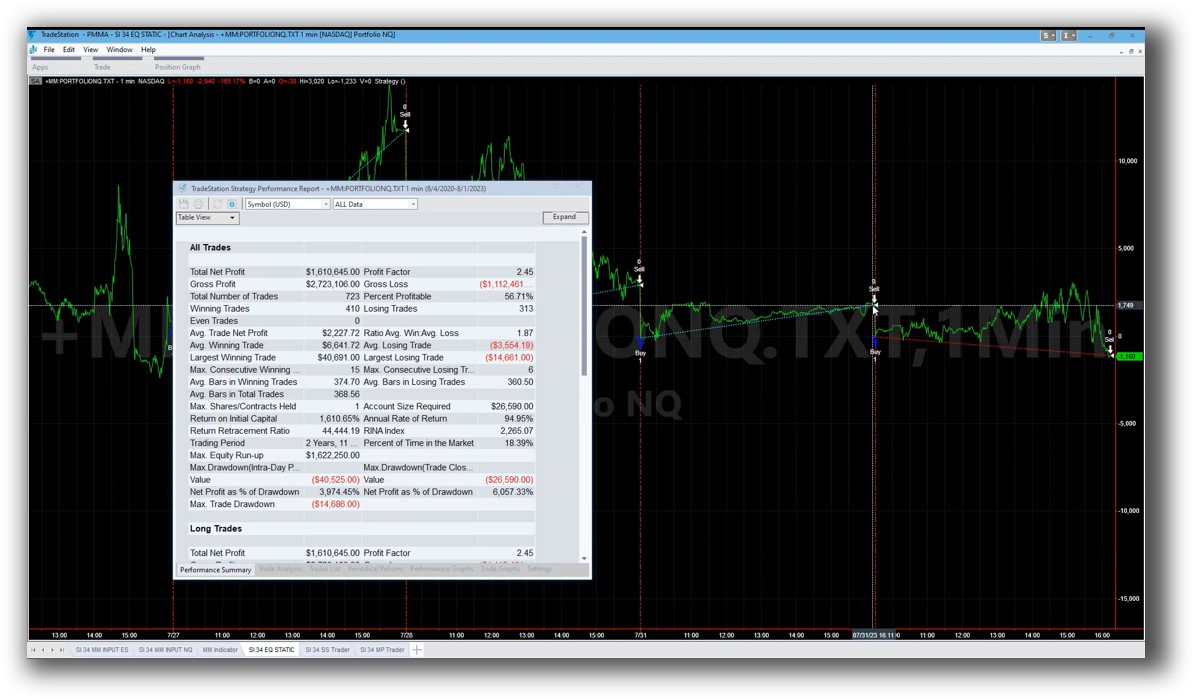
TradeStation Backtesting Interface:
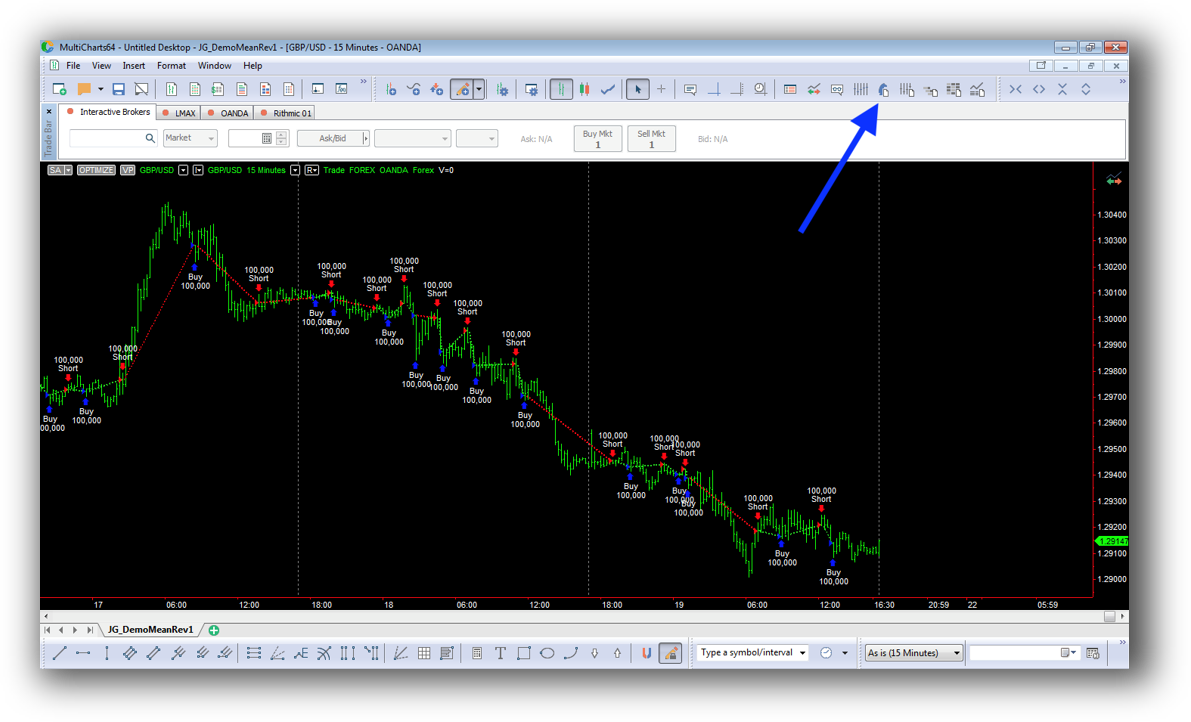
MultiCharts Backtesting Interface:
Building & Customizing Trading Strategies
Both platforms use variations of EasyLanguage:
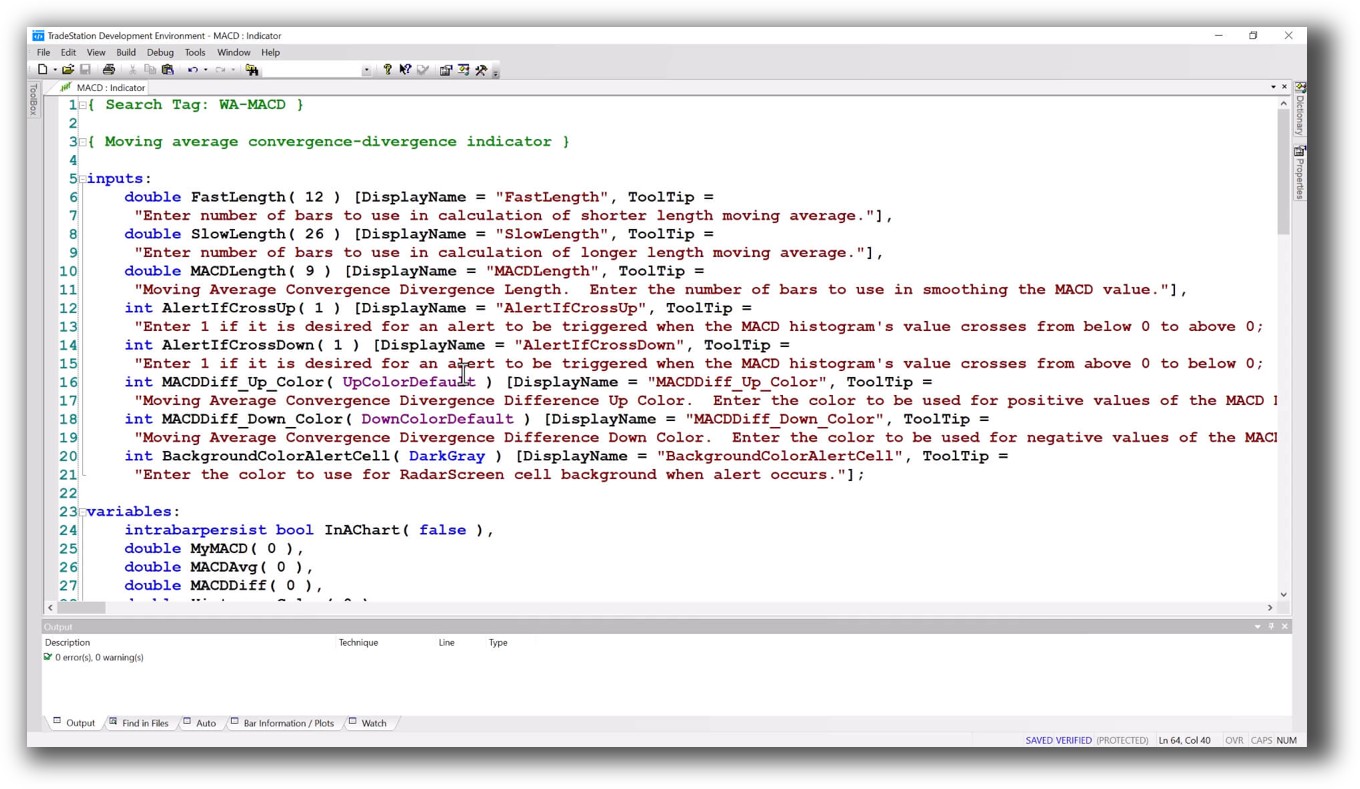
- TradeStation has proprietary EasyLanguage scripting.
- MultiCharts uses PowerLanguage, which is mostly compatible but allows more advanced scripting and third-party tool integration.
MultiCharts gives you more control over your trading system development environment. If you value workflow flexibility and broker independence, it’s the stronger option.
Check Out: Trading System Development
TradeStation Code Editor:
MultiCharts Code Editor:

Backtesting Performance, Speed & Realism
Backtesting is the foundation of systematic trading confidence.
- TradeStation supports single-system backtesting well, but it’s limited when it comes to full portfolio-level simulation, multiple systems, or cross-symbol logic.
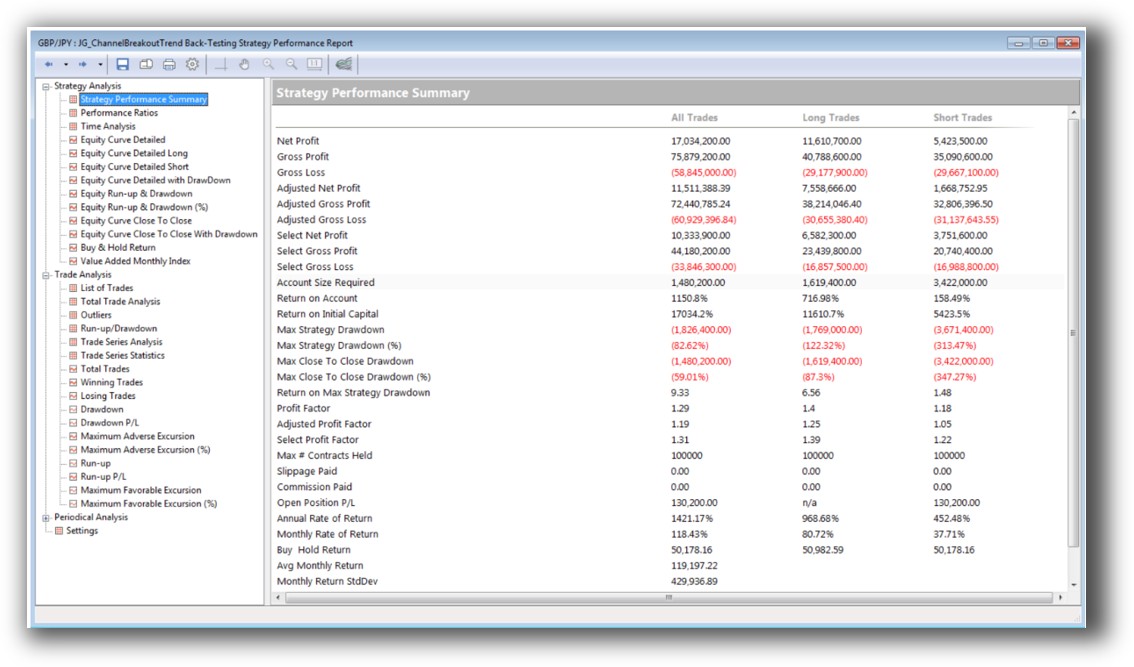
- MultiCharts stands out with true portfolio backtesting, meaning you can test real-world conditions: multiple strategies, allocations, and instruments at once.
Speed is adequate in both, but realism is where MultiCharts pulls ahead. Its engine supports multiple timeframes, symbols, and account-level capital simulation – key for stress testing your trading system against reality.
Check out: Backtesting | Drawdown
TradeStation Backtest Report:

MultiCharts Backtest Report:
Strategy Optimization & Stress Testing Tools
Optimization is a double-edged sword. Do it wrong and you overfit. Do it right, and you uncover stable, profitable strategies.
MultiCharts supports:
- Walk-forward optimization
- Monte Carlo simulation
- Parameter sensitivity testing
TradeStation’s optimizer is simpler. It allows brute-force testing but lacks advanced tools to measure robustness.
Check Out: Trading System Optimization
TradeStation Walk-Forward (Out-of-Sample):
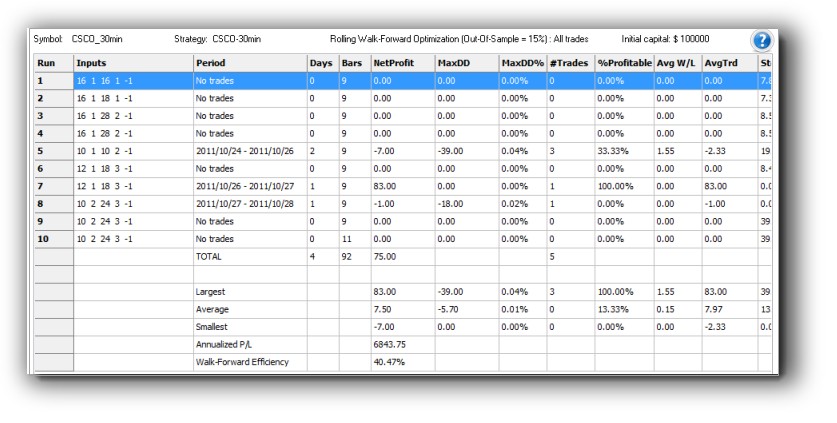
MultiCharts Walk-Forward Parameter

Charting Features, Signal Exploration & Live Execution
Both platforms have powerful charting, but the differences matter:
- TradeStation offers slick charts with integrated broker order placement. If charting is your main tool, it’s intuitive.
- MultiCharts charts are just as detailed and support advanced custom indicators, scanning, and alerts.
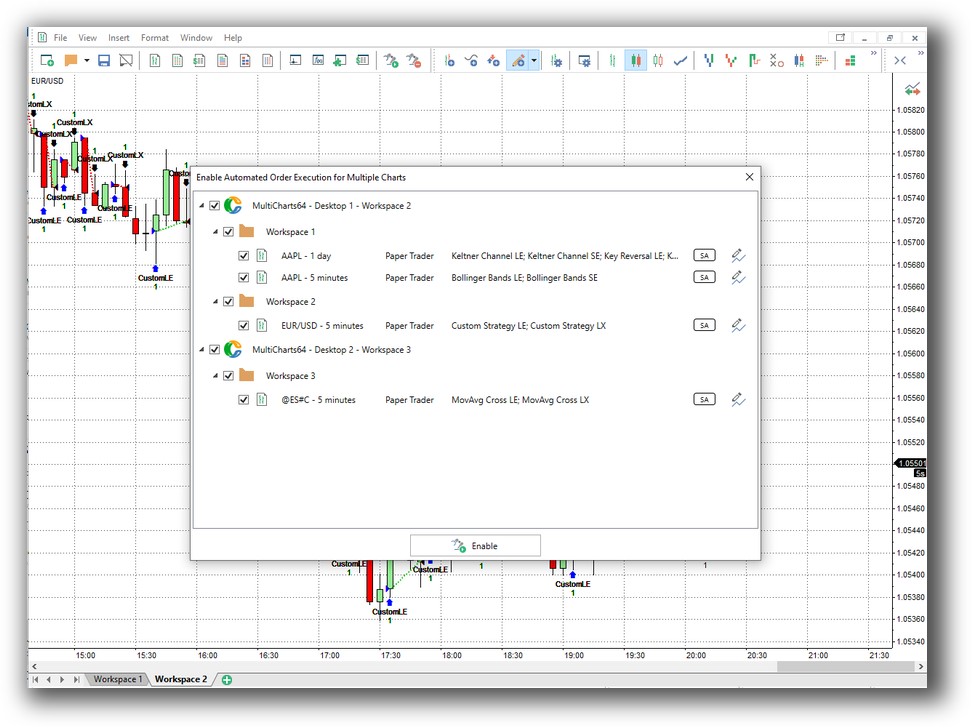
Scanning is stronger in MultiCharts thanks to its signal scripting and compatibility with multiple feeds. Execution-wise, MultiCharts again wins for flexibility – execute across brokers, automate trades externally, and schedule orders.
For full-time systematic traders with multiple systems across global markets, MultiCharts wins.
Check Out Order Types | Automated Trading Systems
TradeStation Automation Set Up (Format Strategies):

MultiCharts Automation Set Up:
Support, Documentation & Learning Resources
TradeStation’s documentation is fine, but much of it is dated or locked behind member portals. If you’re new to EasyLanguage, it can be a frustrating experience.
MultiCharts offers:
- Up-to-date manuals
- Active user forums
- Fast support team
Compared to the simplicity and clarity of RealTest’s documentation, both fall short – but MultiCharts is easier to navigate for the technically inclined.
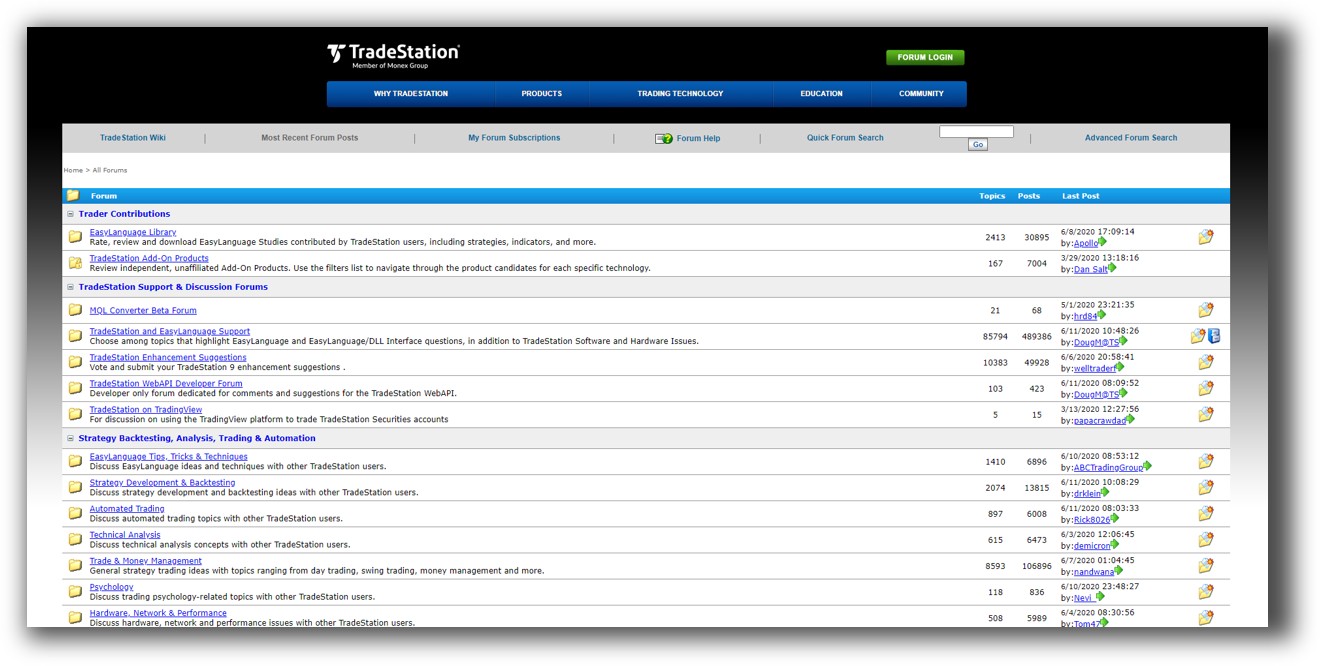
TradeStation Forum is illustrated down below:
MultiCharts Forum is illustrated down below:

TradeStation VS MultiCharts: Which One Should You Use?
If you’re looking for an all-in-one brokerage + trading software with strong US market access and you don’t mind being locked into one broker, TradeStation is decent.
But if your priority is freedom, flexibility, portfolio-level backtesting, and professional-grade automation, MultiCharts wins hands down.
Our Recommendation:
At Enlightened Stock Trading, We help logical, analytical traders who want consistent results without spending hours each week guessing chart patterns or reacting emotionally to market noise.
For those serious about building a diversified portfolio of trading systems, MultiCharts is the stronger choice over TradeStation.
That said, even MultiCharts isn’t perfect.
In our experience, most traders struggle with:
- Building confidence in their rules
- Knowing whether their systems will survive the next drawdown
- Finding strategies that suit their lifestyle and risk tolerance
That’s why we often recommend RealTest for serious system traders – it’s faster, clearer, and built for multi-strategy confidence. Still, MultiCharts is a solid stepping stone for automation, scanning, and broker flexibility.
Want the Rest of the Puzzle?
If you’re evaluating backtesting software because you’re tired of second-guessing your trades or wasting time on conflicting signals, you’re not alone.
The tool you choose matters. But what matters more is having a proven process to:
- Build your trading system correctly
- Match it to your personality
- Backtest it with confidence
- Avoid common trading mistakes
- Grow your wealth with minimal time commitment
That’s what we do in The Trader Success System. It’s the only step-by-step program built to take you from confusion to confidence as a systematic trader.
Trading and Backtesting Software Review List
- RealTest vs Amibroker
- RealTest VS TradeStation
- RealTest VS NinjaTrader
- RealTest VS MultiCharts
- RealTest VS Wealth-Lab
- RealTest VS Beyond Charts
- RealTest VS Optuma
- RealTest VS TradingView
- RealTest VS MetaTrader 4 (MT4)
- RealTest VS MetaTrader 5 (MT5)
- AmiBroker VS TradeStation
- AmiBroker VS NinjaTrader
- AmiBroker VS MultiCharts
- AmiBroker VS Wealth-Lab
- AmiBroker VS Beyond Charts
- AmiBroker VS Optuma
- AmiBroker VS TradingView
- AmiBroker VS MetaTrader 4 (MT4)
- AmiBroker VS MetaTrader 5 (MT5)
- TradeStation VS NinjaTrader
- TradeStation VS MultiCharts
- TradeStation VS Wealth-Lab
- TradeStation VS Beyond Charts
- TradeStation VS Optuma
- TradeStation VS TradingView
- TradeStation VS MetaTrader 4 (MT4)
- TradeStation VS MetaTrader 5 (MT5)
- NinjaTrader VS MultiCharts
- NinjaTrader VS Wealth-Lab
- NinjaTrader VS Beyond Charts
- NinjaTrader VS Optuma
- NinjaTrader VS TradingView
- NinjaTrader VS MetaTrader 4 (MT4)
- NinjaTrader VS MetaTrader 5 (MT5)
- MultiCharts VS Wealth-Lab
- MultiCharts VS Beyond Charts
- MultiCharts VS Optuma
- MultiCharts VS TradingView
- MultiCharts VS MetaTrader 4 (MT4)
- MultiCharts VS MetaTrader 5 (MT5)
- Wealth-Lab VS Beyond Charts
- Wealth-Lab VS Optuma
- Wealth-Lab VS TradingView
- Wealth-Lab VS MetaTrader 4 (MT4)
- Wealth-Lab VS MetaTrader 5 (MT5)
- Beyond Charts VS Optuma
- Beyond Charts VS TradingView
- Beyond Charts VS MetaTrader 4 (MT4)
- Beyond Charts VS MetaTrader 5 (MT5)
- Optuma VS TradingView
- Optuma VS MetaTrader 4 (MT4)
- Optuma VS MetaTrader 5 (MT5)
- TradingView VS MetaTrader 4 (MT4)
- TradingView VS MetaTrader 5 (MT5)
- MetaTrader 4 (MT4) VS MetaTrader 5 (MT5)


