

TradeStation VS Wealth-Lab: Comparing Backtesting Software for Systematic Trading
If you’re choosing between TradeStation and Wealth-Lab for your systematic trading workflow, here’s the short answer:
Wealth-Lab offers more powerful backtesting and strategy development features for analytical traders, while TradeStation shines in brokerage integration and execution. But neither is ideal for those who value clarity, confidence, and true portfolio-level realism in backtesting. For that, RealTest still holds the edge.
Let’s break it down further so you can make the right decision for your trading systems.
TradeStation VS Wealth-Lab at a Glance
Short on time? Here’s how TradeStation VS Wealth-Lab compare side by side.
| Feature | TradeStation | Wealth-Lab |
| Operating System | Windows only, plus limited web/mobile | Windows only |
| Programming Language | EasyLanguage (proprietary) | C# (via WealthScript); drag-and-drop Builder |
| Portfolio-Level Backtesting | Partial | Yes – via Position Sizing & Portfolio Simulation |
| Optimization Tools | Genetic and brute force | Walk-forward, Monte Carlo, Genetic & others |
| Strategy Development UI | Code-based with editor | Visual and code-based builder |
| Charting & Scanning | Built-in with alerts and studies | Extensive tools with heatmaps & visual scans |
| Broker Integration | Full (native brokerage) | Extensions (IB, Tradier, etc.) |
| Cost Structure | Brokerage-based with data fees | Subscription-based (~$39.95/month) |
| Automation | Yes (with broker lock-in) | Yes (multi-broker with plugins) |
| Documentation & Support | Good, but legacy feel | Actively updated, more transparent |
Platform Overview, Cost & Compatibility
TradeStation has been around since 1982 and is now a fully-fledged broker with its own software stack. It’s best viewed as a vertically integrated brokerage-trading platform.
Wealth-Lab started in 2000 and is purely focused on systematic strategy development. It runs on Windows and offers both drag-and-drop strategy building and code-based scripting in C#.
If you’re using a Mac, both platforms will require Parallels or a Windows VM. Wine is not a viable option due to .NET and broker API dependencies.
Cost Comparison:
- TradeStation: No upfront license, but you pay brokerage commissions and may need to subscribe to real-time or historical data.
- Wealth-Lab: ~$39.95/month or $299.95/year subscription. Separate data costs may apply if you’re not using free sources.
If you already trade with Interactive Brokers or want broker freedom, Wealth-Lab is more flexible.
TradeStation Main View:

Wealth-Lab Main View:
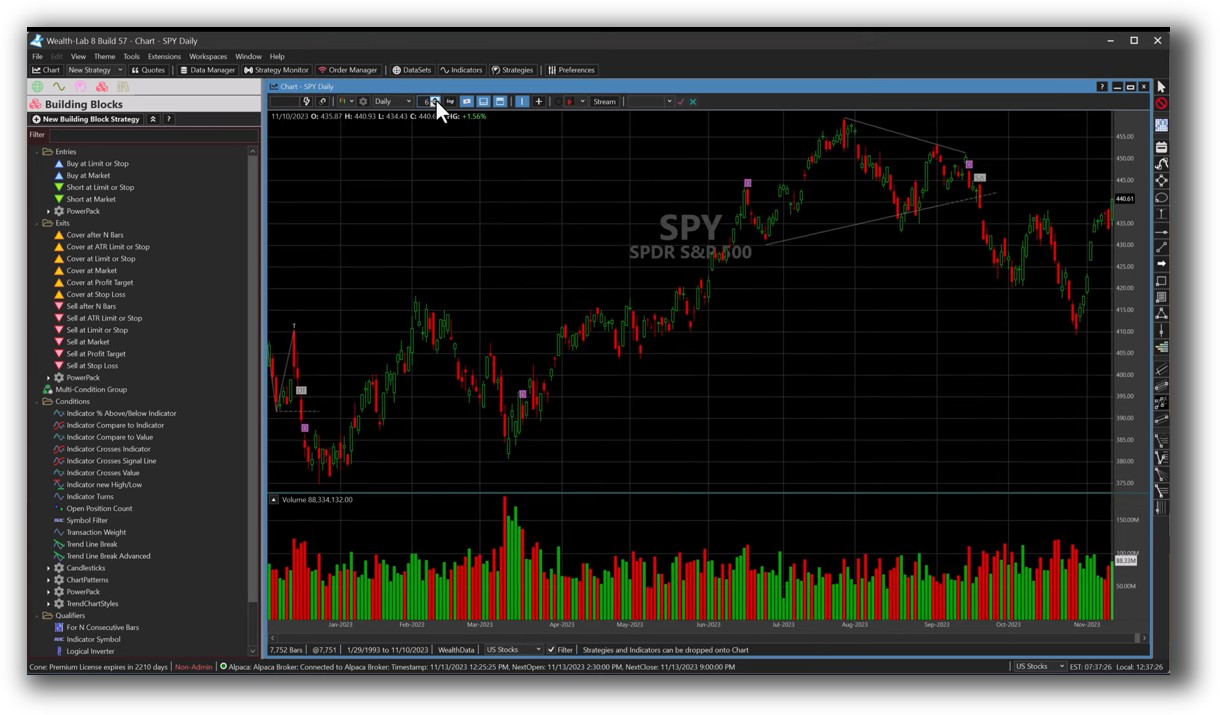
Market Access & Data Support in TradeStation VS Wealth-Lab
TradeStation supports equities, options, futures, crypto, and forex—primarily US-based.
Wealth-Lab connects to multiple data providers including:
- Interactive Brokers
- Yahoo! Finance
- Tiingo
- Norgate (ideal for EOD data)
- Free and paid options for global data
For EOD and portfolio backtesting, Wealth-Lab with Norgate integration is a solid combo.
Check Out: Trading System Development
TradeStation Backtesting Interface:
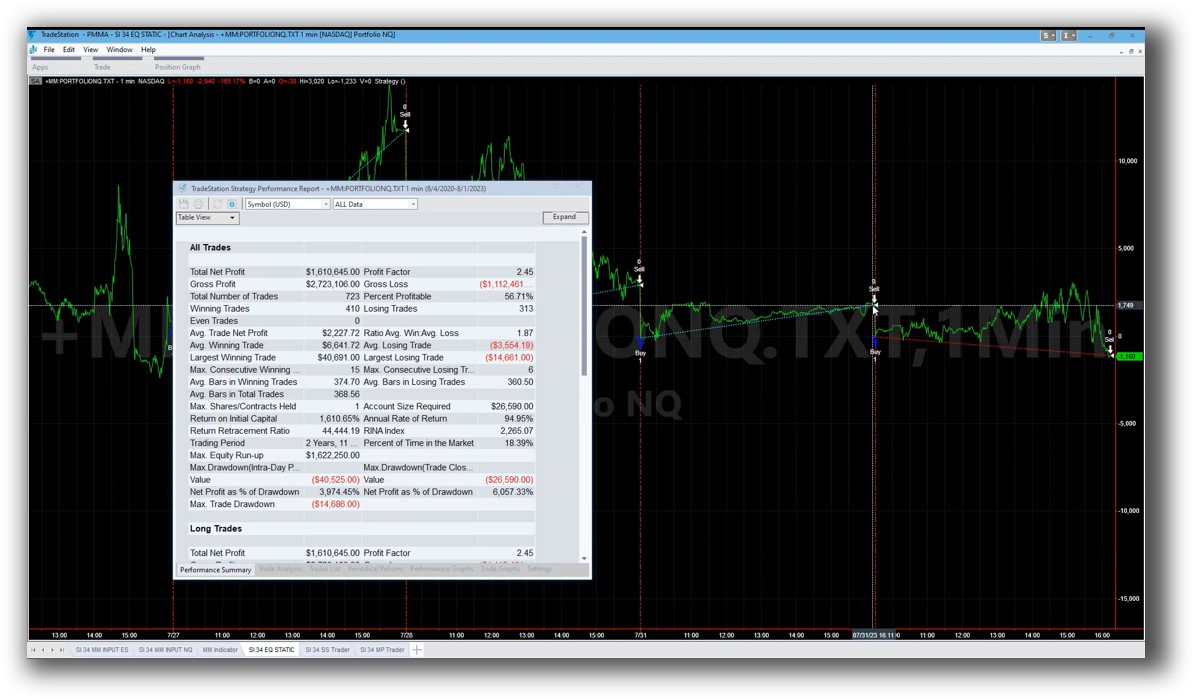
Wealth-Lab Backtesting Interface:
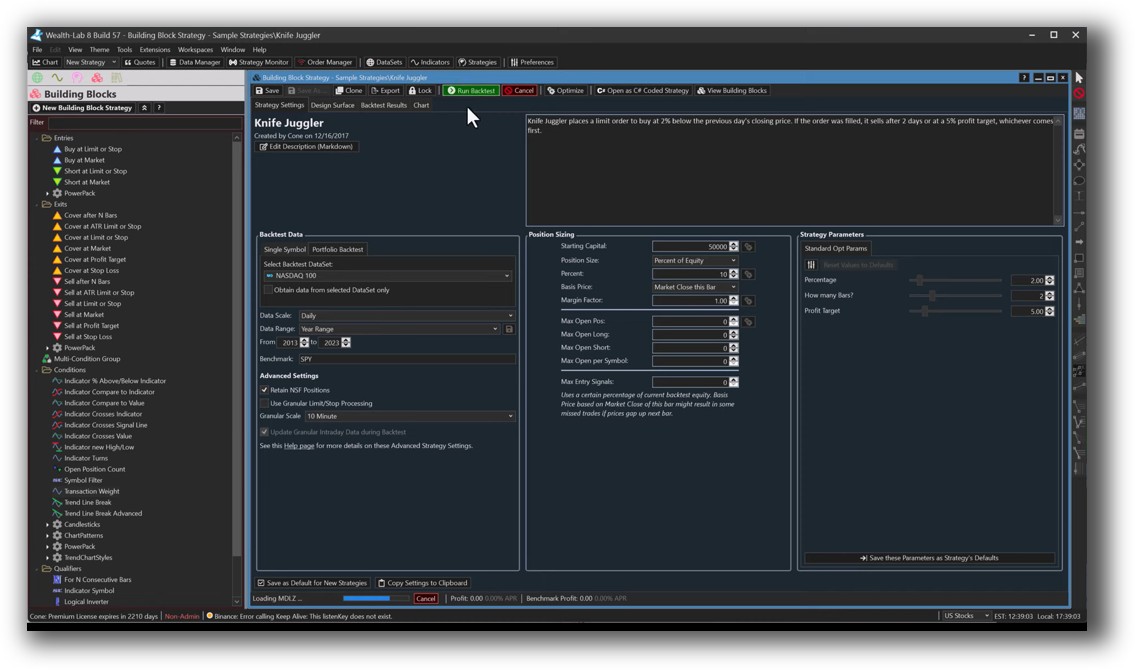
Building & Customizing Trading Strategies
TradeStation uses EasyLanguage, a proprietary scripting language. It’s easier to learn than C#, but not as flexible or portable.
Wealth-Lab supports:
- WealthScript (C#) – full .NET scripting environment
- No-code strategy builder – ideal for visual thinkers
- Community strategy libraries – downloadable systems ready to test and tweak
Check Out: Trading System Development
TradeStation Code Editor:
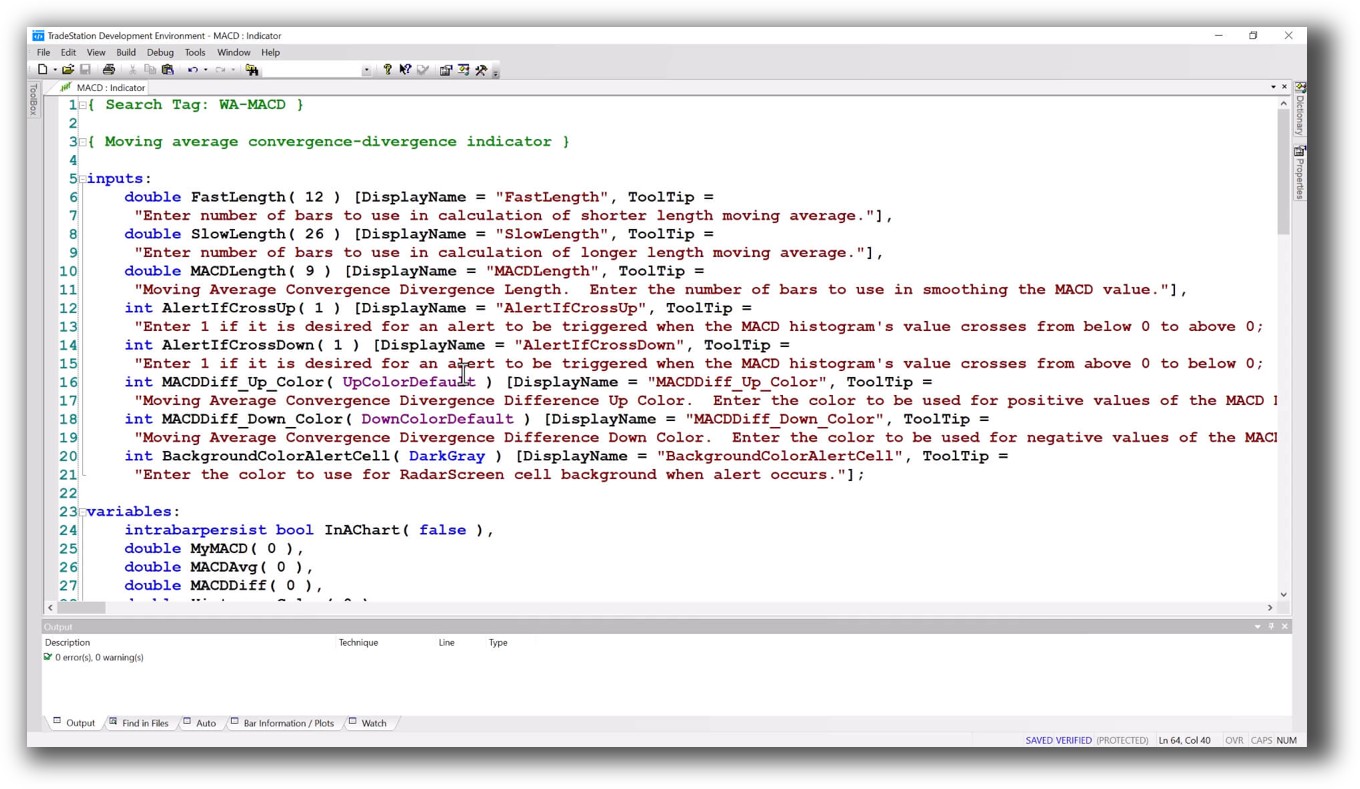
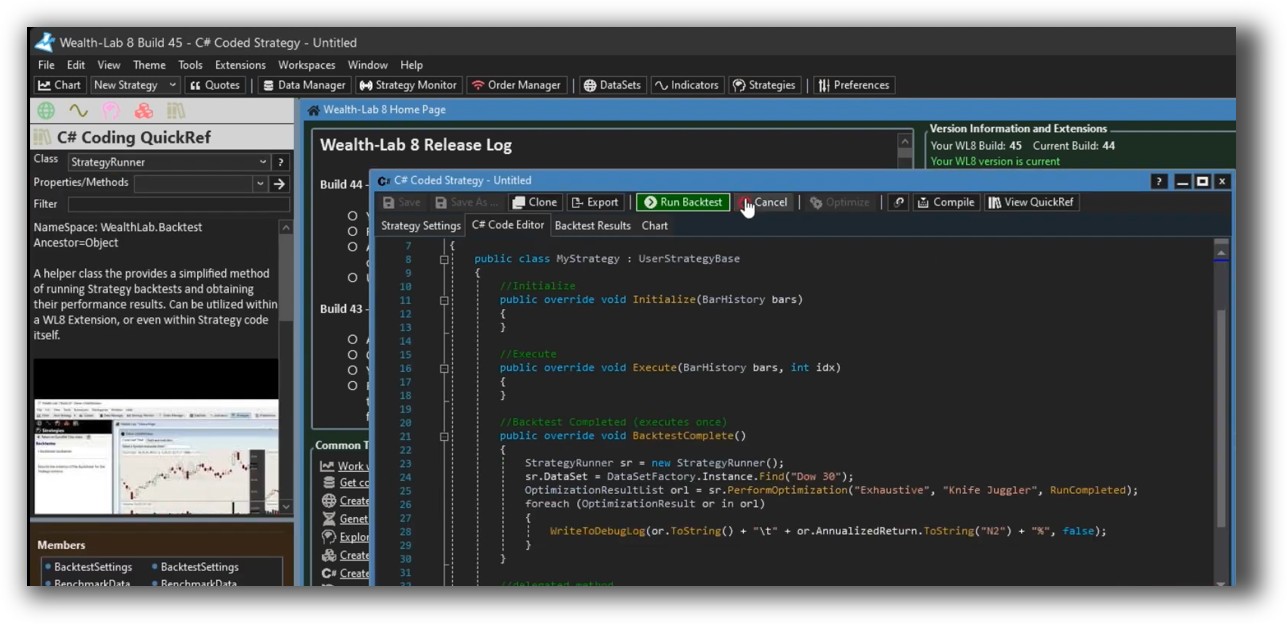
Wealth-Lab Code Editor:
Backtesting Performance, Speed & Realism
Backtesting is the core of any serious trading system development. Here’s how they stack up:
- TradeStation: Single-symbol backtests are fast. Portfolio backtesting is more limited and realistic slippage modeling isn’t a strength.
- Wealth-Lab: True portfolio simulation, walk-forward analysis, and integrated position sizing logic. Slippage, commissions, and realistic trade sequencing are better supported.
Still, compared to RealTest, both fall short in realism, clarity, and speed of iteration. RealTest was designed by a trader who understands the portfolio-level challenges that most platforms ignore.
Check out: Backtesting | Drawdown
TradeStation Backtest Report:

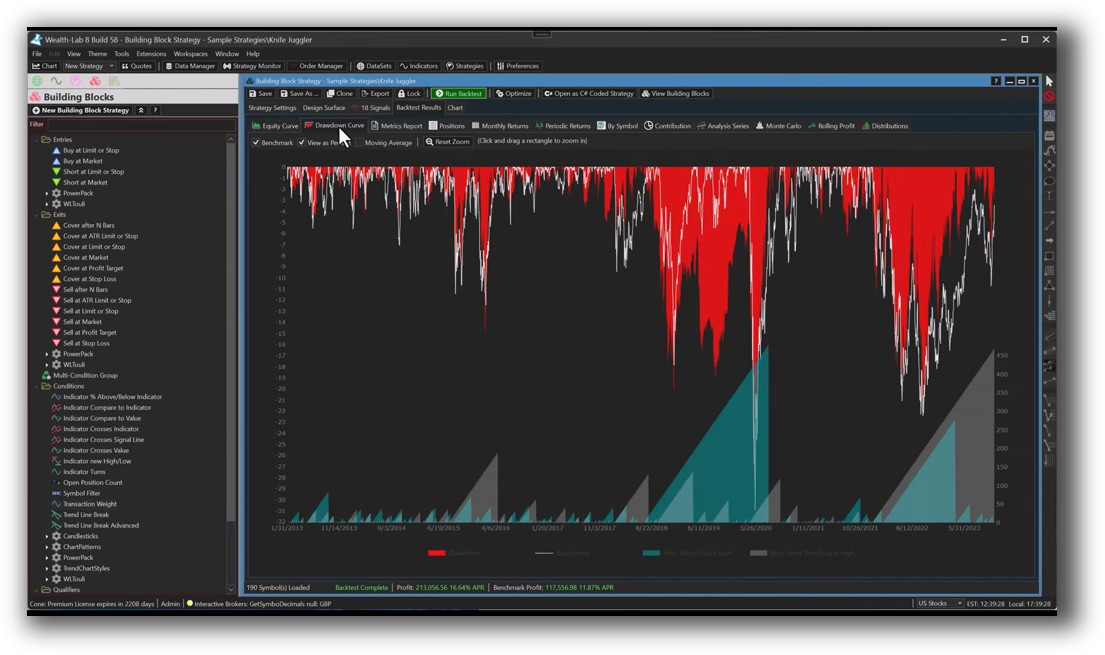
Wealth-Lab Backtest Report:
Strategy Optimization & Stress Testing Tools
TradeStation offers:
- Brute force and genetic optimization
- Fixed parameter testing
- Limited walk-forward capability
Wealth-Lab goes deeper with:
- Walk-forward optimization
- Monte Carlo simulations
- Multi-strategy testing
- Genetic optimizers and fitness functions
If you’re serious about trading system optimization and avoiding curve fitting, Wealth-Lab gives you better tools. But you still need the right statistical mindset to use them wisely.
Check Out: Trading System Optimization
TradeStation Walk-Forward (Out-of-Sample):
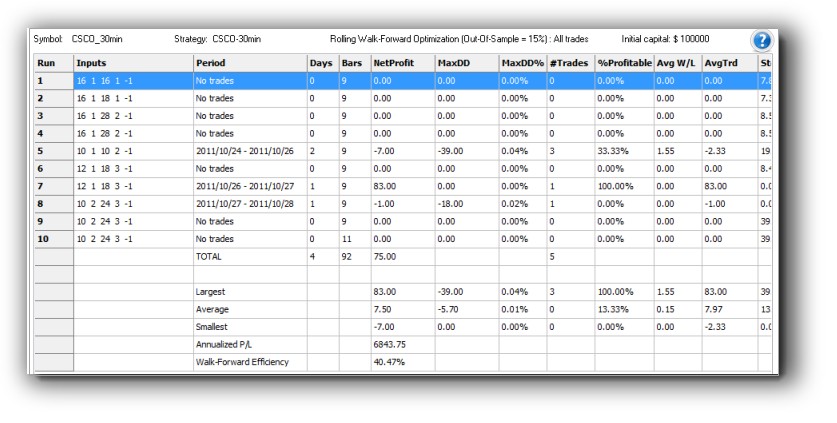
Wealth-Lab Walk-Forward Optimization:

Charting Features, Signal Exploration & Live Execution
TradeStation leads in real-time charting and execution with its brokerage tightly integrated into the platform.
Wealth-Lab’s charting is solid and supports:
- Multi-timeframe analysis
- Drag-and-drop indicators
- Heatmaps and scanning tools
Execution-wise:
- TradeStation executes via its own brokerage only
- Wealth-Lab supports several brokers via plugins (e.g., IB, Alpaca, Tradier)
For charting and scanning, if you’re not using Amibroker, Wealth-Lab offers a surprisingly rich visual experience.
Check Out Order Types | Automated Trading Systems
TradeStation Automation Set Up (Format Strategies):

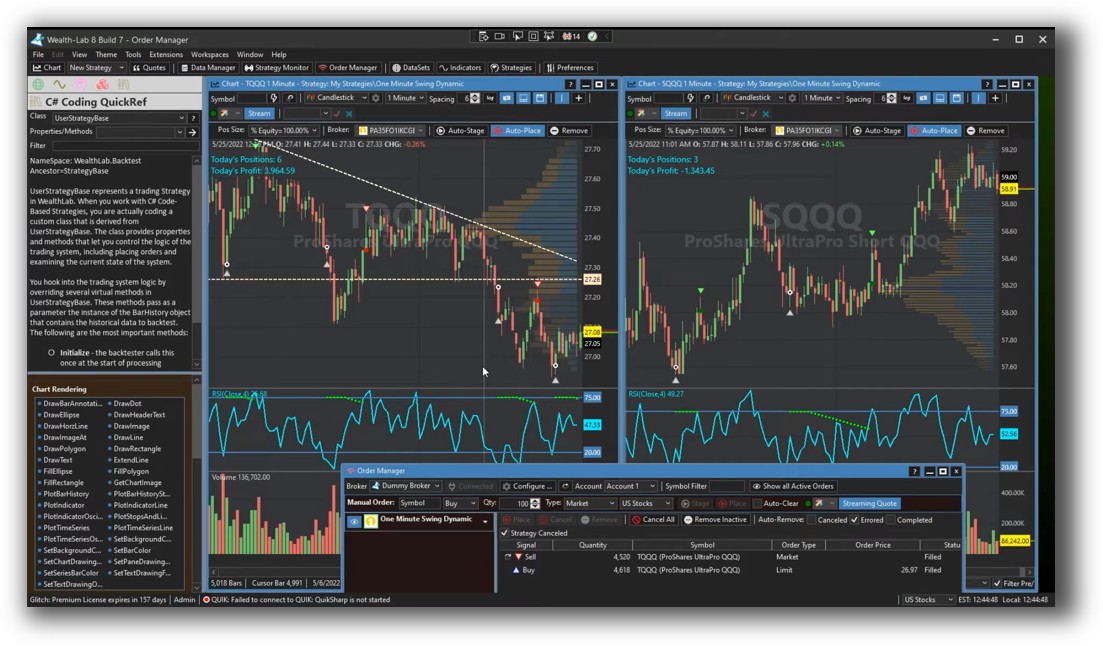
Wealth-Lab Automation Set Up:
Support, Documentation & Learning Resources
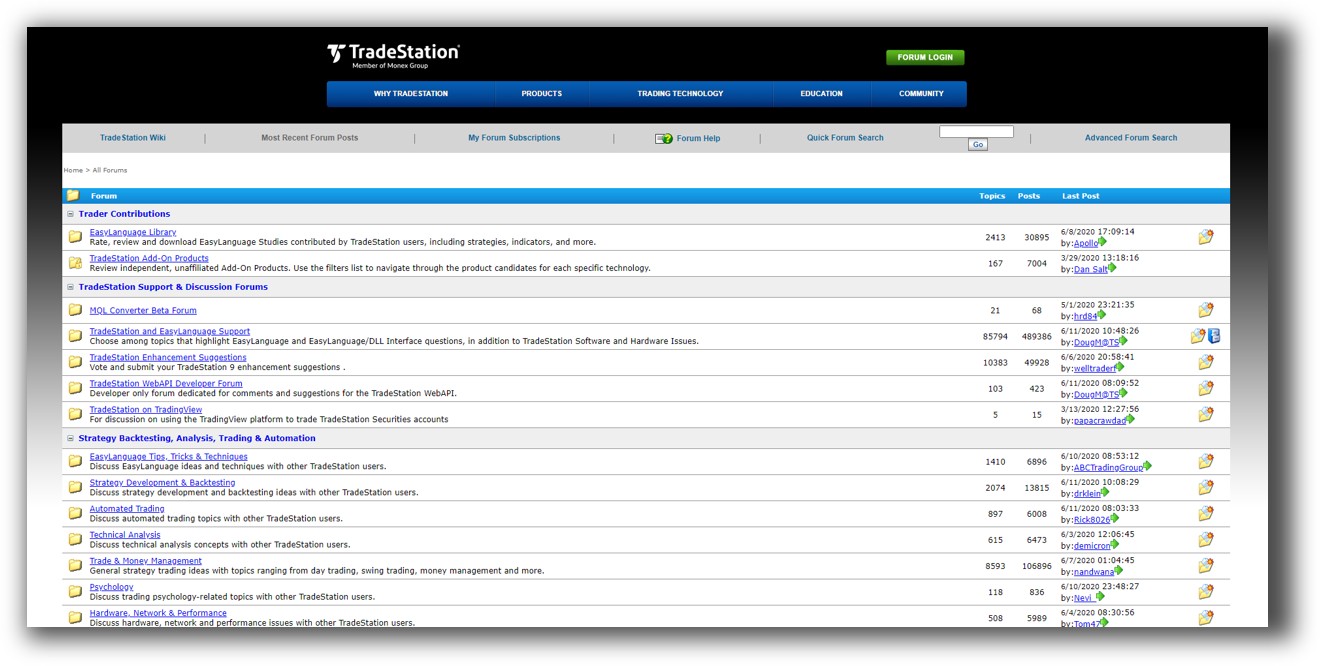
- TradeStation: Lots of legacy content, but the platform feels fragmented. Documents often lag behind software changes.
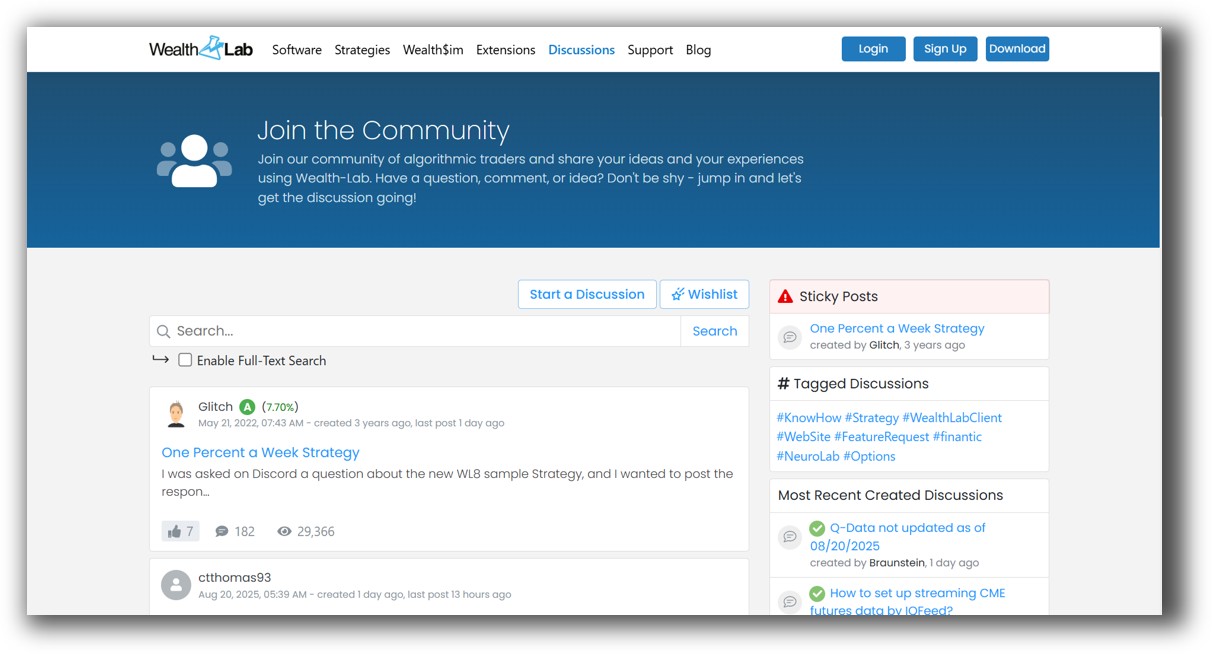
- Wealth-Lab: Regular updates, an active forum, and structured documentation make it easier to learn.
However, if you’re after clear, modern, intuitive documentation, RealTest again outshines both.
TradeStation Forum is illustrated down below:
Wealth-Lab Forum is illustrated down below:
TradeStation VS Wealth-Lab: Which One Should You Use?
-
Choose TradeStation if:
-
You want an all-in-one broker-platform combo
-
You prefer a simpler scripting language like EasyLanguage
-
Real-time execution and integrated charts are a priority
-
-
Choose Wealth-Lab if:
-
You need robust portfolio-level backtesting and advanced strategy tools
-
You’re comfortable with C# or prefer visual strategy building
-
You want more flexibility with brokers and data sources
-
Each platform offers useful features depending on your trading workflow. Your decision comes down to how much flexibility, depth, and control you need in your strategy development process.
Our Recommendation:
- Trade across multiple markets
- Build confidence through deep testing
- Automate without locking into one broker
- Spend less time managing trades
We recommend using Wealth-Lab for strategy development only if you are technically inclined and want a C# environment.
But if you want the best combination of speed, realism, and ease of use for portfolio-level backtesting, our top pick is still RealTest.
And for charting? Keep Amibroker in your toolkit.
Want the Rest of the Puzzle?
Choosing your trading software is just one piece. Most traders spend years bouncing between tools, tweaking indicators, and second-guessing trades.
That’s why we created The Trader Success System – a structured, proven path to become a confident, consistent, and profitable trader.
You’ll get:
- Backtested trading systems
- Expert guidance on software setup
- Strategy development coaching
- Portfolio design
- Risk management
- And an analytical trader community to back you up
Trading and Backtesting Software Review List
- RealTest vs Amibroker
- RealTest VS TradeStation
- RealTest VS NinjaTrader
- RealTest VS MultiCharts
- RealTest VS Wealth-Lab
- RealTest VS Beyond Charts
- RealTest VS Optuma
- RealTest VS TradingView
- RealTest VS MetaTrader 4 (MT4)
- RealTest VS MetaTrader 5 (MT5)
- AmiBroker VS TradeStation
- AmiBroker VS NinjaTrader
- AmiBroker VS MultiCharts
- AmiBroker VS Wealth-Lab
- AmiBroker VS Beyond Charts
- AmiBroker VS Optuma
- AmiBroker VS TradingView
- AmiBroker VS MetaTrader 4 (MT4)
- AmiBroker VS MetaTrader 5 (MT5)
- TradeStation VS NinjaTrader
- TradeStation VS MultiCharts
- TradeStation VS Wealth-Lab
- TradeStation VS Beyond Charts
- TradeStation VS Optuma
- TradeStation VS TradingView
- TradeStation VS MetaTrader 4 (MT4)
- TradeStation VS MetaTrader 5 (MT5)
- NinjaTrader VS MultiCharts
- NinjaTrader VS Wealth-Lab
- NinjaTrader VS Beyond Charts
- NinjaTrader VS Optuma
- NinjaTrader VS TradingView
- NinjaTrader VS MetaTrader 4 (MT4)
- NinjaTrader VS MetaTrader 5 (MT5)
- MultiCharts VS Wealth-Lab
- MultiCharts VS Beyond Charts
- MultiCharts VS Optuma
- MultiCharts VS TradingView
- MultiCharts VS MetaTrader 4 (MT4)
- MultiCharts VS MetaTrader 5 (MT5)
- Wealth-Lab VS Beyond Charts
- Wealth-Lab VS Optuma
- Wealth-Lab VS TradingView
- Wealth-Lab VS MetaTrader 4 (MT4)
- Wealth-Lab VS MetaTrader 5 (MT5)
- Beyond Charts VS Optuma
- Beyond Charts VS TradingView
- Beyond Charts VS MetaTrader 4 (MT4)
- Beyond Charts VS MetaTrader 5 (MT5)
- Optuma VS TradingView
- Optuma VS MetaTrader 4 (MT4)
- Optuma VS MetaTrader 5 (MT5)
- TradingView VS MetaTrader 4 (MT4)
- TradingView VS MetaTrader 5 (MT5)
- MetaTrader 4 (MT4) VS MetaTrader 5 (MT5)


