

TradeStation VS Optuma: Comparing Backtesting Software for Systematic Trading
If you’re evaluating TradeStation vs Optuma to support your systematic trading, here’s the short answer:
Neither is ideal for serious systematic traders focused on speed, portfolio-level realism, and ease of use. Both have their merits, but each also comes with major trade-offs that can slow your progress. For strategy design and discretionary tools, Optuma shines. For brokerage integration and scripting, TradeStation is useful.
But if your goal is to test, automate, and execute a diversified portfolio of strategies across markets with high confidence, you may want to consider a third option entirely.
Let’s break it down.
TradeStation VS Optuma at a Glance
Short on time? Here’s how TradeStation VS Optuma compare side by side.
|
Feature |
TradeStation |
Optuma |
|
Operating System |
Windows only (web/mobile limited) |
Windows desktop + cloud access |
|
Cost |
Free with brokerage, or data fees |
Subscription: $810–$1,485/yr |
|
Broker Integration |
Native brokerage platform |
Supports Interactive Brokers |
|
Backtesting |
Strategy tester (multi-symbol) |
Limited; add-on required |
|
Charting |
Strong, but clunky UI |
Exceptional technical analysis |
|
Strategy Development Language |
EasyLanguage |
Optuma Script Language |
|
Automation |
Partial automation with add-ons |
Limited, mostly external via APIs |
|
Learning Curve |
Moderate to high |
High |
Platform Overview, Cost & Compatibility
TradeStation has been around since 1982 and is deeply integrated with its own brokerage. That makes it ideal if you’re trading US equities and want an all-in-one platform. It runs on Windows, with some web and mobile capabilities, though serious traders tend to prefer the desktop version.
Optuma, on the other hand, is a Windows-based charting and research platform, also offering limited cloud access. It’s designed for institutional-grade technical analysis, and it shows. But that power comes at a cost: Licenses start at $810/year and go up to $1,485/year for access to backtesting and advanced modules .
For systematic traders, both platforms are Windows-only. They can run on Mac using Parallels or Bootcamp, but this introduces unnecessary friction. Wine is not recommended.
TradeStation Main View:

Optuma Main View:

Market Access & Data Support in TradeStation VS Optuma
TradeStation provides access to US equities, options, futures, forex, and crypto (via partner). You get real-time and historical data bundled with your brokerage account or available for purchase.
Optuma supports global market data (ASX, TSX, NYSE, and others) but via external data feeds like Norgate Data. This adds complexity and additional cost, but also flexibility.
If you’re trading globally or want diversified exposure across multiple exchanges, Optuma has an edge here. However, expect setup time and a steep learning curve.
Check Out: Trading System Development
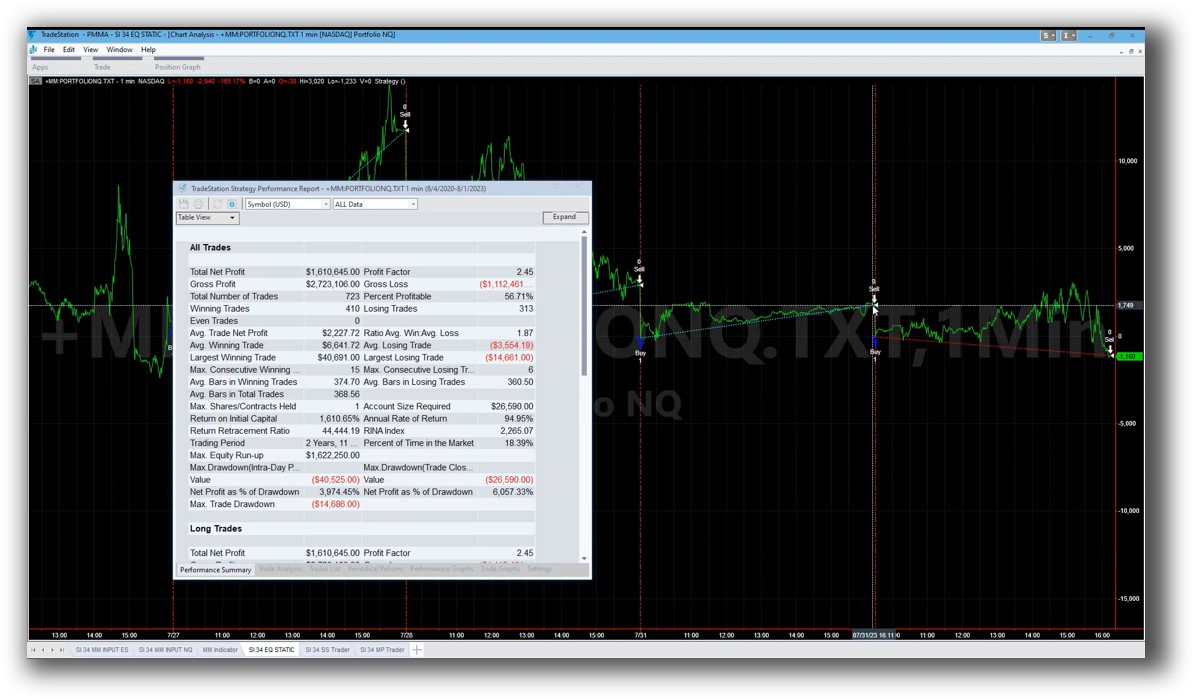
TradeStation Backtesting Interface:
Optuma Backtesting Interface:

Building & Customizing Trading Strategies
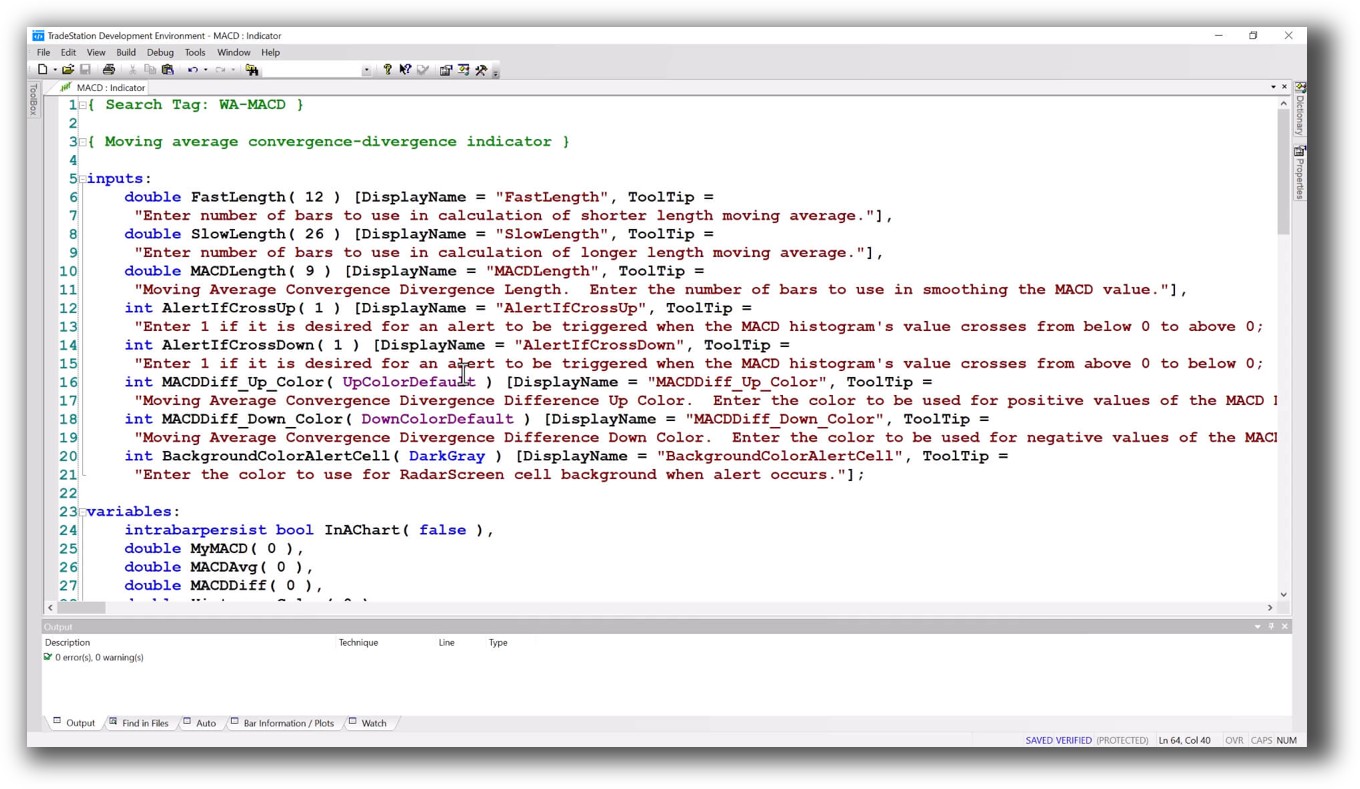
TradeStation uses EasyLanguage, a well-known scripting language tailored for trading strategies. It’s intuitive for non-programmers and very capable for those building trading systems with conditional logic.
Optuma uses its proprietary Optuma Scripting Language (OSL). It’s powerful but not widely known, and the learning curve is steeper.
Both allow strategy development, but if you’re serious about building and testing strategies from scratch, you’ll likely want more power and realism than either offers out of the box.
Check Out: Trading System Development
TradeStation Code Editor:
Optuma Code Editor:

Backtesting Performance, Speed & Realism
Here’s where things diverge sharply.
- TradeStation allows multi-symbol testing and has portfolio-level backtesting through its Portfolio Maestro tool. However, it’s limited in realism – position sizing is basic, slippage modeling is weak, and optimization can be slow on large universes.
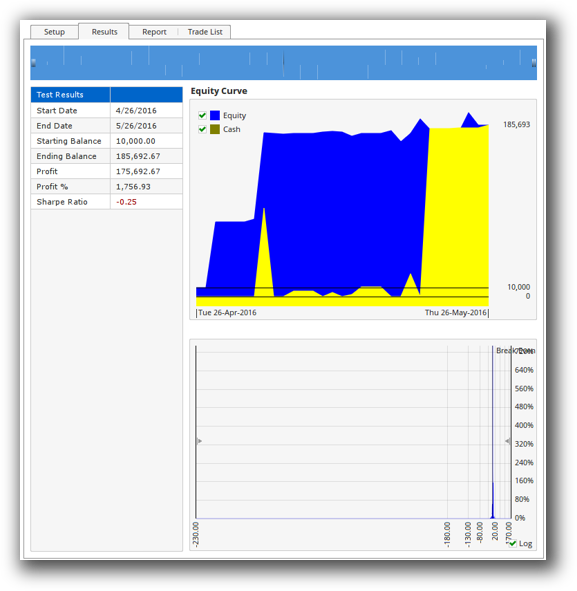
- Optuma offers backtesting, but only with the Signal Testing Module, a paid add-on. Even then, it does not support portfolio-level backtests. You test signals individually, which misses the real-world dynamics of position sizing and capital allocation across strategies.
If you’re building a robust, diversified trading business, not just playing with setups, both tools fall short. They lack the speed, realistic simulation, and automation that true systematic traders need.
Check out: Backtesting | Drawdown
TradeStation Backtest Report:

Optuma Backtest Report:
Strategy Optimization & Stress Testing Tools
-
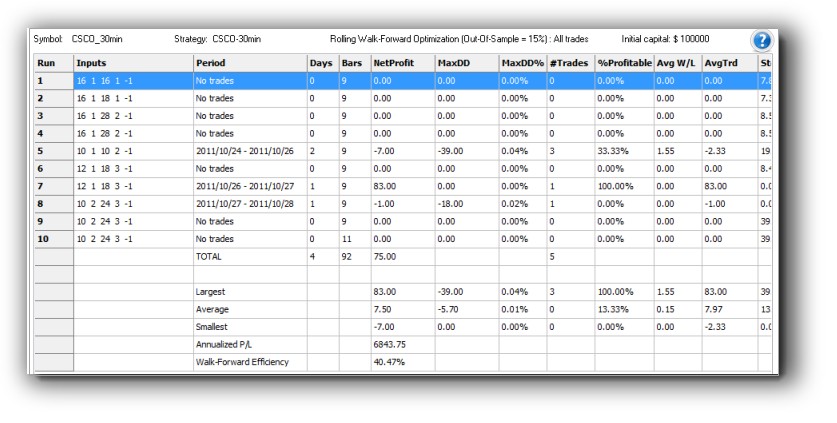
TradeStation supports walk-forward testing and parameter optimization. But there’s risk of curve fitting unless you’re extremely disciplined. Robustness testing options are limited, and running comprehensive tests takes time.
-
Optuma offers optimization tools too, but again, no portfolio-level walk-forward analysis. You’re optimizing in isolation, which doesn’t reflect real-world trading complexity
Check Out: Trading System Optimization
TradeStation Walk-Forward (Out-of-Sample):
Charting Features, Signal Exploration & Live Execution
This is where Optuma shines.
Its charting engine is among the most advanced on the market. You can layer custom indicators, price cycles, Gann analysis, and more. If visual analysis is a key part of your trading, Optuma leads.
TradeStation’s charting is solid, but less refined. However, it wins on execution. You can automate strategies with EasyLanguage, trigger orders directly, and run via their brokerage with minimal manual work.
Optuma requires external execution. It integrates with Interactive Brokers but only for order placement, not automation.
If you’re a chartist, you’ll love Optuma. If you want tight integration between your system and execution, TradeStation has the edge.
Check Out Order Types | Automated Trading Systems
TradeStation Automation Set Up (Format Strategies):

Optuma Automation Set Up (Automatic Grouping):

Support, Documentation & Learning Resources
TradeStation has been around a long time and has a large community of users. Documentation is deep but dated in places. You’ll find forums, legacy tutorials, and scattered help articles.
Optuma’s documentation is more modern, but some features lack clear walkthroughs. Their scripting language also has less community support, which makes the learning curve steeper.
Neither matches the clarity and simplicity of platforms like RealTest, which is often preferred for its intuitive structure, realistic backtesting, and minimal fuss.
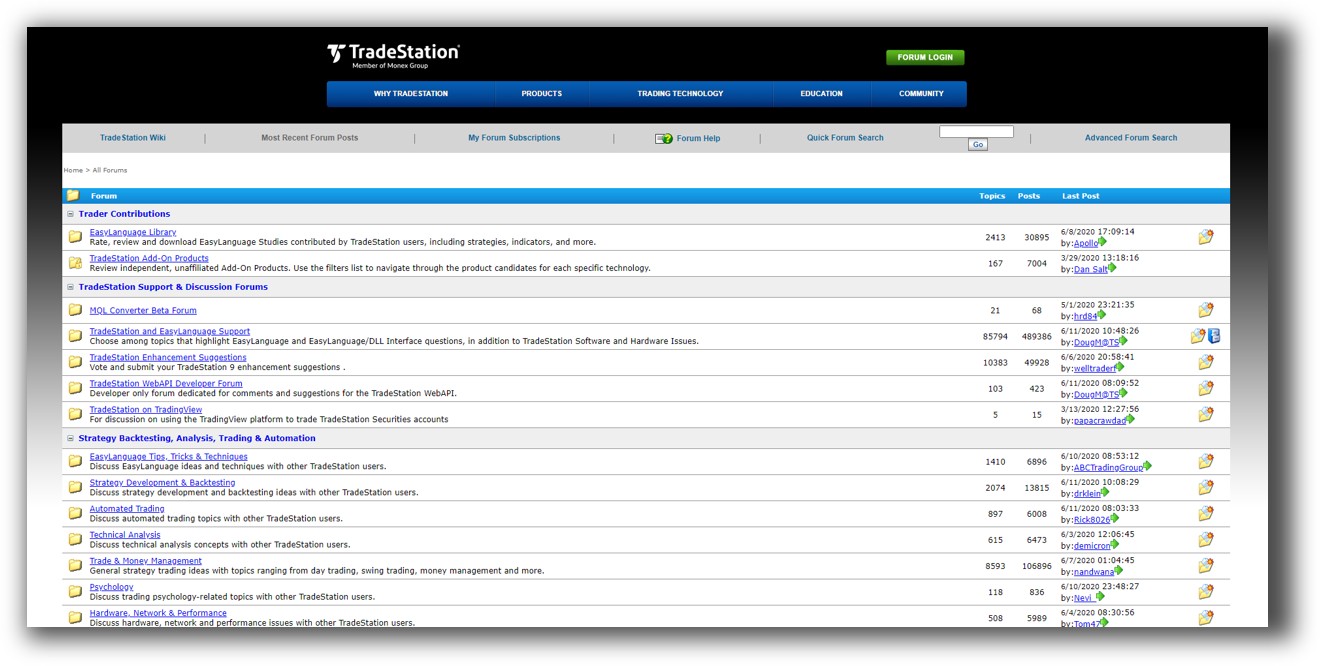
TradeStation Forum is illustrated down below:
Optuma Forum is illustrated down below:

TradeStation VS Optuma: Which One Should You Use?
Both platforms serve different types of traders:
- Choose TradeStation if you’re US-focused, want brokerage integration, and prefer coding systems in a straightforward language.
- Choose Optuma if your focus is charting, discretionary signal testing, or you’re doing technical analysis at an advanced level.
But if your goal is to:
- Build a portfolio of trading systems
- Run backtests with realistic slippage, capital usage, and position sizing
- Automate your execution with minimal manual effort
- Trade across multiple global markets
Then neither TradeStation nor Optuma is ideal. You’ll likely hit a wall with speed, portfolio realism, and automation.
Our Recommendation:
If you’re analytical, driven, and tired of inconsistent results, systematic trading is the way forward.
And for that, you need tools that work with your brain, not against it.
RealTest is our preferred backtesting software because it was built by a trader, for traders. It delivers fast, accurate, and portfolio-level simulation with no frills. Combine it with data from Norgate and execution through Interactive Brokers, and you’ve got a complete engine for consistent, confident trading.
TradeStation and Optuma can still play a role:
- Use TradeStation for order routing if you’re trading US stocks via their brokerage.
- Use Optuma for scanning and discretionary visual setups, especially in the ASX or global markets.
But for the heavy lifting of system design and confidence-building backtests?
Look elsewhere.
Want the Rest of the Puzzle?
Choosing the right backtesting software is just one part of building a sustainable trading business.
If you’re tired of guessing and second-guessing, and want to trade with absolute clarity…
Then The Trader Success System will give you the complete process to:
- Design and test your own strategies
- Build a diversified portfolio
- Automate your execution
- Trade just 30 minutes a day
- Grow your wealth without the stress
You’re only one trading system away.
Trading and Backtesting Software Review List
- RealTest vs Amibroker
- RealTest VS TradeStation
- RealTest VS NinjaTrader
- RealTest VS MultiCharts
- RealTest VS Wealth-Lab
- RealTest VS Beyond Charts
- RealTest VS Optuma
- RealTest VS TradingView
- RealTest VS MetaTrader 4 (MT4)
- RealTest VS MetaTrader 5 (MT5)
- AmiBroker VS TradeStation
- AmiBroker VS NinjaTrader
- AmiBroker VS MultiCharts
- AmiBroker VS Wealth-Lab
- AmiBroker VS Beyond Charts
- AmiBroker VS Optuma
- AmiBroker VS TradingView
- AmiBroker VS MetaTrader 4 (MT4)
- AmiBroker VS MetaTrader 5 (MT5)
- TradeStation VS NinjaTrader
- TradeStation VS MultiCharts
- TradeStation VS Wealth-Lab
- TradeStation VS Beyond Charts
- TradeStation VS Optuma
- TradeStation VS TradingView
- TradeStation VS MetaTrader 4 (MT4)
- TradeStation VS MetaTrader 5 (MT5)
- NinjaTrader VS MultiCharts
- NinjaTrader VS Wealth-Lab
- NinjaTrader VS Beyond Charts
- NinjaTrader VS Optuma
- NinjaTrader VS TradingView
- NinjaTrader VS MetaTrader 4 (MT4)
- NinjaTrader VS MetaTrader 5 (MT5)
- MultiCharts VS Wealth-Lab
- MultiCharts VS Beyond Charts
- MultiCharts VS Optuma
- MultiCharts VS TradingView
- MultiCharts VS MetaTrader 4 (MT4)
- MultiCharts VS MetaTrader 5 (MT5)
- Wealth-Lab VS Beyond Charts
- Wealth-Lab VS Optuma
- Wealth-Lab VS TradingView
- Wealth-Lab VS MetaTrader 4 (MT4)
- Wealth-Lab VS MetaTrader 5 (MT5)
- Beyond Charts VS Optuma
- Beyond Charts VS TradingView
- Beyond Charts VS MetaTrader 4 (MT4)
- Beyond Charts VS MetaTrader 5 (MT5)
- Optuma VS TradingView
- Optuma VS MetaTrader 4 (MT4)
- Optuma VS MetaTrader 5 (MT5)
- TradingView VS MetaTrader 4 (MT4)
- TradingView VS MetaTrader 5 (MT5)
- MetaTrader 4 (MT4) VS MetaTrader 5 (MT5)


