

TradeStation VS Beyond Charts: Comparing Backtesting Software for Systematic Trading
Here’s the bottom line upfront:
- TradeStation is a powerful all-in-one trading platform with excellent brokerage integration, broad market access, and high-speed backtesting for single instruments.
- Beyond Charts, on the other hand, is a more focused tool tailored to charting, scanning, and visual strategy development, ideal for traders who want to explore technical ideas visually before coding them.
But if your goal is to develop reliable, automated trading systems, especially at the portfolio level, both have limitations.
Let’s break down the key differences.
TradeStation VS Beyond Charts at a Glance
Short on time? Here’s how TradeStation VS Beyond Charts compare side by side.
|
Feature Category |
TradeStation |
Beyond Charts |
|
Operating System |
Windows only + Web/Mobile |
Windows only (Mac via emulation) |
|
Platform Type |
Broker platform with trading & backtesting |
Charting platform with scanning & EOD testing |
|
Portfolio-Level Backtesting |
Limited |
Not supported |
|
Strategy Optimization |
Basic & Walk-Forward |
Walk-Forward only |
|
Automation |
Native (via EasyLanguage) |
Not available |
|
Brokerage Integration |
Full suite (stocks, options, futures, crypto) |
None |
|
Documentation |
Extensive but dated |
Moderate, not ideal for beginners |
|
Ideal For |
Full-service traders with coding experience |
Visual traders and discretionary-to-system crossover |
Platform Overview, Cost & Compatibility
TradeStation was founded in 1982 and has matured into a full-feature trading platform with integrated brokerage. It offers both desktop and mobile apps, although its core platform is still Windows-based. Mac users will need Parallels or Bootcamp.
Beyond Charts is a Windows-only platform that focuses on charting and scanning. It lacks execution or brokerage integration. It’s offered as a one-time paid license (around AUD $595), which might appeal to traders who dislike ongoing subscription costs.
If you’re trading part-time and value minimal costs, Beyond Charts may seem attractive – but be cautious about the long-term limitations.
TradeStation Main View:

Beyond Charts Main View:
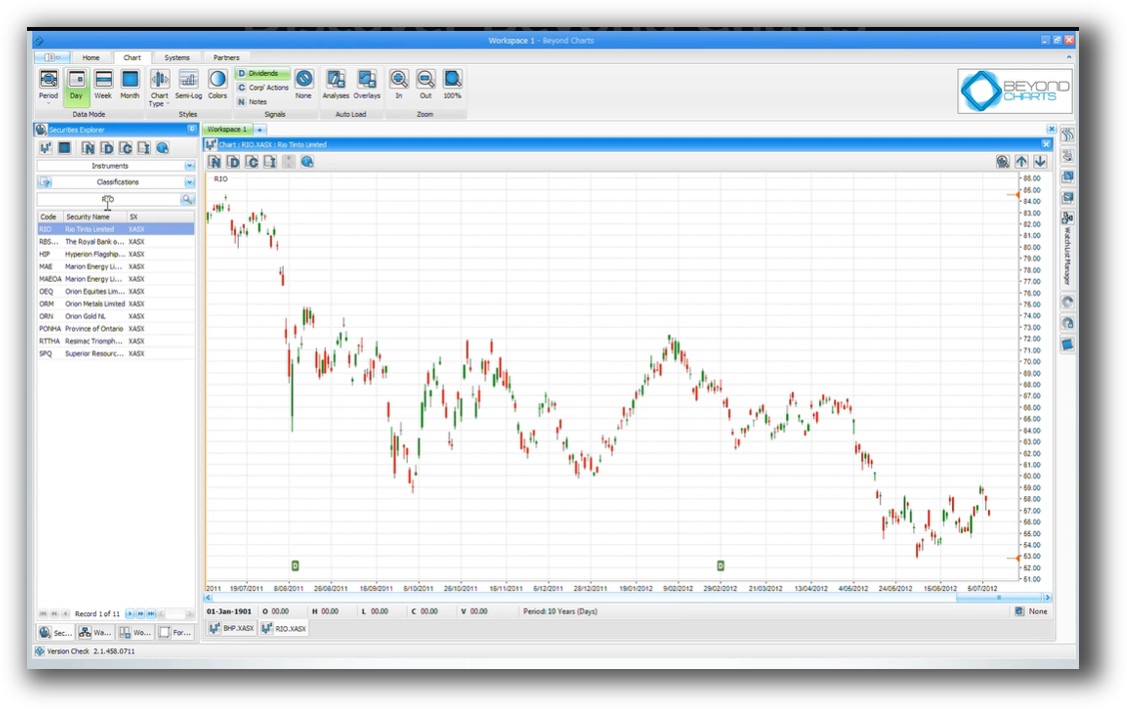
Market Access & Data Support in TradeStation VS Beyond Charts
TradeStation offers native market access to stocks, futures, options, and crypto through its brokerage. Data integration is seamless and real-time.
Beyond Charts is built for end-of-day (EOD) trading only. It supports various third-party data feeds such as Metastock format and Norgate Data, a favorite for Australian and US stock backtesting.
Neither supports advanced global portfolio testing across multiple timeframes or markets.
Check Out: Trading System Development
TradeStation Backtesting Interface:
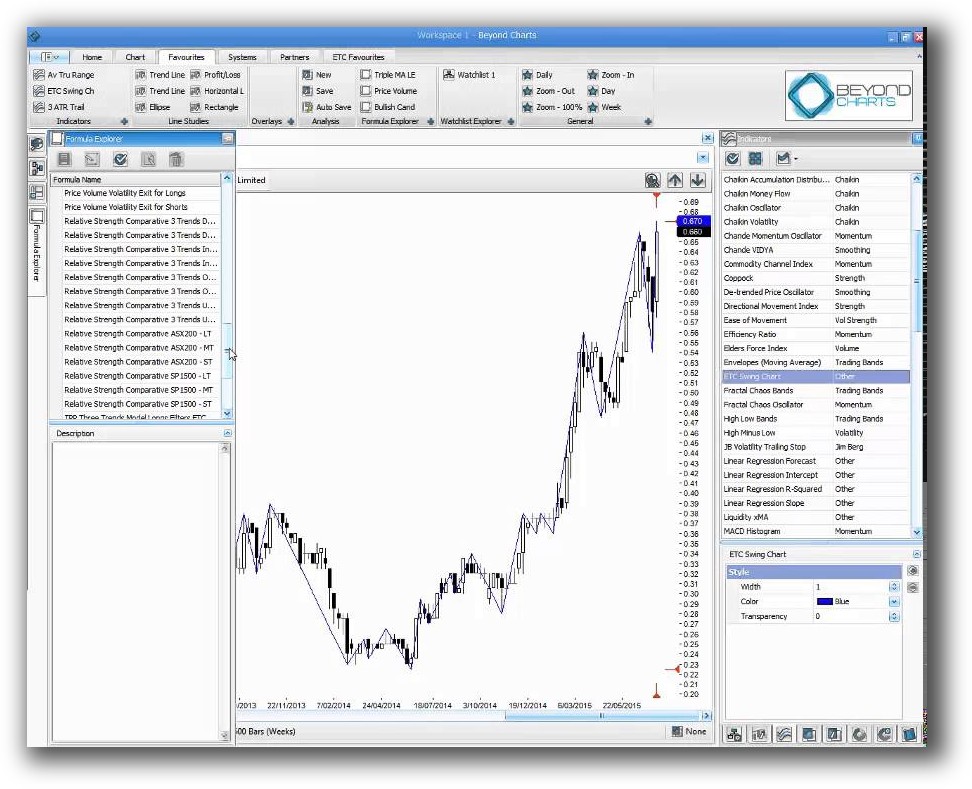
Beyond Charts Backtesting Interface:
Building & Customizing Trading Strategies
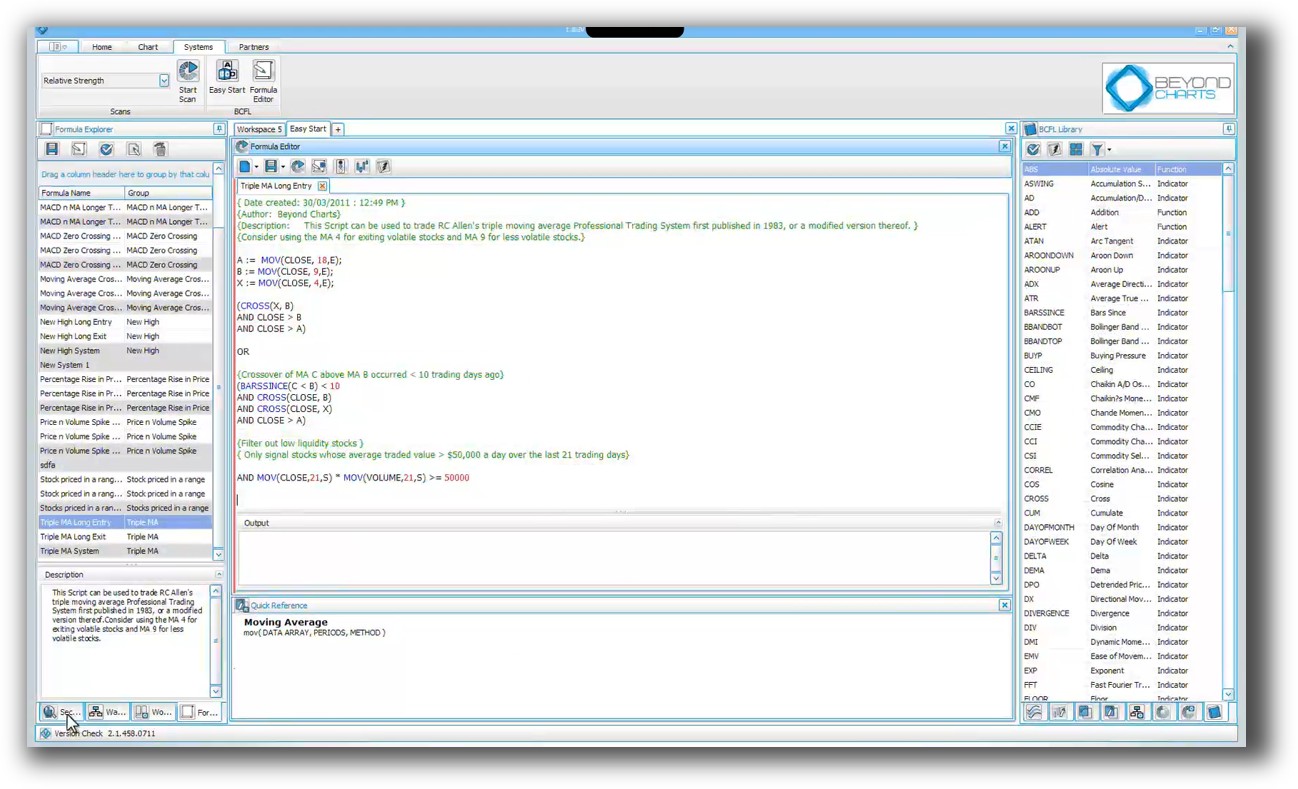
If you’re a visual thinker, Beyond Charts allows drag-and-drop rule building and scanning through its proprietary Beyond Charts Formula Language (BCFL).
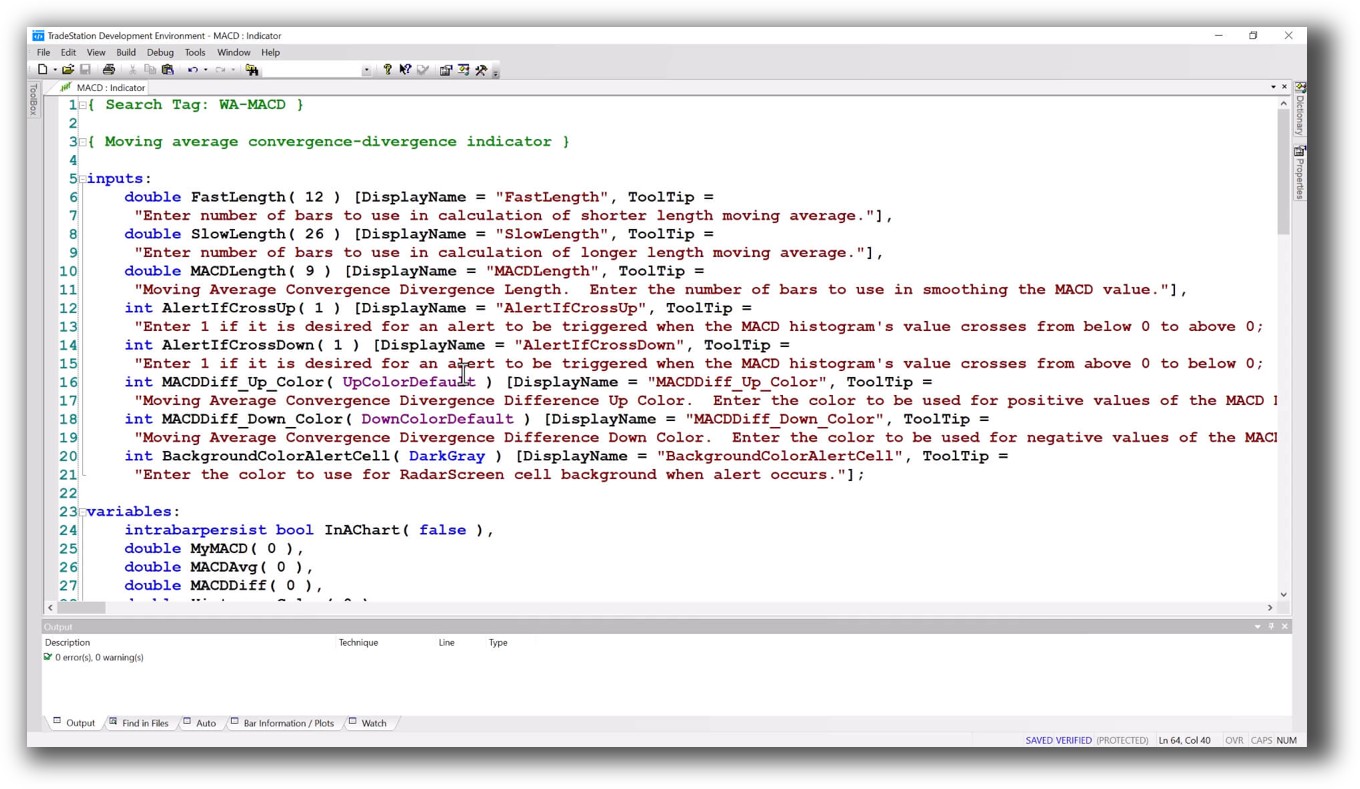
TradeStation relies on EasyLanguage, a proprietary but well-established coding language with a supportive community. It doesn’t offer drag-and-drop logic building, but you can code entry and exit rules with precision.
For systematic traders, code-based workflow wins every time – provided you’re willing to learn.
Check Out: Trading System Development
TradeStation Code Editor:
Beyond Charts Code Editor:
Backtesting Performance, Speed & Realism
Let’s get honest:
Neither TradeStation nor Beyond Charts provides true portfolio-level backtesting that considers correlations, equity curves, position sizing, and capital allocation across systems – which are essential for professional-grade strategy development.
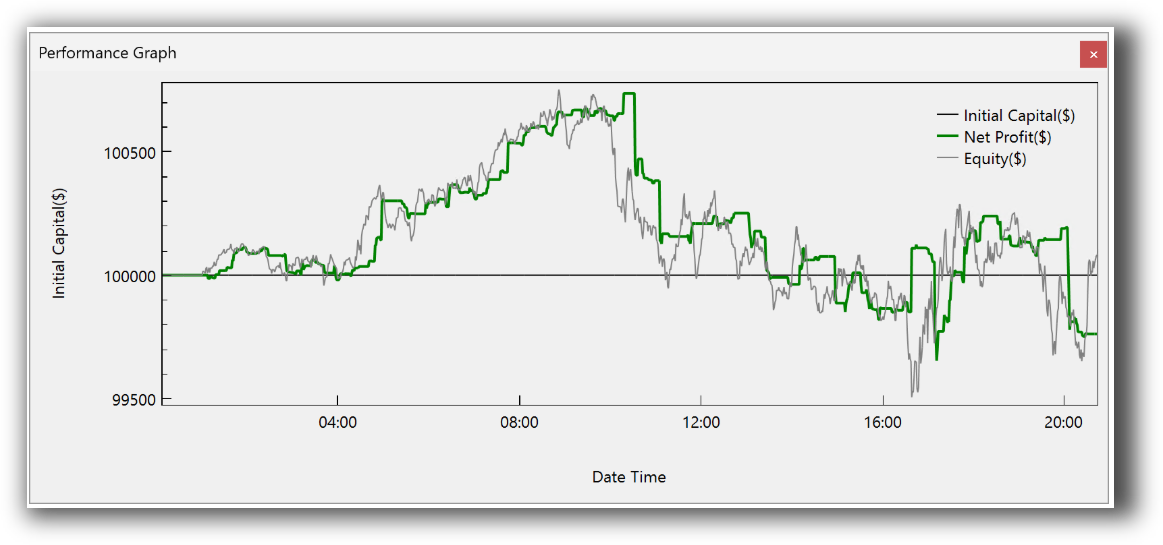
- TradeStation: Fast single-instrument backtesting with decent realism. Offers optimization and walk-forward testing but struggles with multi-strategy or multi-symbol simulation.
- Beyond Charts: Limited to EOD testing on individual instruments. Portfolio simulation and capital allocation rules are absent.
If you’re developing multiple trading systems or need position sizing logic across a portfolio, look elsewhere.
For those needs, RealTest remains the best choice.
Check out: Backtesting | Drawdown
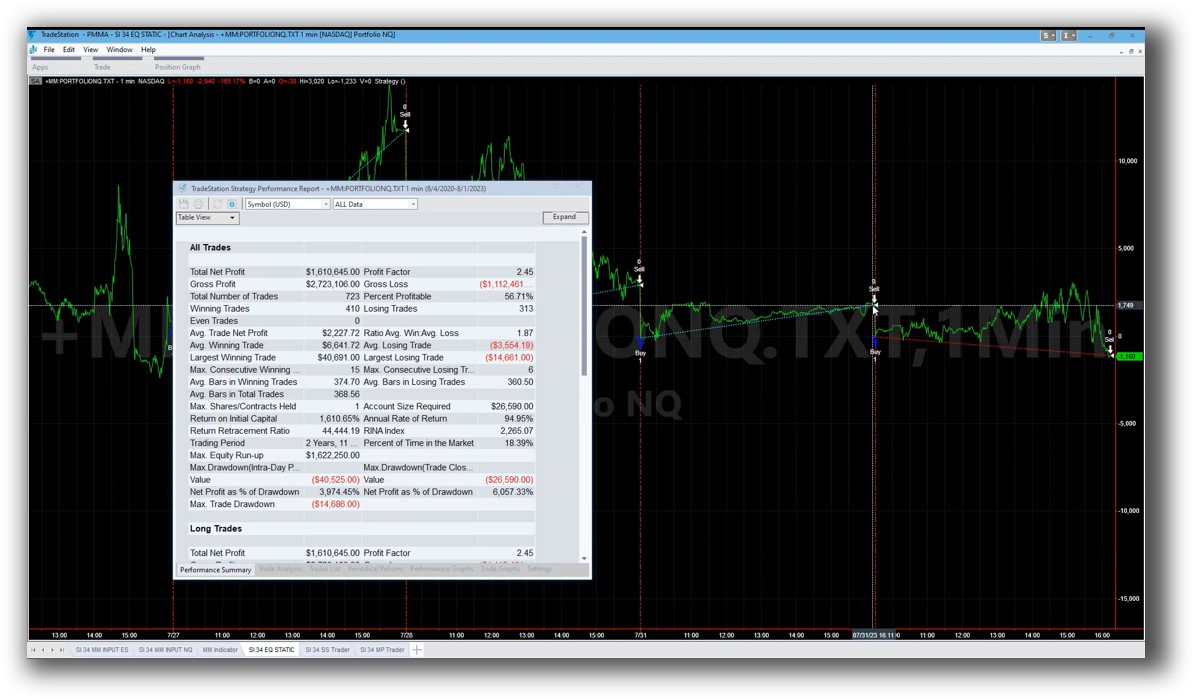
TradeStation Backtest Report:

Beyond Charts Backtest Report:
Strategy Optimization & Stress Testing Tools
- TradeStation: Offers traditional optimization, including walk-forward analysis. However, there’s a real risk of curve fitting if you’re not careful.
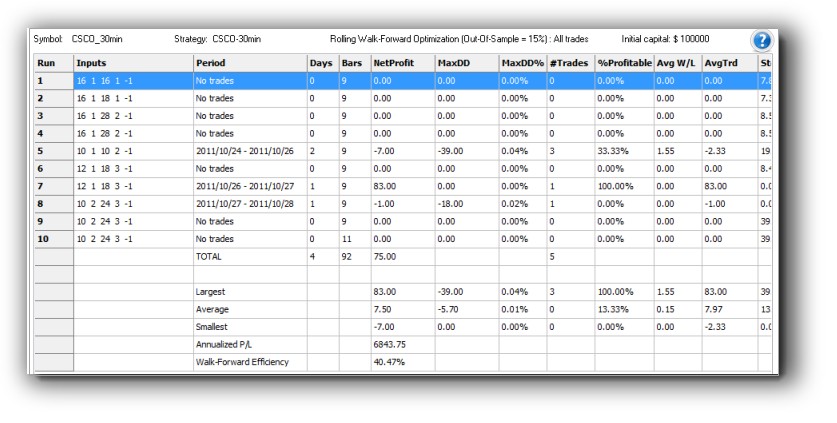
- Beyond Charts: Includes walk-forward testing and efficiency matrix, which is a useful visual for robustness testing, but again, only on single instruments.
Both platforms lack cross-sectional analysis and multi-strategy robustness tools needed for diversified portfolios. For serious traders, optimization must go hand-in-hand with robustness validation, not just brute-force testing.
Check Out: Trading System Optimization
TradeStation Walk-Forward (Out-of-Sample):
Charting Features, Signal Exploration & Live Execution
Beyond Charts shines in this category.
It supports:
- Bar, candlestick, point & figure, Renko, Heikin-Ashi, Kagi, and more
- Flexible scanning based on BCFL
- Highly customizable visual layouts
This makes it a solid companion tool for technical analysis and discretionary to rules-based transition.
TradeStation has excellent charting too but is less flexible than Beyond Charts in layout and style. It wins on execution though, with:
- One-click trade execution
- Full brokerage integration
- Automation via EasyLanguage
If execution automation is part of your workflow – TradeStation wins.
Check Out Order Types | Automated Trading Systems
TradeStation Automation Set Up (Format Strategies):

Support, Documentation & Learning Resources
TradeStation provides:
- Years of user guides and community content
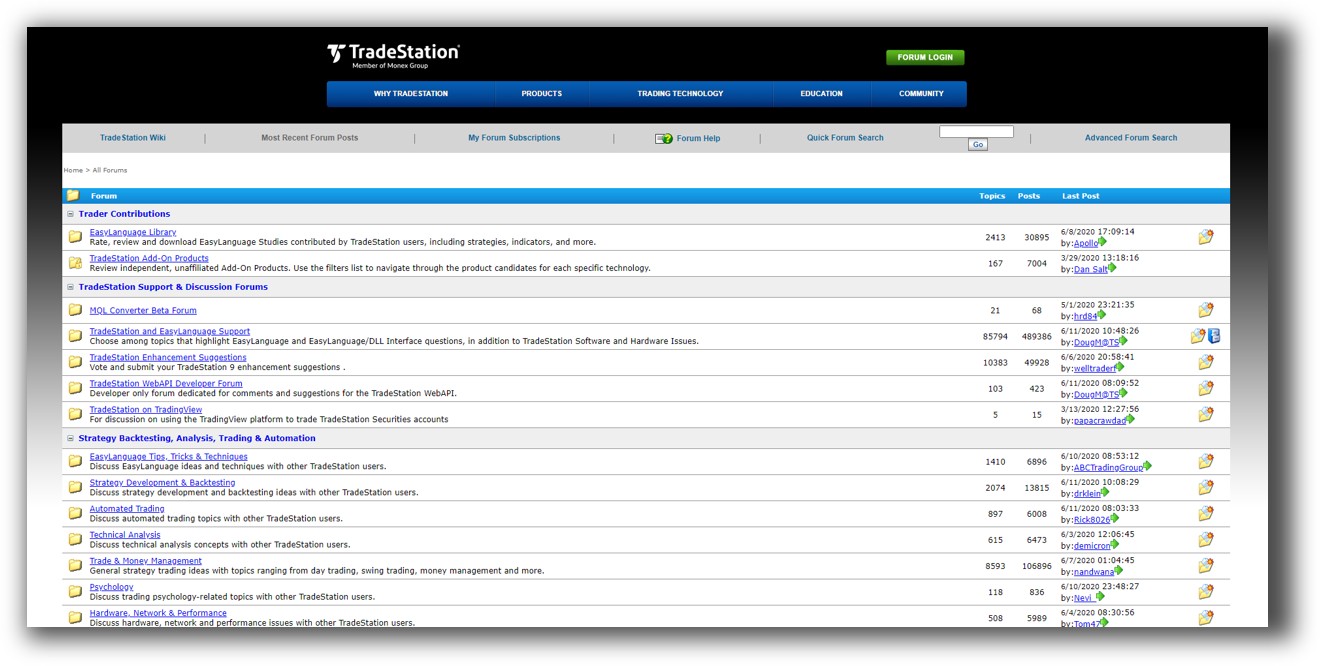
- Official forums
- Tutorials (though some are dated)
Beyond Charts has documentation and a help forum, but it’s harder for beginners to get up to speed. The learning curve is lighter than Amibroker, but you’re still largely on your own.
If you’re new to systematic trading, neither platform guides you the way we do in the Trader Success System.
TradeStation Forum is illustrated down below:
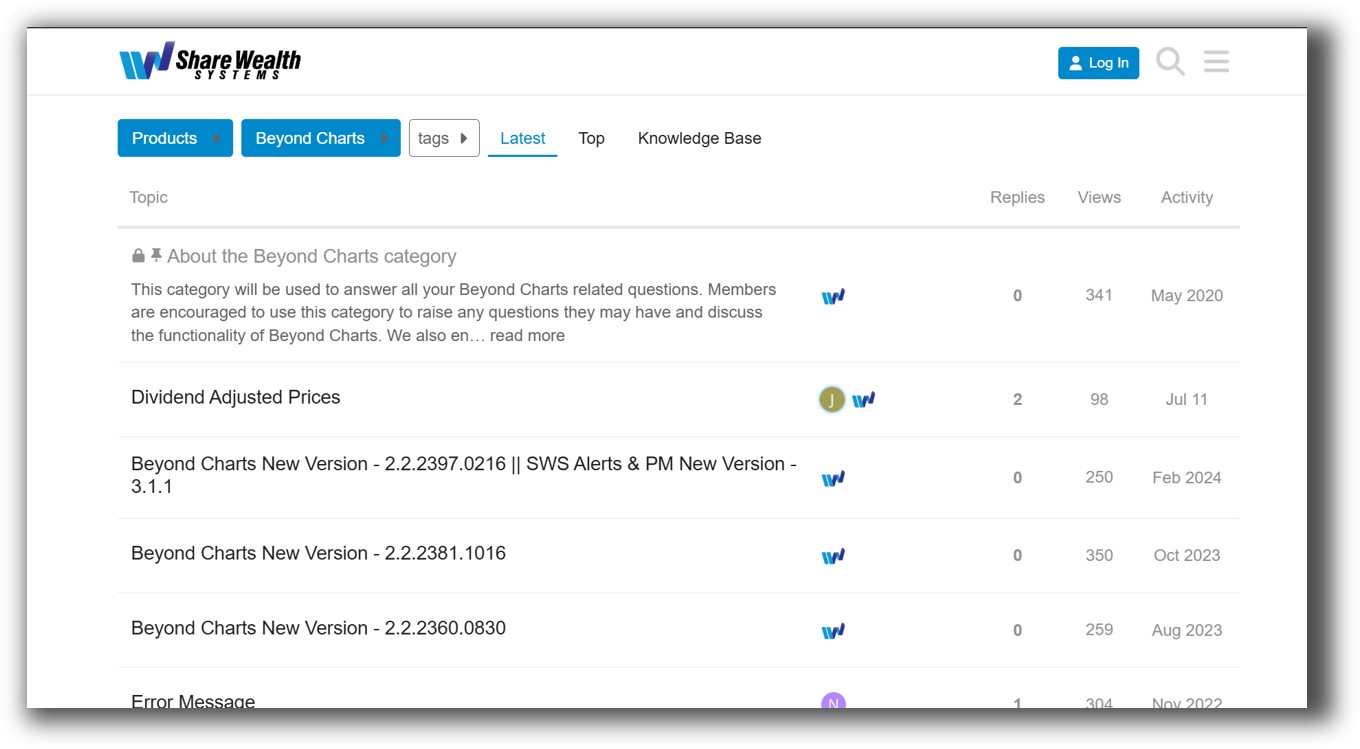
Beyond Charts Forum is illustrated down below:
TradeStation VS Beyond Charts: Which One Should You Use?
TradeStation is the more complete trading software, offering:
- Integrated brokerage
- Real-time data
- Strategy coding, automation, and execution
But it falls short in portfolio-level testing and real diversification.
Beyond Charts is a solid charting and scanning tool, especially for EOD traders and visual thinkers, but its lack of brokerage integration and automation limits its long-term utility for system traders.
Our Recommendation:
- If you’re just getting started and want a visual tool to understand price action and develop entry ideas visually, Beyond Charts is a good stepping stone.
- If you want to code and automate strategies within a broker-integrated platform, TradeStation is the better fit.
- If you’re serious about becoming a consistent, rules-based trader with a diversified portfolio, neither tool is complete.
For portfolio-level backtesting, integrated risk management, capital allocation, and system diversification, you need a tool like RealTest.
And to tie it all together with clarity and confidence, that’s where we come in.
Want the Rest of the Puzzle?
Choosing your trading software is just one piece. Most traders spend years bouncing between tools, tweaking indicators, and second-guessing trades.
That’s why we created The Trader Success System, a structured, proven path to become a confident, consistent, and profitable trader.
You’ll get:
- Backtested trading systems
- Expert guidance on software setup
- Strategy development coaching
- Portfolio design
- Risk management
- And an analytical trading community to back you up
Trading and Backtesting Software Review List
- RealTest vs Amibroker
- RealTest VS TradeStation
- RealTest VS NinjaTrader
- RealTest VS MultiCharts
- RealTest VS Wealth-Lab
- RealTest VS Beyond Charts
- RealTest VS Optuma
- RealTest VS TradingView
- RealTest VS MetaTrader 4 (MT4)
- RealTest VS MetaTrader 5 (MT5)
- AmiBroker VS TradeStation
- AmiBroker VS NinjaTrader
- AmiBroker VS MultiCharts
- AmiBroker VS Wealth-Lab
- AmiBroker VS Beyond Charts
- AmiBroker VS Optuma
- AmiBroker VS TradingView
- AmiBroker VS MetaTrader 4 (MT4)
- AmiBroker VS MetaTrader 5 (MT5)
- TradeStation VS NinjaTrader
- TradeStation VS MultiCharts
- TradeStation VS Wealth-Lab
- TradeStation VS Beyond Charts
- TradeStation VS Optuma
- TradeStation VS TradingView
- TradeStation VS MetaTrader 4 (MT4)
- TradeStation VS MetaTrader 5 (MT5)
- NinjaTrader VS MultiCharts
- NinjaTrader VS Wealth-Lab
- NinjaTrader VS Beyond Charts
- NinjaTrader VS Optuma
- NinjaTrader VS TradingView
- NinjaTrader VS MetaTrader 4 (MT4)
- NinjaTrader VS MetaTrader 5 (MT5)
- MultiCharts VS Wealth-Lab
- MultiCharts VS Beyond Charts
- MultiCharts VS Optuma
- MultiCharts VS TradingView
- MultiCharts VS MetaTrader 4 (MT4)
- MultiCharts VS MetaTrader 5 (MT5)
- Wealth-Lab VS Beyond Charts
- Wealth-Lab VS Optuma
- Wealth-Lab VS TradingView
- Wealth-Lab VS MetaTrader 4 (MT4)
- Wealth-Lab VS MetaTrader 5 (MT5)
- Beyond Charts VS Optuma
- Beyond Charts VS TradingView
- Beyond Charts VS MetaTrader 4 (MT4)
- Beyond Charts VS MetaTrader 5 (MT5)
- Optuma VS TradingView
- Optuma VS MetaTrader 4 (MT4)
- Optuma VS MetaTrader 5 (MT5)
- TradingView VS MetaTrader 4 (MT4)
- TradingView VS MetaTrader 5 (MT5)
- MetaTrader 4 (MT4) VS MetaTrader 5 (MT5)


