

Amibroker VS NinjaTrader: Comparing Backtesting Software for Systematic Trading
Short answer: For serious systematic trading and fast, realistic backtesting, Amibroker is the better choice. But if you’re trading futures or want direct brokerage integration for execution, NinjaTrader has its advantages. Both have steep learning curves, but only one is optimised for fast system development and testing with precision.
Let’s break this down…
Amibroker VS NinjaTrader at a Glance
Short on time? Here’s how Amibroker VS NinjaTrader compare side by side
|
Feature |
Amibroker |
NinjaTrader |
|
Year Released |
1995 |
2003 |
|
OS Compatibility |
Windows only (Mac via VM) |
Windows only (Web/Mobile for brokers) |
|
Cost |
One-time license (~US$299) |
Free basic; lease or buy for full features |
|
Backtesting Speed |
Extremely fast, multi-symbol capable |
Slower; better for futures tick data |
|
Language |
AFL (custom, formula-based) |
NinjaScript (C#/.NET) |
|
Brokerage Integration |
Partial (via Interactive Brokers with external plug ins) |
Full (NinjaTrader Brokerage) |
|
Charting |
Functional but basic |
Advanced and modern |
|
Ease of Use |
Moderate to steep learning curve |
Steep, especially for coding |
|
Documentation |
Detailed but slightly dated |
Mixed – good official docs, outdated 3rd-party |
.
Platform Overview, Cost & Compatibility
Amibroker is a lean, locally installed software built for speed and flexibility. It runs on Windows, and while it can operate on Mac using a VM like Parallels or Bootcamp, Wine is not recommended.
The cost is straightforward: a one-time license fee, with Standard and Professional versions starting from ~$299 USD.
NinjaTrader is also Windows-based, but focuses heavily on integrating with its own brokerage. While it offers a free version, unlocking advanced features (like backtesting, strategy development, and automation) requires leasing or purchasing a license.
For traders who value ownership, low costs, and speed, Amibroker stands out for its pricing and independence.
Amibroker Main View:

NinjaTrader Main View:

Market Access & Data Support in Amibroker VS NinjaTrader
Amibroker doesn’t provide built-in data feeds. You’ll need to configure it with third-party providers like Norgate or Interactive Brokers. This gives flexibility but takes setup time.
NinjaTrader, on the other hand, is tightly integrated with its own brokerage. If you trade futures or forex, this is convenient. Market data is available through broker accounts, which simplifies live trading setups.
That said, for global equity markets, Amibroker is superior in terms of flexibility and control.
Amibroker Backtesting Interface:
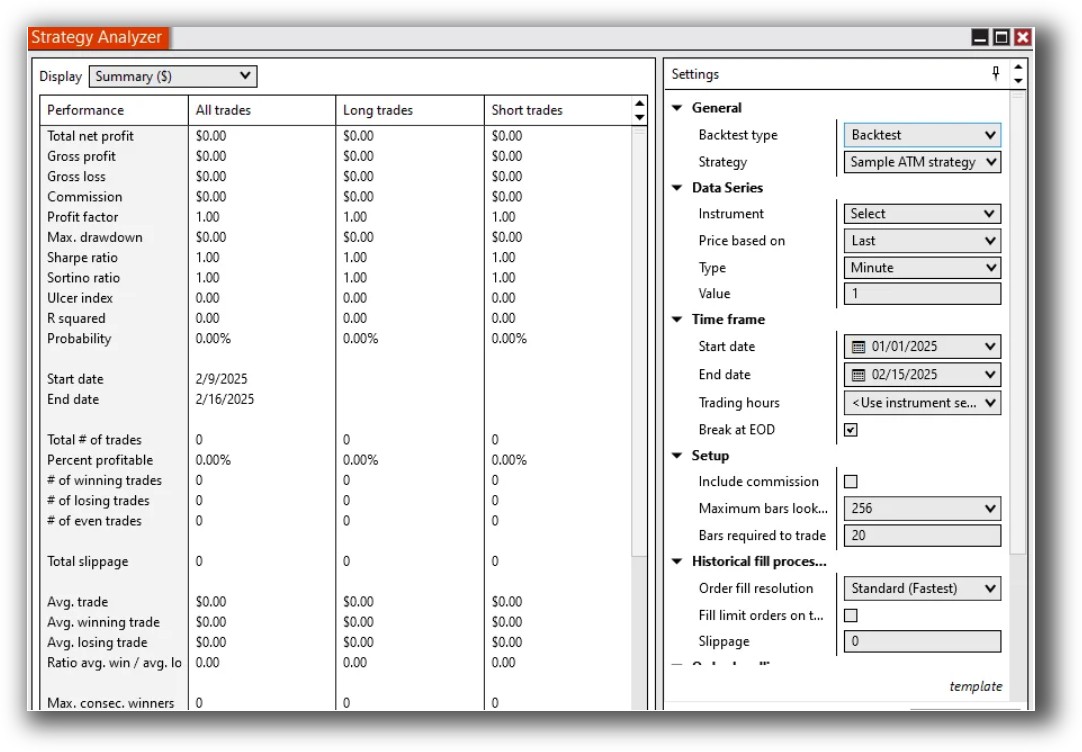
NinjaTrader Backtesting Interface:
Building & Customizing Trading Strategies
Amibroker uses AFL (Amibroker Formula Language), a purpose-built scripting language designed for traders. It’s compact, expressive, and optimised for technical analysis and backtesting.
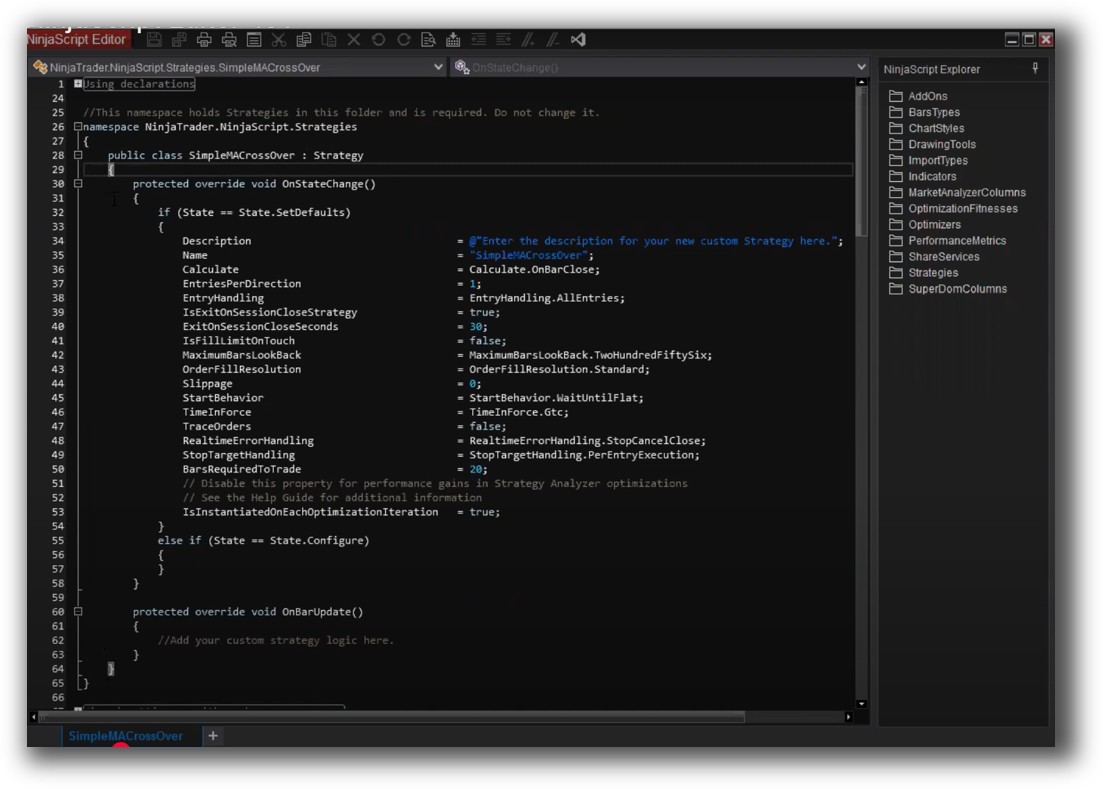
NinjaTrader uses NinjaScript (based on C#), which offers deep control but is more verbose and complex to learn – especially for non-coders.
For traders who want to quickly test, iterate, and run trading strategies, Amibroker is far more time-efficient
Check Out: Trading System Development
Amibroker Code Editor:

NinjaTrader Code Editor:
Backtesting Performance, Speed & Realism
Amibroker’s backtesting engine is one of the fastest in the industry. It supports:
- Multi symbol-level simulations
- Custom position sizing
- High speed (even on large datasets)
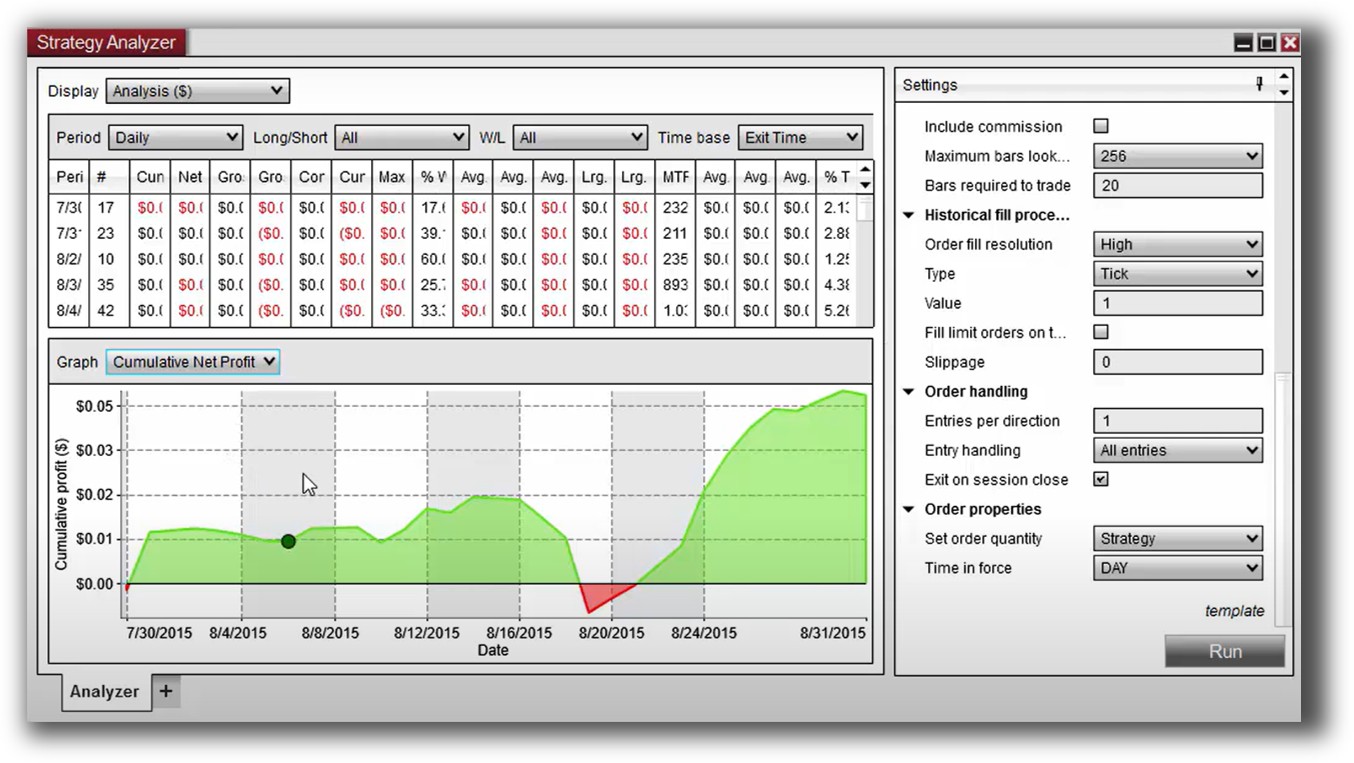
NinjaTrader supports historical simulation but is primarily designed for tick-level testing in futures/forex. It’s less flexible for equities and slower when handling portfolios.
If you want to model systems across entire markets such as the ASX, US, and crypto markets – Amibroker is the clear winner.
Check out: Backtesting | Drawdown
Amibroker Backtest Report:

NinjaTrader Backtest Report:
Strategy Optimization & Stress Testing Tools
- Optimization modes: exhaustive, genetic, brute force
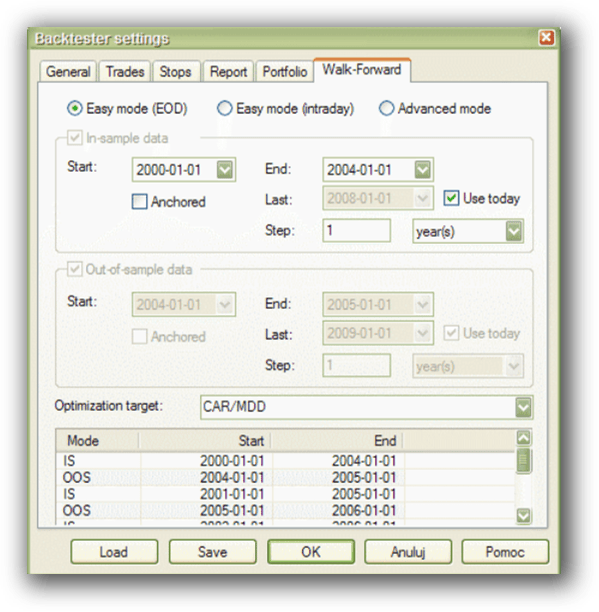
- Walk-forward testing
- Parameter sensitivity analysis
- Built-in performance metrics (Sharpe, Sortino, MAR, max drawdown)
-
Optimization modes: exhaustive, genetic, brute force
-
Walk-forward testing
-
Parameter sensitivity analysis
-
Built-in performance metrics (Sharpe, Sortino, MAR, max drawdown)
Check Out: Trading System Optimization
Amibroker Walk-Forward Tab:
Charting Features, Signal Exploration & Live Execution
Here’s where things flip:
- NinjaTrader shines for charting and live execution. Its charts are modern, interactive, and excellent for futures and intraday traders. It also supports automated execution via NinjaTrader Brokerage.
- Amibroker is functional but dated in its charting interface. It’s ideal for scanning and signal generation, but not for live chart-watching or discretionary trades.
So, if you’re running multiple automated trading systems and scanning the market daily, Amibroker is enough. If you’re watching the tape all day or need execution in futures, NinjaTrader may suit you better.
Check Out Order Types | Automated Trading Systems
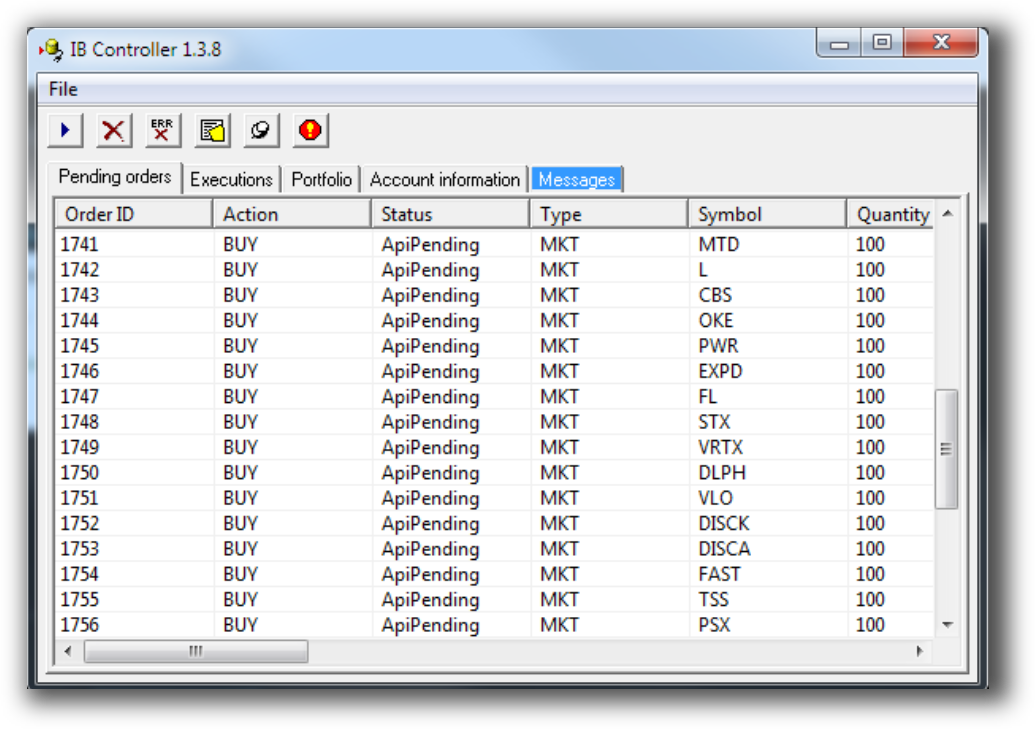
Amibroker Automation Set Up (IB Controller):
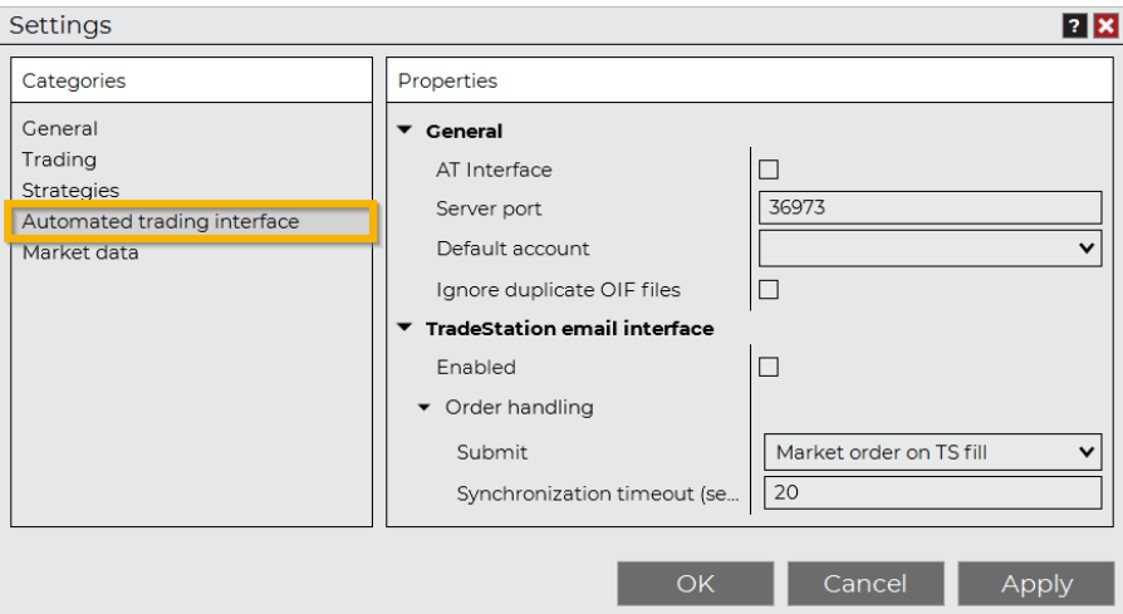
NinjaTrader Automation Set Up:
Support, Documentation & Learning Resources
Amibroker has extensive official documentation and a strong community of system developers, though getting friendly help can be hard to come by. Tutorials, forums, and examples are easy to find though some are quite dated.
NinjaTrader’s documentation is more fragmented. While official support exists, community forums are hit-or-miss, and much of the material online is outdated or focused on older versions.
For self-directed traders who want to learn fast and avoid wasting time, Amibroker’s ecosystem is more streamlined and educational.
Amibroker Forum is illustrated down below:

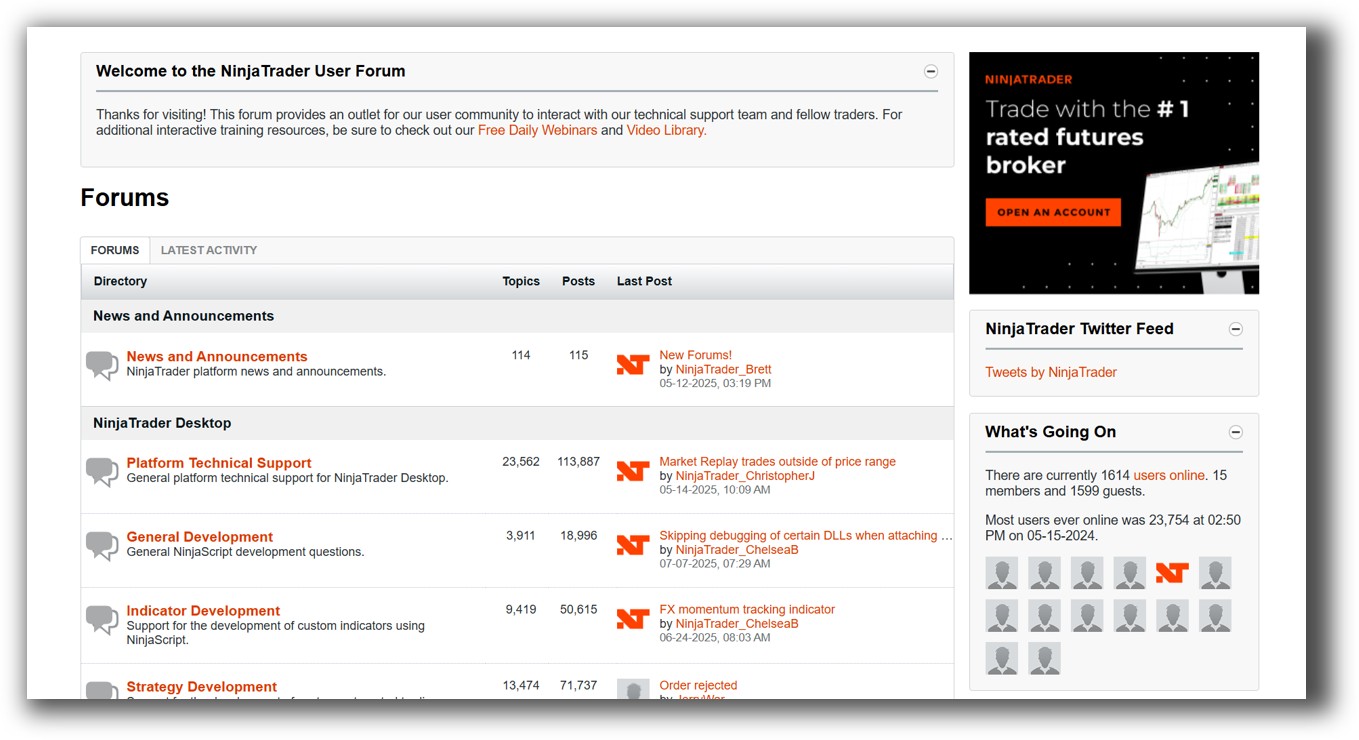
NinjaTrader Forum is illustrated down below:
Amibroker VS NinjaTrader: Which One Should You Use?
Our Recommendation
If you’re a frustrated discretionary trader looking to make the leap to systematic, Amibroker is a strong option. It’s a powerful, affordable, and fast backtesting software available for serious systematic trading.
Yes, it has a learning curve. But once you’re set up, you can run a diversified portfolio of strategies in under 30 minutes a day. That’s exactly what we teach inside the Trader Success System.
If you want slick charts and live trading for futures – NinjaTrader can serve you well. Just know that system development and testing will be more complex.
Still, if ease of use, clarity, and confidence are your top priorities, we recommend RealTest instead. It’s even easier to learn than both Amibroker and NinjaTrader, supports true portfolio simulation, and comes with clean, modern documentation.
Want the Rest of the Puzzle?
Tools like Amibroker are powerful – but without a structured process, they can lead you into the weeds of endless tinkering, curve fitting, and decision fatigue.
That’s why I created the Trader Success System – to give you:
- Proven trading systems
- A clear roadmap for building your portfolio
- Mentoring to keep you focused and on track
Don’t waste years figuring this out the hard way.
Remember – You are only one trading system away!
Trading and Backtesting Software Review List
- RealTest vs Amibroker
- RealTest VS TradeStation
- RealTest VS NinjaTrader
- RealTest VS MultiCharts
- RealTest VS Wealth-Lab
- RealTest VS Beyond Charts
- RealTest VS Optuma
- RealTest VS TradingView
- RealTest VS MetaTrader 4 (MT4)
- RealTest VS MetaTrader 5 (MT5)
- AmiBroker VS TradeStation
- AmiBroker VS NinjaTrader
- AmiBroker VS MultiCharts
- AmiBroker VS Wealth-Lab
- AmiBroker VS Beyond Charts
- AmiBroker VS Optuma
- AmiBroker VS TradingView
- AmiBroker VS MetaTrader 4 (MT4)
- AmiBroker VS MetaTrader 5 (MT5)
- TradeStation VS NinjaTrader
- TradeStation VS MultiCharts
- TradeStation VS Wealth-Lab
- TradeStation VS Beyond Charts
- TradeStation VS Optuma
- TradeStation VS TradingView
- TradeStation VS MetaTrader 4 (MT4)
- TradeStation VS MetaTrader 5 (MT5)
- NinjaTrader VS MultiCharts
- NinjaTrader VS Wealth-Lab
- NinjaTrader VS Beyond Charts
- NinjaTrader VS Optuma
- NinjaTrader VS TradingView
- NinjaTrader VS MetaTrader 4 (MT4)
- NinjaTrader VS MetaTrader 5 (MT5)
- MultiCharts VS Wealth-Lab
- MultiCharts VS Beyond Charts
- MultiCharts VS Optuma
- MultiCharts VS TradingView
- MultiCharts VS MetaTrader 4 (MT4)
- MultiCharts VS MetaTrader 5 (MT5)
- Wealth-Lab VS Beyond Charts
- Wealth-Lab VS Optuma
- Wealth-Lab VS TradingView
- Wealth-Lab VS MetaTrader 4 (MT4)
- Wealth-Lab VS MetaTrader 5 (MT5)
- Beyond Charts VS Optuma
- Beyond Charts VS TradingView
- Beyond Charts VS MetaTrader 4 (MT4)
- Beyond Charts VS MetaTrader 5 (MT5)
- Optuma VS TradingView
- Optuma VS MetaTrader 4 (MT4)
- Optuma VS MetaTrader 5 (MT5)
- TradingView VS MetaTrader 4 (MT4)
- TradingView VS MetaTrader 5 (MT5)
- MetaTrader 4 (MT4) VS MetaTrader 5 (MT5)


