
Amibroker vs TradeStation: Comparing Backtesting Software for Systematic Trading
If you’re a systematic trader aiming for consistency, the choice of backtesting software can make or break your edge. Between Amibroker and TradeStation, which one truly supports your path to confident, rule-based trading?
Short answer: If your priority is charting and fast signal scanning, Amibroker stands out. If you want integrated execution and don’t mind higher costs, TradeStation may appeal. But both come with trade-offs systematic traders must consider carefully.
Let’s break it down so you can choose the platform that actually supports the trading workflow you want – not just what looks fancy in a demo.
Amibroker vs TradeStation at a Glance
Short on time? Here’s how Amibroker VS TradeStation compare side by side.
|
Feature |
Amibroker |
TradeStation |
|
Founded |
1995 |
1982 |
|
Platform |
Windows (Mac via VM) |
Windows, Web, Mobile |
|
Programming Language |
AFL (flexible) |
EasyLanguage (simplified) |
|
Cost Model |
One-off license |
Ongoing brokerage + data fees |
|
Backtesting |
Ultra-fast, powerful portfolio |
Moderate speed, less control |
|
Automation Support |
Partial (with plugins/API) |
Full via brokerage integration |
|
Ideal For |
DIY coders & system builders |
Execution-focused traders |
|
Documentation |
Mixed quality, steep learning curve |
More modern, guided setup |
Platform Overview, Cost & Compatibility
Amibroker is a standalone Windows desktop application with a one-time cost (from USD $299), making it ideal for traders who don’t want to be tied to ongoing brokerage fees. It can be run on Mac using Parallels or a virtual machine – though Wine is not recommended for stability.
TradeStation, on the other hand, is a full brokerage platform. It runs on Windows and also offers web and mobile access. While the software itself may appear “free”, users pay through brokerage commissions, data feeds, and account minimums, which can accumulate over time.
So, if you’re looking for flexibility without recurring costs, Amibroker wins on affordability and independence. But TradeStation scores for convenience – especially if you’re already trading through their brokerage.
Amibroker Main View:

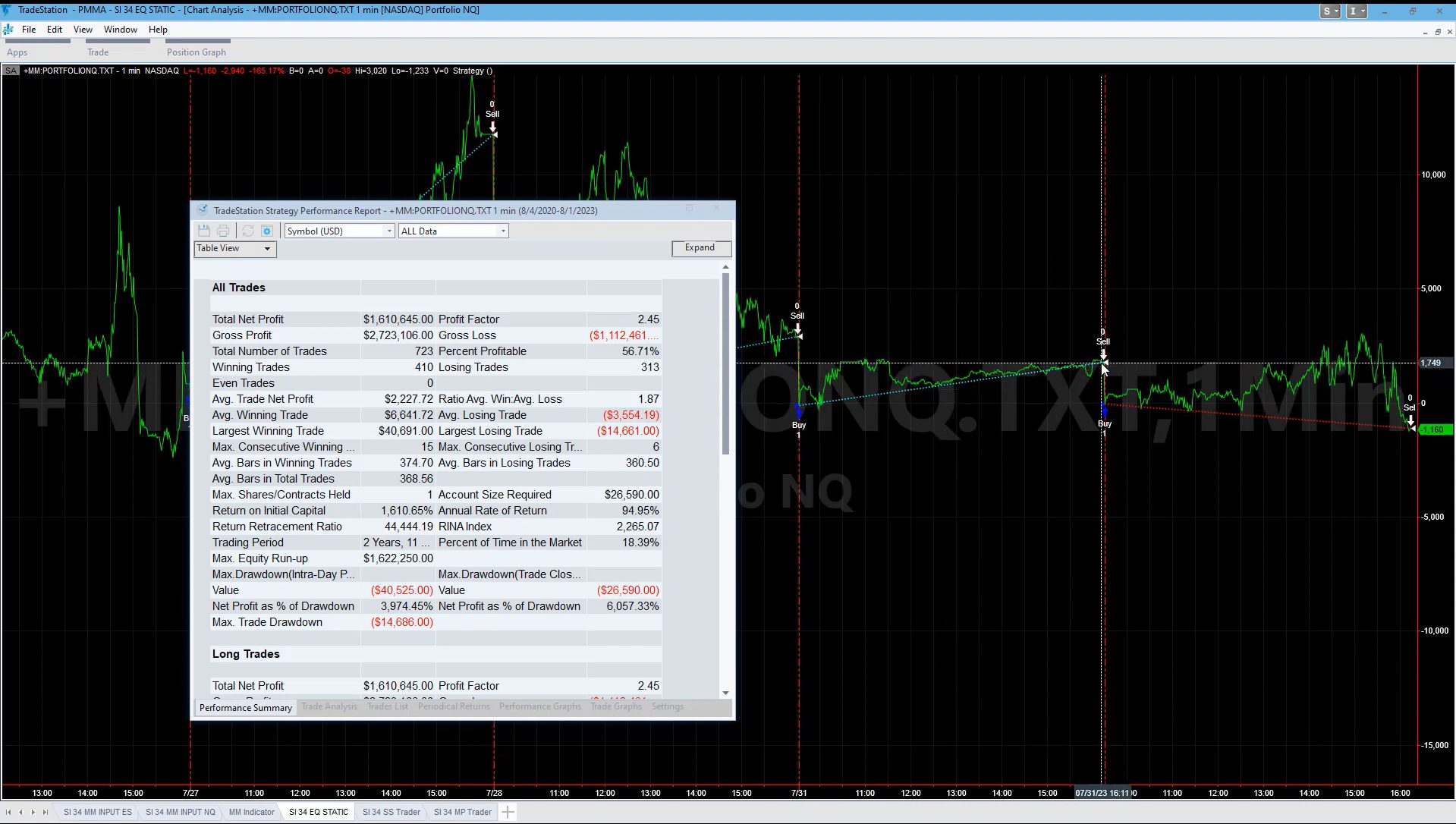
TradeStation Main View:

Market Access & Data Support in Amibroker and TradeStation
TradeStation offers native access to US stocks, options, futures, and crypto (via selected markets), and integrates everything under one account. This makes execution seamless but ties you to their ecosystem.
Amibroker is broker-agnostic. You can source market data from various providers like Norgate, Interactive Brokers (via plugins), or other third-party feeds. This modular approach gives you more control over data quality, but requires setup.
For Australian, Canadian, and Hong Kong traders, Amibroker provides broader flexibility, assuming you’re comfortable sourcing the right data feeds. That’s a key edge if you’re building a globally diversified trading portfolio.
Amibroker Backtesting Interface:

TradeStation Backtesting Interface:
Building & Customizing Trading Strategies
Here’s where things diverge.
Amibroker supports custom scripting in AFL – a purpose-built language that gives full control over signals, filters, ranking, and portfolio rules. It’s incredibly flexible but assumes you’re willing to learn code or use shared templates.
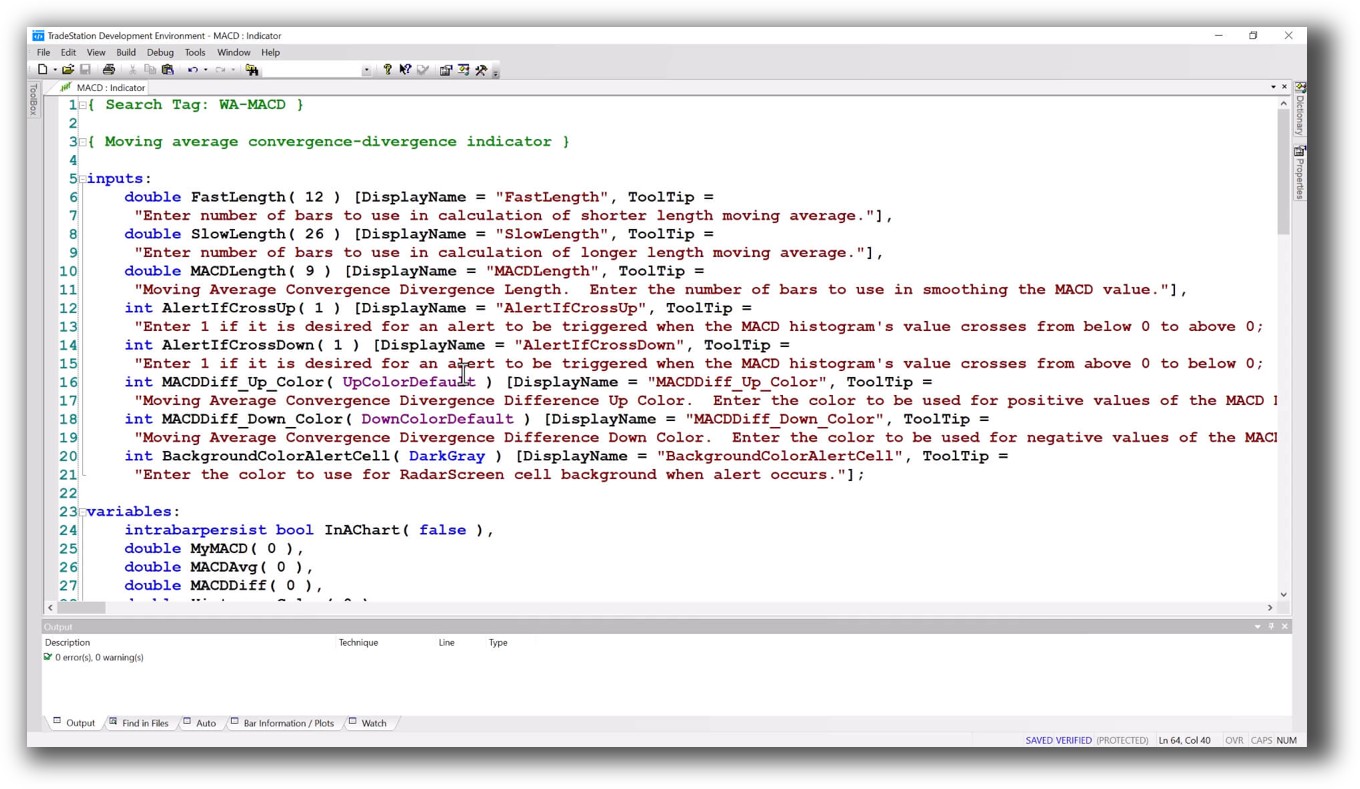
TradeStation uses EasyLanguage, which is beginner-friendly and readable. But its flexibility is somewhat limited for advanced portfolio-level backtesting. You might find yourself restricted to single-system, single-market testing unless you pay for more complex modules.
If you’re serious about trading system development, Amibroker gives you the depth, just be prepared for the learning curve.
Check Out: Trading System Development
Amibroker Code Editor:

TradeStation Code Editor:
Backtesting Performance, Speed & Realism
Amibroker’s backtesting engine is blazingly fast. It allows true multi symbol-level simulation, including custom position sizing, cash constraints, and ranking logic. You can test many strategies across years of data at very reasonable speeds.
TradeStation’s backtesting is slower, more visual, and typically tied to EasyLanguage studies. It supports “portfolio maestro” for advanced testing, but it’s more limited compared to Amibroker’s capability.
For anyone who wants to test edge, robustness, and long-term stability fast, Amibroker is clearly superior.
Check out: Backtesting | Drawdown
Amibroker Backtest Report:

TradeStation Backtest Report:

Strategy Optimization & Stress Testing Tools
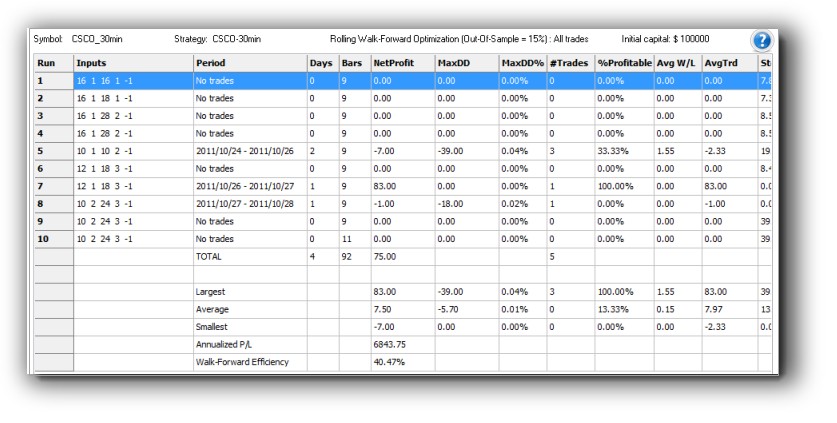
Amibroker has deep tools for system optimization. It lets you run walk-forward analysis, Monte Carlo simulations, parameter sweeps and sensitivity testing – all inside one platform. This matters if you’re serious about avoiding curve fitting.
TradeStation offers optimization tools too, but robustness testing is more basic. You’ll need to integrate third-party tools if you want to stress test your strategies at the same level.
For traders who are done guessing, and want to rely on statistics and facts, Amibroker offers a more comprehensive and efficient toolkit.
Check Out: Trading System Optimization
Amibroker Walk-Forward Tab:
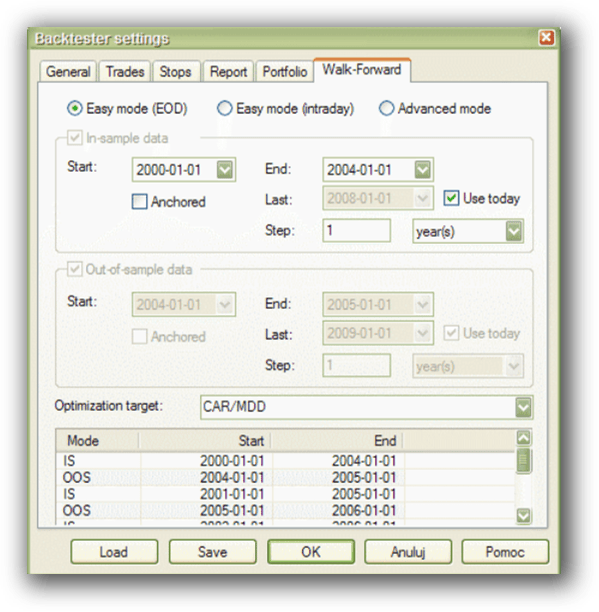
TradeStation Walk-Forward Out-of-Sample:
Charting Features, Signal Exploration & Live Execution
TradeStation has excellent charting and scanning capabilities out of the box. If you’re more visual and execution-focused, this is a strong suit. You can go from signal to execution in the same platform with little friction.
Amibroker, while strong in signal generation and scanning, requires plugins or third-party brokers for live trading. Its charts are decent, but not as polished. However, if you’re scanning thousands of stocks with complex filters, Amibroker is faster and more customizable.
So it depends: If your priority is automation and execution flow, TradeStation is easier. If you value speed and precision of idea testing, Amibroker is the correct tool.
Check Out Order Types | Automated Trading Systems
Amibroker Automation Set Up:

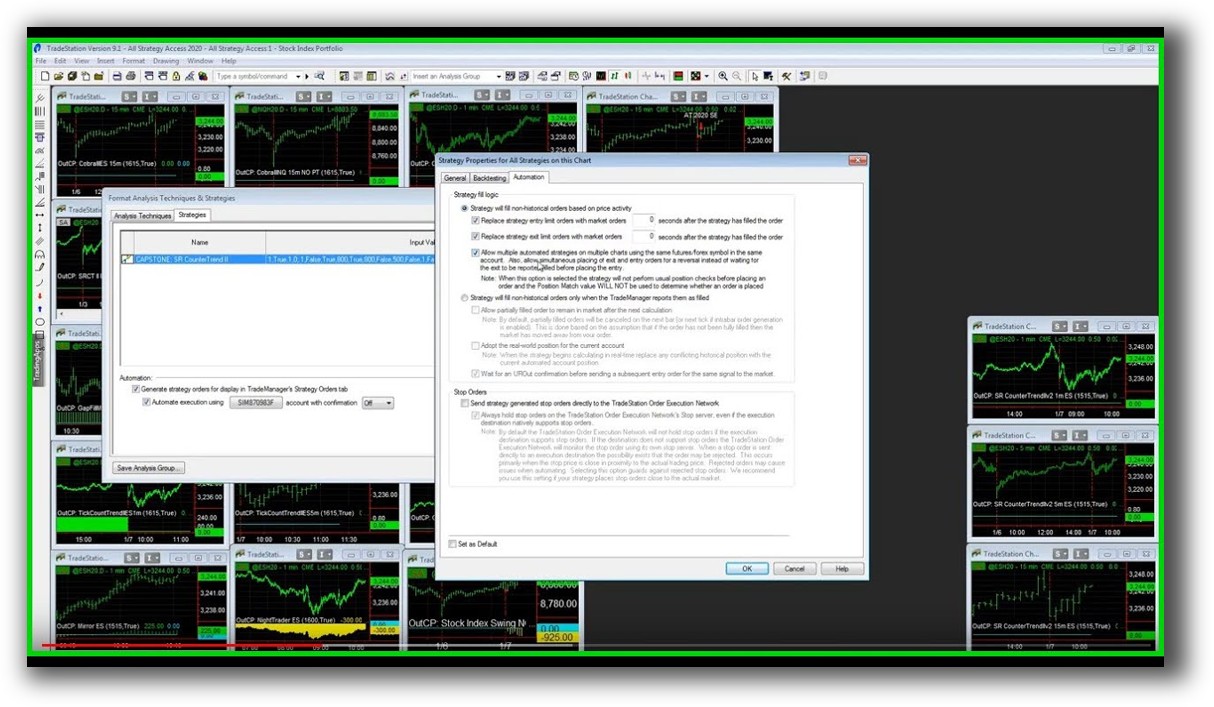
TradeStation Automation Set Up (Format Strategies)
Support, Documentation & Learning Resources
TradeStation wins on accessibility. It has modern documentation, an active support team, and built-in help for beginners. However, documentation for more advanced features can be vague or hidden behind paywalls.
Amibroker’s documentation is comprehensive but outdated in places. Many functions are not clearly explained unless you’re deep in the community or watching outdated YouTube tutorials. This is why we generally recommend RealTest for systematic traders looking for speed and simplicity.
But if you’re willing to dig, Amibroker still gives you an incredible edge.
Amibroker Forum is illustrated down below:

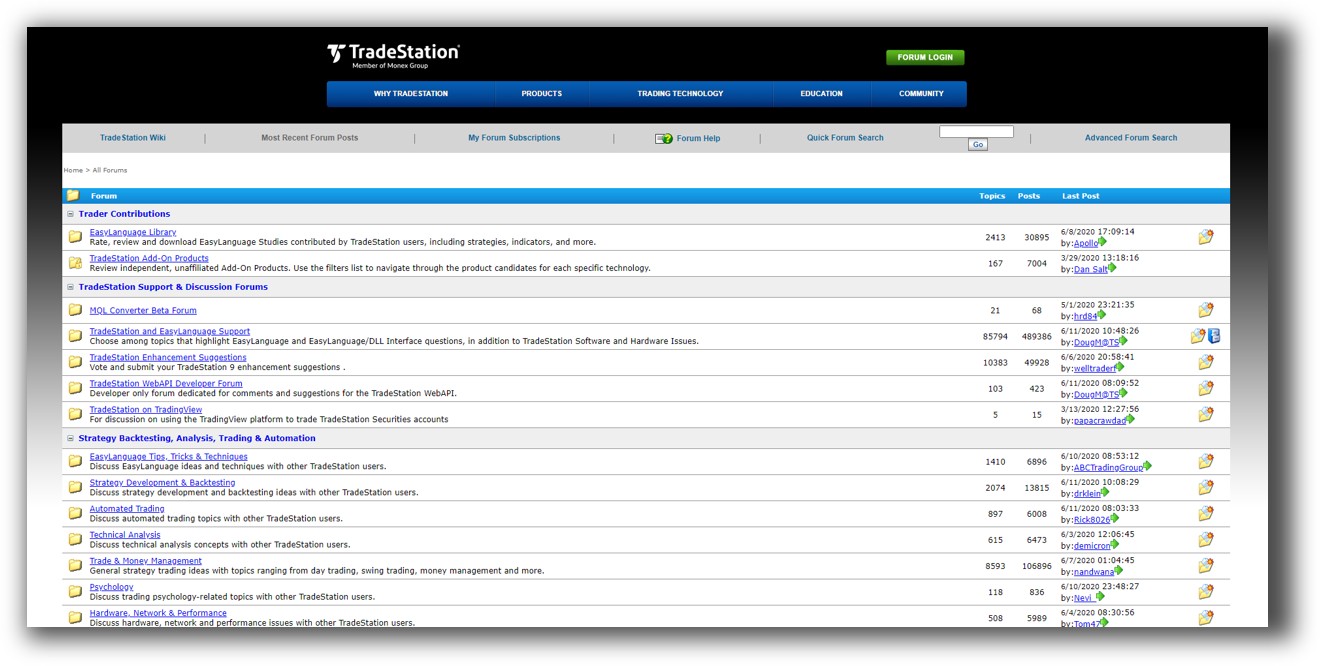
TradeStation Forum is illustrated down below:
RealTest vs TradeStation: Which One Should You Use?
Choose Amibroker if you:
- Want fast, precise, multi symbol-level backtesting
- Are comfortable learning some relatively simple code
- Prefer flexibility in broker and data choice
- Need advanced system development
Choose TradeStation if you:
- Want everything in one platform (charts, execution, brokerage)
- Prefer a more visual and guided interface
- Are focused on US markets only
- Need simpler scripting and charting tools
Our Recommendation
At Enlightened Stock Trading, we would recommend Amibroker for serious system traders looking to gain confidence and control over their strategies. It’s fast, flexible, and built for the analytical mind.
But if you’re focused on execution and US markets, TradeStation can be a viable starting point.
Still, if ease of use, clarity, and confidence are your top priorities, we recommend RealTest instead. It’s even easier to learn than both Amibroker and TradeStation, supports true portfolio simulation, and comes with clean, modern documentation.
Want the Rest of the Puzzle?
Having the right backtesting software is critical. But it’s only one piece.
If you want to:
- Build your confidence
- Create reliable, proven trading systems
- Trade consistently in just 30 minutes a day
…then check out The Trader Success System. It’s the most complete path to becoming a confident and consistent systematic trader.
Remember – you are only one trading system away!
Trading and Backtesting Software Review List
- RealTest vs Amibroker
- RealTest VS TradeStation
- RealTest VS NinjaTrader
- RealTest VS MultiCharts
- RealTest VS Wealth-Lab
- RealTest VS Beyond Charts
- RealTest VS Optuma
- RealTest VS TradingView
- RealTest VS MetaTrader 4 (MT4)
- RealTest VS MetaTrader 5 (MT5)
- AmiBroker VS TradeStation
- AmiBroker VS NinjaTrader
- AmiBroker VS MultiCharts
- AmiBroker VS Wealth-Lab
- AmiBroker VS Beyond Charts
- AmiBroker VS Optuma
- AmiBroker VS TradingView
- AmiBroker VS MetaTrader 4 (MT4)
- AmiBroker VS MetaTrader 5 (MT5)
- TradeStation VS NinjaTrader
- TradeStation VS MultiCharts
- TradeStation VS Wealth-Lab
- TradeStation VS Beyond Charts
- TradeStation VS Optuma
- TradeStation VS TradingView
- TradeStation VS MetaTrader 4 (MT4)
- TradeStation VS MetaTrader 5 (MT5)
- NinjaTrader VS MultiCharts
- NinjaTrader VS Wealth-Lab
- NinjaTrader VS Beyond Charts
- NinjaTrader VS Optuma
- NinjaTrader VS TradingView
- NinjaTrader VS MetaTrader 4 (MT4)
- NinjaTrader VS MetaTrader 5 (MT5)
- MultiCharts VS Wealth-Lab
- MultiCharts VS Beyond Charts
- MultiCharts VS Optuma
- MultiCharts VS TradingView
- MultiCharts VS MetaTrader 4 (MT4)
- MultiCharts VS MetaTrader 5 (MT5)
- Wealth-Lab VS Beyond Charts
- Wealth-Lab VS Optuma
- Wealth-Lab VS TradingView
- Wealth-Lab VS MetaTrader 4 (MT4)
- Wealth-Lab VS MetaTrader 5 (MT5)
- Beyond Charts VS Optuma
- Beyond Charts VS TradingView
- Beyond Charts VS MetaTrader 4 (MT4)
- Beyond Charts VS MetaTrader 5 (MT5)
- Optuma VS TradingView
- Optuma VS MetaTrader 4 (MT4)
- Optuma VS MetaTrader 5 (MT5)
- TradingView VS MetaTrader 4 (MT4)
- TradingView VS MetaTrader 5 (MT5)
- MetaTrader 4 (MT4) VS MetaTrader 5 (MT5)


