Beyond Charts VS Optuma: Comparing Backtesting Software for Systematic Trading
If your focus is on detailed charting, scanning, and discretionary technical analysis, Optuma has more breadth. But for traders aiming to automate and systematize their process end-to-end, neither platform is ideal. Tools like RealTest or Amibroker are better suited for systematic trading due to superior realism, speed, and usability. That said, let’s break down Beyond Charts vs Optuma across the dimensions that matter.
Beyond Charts VS Optuma at a Glance:
Short on time? Here’s how Beyond Charts VS Optuma compare side by side.
|
Feature |
Beyond Charts |
Optuma |
|
OS Compatibility |
Windows only |
Windows desktop + web/cloud access |
|
Cost |
AUD ~$595 one-time license |
Subscription: AUD ~$810/year and up |
|
Strategy Backtesting |
Basic (single stock) |
Basic to intermediate (limited realism) |
|
Automation |
No |
Limited via scripting/API |
|
Charting & Scanning |
Simple & fast |
Very detailed & flexible |
|
Brokerage Integration |
None |
Supports Interactive Brokers |
|
Best Use Case |
Simpler rules-based visual charting |
Visual analysis, complex charting |
Platform Overview, Cost & Compatibility
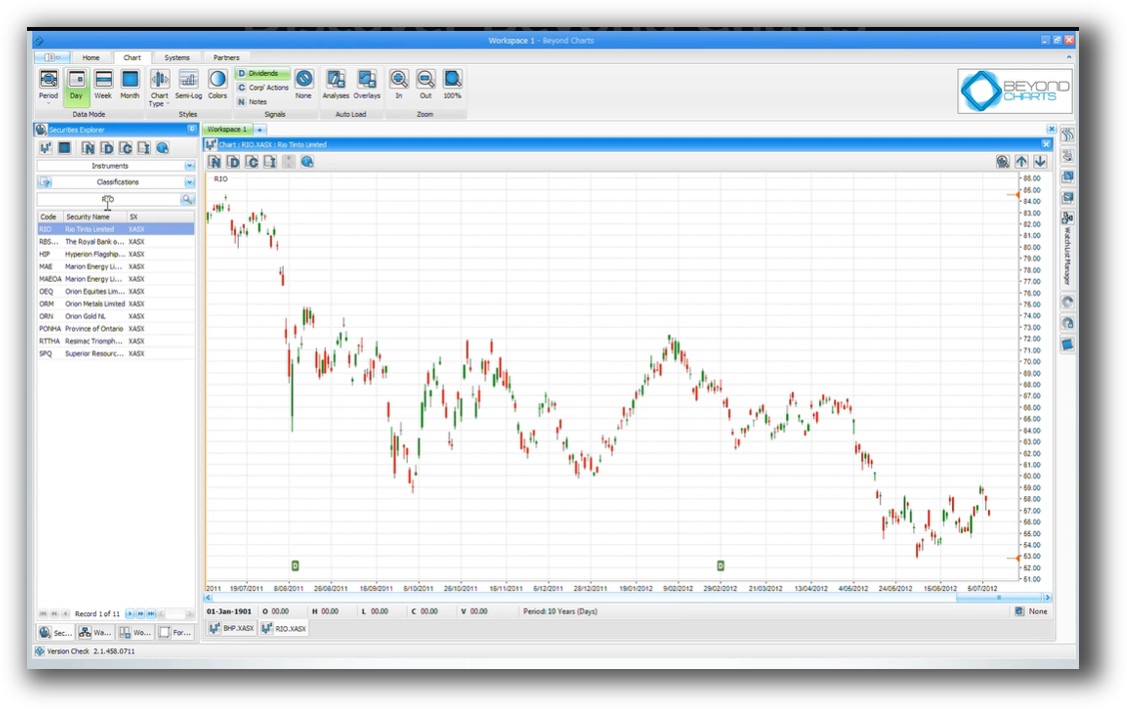
Beyond Charts is a Windows-based tool with a simple license model (one-off fee). It’s designed for visual, discretionary traders and rules-based swing traders using charts and indicators.
Optuma is more advanced, offering both desktop and cloud access with multiple tiers (Trader, Professional, Enterprise). Subscription pricing starts from AUD ~$810/year, making it a pricier ongoing investment. However, it offers far more power if you’re deep into technical analysis.
Both tools can run on Mac via Parallels or Bootcamp. But be aware: neither platform is optimized for native Mac use, and Wine is not recommended.
Beyond Charts Main View:
Optuma Main View:

Market Access & Data Support in Beyond Charts VS Optuma
Beyond Charts has limited market access and depends on manual import or Norgate Data. It’s focused on Australian equities and US stocks. Data must be cleaned and maintained manually.
Optuma supports multiple data vendors, including Bloomberg, IQFeed, and Norgate. It also allows custom data inputs and connects to Interactive Brokers for real-time feeds. If you’re exploring international markets like ASX, US, or Hong Kong, Optuma offers broader compatibility.
Still, for global portfolio diversification and ease of data handling, RealTest and Amibroker remain stronger contenders.
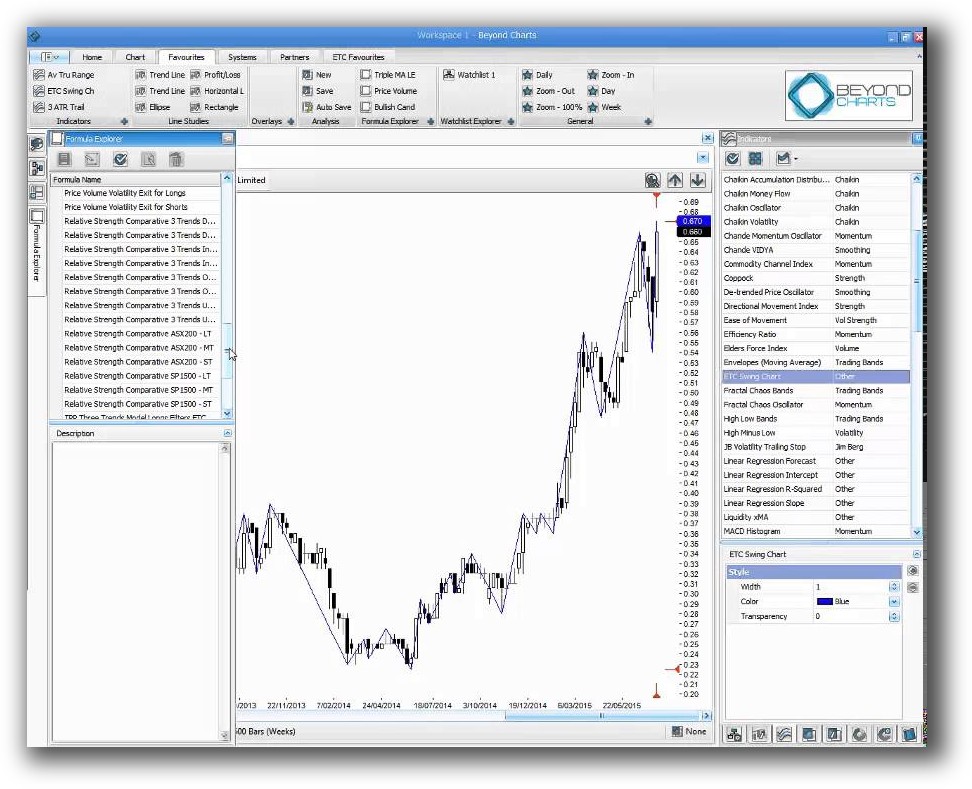
Beyond Charts Backtesting Interface:
Optuma Backtesting Interface:

Building & Customizing Trading Strategies
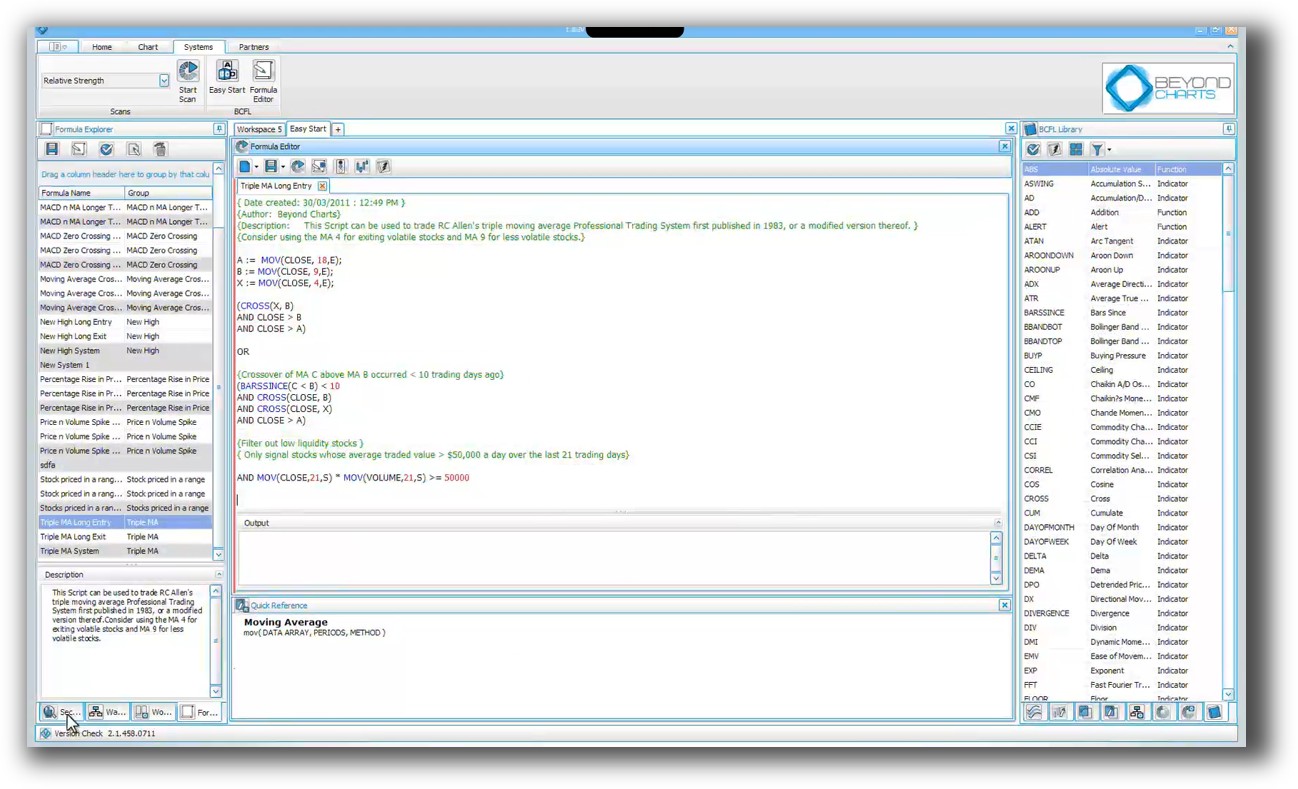
Beyond Charts uses its proprietary BCFL (Beyond Charts Formula Language) for signal creation, but this is limited to simple scans and charts. There’s no event-driven engine or true trading system development workflow.
Optuma’s OSL (Optuma Scripting Language) is more advanced, enabling conditionals, indicators, and scans. However, scripting can feel abstract and lacks the structured “system-first” design that systematic traders rely on.
Both platforms were built with technical analysts in mind, not systematic traders. You’ll likely spend more time wrestling with syntax than refining profitable rules.
Check Out: Trading System Development
Beyond Charts Code Editor:
Optuma Code Editor:

Backtesting Performance, Speed & Realism
Neither Beyond Charts nor Optuma provides full portfolio backtesting with dynamic position sizing or cash management. They simulate trades on single instruments rather than on full portfolios.
This is a dealbreaker if your focus is on building trading systems with real-world constraints.
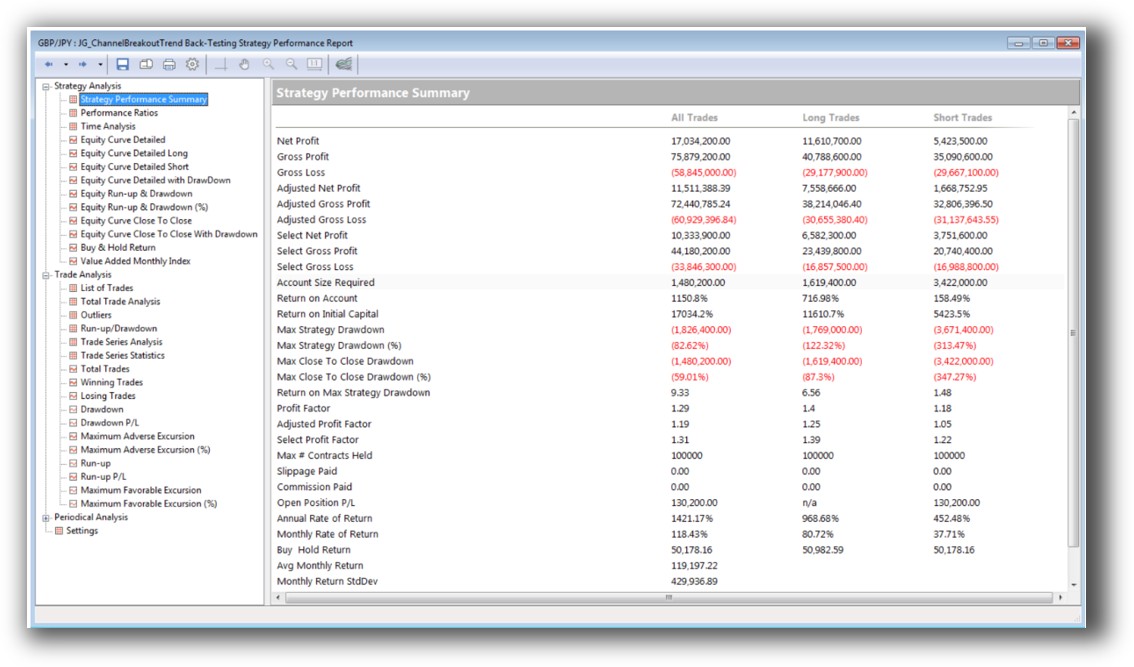
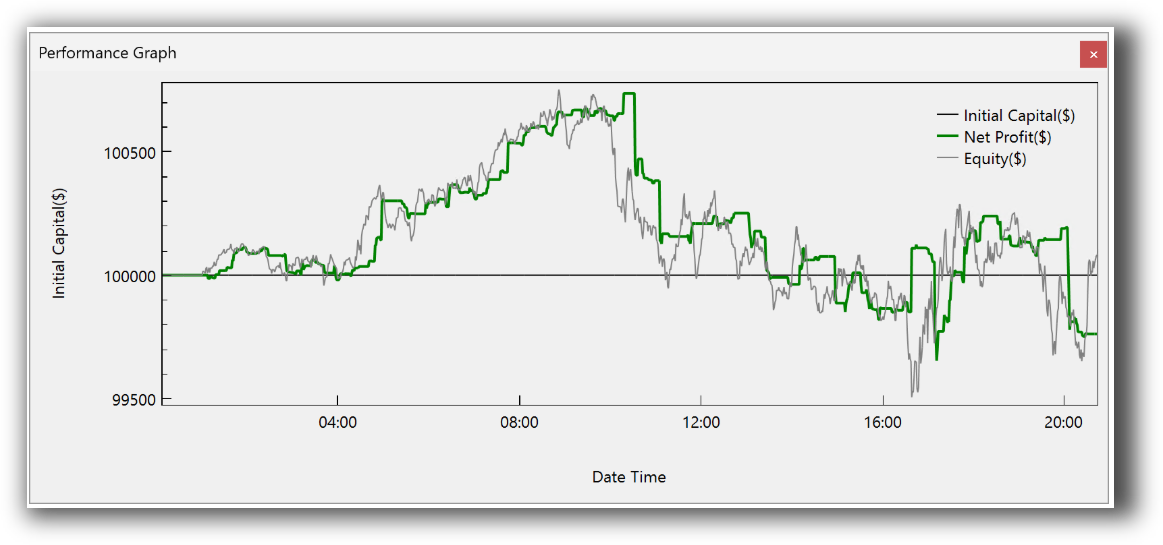
Optuma offers basic backtesting with metrics like win rate, drawdown, and average trade. Beyond Charts can backtest on indicators for individual stocks but lacks depth.
There’s no slippage modeling, no realistic order types, and no simulation of position sizing, which are essential for confidence in live execution.
If realism and speed matter to you, RealTest or Amibroker are the better fit for true system traders.
Check out: Backtesting | Drawdown
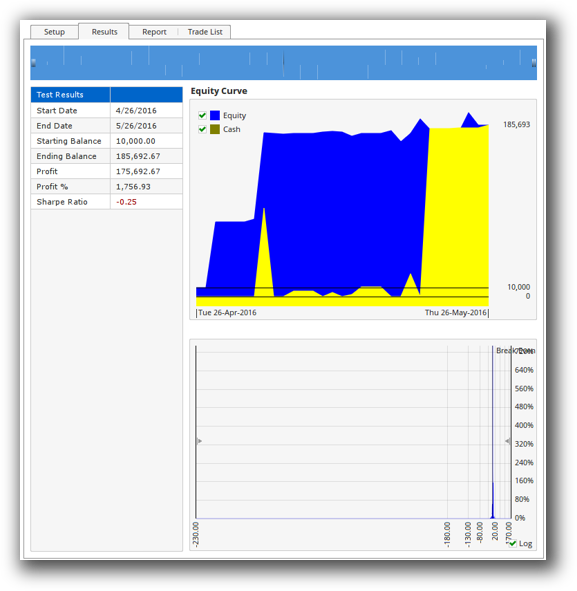
Beyond Charts Backtest Report:
Optuma Backtest Report:
Strategy Optimization & Stress Testing Tools
Neither Beyond Charts nor Optuma excels at trading system optimization.
Beyond Charts does not support parameter optimization or robustness testing. Optuma has limited optimization but lacks robust walk-forward analysis, Monte Carlo simulation, or stability testing over time.
This means curve fitting risk is high if you’re not careful. Without tools to validate that your edge holds across time and parameters, it’s easy to fool yourself.
Charting Features, Signal Exploration & Live Execution
Here, Optuma shines. Its charting engine is advanced, especially useful for discretionary traders, CMT candidates, or analysts using proprietary indicators.
You can create custom visuals, annotate charts, and run multi-condition scans. Execution is possible via Interactive Brokers integration, although it’s not designed for full automation.
Beyond Charts is more lightweight. It offers simpler charting and fast scan results, but lacks flexibility. There’s no broker connectivity, and execution is manual.
Neither platform supports automated trading systems out of the box.
Check Out Order Types | Automated Trading Systems
Optuma Automation Set Up:

Support, Documentation & Learning Resources
Beyond Charts has limited documentation and dated tutorials. Support is minimal and updates are infrequent.
Optuma offers detailed documentation, training webinars, and customer support — but the learning curve is steep. You’ll need to invest significant time to become proficient.
Compare that to RealTest, which has clean, modern docs and clear examples focused on systematic thinking. You can get a strategy running in an afternoon, not weeks.
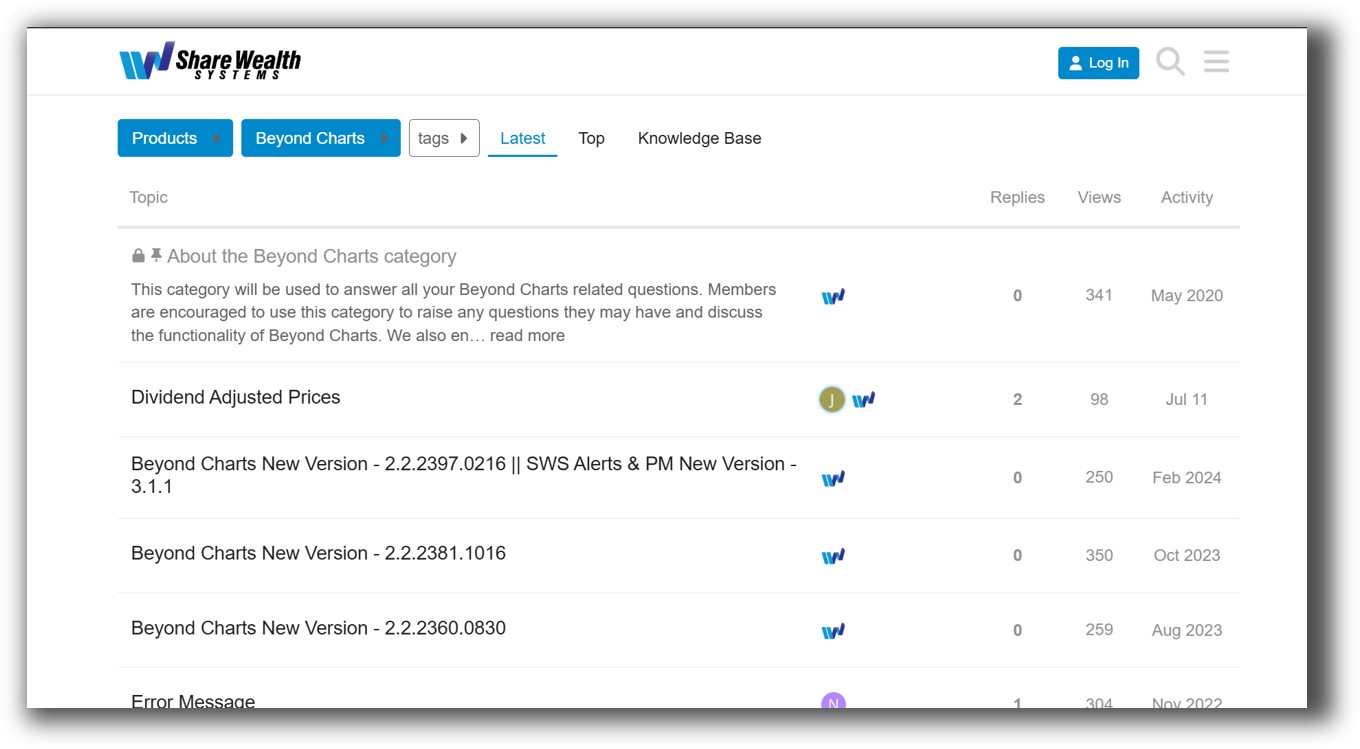
Beyond Charts Forum Front Page is illustrated down below:
Optuma Forum Front Page is illustrated down below:

Beyond Charts VS Optuma: Which One Should You Use?
Use Beyond Charts if you’re a part-time trader looking for fast charting and basic signal creation for ASX or US stocks.
Use Optuma if you’re a visual trader, analyst, or technical purist who values deep charting and flexible scans more than speed or full automation.
Skip both if your goal is to trade systematically, manage a rules-based portfolio, and make decisions based on fact not feeling. These platforms are not optimized for that.
Our Recommendation
If you’re serious about becoming a confident, consistent and rules-based trader, start by using proper backtesting software that supports full portfolio simulation, true-to-life execution logic, and flexible position sizing.
Tools like RealTest and Amibroker are ideal here. They support the full lifecycle (from system design and validation to optimization and automation) all while staying lean and fast.
If you’re still relying on visual charts and discretionary setups, you’re likely missing the most powerful benefits of systematic trading.
Want The Rest of the Puzzle?
Backtesting software is just one piece. The real transformation happens when you align your tools, your systems, and your psychology with your goals.
If you’re tired of chasing tips and want to build wealth systematically, the next step is clear: The Trader Success System.
Inside, you’ll discover:
- Proven trading systems
- A step-by-step backtesting framework
- Position sizing tools
- Automation strategies that let you trade in 30 minutes or less
Trading and Backtesting Software Review List
- RealTest vs Amibroker
- RealTest VS TradeStation
- RealTest VS NinjaTrader
- RealTest VS MultiCharts
- RealTest VS Wealth-Lab
- RealTest VS Beyond Charts
- RealTest VS Optuma
- RealTest VS TradingView
- RealTest VS MetaTrader 4 (MT4)
- RealTest VS MetaTrader 5 (MT5)
- AmiBroker VS TradeStation
- AmiBroker VS NinjaTrader
- AmiBroker VS MultiCharts
- AmiBroker VS Wealth-Lab
- AmiBroker VS Beyond Charts
- AmiBroker VS Optuma
- AmiBroker VS TradingView
- AmiBroker VS MetaTrader 4 (MT4)
- AmiBroker VS MetaTrader 5 (MT5)
- TradeStation VS NinjaTrader
- TradeStation VS MultiCharts
- TradeStation VS Wealth-Lab
- TradeStation VS Beyond Charts
- TradeStation VS Optuma
- TradeStation VS TradingView
- TradeStation VS MetaTrader 4 (MT4)
- TradeStation VS MetaTrader 5 (MT5)
- NinjaTrader VS MultiCharts
- NinjaTrader VS Wealth-Lab
- NinjaTrader VS Beyond Charts
- NinjaTrader VS Optuma
- NinjaTrader VS TradingView
- NinjaTrader VS MetaTrader 4 (MT4)
- NinjaTrader VS MetaTrader 5 (MT5)
- MultiCharts VS Wealth-Lab
- MultiCharts VS Beyond Charts
- MultiCharts VS Optuma
- MultiCharts VS TradingView
- MultiCharts VS MetaTrader 4 (MT4)
- MultiCharts VS MetaTrader 5 (MT5)
- Wealth-Lab VS Beyond Charts
- Wealth-Lab VS Optuma
- Wealth-Lab VS TradingView
- Wealth-Lab VS MetaTrader 4 (MT4)
- Wealth-Lab VS MetaTrader 5 (MT5)
- Beyond Charts VS Optuma
- Beyond Charts VS TradingView
- Beyond Charts VS MetaTrader 4 (MT4)
- Beyond Charts VS MetaTrader 5 (MT5)
- Optuma VS TradingView
- Optuma VS MetaTrader 4 (MT4)
- Optuma VS MetaTrader 5 (MT5)
- TradingView VS MetaTrader 4 (MT4)
- TradingView VS MetaTrader 5 (MT5)
- MetaTrader 4 (MT4) VS MetaTrader 5 (MT5)