
MultiCharts vs MetaTrader 4: Comparing Backtesting Software for Systematic Trading
MultiCharts is the better backtesting software for systematic traders seeking precision, multi-broker integration, and robust strategy development tools. MetaTrader 4 (MT4), while widely used in forex and CFD markets, lacks key portfolio-level capabilities and is more suited to discretionary or semi-automated trading.
MultiCharts vs MetaTrader 4 at a Glance:
Short on time? Here’s how MultiCharts vs MetaTrader 4 compare side by side.
|
Feature |
MultiCharts |
MetaTrader 4 |
|
Released |
~1999 |
2005 |
|
Operating Systems |
Windows only |
Windows, iOS, Android |
|
Programming Language |
PowerLanguage (EasyLanguage) |
MQL4 (C-like, object-oriented) |
|
Broker Integration |
Multi-broker support |
Broker-delivered |
|
Cost |
Paid (trial, then licence) |
Free via broker |
|
Backtesting Capability |
Advanced portfolio-level |
Single-symbol only |
|
Charting |
Advanced professional-grade |
Lightweight, forex-focused |
|
Target Market |
Systematic, quant, multi-asset |
Forex traders, retail-focused |
|
Automation |
Full automation + broker APIs |
EA scripting (more manual) |
Platform Overview, Cost & Compatibility
MultiCharts runs only on Windows. It offers a free trial, then a choice between subscription and lifetime licences. It’s a professional-grade trading software built for serious system developers and quantitative traders.
MetaTrader 4, in contrast, is free to use via your broker but has limitations based on how the broker implements it. It supports Windows desktops and has mobile apps for trade management on the go.
Both platforms can be run on a Mac using virtual machines like Parallels or Bootcamp. Wine is not recommended due to stability issues.
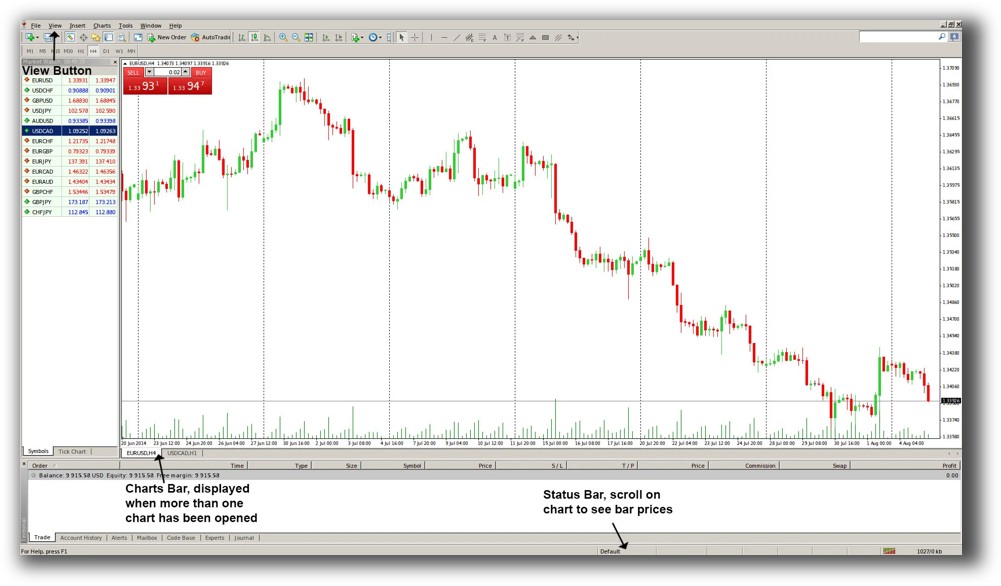
MetaTrader 4 Main View:
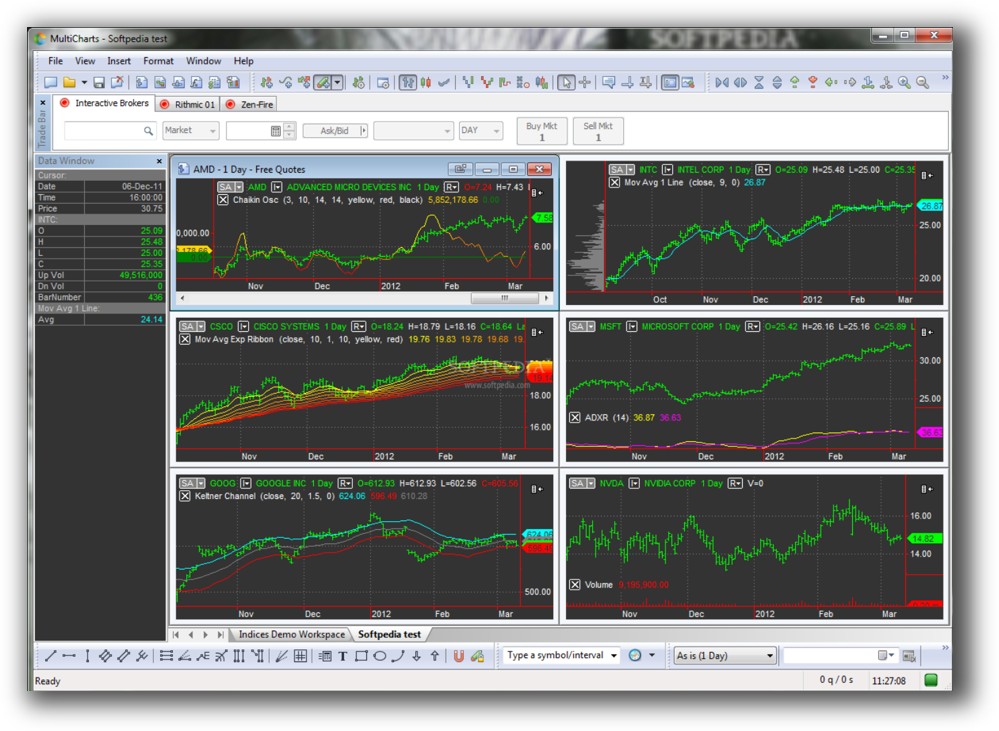
Market Access & Data Support in MultiCharts vs MetaTrader 4
MultiCharts supports a wide range of market data providers and brokers: Interactive Brokers, CQG, OANDA, and more. This makes it ideal for trading stocks, futures, forex, and crypto, depending on your data and broker feeds.
MetaTrader 4 is typically delivered by forex and CFD brokers with limited data scope. The charting and data are generally broker-controlled, and historical data quality varies.
MultiCharts wins here for traders who want to diversify across multiple markets with higher-quality data.
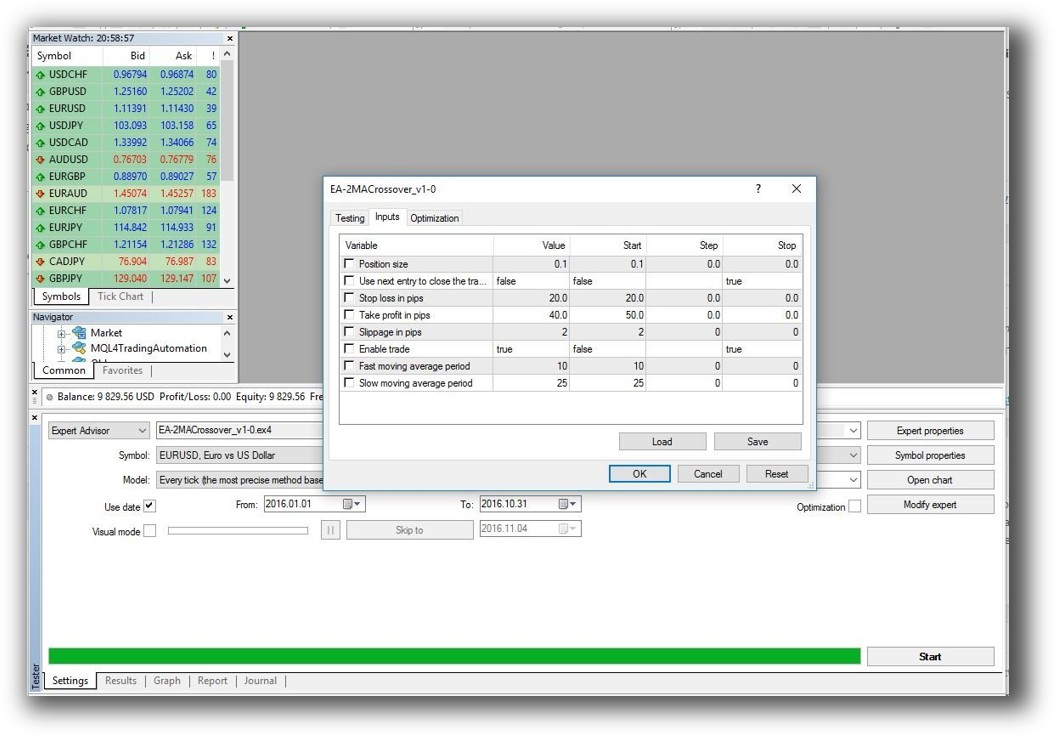
MetaTrader 4 Backtesting Interface:
Building & Customizing Trading Strategies
MultiCharts uses PowerLanguage, which is compatible with EasyLanguage , a widely used and well-documented scripting language. The environment is tailored for building, testing, and refining systematic strategies.
MT4 relies on MQL4, a C-like scripting language used for building Expert Advisors (EAs). While powerful, MQL4 is more technical and requires more coding expertise. Also, MT4 does not support portfolio-level testing, only individual symbols.
For system traders building diversified portfolios, MultiCharts offers a far more scalable workflow.
Check Out: Trading System Development

MetaTrader 4 Code Editor (Meta Editor):

Backtesting Performance, Speed & Realism
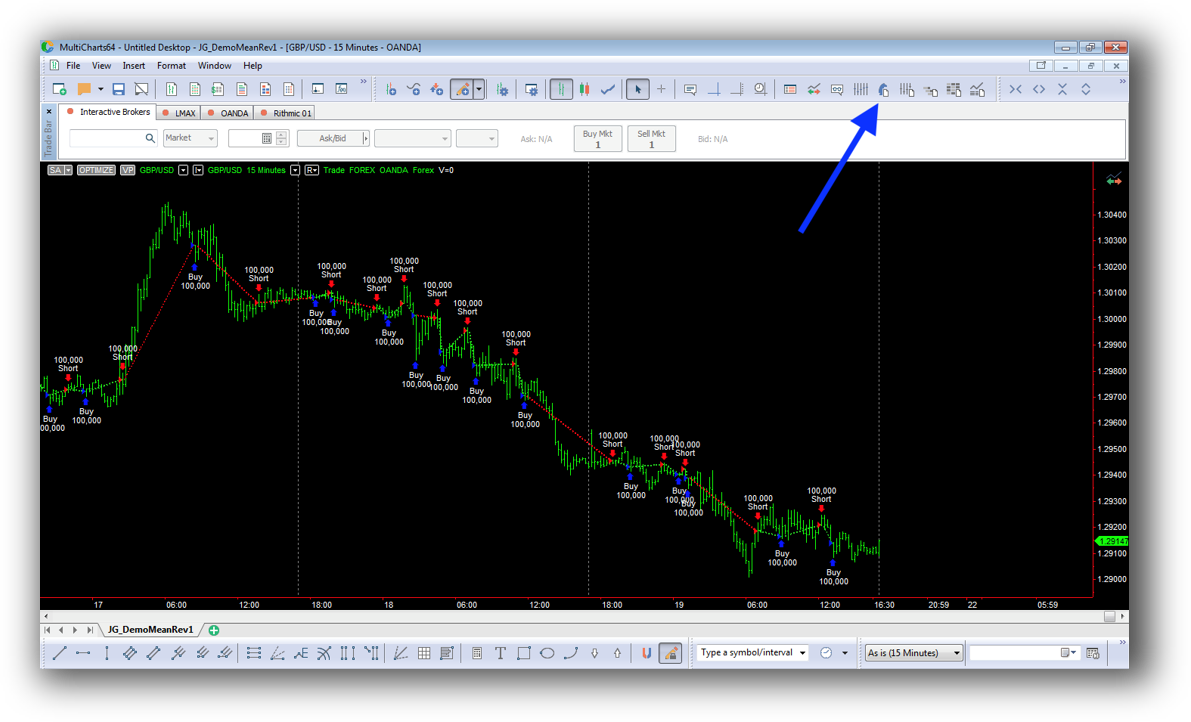
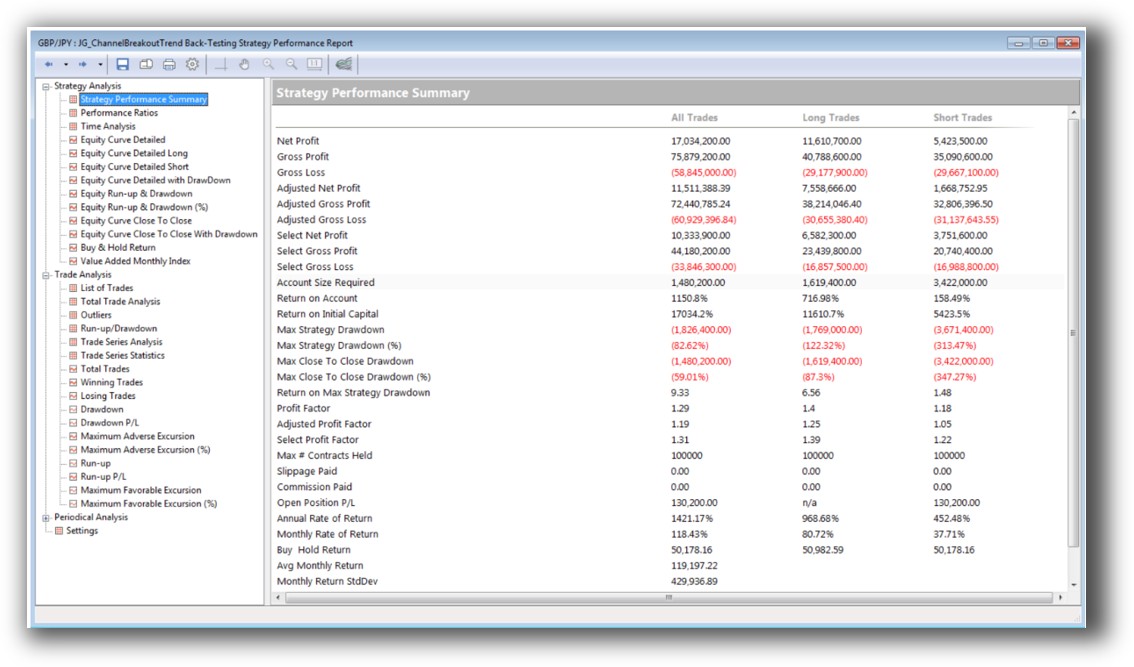
MultiCharts has a robust backtesting engine that supports portfolio-level simulation. It enables:
- Multiple strategies on multiple instruments
- True portfolio equity curves
- Slippage and commission modeling
- Monte Carlo analysis
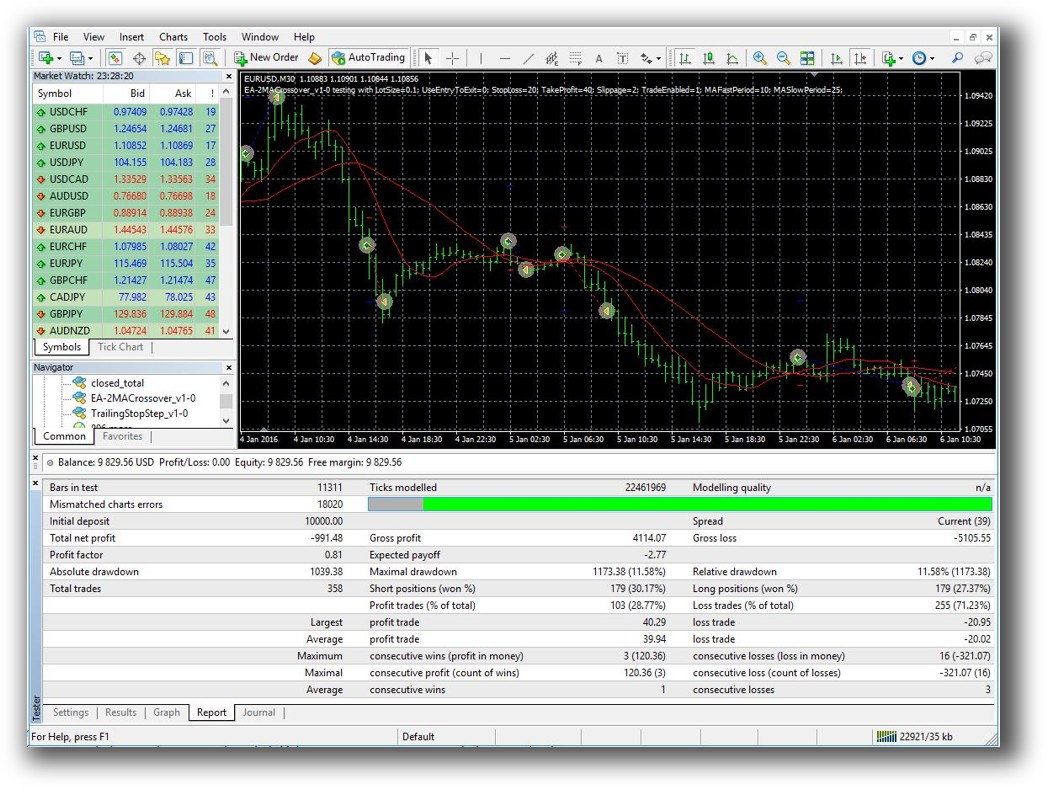
MT4 is limited to single-symbol backtests, which means you can’t test how a strategy performs across a basket of instruments or simulate capital allocation between strategies. This is a major drawback for serious system traders.
If you value realistic testing and want to simulate an actual trading portfolio, MultiCharts is the clear choice.
Check out: Backtesting | Drawdown
MetaTrader 4 Backtest Report:
Strategy Optimization & Stress Testing Tools
MultiCharts offers:
- Multi-core optimization
- Walk-forward testing
- Parameter stability analysis
These are essential for building robust trading systems that avoid curve fitting.
MT4 includes optimization features, but they’re generally more basic. Walk-forward testing, for example, requires third-party plugins or workarounds.
MultiCharts delivers the tools needed for real robustness testing, which is a must if you’re serious about systematic trading.
Check Out: Trading System Optimization

Charting Features, Signal Exploration & Live Execution
MultiCharts provides:
- Professional multi-timeframe charting
- Real-time scanning
- Depth of market (DOM)
- Full broker integration with automated order execution
MT4’s charting is designed for forex traders. While usable, it’s less advanced and mainly supports discretionary or semi-automated trading via scripts and indicators.
MultiCharts is built for rule-based trading and execution through proper broker APIs. MT4 is often reliant on broker plug-ins, which limits flexibility and integration.
Check Out Order Types | Automated Trading Systems
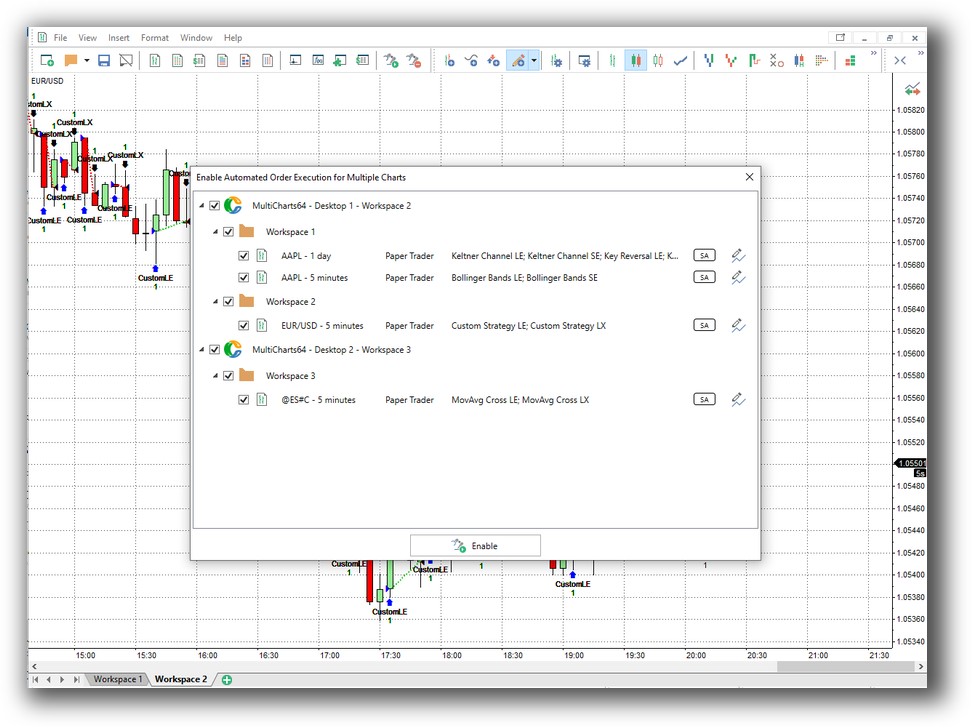
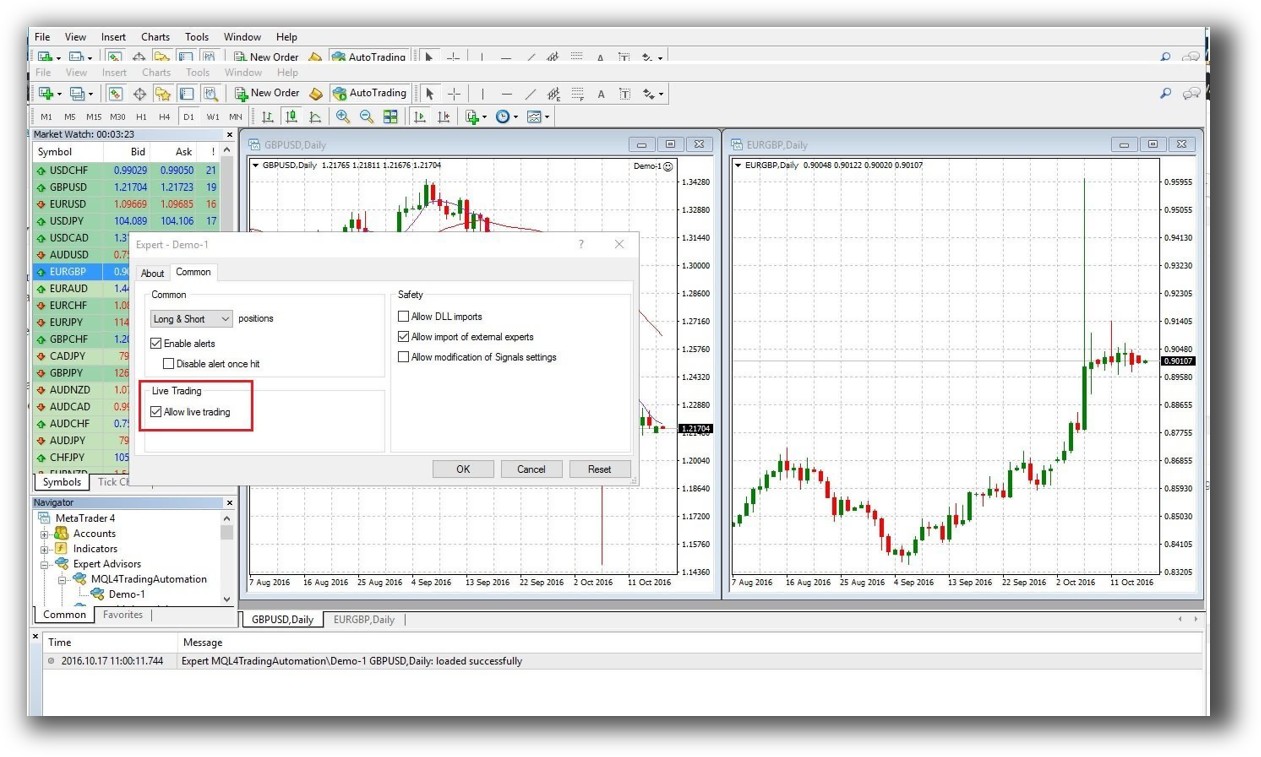
MetaTrader 4 Automation Set Up (Expert Advisor):
Support, Documentation & Learning Resources
MultiCharts offers thorough documentation, an active community, and dedicated support.
MT4 has vast online resources, but much of the content is outdated or poor-quality. Since most brokers modify MT4 for their platform, documentation can vary in reliability.
If you’re trying to cut through the noise and get real answers quickly, MultiCharts offers more consistent, professional support for traders who are building systems.

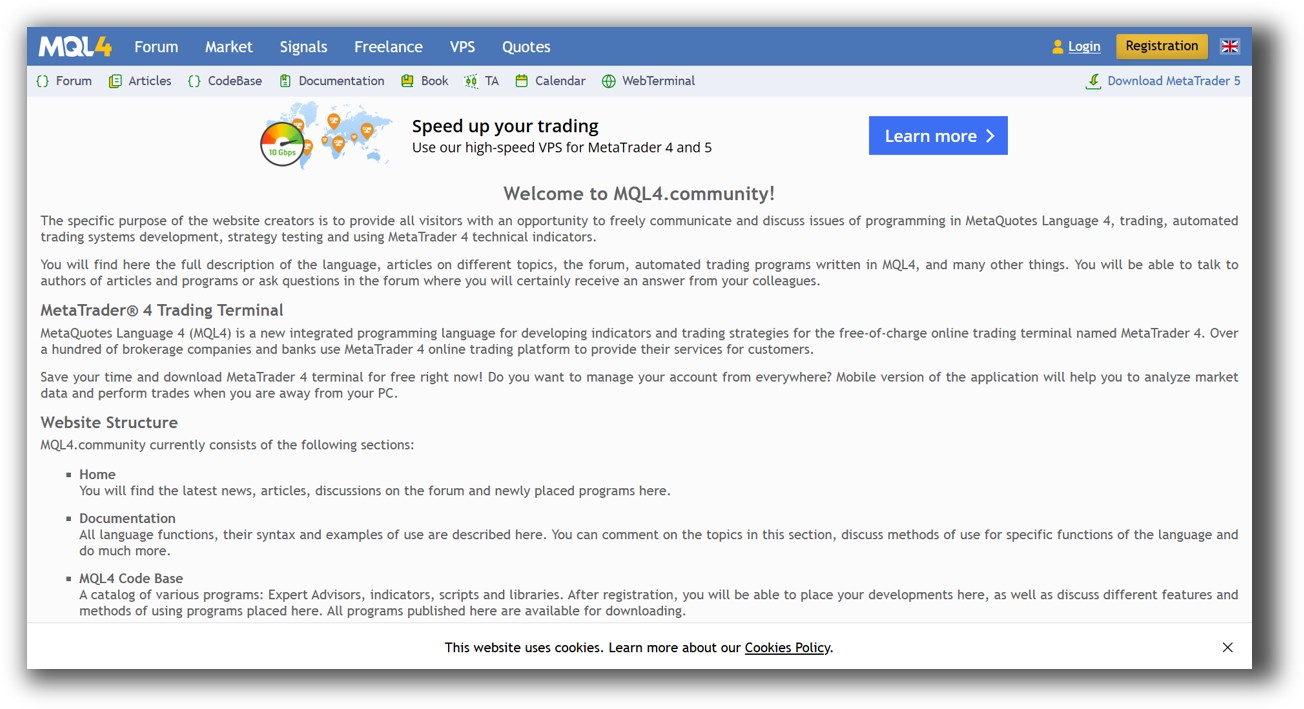
MetaTrader 4 Forum Front Page is illustrated down below:
MultiCharts vs MetaTrader 4: Which One Should You Use?
MultiCharts is the superior backtesting software for systematic traders who want realism, robustness, and the ability to run portfolio-level strategies. If you’re building a diversified portfolio of systems, managing position sizing, and optimizing entries and exits with precision, MultiCharts is built for you.
MetaTrader 4 is widely used in the forex world. But for serious system trading across markets, it falls short in flexibility, testing realism, and portfolio support.
Our Recommendation
If your goal is to trade consistently, confidently, and profitably using systematic trading strategies, you need a platform that supports portfolio backtesting, automation, and diverse market access. MultiCharts fits the bill better than MT4.
That said, even the best trading software is only one piece of the puzzle.
You still need the right trading systems, a structured development process, and a way to match strategies to your personality and lifestyle. That’s where we come in.
Want The Rest of the Puzzle?
Backtesting software is just one piece. The real transformation happens when you align your tools, your systems, and your psychology with your goals.
If you’re tired of chasing tips and want to build wealth systematically, the next step is clear: The Trader Success System.
Inside, you’ll discover:
- Proven trading systems
- A step-by-step backtesting framework
- Position sizing tools
- Automation strategies that let you trade in 30 minutes or less
Trading and Backtesting Software Review List
- RealTest vs Amibroker
- RealTest VS TradeStation
- RealTest VS NinjaTrader
- RealTest VS MultiCharts
- RealTest VS Wealth-Lab
- RealTest VS Beyond Charts
- RealTest VS Optuma
- RealTest VS TradingView
- RealTest VS MetaTrader 4 (MT4)
- RealTest VS MetaTrader 5 (MT5)
- AmiBroker VS TradeStation
- AmiBroker VS NinjaTrader
- AmiBroker VS MultiCharts
- AmiBroker VS Wealth-Lab
- AmiBroker VS Beyond Charts
- AmiBroker VS Optuma
- AmiBroker VS TradingView
- AmiBroker VS MetaTrader 4 (MT4)
- AmiBroker VS MetaTrader 5 (MT5)
- TradeStation VS NinjaTrader
- TradeStation VS MultiCharts
- TradeStation VS Wealth-Lab
- TradeStation VS Beyond Charts
- TradeStation VS Optuma
- TradeStation VS TradingView
- TradeStation VS MetaTrader 4 (MT4)
- TradeStation VS MetaTrader 5 (MT5)
- NinjaTrader VS MultiCharts
- NinjaTrader VS Wealth-Lab
- NinjaTrader VS Beyond Charts
- NinjaTrader VS Optuma
- NinjaTrader VS TradingView
- NinjaTrader VS MetaTrader 4 (MT4)
- NinjaTrader VS MetaTrader 5 (MT5)
- MultiCharts VS Wealth-Lab
- MultiCharts VS Beyond Charts
- MultiCharts VS Optuma
- MultiCharts VS TradingView
- MultiCharts VS MetaTrader 4 (MT4)
- MultiCharts VS MetaTrader 5 (MT5)
- Wealth-Lab VS Beyond Charts
- Wealth-Lab VS Optuma
- Wealth-Lab VS TradingView
- Wealth-Lab VS MetaTrader 4 (MT4)
- Wealth-Lab VS MetaTrader 5 (MT5)
- Beyond Charts VS Optuma
- Beyond Charts VS TradingView
- Beyond Charts VS MetaTrader 4 (MT4)
- Beyond Charts VS MetaTrader 5 (MT5)
- Optuma VS TradingView
- Optuma VS MetaTrader 4 (MT4)
- Optuma VS MetaTrader 5 (MT5)
- TradingView VS MetaTrader 4 (MT4)
- TradingView VS MetaTrader 5 (MT5)
- MetaTrader 4 (MT4) VS MetaTrader 5 (MT5)


