
MultiCharts vs MetaTrader 5: Comparing Backtesting Software for Systematic Trading
MetaTrader 5 (MT5) is free and widely used for forex and CFD trading. MultiCharts, on the other hand, is a more advanced charting and backtesting platform for serious systematic traders. If you’re focused on building rule-based strategies with realism, speed, and portfolio-level analysis, MultiCharts is the more capable choice. But both platforms have strengths, depending on how you trade.
Let’s compare them feature-by-feature so you can make the right call.
MultiCharts vs MetaTrader 5 at a Glance:
Short on time? Here’s how MultiCharts vs MetaTrader 5 compare side by side.
|
Feature |
MultiCharts |
MetaTrader 5 |
|
Year Released |
1999 (Team origin) |
2010 |
|
OS Compatibility |
Windows only |
Windows, Mac (via Wine), Web |
|
Broker Integration |
Multi-broker (IB, OANDA, CQG) |
Broker-specific (MetaQuotes brokers) |
|
Language |
PowerLanguage (EasyLanguage-compatible) |
MQL5 (proprietary, C-like) |
|
Backtesting |
Portfolio-level, event-based engine |
Single-instrument, tick-based |
|
Optimization |
Genetic, Walk-Forward, Exhaustive |
Genetic, exhaustive, limited robustness testing |
|
Charting |
Institutional-grade, multi-timeframe |
Clean, but geared toward forex scalping |
|
Cost |
Paid (Trial, Subscription, Lifetime) |
Free via brokers |
Platform Overview, Cost & Compatibility
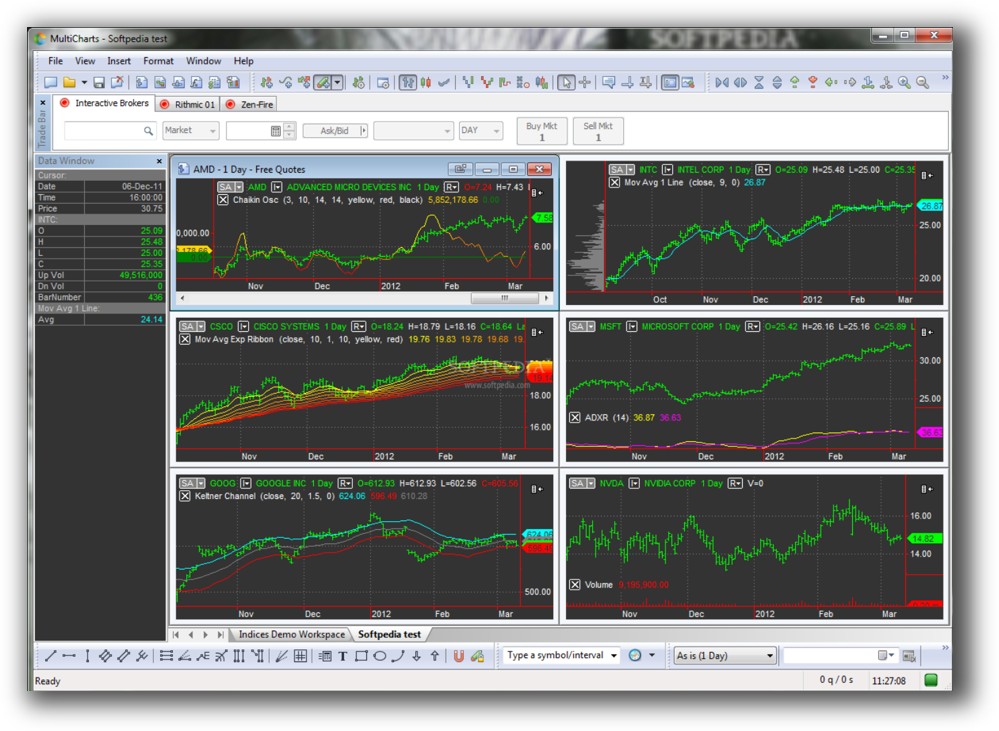
MultiCharts is a commercial backtesting and execution platform known for its deep strategy development and charting capabilities. It’s Windows-based and supports broker connections like Interactive Brokers, OANDA, and CQG. It’s a paid tool (subscription or lifetime license) but is geared toward professional and semi-professional traders who want robust system testing and deployment.
MetaTrader 5, in contrast, is free through your broker. It’s widely used in forex and CFD markets and works on Windows, macOS (via Wine or emulation), and the web. While easier to access, it has more limitations for multi-strategy or multi-asset traders.
MetaTrader 5 Main View:

Market Access & Data Support in MultiCharts vs MetaTrader 5
MultiCharts supports equities, futures, forex, and crypto via multiple brokers and data providers. You can use real-time and historical data from Interactive Brokers, IQFeed, eSignal, and others. This makes it a better fit for global systematic stock and futures trading.
MT5 is tied to your broker’s offerings. Most brokers offer forex and CFDs, not stocks or futures. Historical data availability also depends on the broker, and long-term bar data may be limited or low quality.
If you’re serious about trading across multiple markets and want control over your data, MultiCharts is superior.
MetaTrader 5 Backtesting Interface:

Building & Customizing Trading Strategies
MultiCharts uses PowerLanguage, which is compatible with EasyLanguage (used in TradeStation). It’s readable, widely supported, and good for traders who want to code their own systems or modify existing ones. You can also import third-party scripts or use built-in strategies.
MetaTrader 5 uses MQL5, a powerful but proprietary C-like language. It supports complex logic, but the learning curve is steeper if you’re not already familiar with C-style syntax. Its developer ecosystem is vast, but more retail/indicator-focused than systematic.
If you want clarity and a lower barrier to writing and adapting rule-based systems, MultiCharts has the edge.
Check Out: Trading System Development

MetaTrader 5 Code Editor (Meta Editor):

Backtesting Performance, Speed & Realism
This is the most important section for systematic traders.
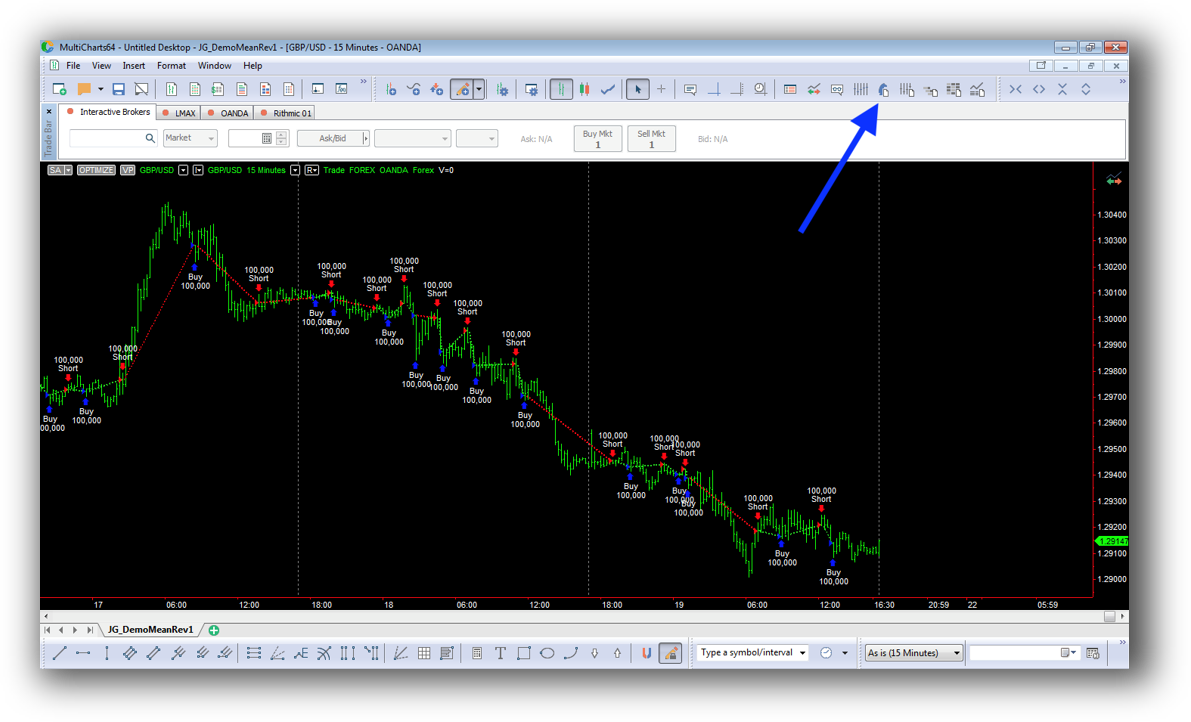
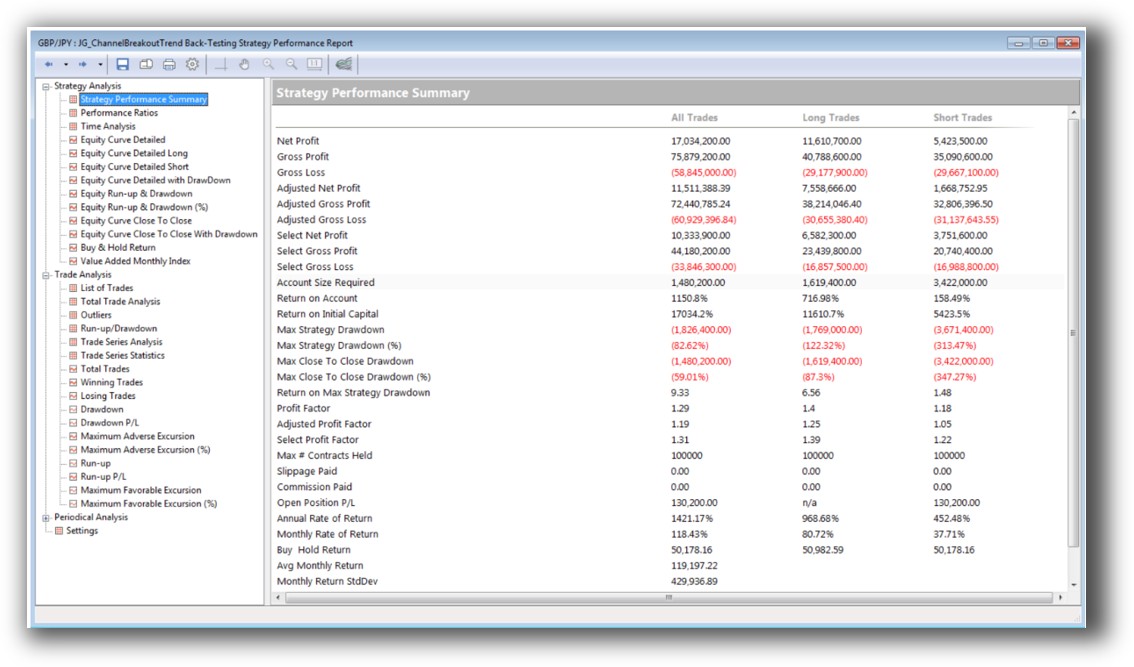
MultiCharts has a portfolio-level, event-driven backtesting engine. This means you can test strategies across multiple symbols and simulate realistic trading scenarios (like capital allocation, slippage, and execution order). You can apply position sizing, test portfolio-wide metrics, and model correlated systems. This is a big deal.
MT5 is single-instrument focused. Its backtesting is tick-based and can simulate order execution, but it lacks native portfolio-level simulation. It’s great for testing Expert Advisors (EAs) on a single forex pair or CFD, but if you want to build multi-system, multi-market models with realistic capital deployment, MT5 will fall short.
Check out: Backtesting | Drawdown
MetaTrader 5 Backtest Report:

Strategy Optimization & Stress Testing Tools
Both platforms offer genetic and exhaustive optimization. But MultiCharts also supports Walk-Forward Analysis (WFA) and parameter stability testing, critical for avoiding curve fitting and building robust systems.
MT5 lacks walk-forward testing by default. You can run optimizations, but robustness testing and parameter validation require third-party plugins or external tools.
MultiCharts helps you build strategies that stand up to real markets, not just the past.
Check Out: Trading System Optimization

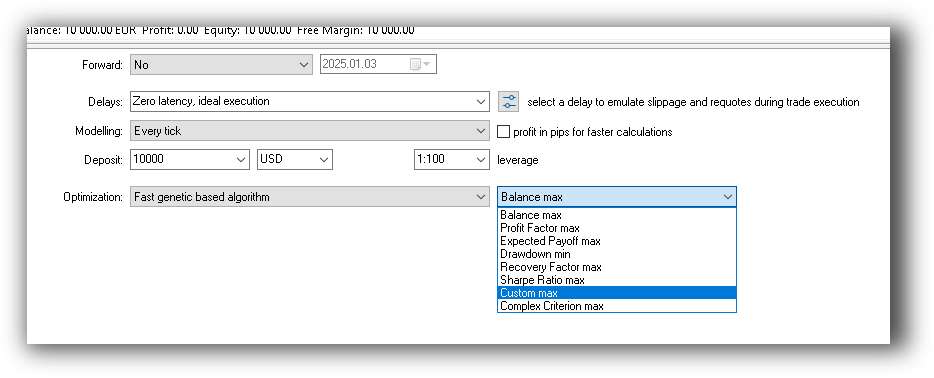
MetaTrader 5 Genetic Optimization:
Charting Features, Signal Exploration & Live Execution
Charting is where MultiCharts really shines. It offers institutional-quality multi-timeframe charts, advanced drawing tools, indicator layering, and easy navigation across symbols.
Scanning: MultiCharts includes powerful scanner and signal generation features across multiple instruments.
Execution: MultiCharts supports live trading through brokers like IB and CQG. It also includes strategy auto-execution with full control over signal timing, order routing, and slippage modeling.
MT5 charting is clean but simplified. It’s optimized for forex scalping. While it includes indicator overlays, drawing tools, and timeframes, it’s not designed for deep analysis across portfolios. Scanner functionality is basic.
Execution in MT5 is highly dependent on your broker. You can automate trading through EAs, but execution control is limited to what your broker allows.
Check Out Order Types | Automated Trading Systems
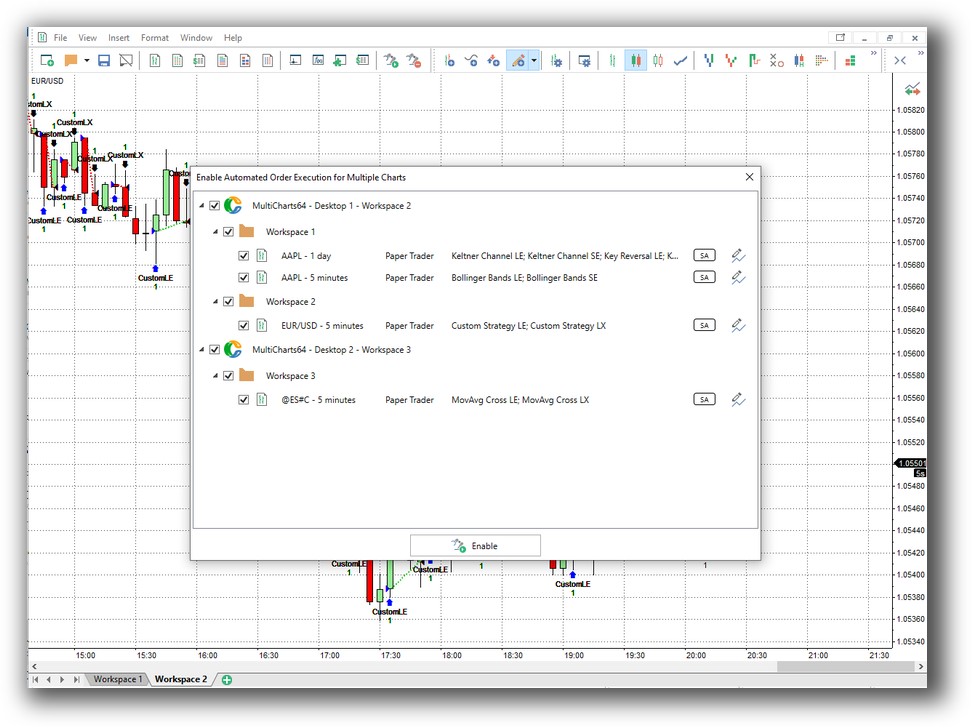
MetaTrader 5 Automation Set Up (Expert Advisor):

Support, Documentation & Learning Resources
MultiCharts offers a comprehensive knowledge base, an active user forum, and clear documentation. It’s technical, but well-organized. There’s also decent third-party support and community discussion for PowerLanguage.
MT5 has extensive documentation, but a lot of it is fragmented across broker sites, MetaQuotes forums, and YouTube. It’s easy to get lost, especially for traders seeking structured system development.
Both have active communities, but MultiCharts is better geared to the systematic mindset.
MultiCharts Forum Front Page is illustrated down below:

MetaTrader 5 Forum Front Page is illustrated down below:

MultiCharts vs MetaTrader 5: Which One Should You Use?
If you trade forex only, don’t need portfolio-level backtesting, and want a free tool that comes with your broker, MetaTrader 5 is fine.
But if you’re building rule-based trading systems across multiple markets, care about realism, want to model portfolio effects, and test strategies with confidence, MultiCharts is a far better tool.
It’s not even close when it comes to:
- Portfolio backtesting
- Execution realism
- Optimization and robustness testing
- Scalability for multiple systems
Our Recommendation
If your trading goals include consistency, automation, and confident execution, MultiCharts is the stronger platform for long-term success.
However, if you’re still looking for the most efficient way to build your trading system from scratch or want to avoid wasting time stuck in software setup hell – there’s a better way.
Start with a proven roadmap.
Want The Rest of the Puzzle?
Backtesting software is just one piece. The real transformation happens when you align your tools, your systems, and your psychology with your goals.
If you’re tired of chasing tips and want to build wealth systematically, the next step is clear: The Trader Success System.
Inside, you’ll discover:
- Proven trading systems
- A step-by-step backtesting framework
- Position sizing tools
- Automation strategies that let you trade in 30 minutes or less
Trading and Backtesting Software Review List
- RealTest vs Amibroker
- RealTest VS TradeStation
- RealTest VS NinjaTrader
- RealTest VS MultiCharts
- RealTest VS Wealth-Lab
- RealTest VS Beyond Charts
- RealTest VS Optuma
- RealTest VS TradingView
- RealTest VS MetaTrader 4 (MT4)
- RealTest VS MetaTrader 5 (MT5)
- AmiBroker VS TradeStation
- AmiBroker VS NinjaTrader
- AmiBroker VS MultiCharts
- AmiBroker VS Wealth-Lab
- AmiBroker VS Beyond Charts
- AmiBroker VS Optuma
- AmiBroker VS TradingView
- AmiBroker VS MetaTrader 4 (MT4)
- AmiBroker VS MetaTrader 5 (MT5)
- TradeStation VS NinjaTrader
- TradeStation VS MultiCharts
- TradeStation VS Wealth-Lab
- TradeStation VS Beyond Charts
- TradeStation VS Optuma
- TradeStation VS TradingView
- TradeStation VS MetaTrader 4 (MT4)
- TradeStation VS MetaTrader 5 (MT5)
- NinjaTrader VS MultiCharts
- NinjaTrader VS Wealth-Lab
- NinjaTrader VS Beyond Charts
- NinjaTrader VS Optuma
- NinjaTrader VS TradingView
- NinjaTrader VS MetaTrader 4 (MT4)
- NinjaTrader VS MetaTrader 5 (MT5)
- MultiCharts VS Wealth-Lab
- MultiCharts VS Beyond Charts
- MultiCharts VS Optuma
- MultiCharts VS TradingView
- MultiCharts VS MetaTrader 4 (MT4)
- MultiCharts VS MetaTrader 5 (MT5)
- Wealth-Lab VS Beyond Charts
- Wealth-Lab VS Optuma
- Wealth-Lab VS TradingView
- Wealth-Lab VS MetaTrader 4 (MT4)
- Wealth-Lab VS MetaTrader 5 (MT5)
- Beyond Charts VS Optuma
- Beyond Charts VS TradingView
- Beyond Charts VS MetaTrader 4 (MT4)
- Beyond Charts VS MetaTrader 5 (MT5)
- Optuma VS TradingView
- Optuma VS MetaTrader 4 (MT4)
- Optuma VS MetaTrader 5 (MT5)
- TradingView VS MetaTrader 4 (MT4)
- TradingView VS MetaTrader 5 (MT5)
- MetaTrader 4 (MT4) VS MetaTrader 5 (MT5)


