
MultiCharts vs TradingView: Comparing Backtesting Software for Systematic Trading
If your priority is realistic portfolio-level backtesting and custom strategy development, MultiCharts offers a more complete toolkit for serious systematic traders. TradingView excels in charting, social idea sharing, and ease of access, but its backtesting capabilities are limited.
For traders building systematic trading systems with position sizing, multi-strategy portfolios, and custom rules, MultiCharts is the better tool overall. That said, many systematic traders use both, MultiCharts for backtesting and TradingView for fast charting and scanning.
MultiCharts vs TradingView at a Glance:
Short on time? Here’s how MultiCharts vs TradingView compare side by side.
|
Feature |
MultiCharts |
TradingView |
|
OS Compatibility |
Windows only (can run on Mac with Parallels) |
Web, Windows, Mac |
|
Broker Integration |
Multi-broker support (IB, CQG, Rithmic etc.) |
Supported (IB, TradeStation, OANDA, etc.) |
|
Strategy Language |
PowerLanguage (EasyLanguage compatible) |
Pine Script v5 |
|
Backtesting |
Realistic, portfolio-level, walk-forward testing |
Single strategy, single asset, limited depth |
|
Charting |
Professional-grade, complex layouts |
Best-in-class for speed and accessibility |
|
Automation |
Advanced automation via broker plugins |
Limited; external tools/scripts needed |
|
Community & Scripts |
Not community-driven |
Massive library of shared ideas and scripts |
|
Pricing |
Free trial, then paid (lifetime or subscription) |
Free tier, multiple paid tiers |
Platform Overview, Cost & Compatibility
MultiCharts is a mature trading software built specifically for serious strategy development. It runs only on Windows, though Mac users can run it via Parallels. You can buy a lifetime license or pay via subscription.
TradingView, in contrast, is browser-based and also offers native apps for Mac and Windows. It runs everywhere and has a generous free tier, with upgrades depending on the number of charts, indicators, and data sources you want to access.
If you need professional-level testing, MultiCharts is worth the setup. For quick analysis and cross-device convenience, TradingView is hard to beat.
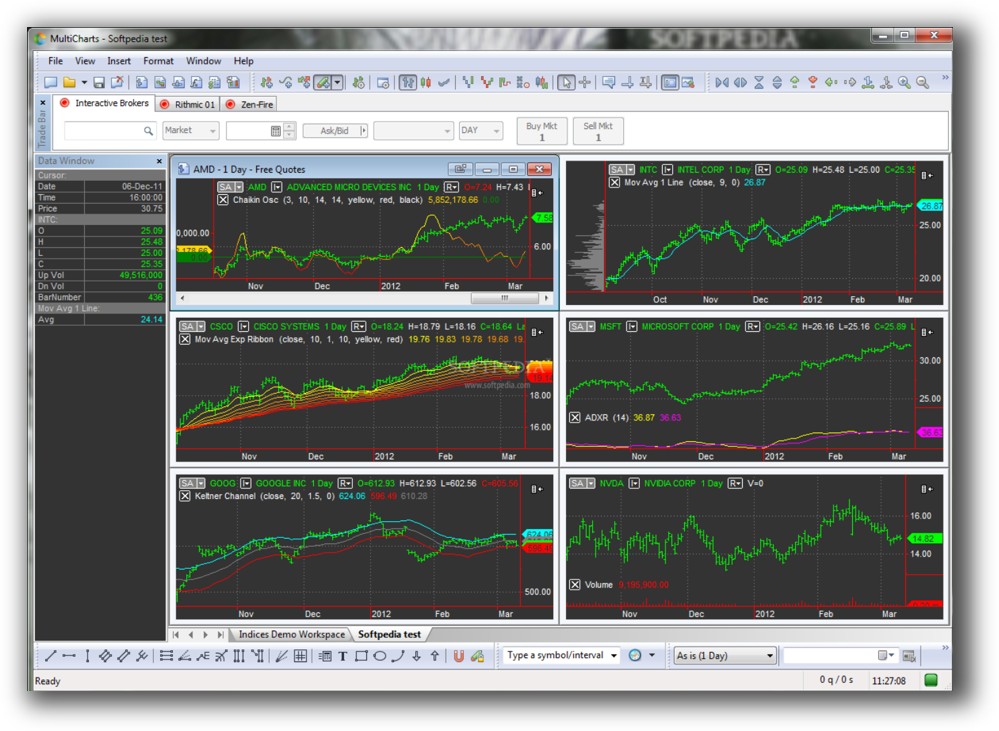
MultiCharts Main View:
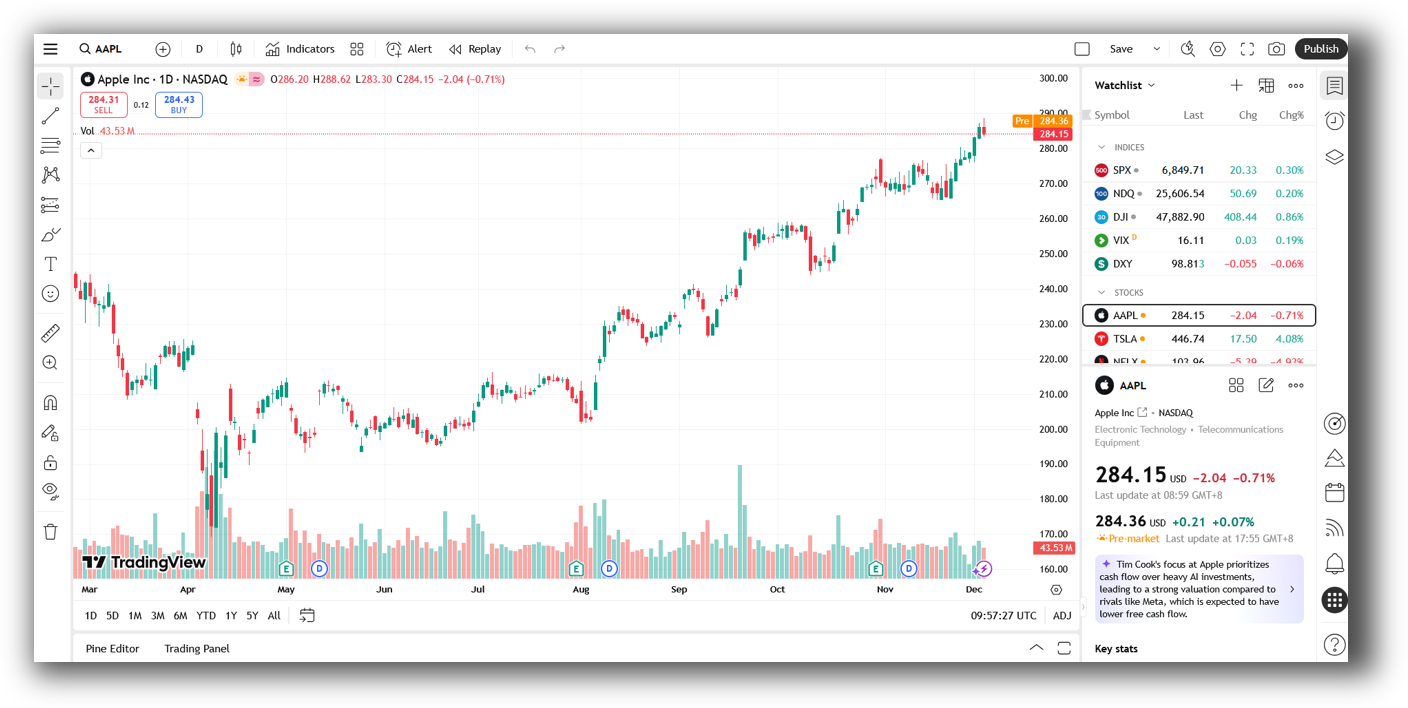
TradingView Main View:
Market Access & Data Support in MultiCharts vs TradingView
MultiCharts integrates with a wide array of market data providers and brokers including Interactive Brokers, CQG, Rithmic, and eSignal. It can handle historical and real-time data and allows for fully integrated order execution.
TradingView supports data from global markets, including stocks, forex, crypto, and futures. You can connect brokers like Interactive Brokers, TradeStation, and OANDA, but it’s not built for professional execution or depth of market access.
If you want institutional-style data feeds and multi-asset execution, MultiCharts is the more capable trading software.
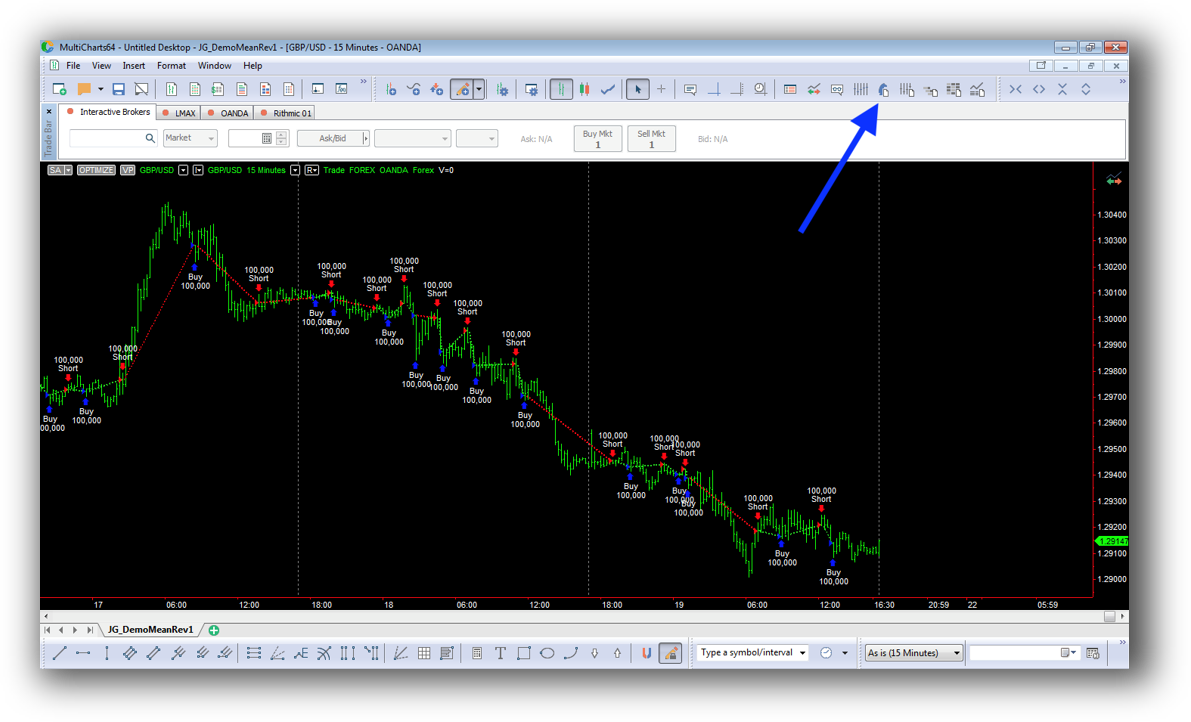
MultiCharts Backtesting Interface:
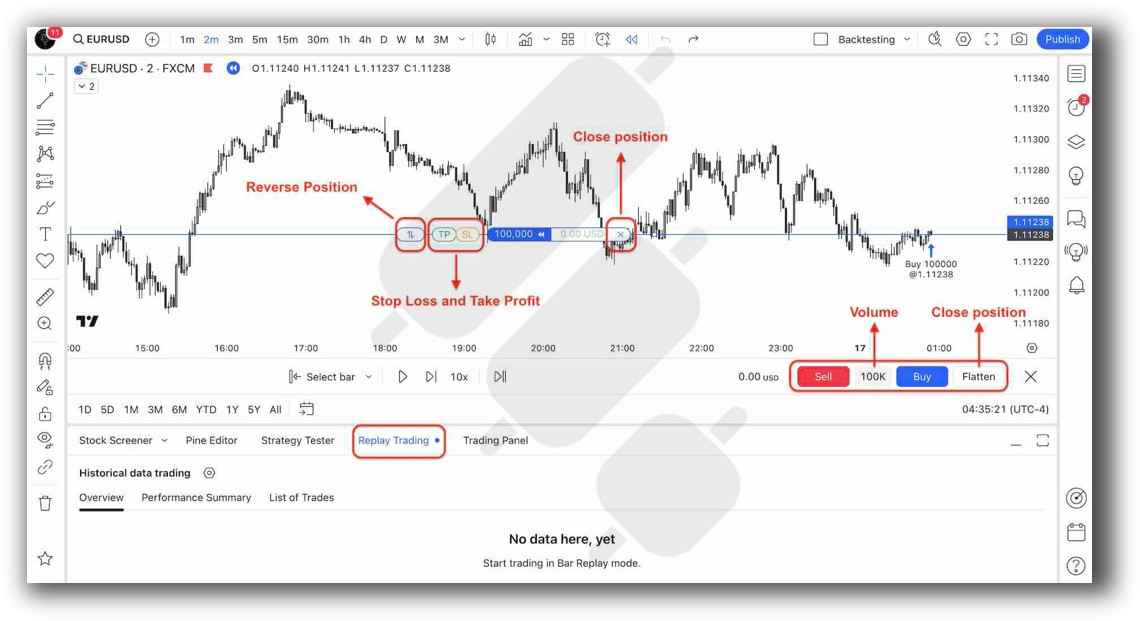
TradingView Backtesting Interface:
Building & Customizing Trading Strategies
MultiCharts uses PowerLanguage, a derivative of EasyLanguage, which gives you full control over entries, exits, filters, position sizing, and multiple systems across symbols. You can manage complex trading strategies and handle portfolio-level testing.
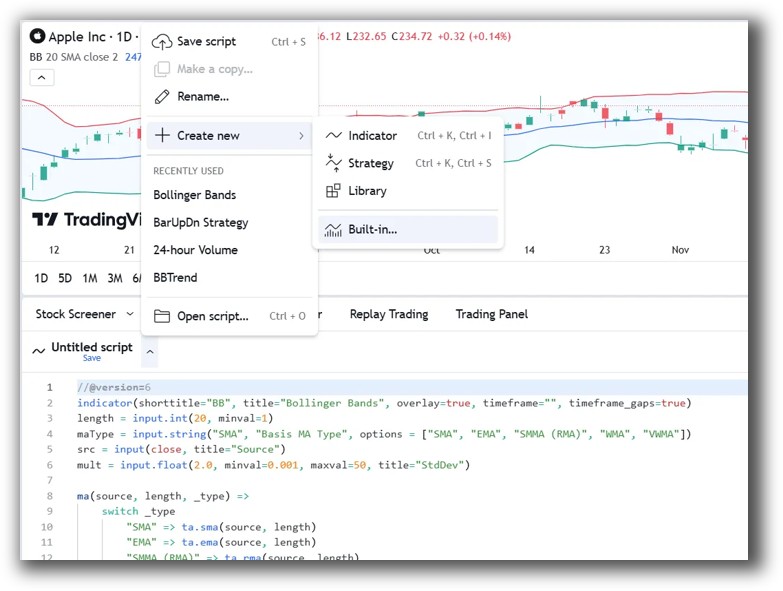
TradingView uses Pine Script, which is excellent for creating indicators and basic strategies. However, it’s limited when it comes to handling multiple positions, capital allocation, or managing a system portfolio.
If you’re looking to build and refine real, rule-based trading systems, MultiCharts offers the flexibility and depth required.
Check Out: Trading System Development
MultiCharts Code Editor (PowerLanguage):

TradingView Code Editor (Pine Script):
Backtesting Performance, Speed & Realism
This is where the difference really shows.
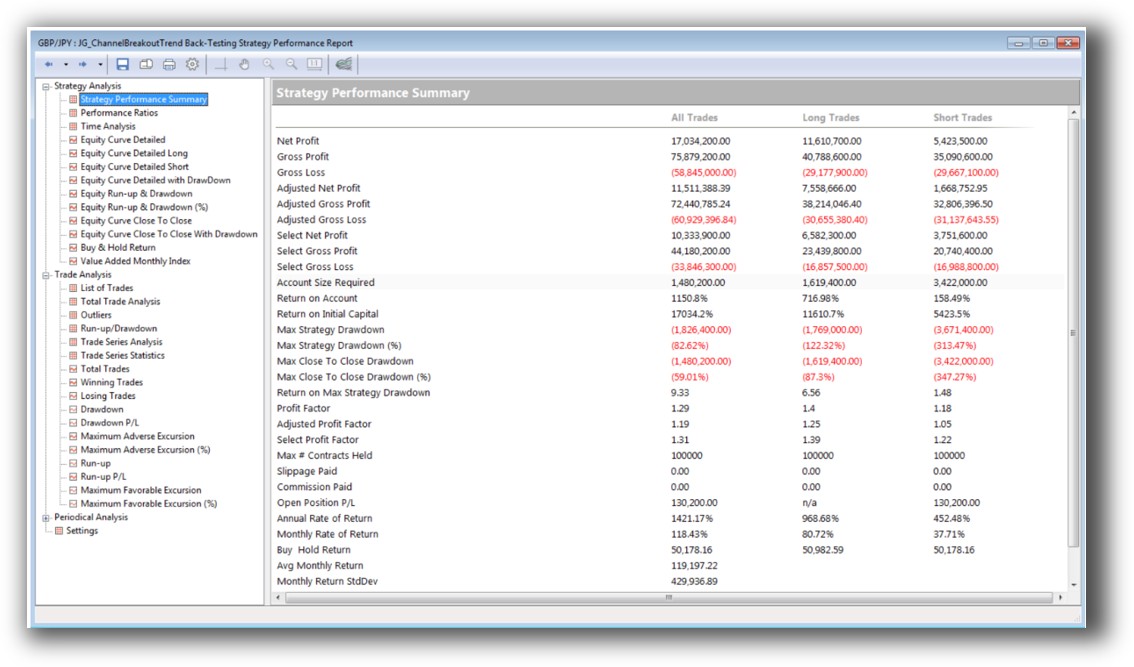
MultiCharts supports realistic backtesting including:
- Portfolio-level simulation
- Multi-symbol testing
- Walk-forward analysis
- Slippage and commissions
- Custom position sizing rules
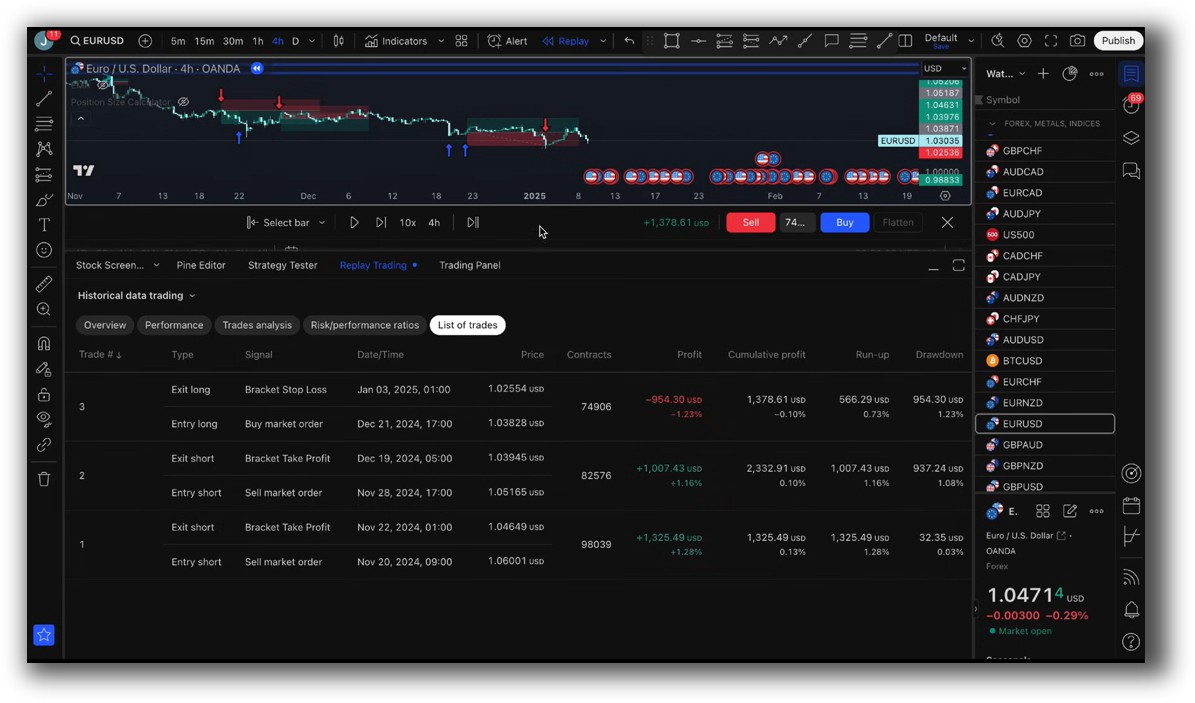
TradingView offers backtesting for single strategies on single charts. You can simulate entries and exits using Pine Script, but there’s no built-in portfolio simulation, walk-forward testing, or realistic trade matching.
If your goal is to gain confidence in your strategy using rigorous testing, MultiCharts is the clear winner.
Check out: Backtesting | Drawdown
MultiCharts Backtest Report:
TradingView Backtest Report:
Strategy Optimization & Stress Testing Tools
MultiCharts has a strong optimization engine that allows:
- Exhaustive and genetic algorithm optimization
- Walk-forward testing
- Multi-core support
- Detailed logs and charts for evaluating system robustness
TradingView has no native optimization features. You must manually tweak parameters and re-run tests.
For analytical traders who want to avoid curve fitting and validate performance across market conditions, MultiCharts is more powerful and efficient.
Check Out: Trading System Optimization
MultiCharts Walk-Forward Parameters:

Charting Features, Signal Exploration & Live Execution
This is where TradingView shines.
Its charting is:
- Lightning fast
- Beautiful
- Packed with community indicators
- Easily shareable
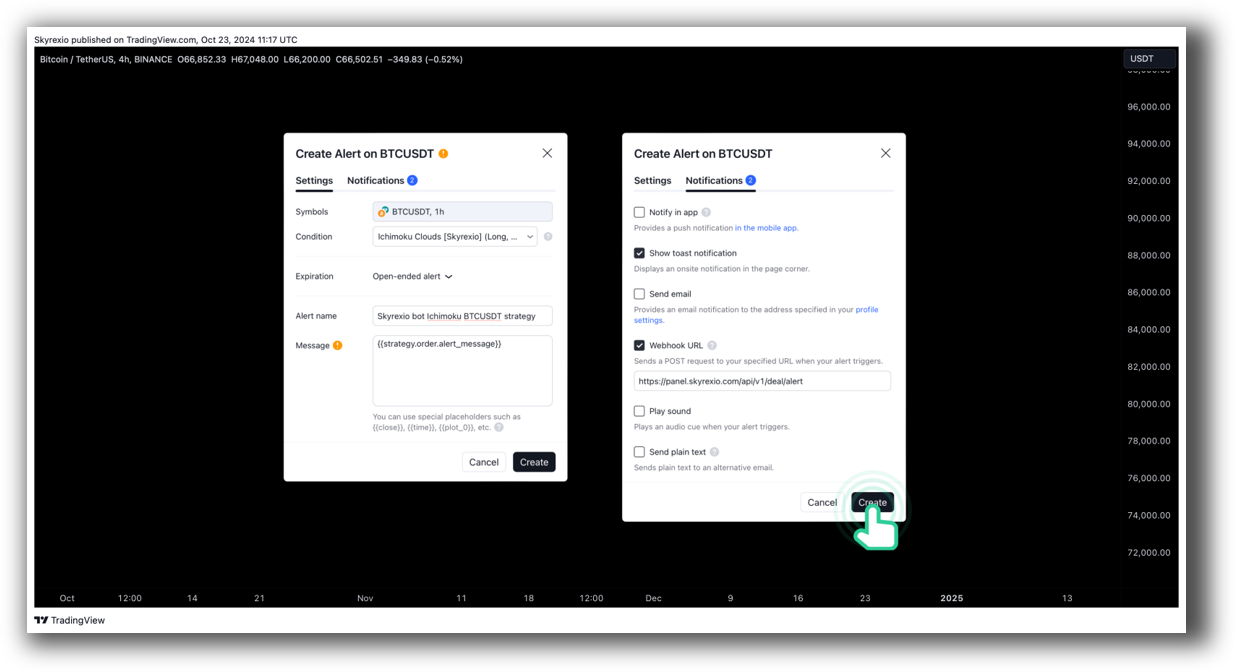
You can use it for scanning, alerts, and light automation via webhooks or external scripts.
MultiCharts is more powerful for execution, particularly when linked to a broker. It supports advanced order types, automation, and trade management tools, but the interface is less intuitive for visual scanning and charting.
In practice, many traders use TradingView for daily chart work and MultiCharts for strategy development and execution.
Check Out Order Types | Automated Trading Systems
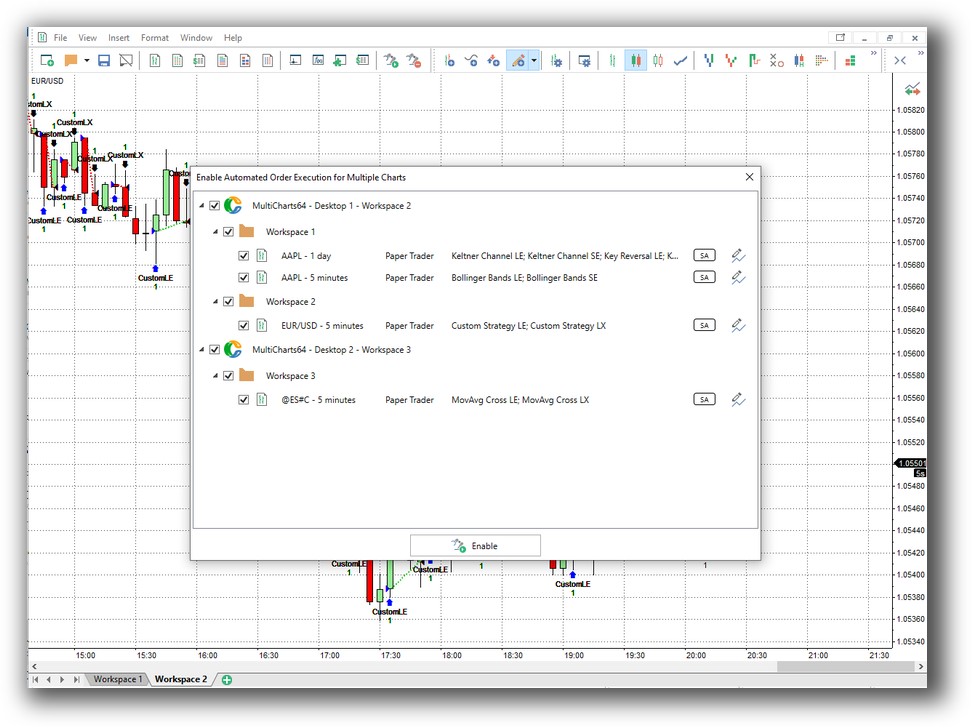
MultiCharts Automation Set Up:
TradingView Automation Set Up:
Support, Documentation & Learning Resources
MultiCharts has solid documentation but it’s more technical and assumes prior experience. Support is available, but not at the level of modern, community-driven platforms.
TradingView has a vast library of tutorials, a forum, and an active script-sharing community. It’s easier to get help for simple tasks, but much harder to implement professional-grade systems.
MultiCharts Forum Front Page is illustrated down below:

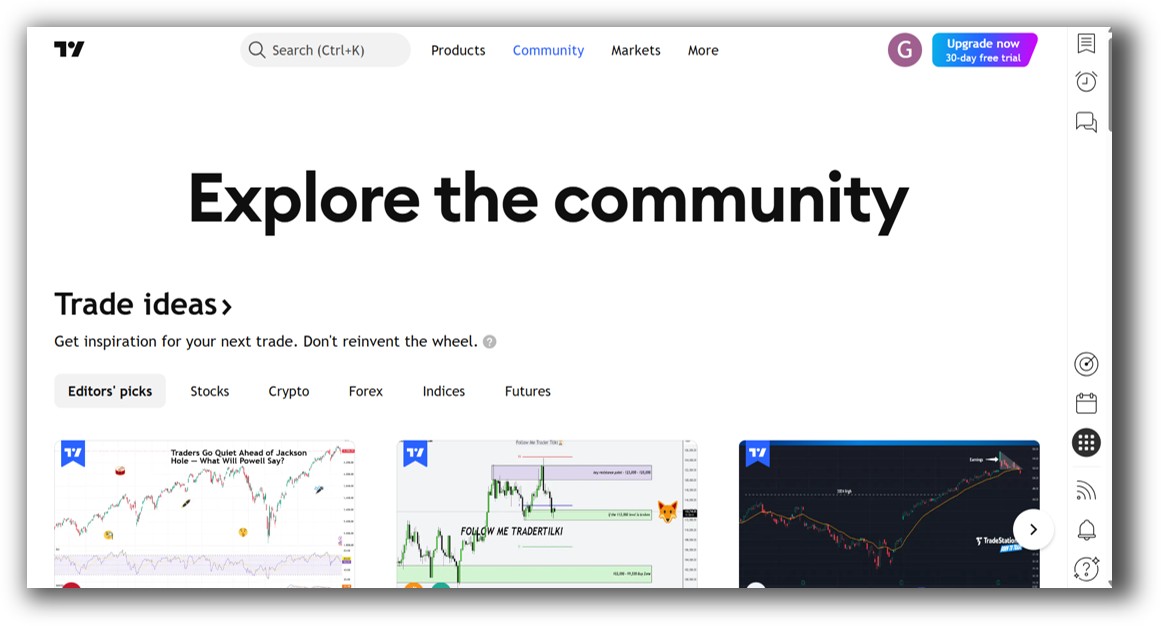
TradingView Community Ideas Front Page is illustrated down below:
MultiCharts vs TradingView: Which One Should You Use?
MultiCharts has solid documentation but it’s more technical and assumes prior experience. Support is available, but not at the level of modern, community-driven platforms.
TradingView has a vast library of tutorials, a forum, and an active script-sharing community. It’s easier to get help for simple tasks, but much harder to implement professional-grade systems.
For serious system development, RealTest (and to a lesser extent, MultiCharts) still leads with clean, modern documentation and example-driven workflows.
Our Recommendation
Use MultiCharts if:
- You want to test and run professional-level systems.
- You care about portfolio-level simulation.
- You need full control over entries, exits, and risk management.
Use TradingView if:
- You want fast and accessible charting on any device.
- You’re doing lightweight strategy development or visual analysis.
- You want to learn Pine Script and test basic trading logic.
Want The Rest of the Puzzle?
Backtesting software is just one piece. The real transformation happens when you align your tools, your systems, and your psychology with your goals.
If you’re tired of chasing tips and want to build wealth systematically, the next step is clear: The Trader Success System.
Inside, you’ll discover:
- Proven trading systems
- A step-by-step backtesting framework
- Position sizing tools
- Automation strategies that let you trade in 30 minutes or less
Trading and Backtesting Software Review List
- RealTest vs Amibroker
- RealTest VS TradeStation
- RealTest VS NinjaTrader
- RealTest VS MultiCharts
- RealTest VS Wealth-Lab
- RealTest VS Beyond Charts
- RealTest VS Optuma
- RealTest VS TradingView
- RealTest VS MetaTrader 4 (MT4)
- RealTest VS MetaTrader 5 (MT5)
- AmiBroker VS TradeStation
- AmiBroker VS NinjaTrader
- AmiBroker VS MultiCharts
- AmiBroker VS Wealth-Lab
- AmiBroker VS Beyond Charts
- AmiBroker VS Optuma
- AmiBroker VS TradingView
- AmiBroker VS MetaTrader 4 (MT4)
- AmiBroker VS MetaTrader 5 (MT5)
- TradeStation VS NinjaTrader
- TradeStation VS MultiCharts
- TradeStation VS Wealth-Lab
- TradeStation VS Beyond Charts
- TradeStation VS Optuma
- TradeStation VS TradingView
- TradeStation VS MetaTrader 4 (MT4)
- TradeStation VS MetaTrader 5 (MT5)
- NinjaTrader VS MultiCharts
- NinjaTrader VS Wealth-Lab
- NinjaTrader VS Beyond Charts
- NinjaTrader VS Optuma
- NinjaTrader VS TradingView
- NinjaTrader VS MetaTrader 4 (MT4)
- NinjaTrader VS MetaTrader 5 (MT5)
- MultiCharts VS Wealth-Lab
- MultiCharts VS Beyond Charts
- MultiCharts VS Optuma
- MultiCharts VS TradingView
- MultiCharts VS MetaTrader 4 (MT4)
- MultiCharts VS MetaTrader 5 (MT5)
- Wealth-Lab VS Beyond Charts
- Wealth-Lab VS Optuma
- Wealth-Lab VS TradingView
- Wealth-Lab VS MetaTrader 4 (MT4)
- Wealth-Lab VS MetaTrader 5 (MT5)
- Beyond Charts VS Optuma
- Beyond Charts VS TradingView
- Beyond Charts VS MetaTrader 4 (MT4)
- Beyond Charts VS MetaTrader 5 (MT5)
- Optuma VS TradingView
- Optuma VS MetaTrader 4 (MT4)
- Optuma VS MetaTrader 5 (MT5)
- TradingView VS MetaTrader 4 (MT4)
- TradingView VS MetaTrader 5 (MT5)
- MetaTrader 4 (MT4) VS MetaTrader 5 (MT5)


