

MultiCharts vs Wealth-Lab Comparing Backtesting Software for Systematic Trading
If you’re serious about systematic trading and need flexibility, speed, and robust strategy development, Wealth-Lab offers a more modern, extensible, and integrated environment. However, MultiCharts has strengths in multi-broker support and EasyLanguage compatibility, which can be valuable if you’re transitioning from platforms like TradeStation.
Still, neither matches the portfolio-level realism and simplicity of RealTest, which remains our preferred tool for systematic traders focused on precision and execution confidence.
MultiCharts vs Wealth-Lab at a Glance:
Short on time? Here’s how MultiCharts vs Wealth-Lab compare side by side.
|
Feature |
MultiCharts |
Wealth-Lab |
|
OS Compatibility |
Windows only |
Windows only |
|
Programming Language |
PowerLanguage (EasyLanguage compatible) |
C# (WealthScript) & Drag-and-drop Builder |
|
Backtesting Portfolio-Level |
Yes |
Yes |
|
Automation Support |
Yes (via broker APIs) |
Yes (via extensions + broker APIs) |
|
Strategy Optimization |
Genetic & exhaustive search |
Walk-forward, Monte Carlo, and more |
|
Charting & Visual Tools |
Advanced |
Advanced |
|
Learning Curve |
Moderate to steep (especially scripting) |
Moderate (visual builder helps beginners) |
|
Broker Integration |
Multi-broker native support |
Fewer brokers natively, via plugins |
|
Documentation Quality |
OK, slightly dated |
Actively maintained, modern interface |
|
Pricing |
One-time license or subscription |
Subscription only (US$39.95/mo) |
Platform Overview, Cost & Compatibility
Both MultiCharts and Wealth-Lab are Windows-based. If you’re a Mac user, running either platform requires a virtual machine setup like Parallels. Wine is not recommended due to instability.
- MultiCharts offers a perpetual license (lifetime access) and a free trial. This suits traders who prefer a one-time investment.
- Wealth-Lab is subscription-only, but competitively priced at ~$39.95/month.
Both platforms cater to serious system developers, but Wealth-Lab feels more modern with better integration into the .NET ecosystem.
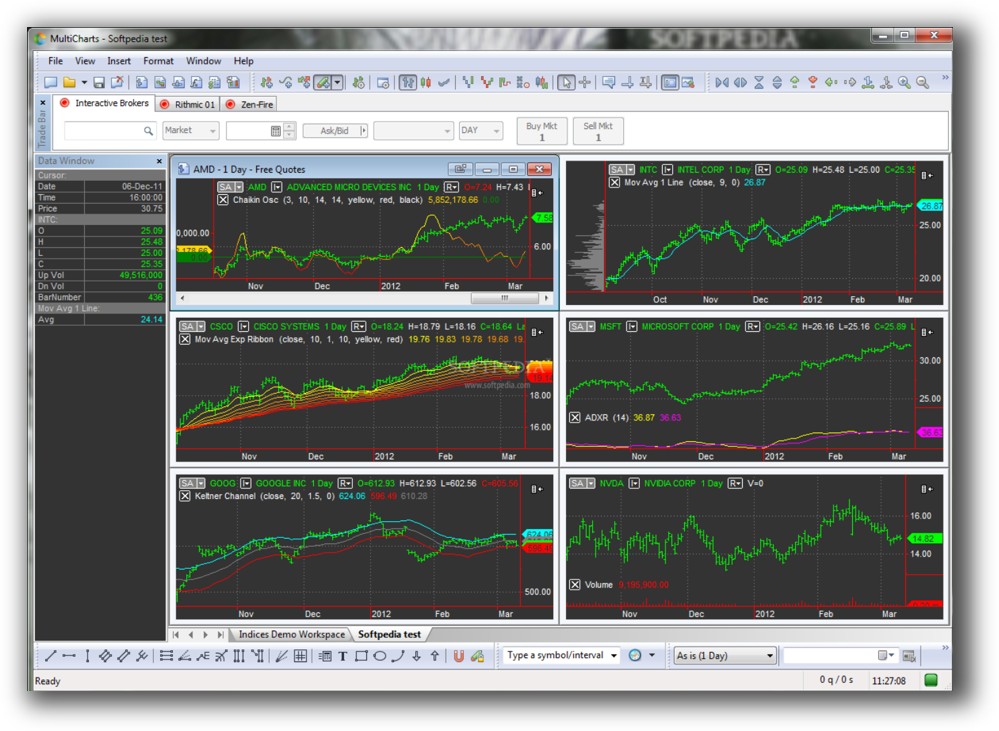
MultiCharts Main View:
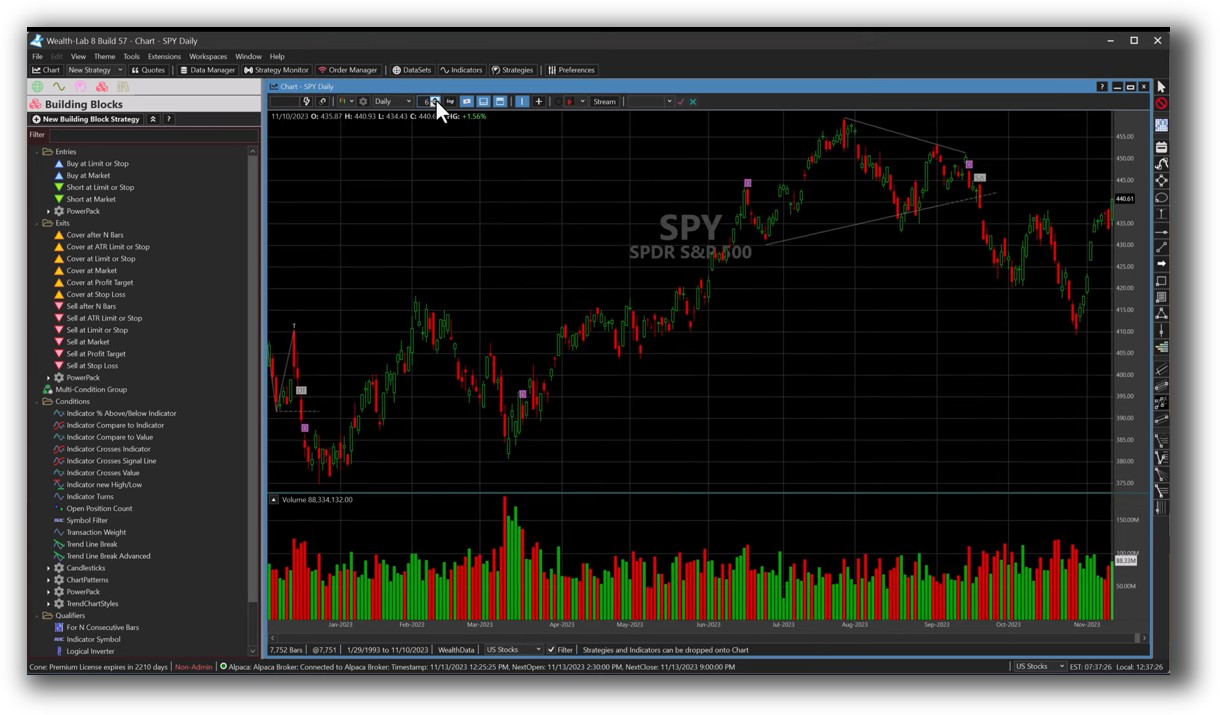
Wealth-Lab Main View:
Market Access & Data Support in MultiCharts vs Wealth-Lab
MultiCharts provides native multi-broker connectivity out of the box. It supports a wide range of data providers like IQFeed, eSignal, and Interactive Brokers.
Wealth-Lab relies more on extensions, but covers major brokers like Interactive Brokers, Tradier, and Alpaca. Its extension framework makes it easier to adapt over time, though it may require more initial setup.
If you’re already using a supported broker and want plug-and-play access, MultiCharts might edge ahead here. But for future-proofing and extensibility, Wealth-Lab holds its own.
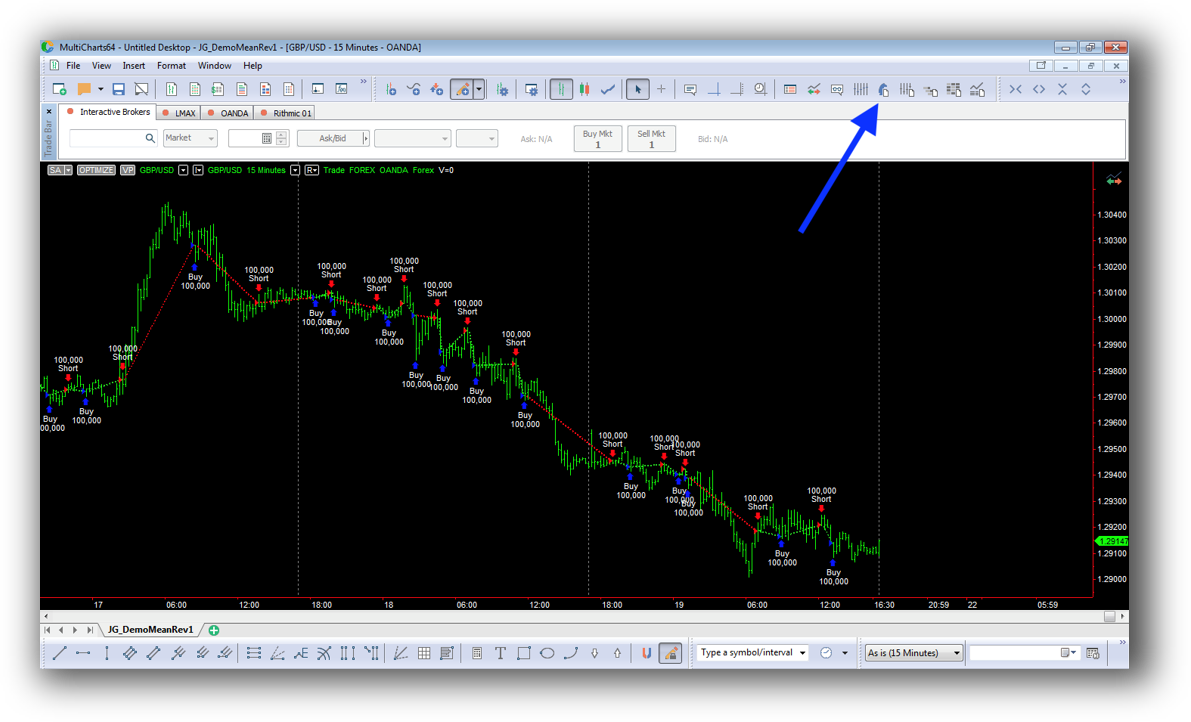
MultiCharts Backtesting Interface:
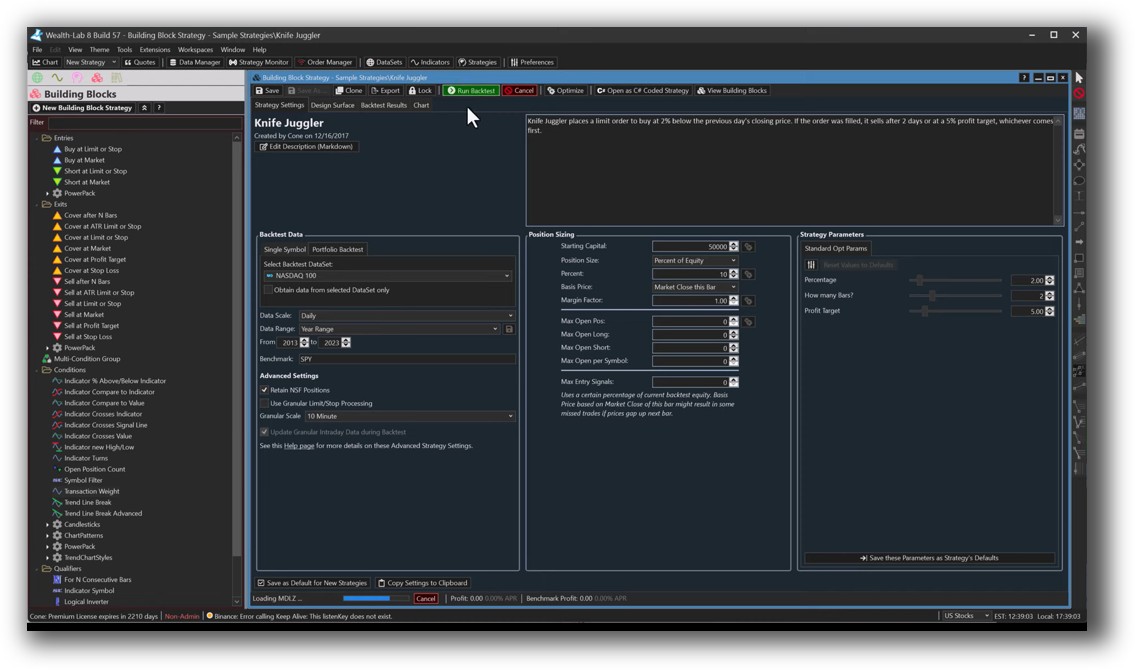
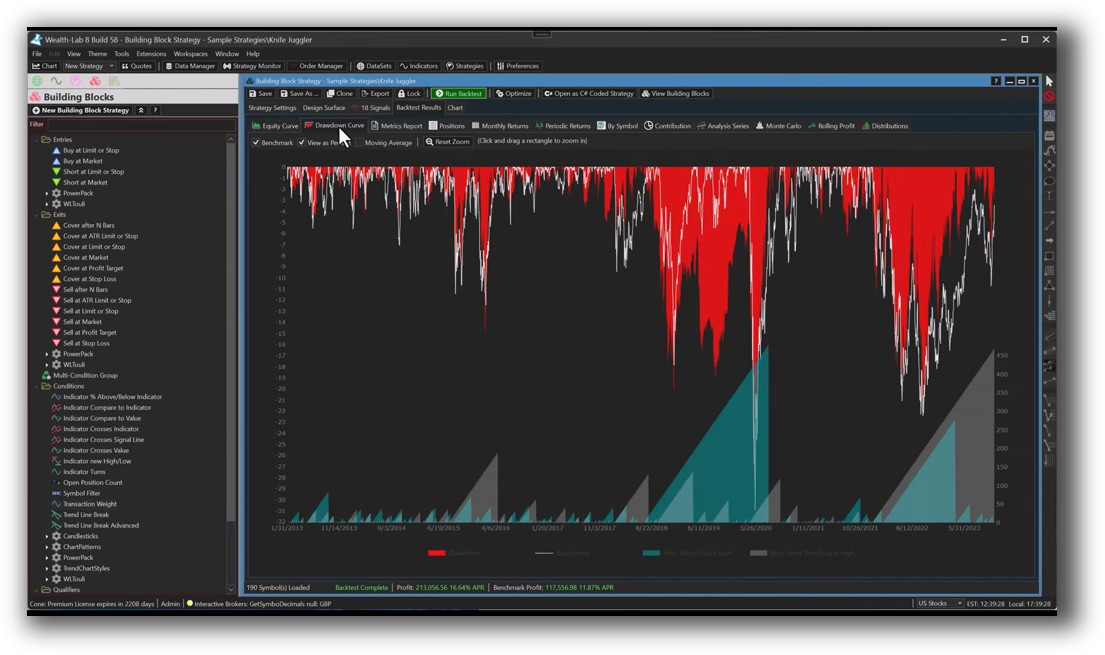
Wealth-Lab Backtesting Interface:
Building & Customizing Trading Strategies
MultiCharts users script in PowerLanguage, which is similar to EasyLanguage. This makes it a smoother transition for those coming from TradeStation.
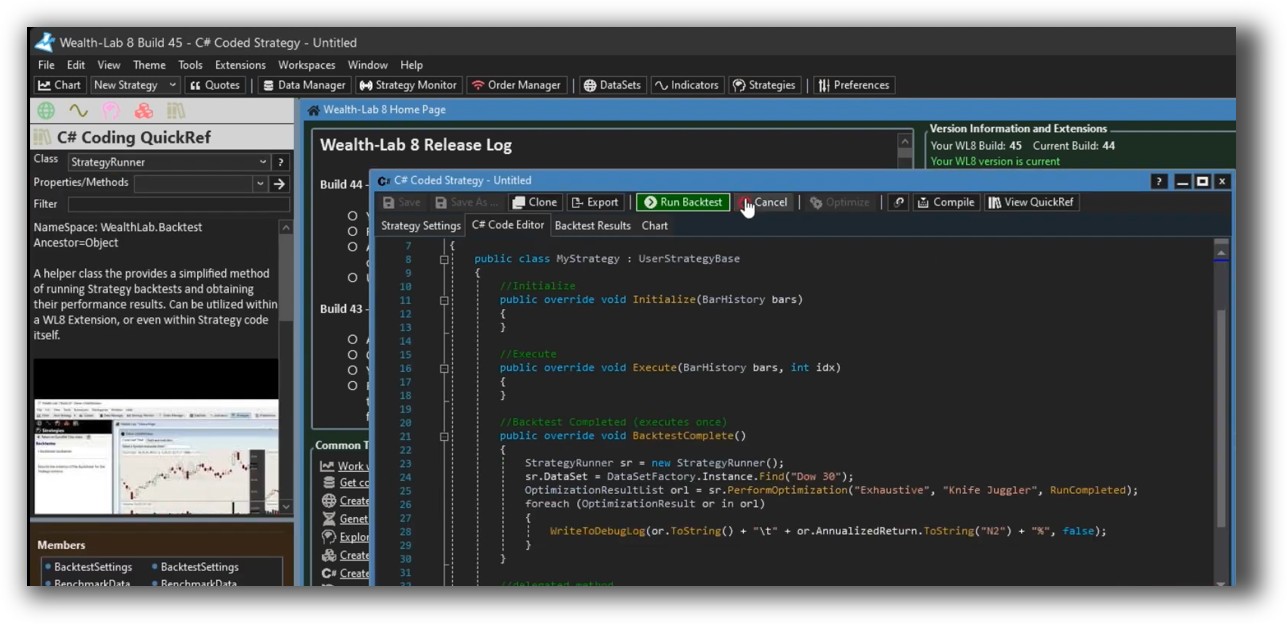
Wealth-Lab uses WealthScript (based on C#), and includes a drag-and-drop strategy builder. This gives it a wider appeal — beginners can build without code, and experienced coders have full control over logic and structure.
Wealth-Lab’s blend of low-code and pro-code gives it a distinct edge for strategy development.
Check Out: Trading System Development
MultiCharts Code Editor (PowerLanguage):

Wealth-Lab Code Editor (WealthScript):
Backtesting Performance, Speed & Realism
Both platforms support portfolio-level backtesting, which is critical for serious systematic traders.
- MultiCharts has a reputation for speed and handles complex scripts well.
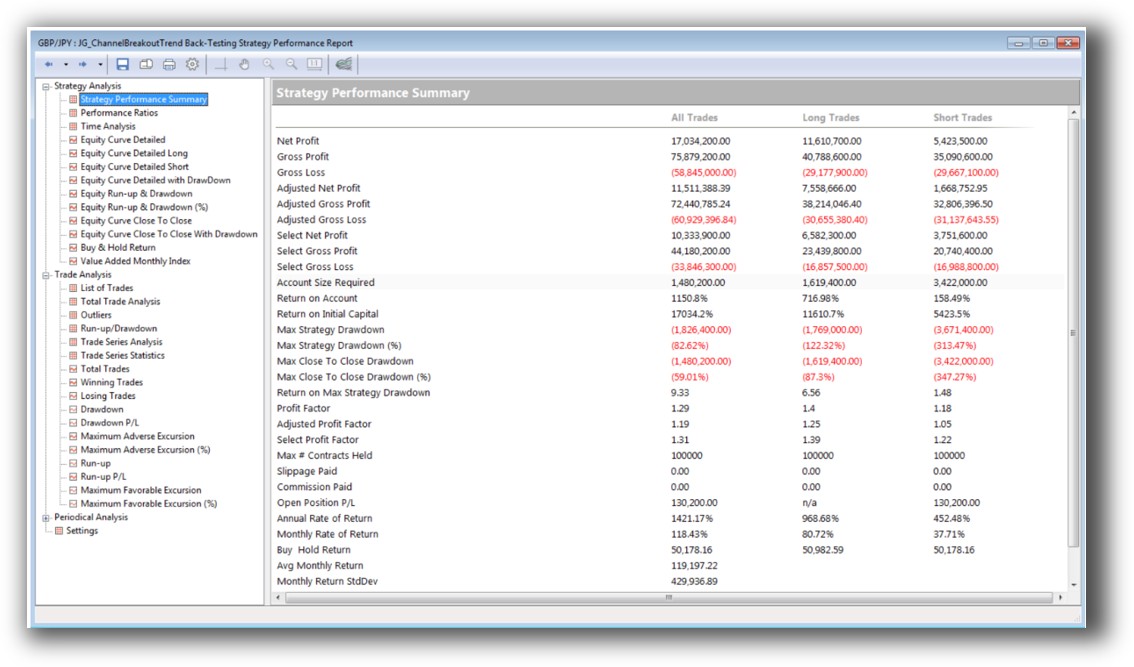
- Wealth-Lab includes multi-symbol backtests, Monte Carlo simulation, and walk-forward testing – allowing for deeper confidence in performance robustness.
Still, compared to RealTest, both tools require more configuration to achieve the same level of clarity and execution realism. If you want to test entire portfolios quickly and get results you can trust, RealTest still leads in speed and precision.
Check out: Backtesting | Drawdown
MultiCharts Backtest Report:
Wealth-Lab Backtest Report:
Strategy Optimization & Stress Testing Tools
Wealth-Lab shines here.
- Built-in walk-forward analysis, parameter stability analysis, and Monte Carlo simulations make it ideal for exploring robustness.
- MultiCharts offers exhaustive and genetic optimizations but lacks built-in walk-forward testing.
If your focus is refining your trading systems to avoid curve fitting, Wealth-Lab’s tools provide stronger protection.
Check Out: Trading System Optimization
MultiCharts Walk-Forward Parameters:

Wealth-Lab Walk Forward Optimization:

Charting Features, Signal Exploration & Live Execution
- MultiCharts offers deep visual charting and scanning tools, great for traders who want rich visual feedback and detailed multi-timeframe analysis.
- Wealth-Lab offers strong scanning, alerts, and integrated execution, especially when using its extension marketplace.
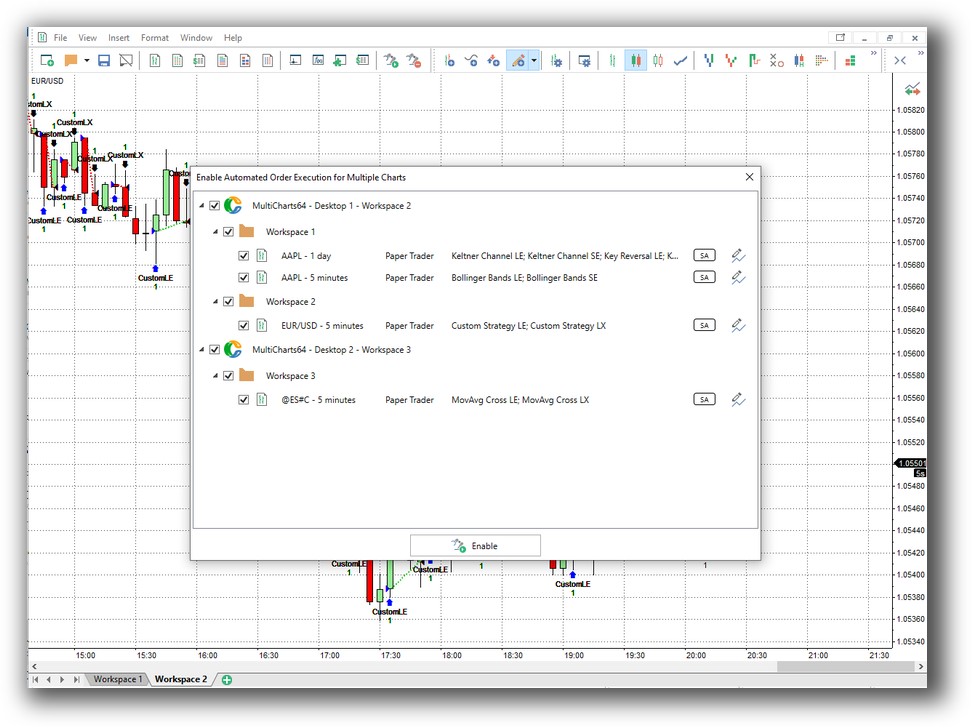
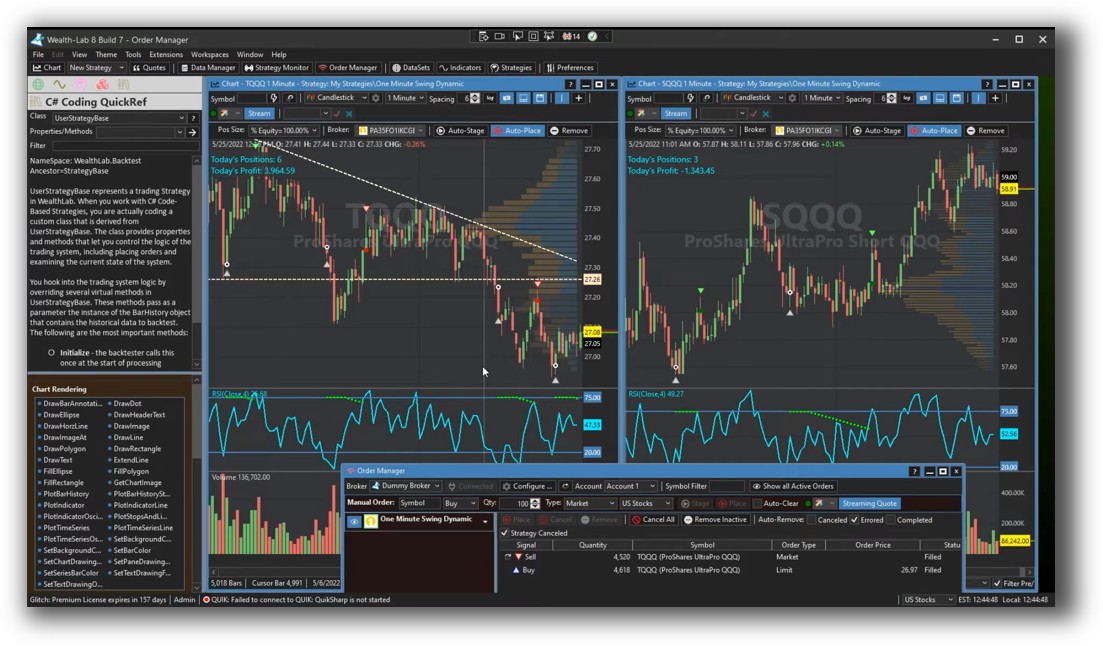
Execution automation exists on both platforms, but Wealth-Lab provides greater flexibility with scheduled tasks, broker integration, and rule-based trading automation from within the platform.
Check Out Order Types | Automated Trading Systems
MultiCharts Automation Set Up:
Wealth-Lab Automation Set Up (Order Manager):
Support, Documentation & Learning Resources
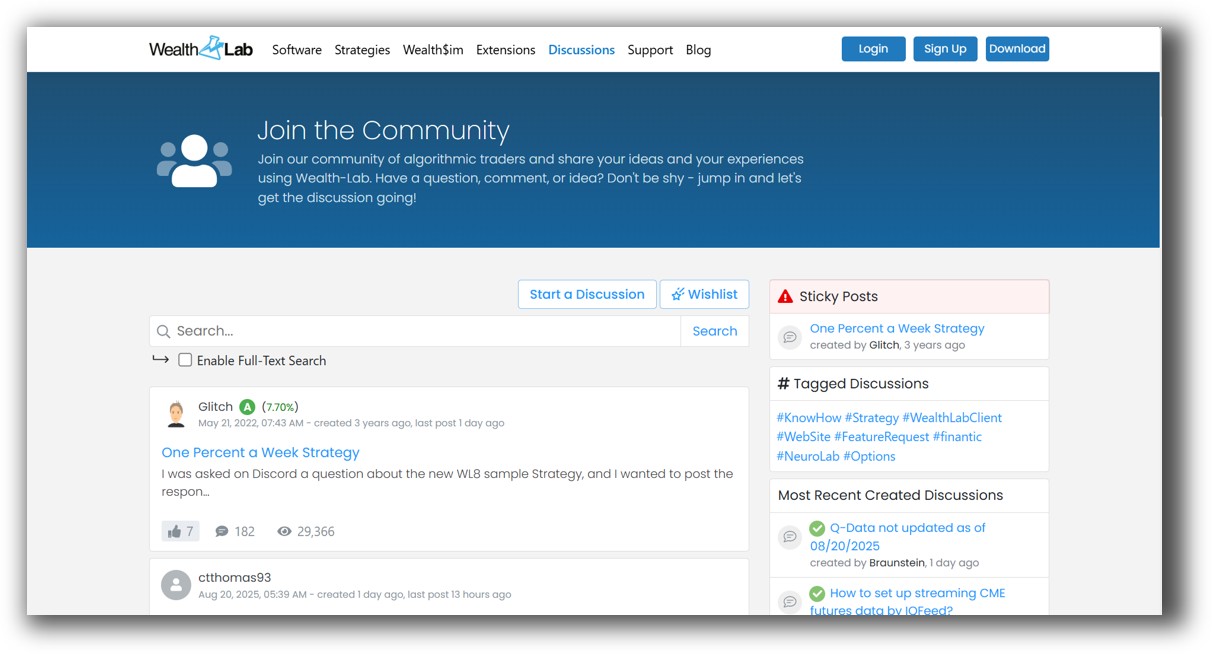
Wealth-Lab’s documentation is more modern and easier to navigate. Regular updates and an active community forum also give it a support advantage.
MultiCharts has solid documentation, but it’s beginning to show its age. For traders who value current examples, video walkthroughs, and community discussion, Wealth-Lab is more engaging.
Still, neither comes close to the clarity and simplicity of RealTest’s documentation, which is built for system traders who care about exact execution and minimal friction.
MultiCharts Forum Front Page is illustrated down below:

Wealth-Lab Forum Front Page is illustrated down below:
MultiCharts vs Wealth-Lab: Which One Should You Use?
If you’re looking for speed, scripting flexibility, and you already know EasyLanguage, MultiCharts is a solid option.
If you’re building and refining multiple systems, exploring robustness, and want both visual tools and coding power, Wealth-Lab is the stronger choice.
Ultimately, your decision should reflect your priorities:
- Prefer EasyLanguage? Go with MultiCharts.
- Want robust optimization and future-proof tools? Wealth-Lab takes the lead.
But if your focus is backtest speed, realism, and minimal fuss, RealTest is the better alternative.
Our Recommendation
Wealth-Lab is a better all-round trading software for systematic traders who want to test thoroughly, optimize effectively, and automate efficiently.
MultiCharts has its strengths, especially in broker integration and legacy language support. But for most modern system traders, Wealth-Lab offers a smoother, more powerful experience.
Still, both require more time to master than RealTest, which we recommend for those who want high-confidence, rule-based backtesting with less time spent in configuration.
Want The Rest of the Puzzle?
Backtesting software is just one piece. The real transformation happens when you align your tools, your systems, and your psychology with your goals.
If you’re tired of chasing tips and want to build wealth systematically, the next step is clear: The Trader Success System.
Inside, you’ll discover:
- Proven trading systems
- A step-by-step backtesting framework
- Position sizing tools
- Automation strategies that let you trade in 30 minutes or less
Trading and Backtesting Software Review List
- RealTest vs Amibroker
- RealTest VS TradeStation
- RealTest VS NinjaTrader
- RealTest VS MultiCharts
- RealTest VS Wealth-Lab
- RealTest VS Beyond Charts
- RealTest VS Optuma
- RealTest VS TradingView
- RealTest VS MetaTrader 4 (MT4)
- RealTest VS MetaTrader 5 (MT5)
- AmiBroker VS TradeStation
- AmiBroker VS NinjaTrader
- AmiBroker VS MultiCharts
- AmiBroker VS Wealth-Lab
- AmiBroker VS Beyond Charts
- AmiBroker VS Optuma
- AmiBroker VS TradingView
- AmiBroker VS MetaTrader 4 (MT4)
- AmiBroker VS MetaTrader 5 (MT5)
- TradeStation VS NinjaTrader
- TradeStation VS MultiCharts
- TradeStation VS Wealth-Lab
- TradeStation VS Beyond Charts
- TradeStation VS Optuma
- TradeStation VS TradingView
- TradeStation VS MetaTrader 4 (MT4)
- TradeStation VS MetaTrader 5 (MT5)
- NinjaTrader VS MultiCharts
- NinjaTrader VS Wealth-Lab
- NinjaTrader VS Beyond Charts
- NinjaTrader VS Optuma
- NinjaTrader VS TradingView
- NinjaTrader VS MetaTrader 4 (MT4)
- NinjaTrader VS MetaTrader 5 (MT5)
- MultiCharts VS Wealth-Lab
- MultiCharts VS Beyond Charts
- MultiCharts VS Optuma
- MultiCharts VS TradingView
- MultiCharts VS MetaTrader 4 (MT4)
- MultiCharts VS MetaTrader 5 (MT5)
- Wealth-Lab VS Beyond Charts
- Wealth-Lab VS Optuma
- Wealth-Lab VS TradingView
- Wealth-Lab VS MetaTrader 4 (MT4)
- Wealth-Lab VS MetaTrader 5 (MT5)
- Beyond Charts VS Optuma
- Beyond Charts VS TradingView
- Beyond Charts VS MetaTrader 4 (MT4)
- Beyond Charts VS MetaTrader 5 (MT5)
- Optuma VS TradingView
- Optuma VS MetaTrader 4 (MT4)
- Optuma VS MetaTrader 5 (MT5)
- TradingView VS MetaTrader 4 (MT4)
- TradingView VS MetaTrader 5 (MT5)
- MetaTrader 4 (MT4) VS MetaTrader 5 (MT5)


