

NinjaTrader VS MetaTrader 4 Comparing Backtesting Software for Systematic Trading
If you’re serious about systematic backtesting and want more speed, control, and realism in your trading system development, NinjaTrader is the more capable platform. MetaTrader 4 (MT4) is lightweight and useful for Forex automation but lacks critical portfolio-level and equity market features needed for serious systematic traders.
Let’s break it down in detail.
NinjaTrader VS MetaTrader 4 at a Glance
Short on time? Here’s how NinjaTrader VS MetaTrader 4 compare side by side.
|
Feature |
NinjaTrader |
MetaTrader 4 |
|
Year Established |
2003 |
2005 |
|
Platform Support |
Windows only; limited web/mobile support |
Windows, iOS, Android |
|
Cost |
Free core, pay for advanced features |
Free via brokers |
|
Programming Language |
NinjaScript (C#/.NET-based) |
MQL4 (C-like) |
|
Market Access |
Futures, Forex, Stocks |
Primarily Forex |
|
Backtesting Engine |
Strong – strategy analyzer with portfolio |
Basic – single-symbol testing |
|
Automation |
Advanced; direct broker integration |
Widely used for Forex automation |
|
Documentation & Support |
Technical, developer-focused |
Large retail community, limited support |
Platform Overview, Cost & Compatibility
NinjaTrader is a purpose-built trading and backtesting software for serious traders. It runs natively on Windows, with limited web access and mobile features. The base platform is free, but advanced charting and automation require a paid license or leasing option.
MetaTrader 4, on the other hand, is freely available through brokers. It was built for Forex, and while you can use it for some CFDs and commodities, it’s not suited for broad market or equity trading. It’s Windows-native but has mobile versions for iOS and Android.
Both platforms require Windows for full functionality. Mac users can run them using Parallels or Bootcamp, but Wine is not recommended due to stability issues
NinjaTrader Main View:

MetaTrader 4 Main View:
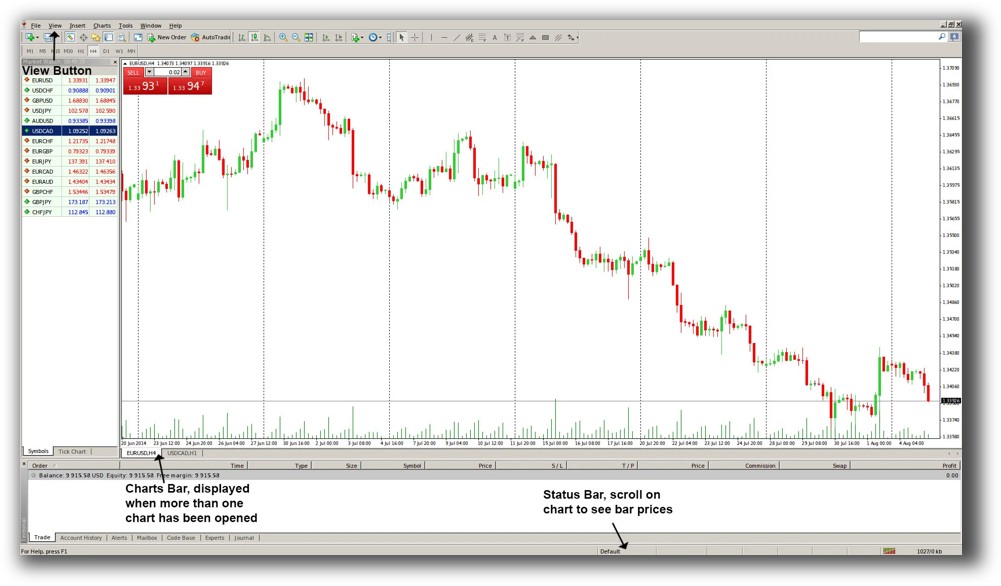
Market Access & Data Support in NinjaTrader VS MetaTrader 4
NinjaTrader provides access to Futures, Forex, and some stock markets through its own brokerage or third-party providers. Historical and real-time data is available for multiple asset classes.
MT4 was built for retail Forex and it shows. Brokers provide access to currencies, some commodities, and indices via CFDs. Market data is limited and varies by broker.
If you’re a systematic equity or crypto trader looking for portfolio diversification, MT4 simply doesn’t cut it.
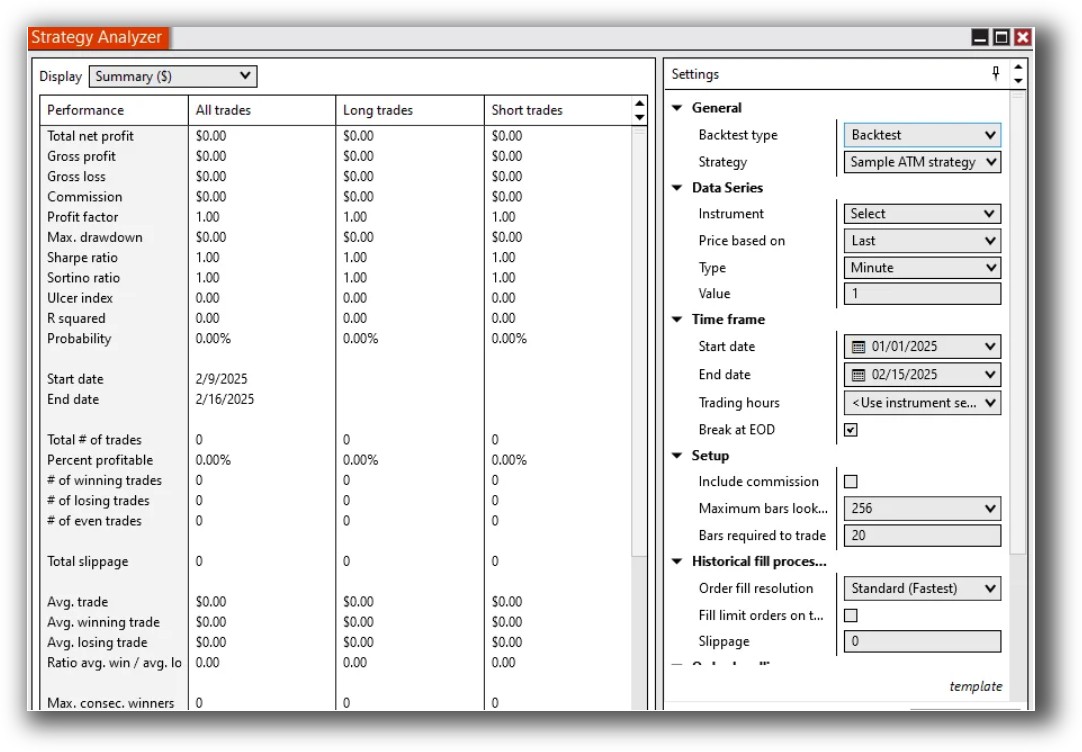
NinjaTrader Backtesting Interface:
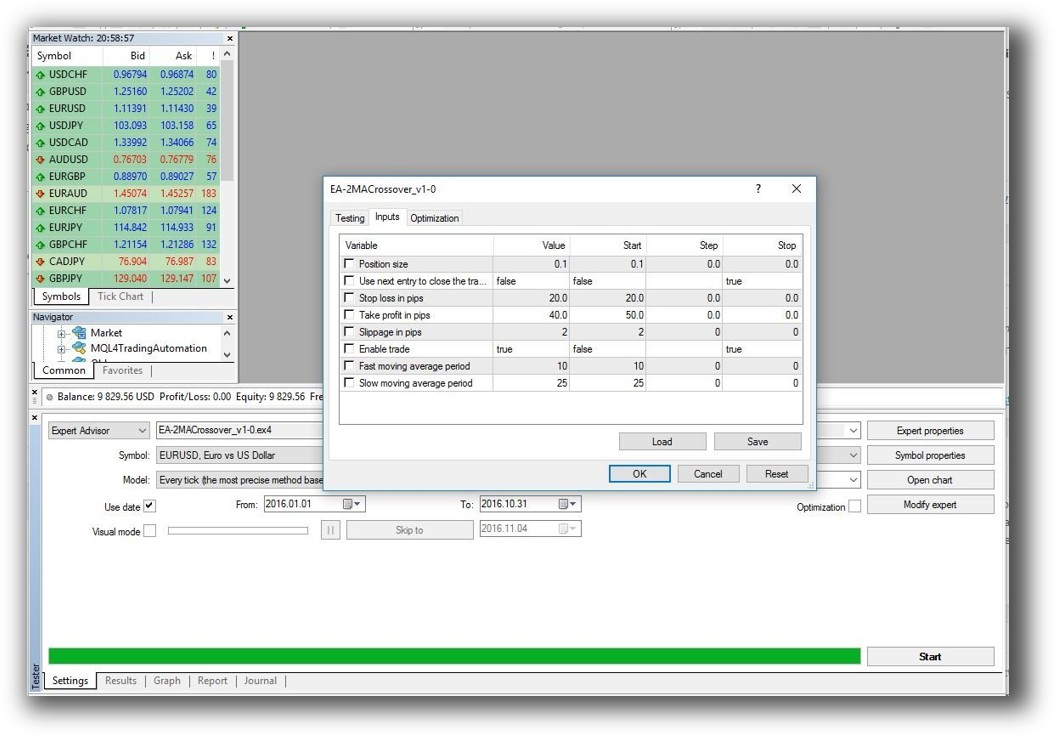
MetaTrader 4 Backtesting Interface:
Building & Customizing Trading Strategies
-
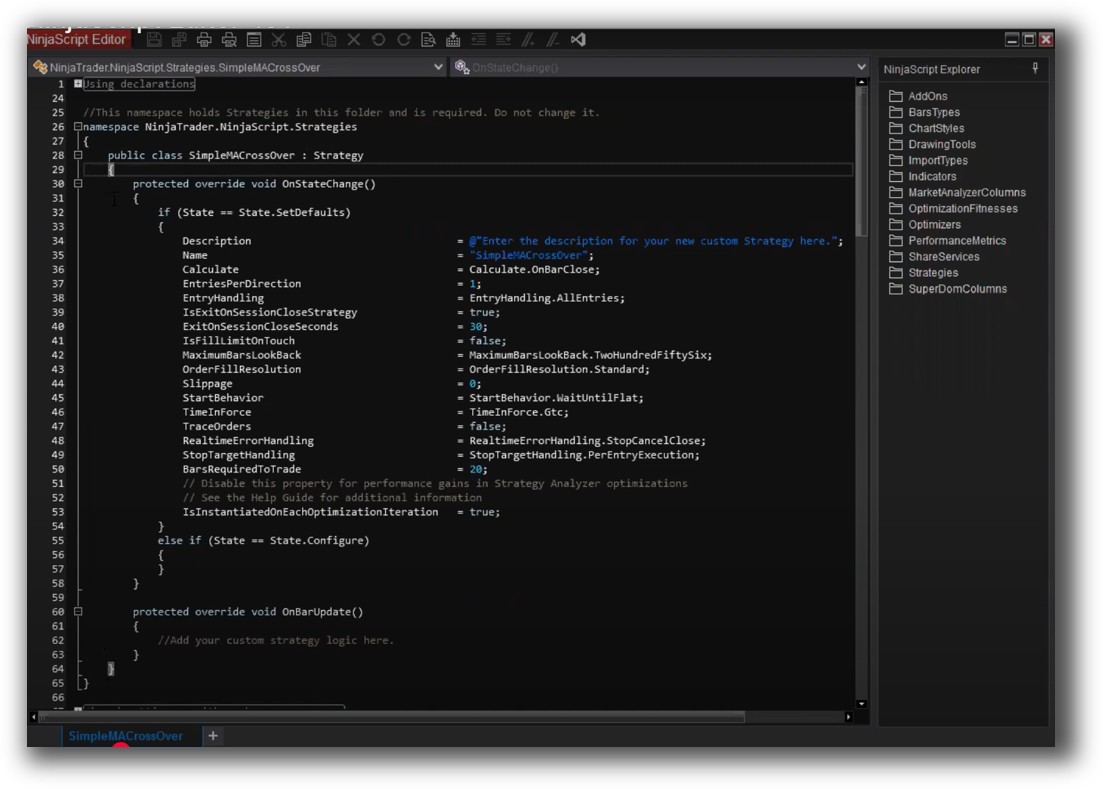
NinjaTrader uses NinjaScript, which is based on C#. This gives experienced developers deep control over logic, indicators, and execution. You can structure your trading systems with precision. MT4 uses MQL4, which is simpler but also more limited. While it’s great for writing single-instrument EAs (Expert Advisors), it lacks the framework for multi-strategy, multi-market design.
-
MT4 uses MQL4, which is simpler but also more limited. While it’s great for writing single-instrument EAs (Expert Advisors), it lacks the framework for multi-strategy, multi-market design.
If your goal is to evolve from discretionary to consistent, systematic trading, the development flexibility in NinjaTrader is far superior.
Check Out: Trading System Development
NinjaTrader Code Editor (NinjaScript Editor):
MetaTrader 4 Code Editor (Meta Editor):

Backtesting Performance, Speed & Realism
This is where the two platforms part ways.
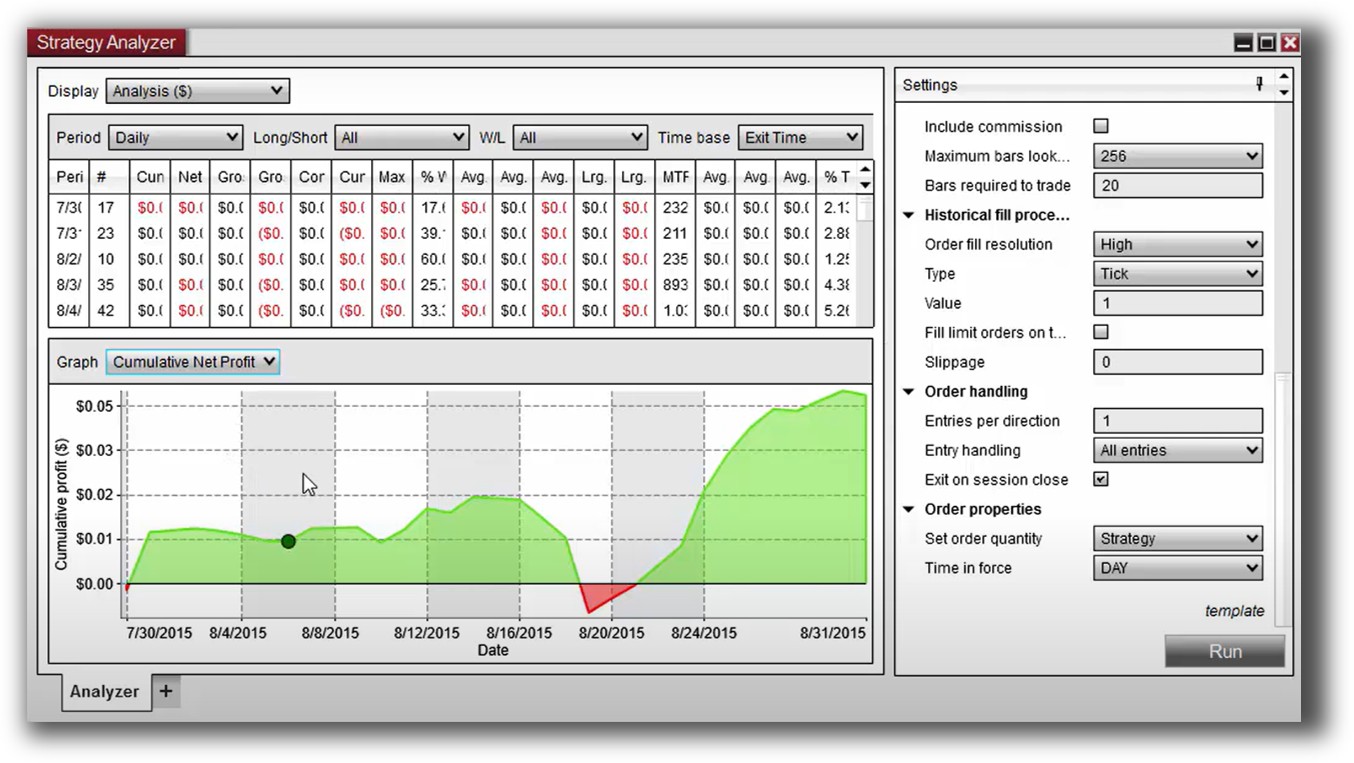
- NinjaTrader: Offers a robust Strategy Analyzer that supports multi-instrument, multi-timeframe testing. You can simulate slippage, commissions, and test entire portfolios.
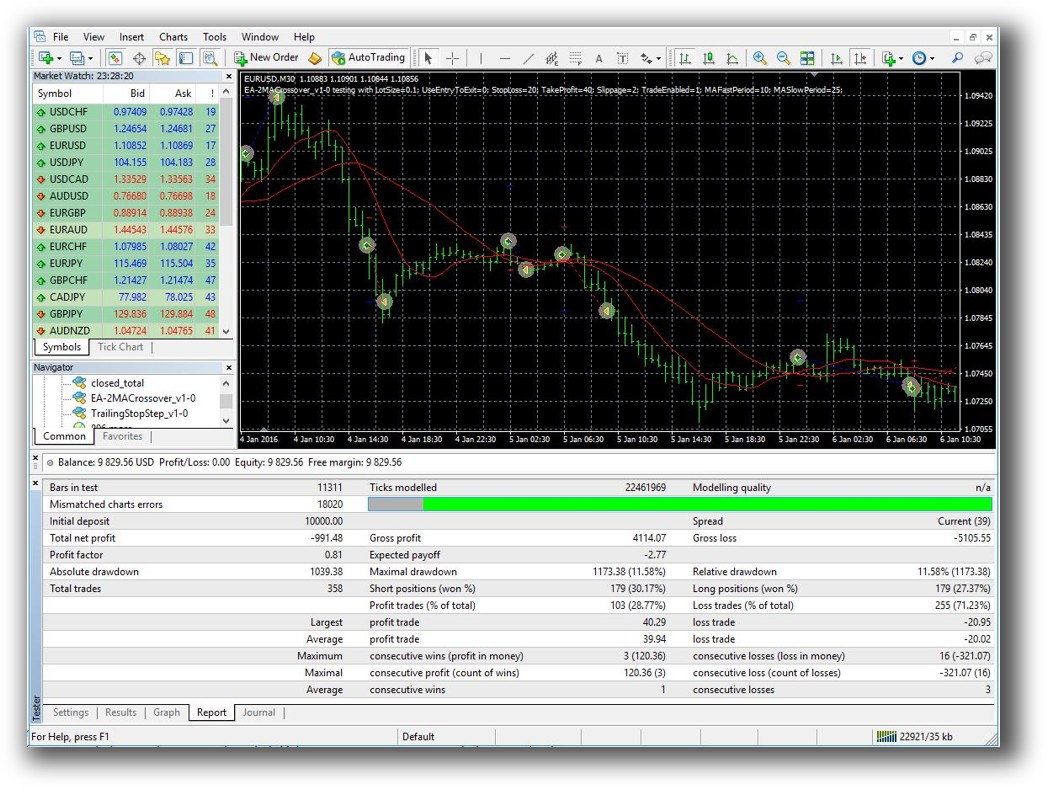
- MetaTrader 4: Only supports single-symbol backtests. There’s no true portfolio simulation, and while optimization is possible, the realism is limited. You can’t easily test position sizing across a diversified strategy set.
Backtest realism is non-negotiable. A system that looks good in MT4’s single-symbol tester may fail live due to lack of slippage modelling or multi-strategy interaction.
Check out: Backtesting | Drawdown
NinjaTrader Backtest Report:
MetaTrader 4 Backtest Report:
Strategy Optimization & Stress Testing Tools
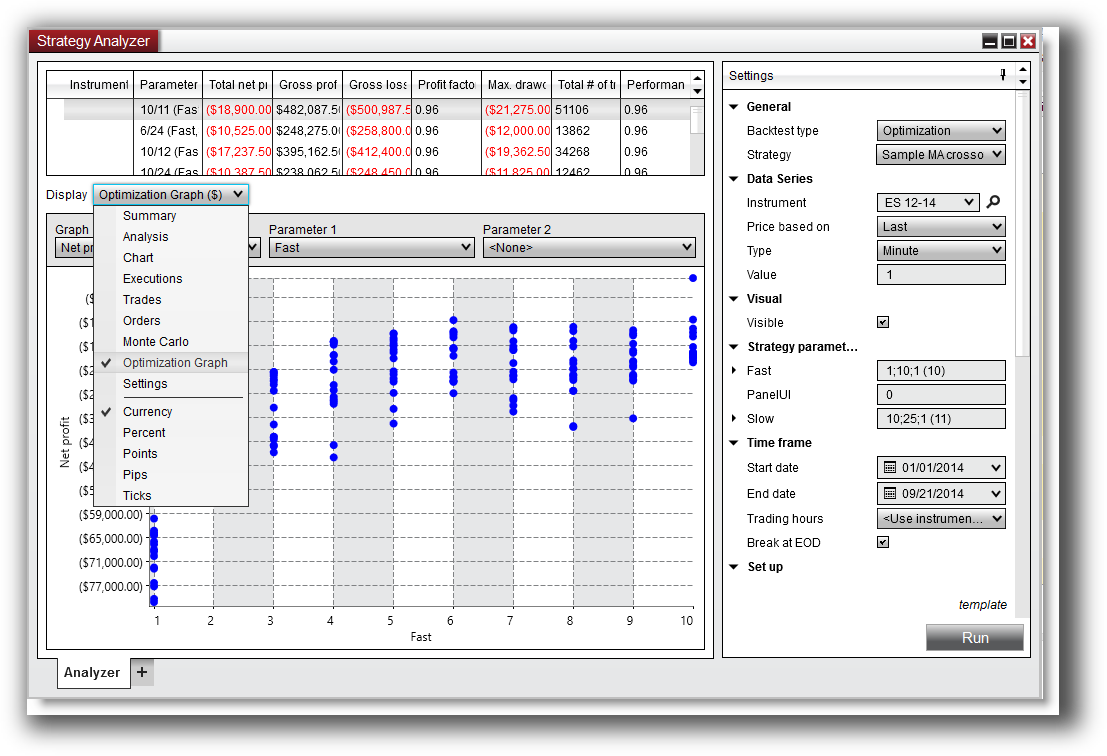
- NinjaTrader includes parameter optimization tools and Monte Carlo simulations (via add-ons or NinjaTrader 8 plugins).
- MT4 does support optimization, but it’s limited and more prone to curve fitting without tools for stability or robustness checks.
If you want to build confidence in your edge and avoid chasing curve-fitted strategies, NinjaTrader is a better fit.
Check Out: Trading System Optimization
NinjaTrader Optimization Graph:
Charting Features, Signal Exploration & Live Execution
Charting:
- NinjaTrader offers high-quality charts with full indicator customisation.
- MT4’s charts are basic but responsive and fast.
Scanning:
- NinjaTrader includes a Market Analyzer for real-time scanning.
- MT4 does not offer broad scanning or stock-level filtering. It’s strictly per-instrument.
Execution:
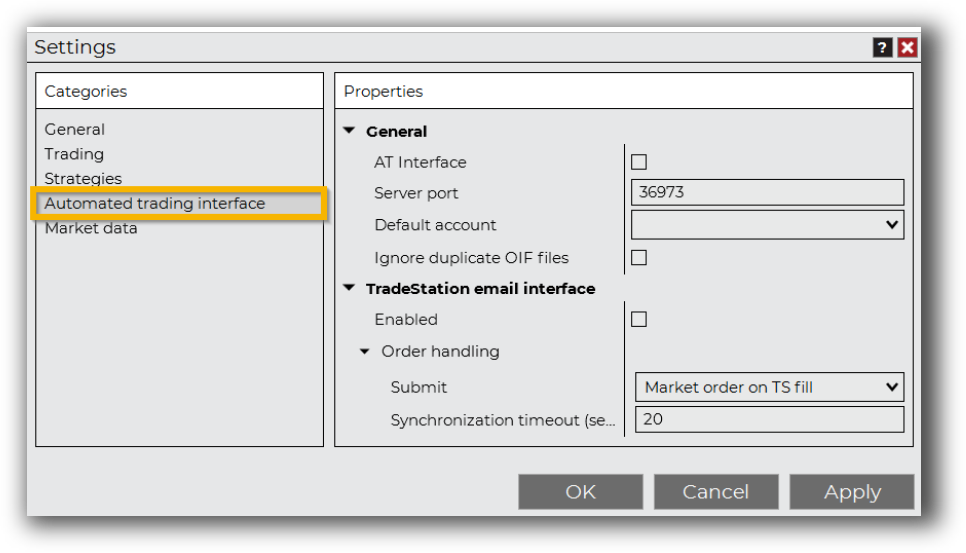
- NinjaTrader offers both discretionary and automated execution through connected brokers.
- MT4’s strength is automated trade execution (via EAs) for Forex brokers, but it lacks flexibility for stock or futures trading.
If you’re trading beyond just Forex, or want to combine scanning with execution, MT4 will leave you short.
Check Out Order Types | Automated Trading Systems
NinjaTrader Automation Set Up:
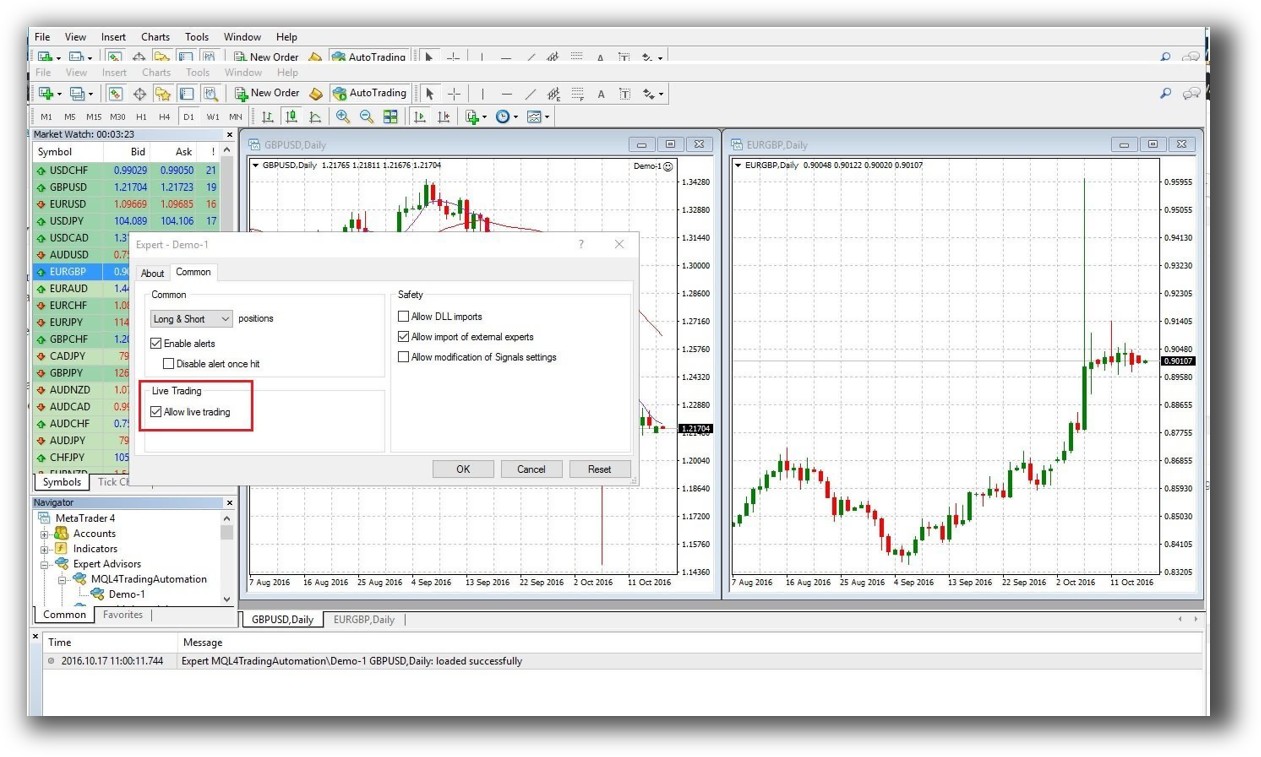
MetaTrader 4 Automation Set Up (Expert Advisor):
Support, Documentation & Learning Resources
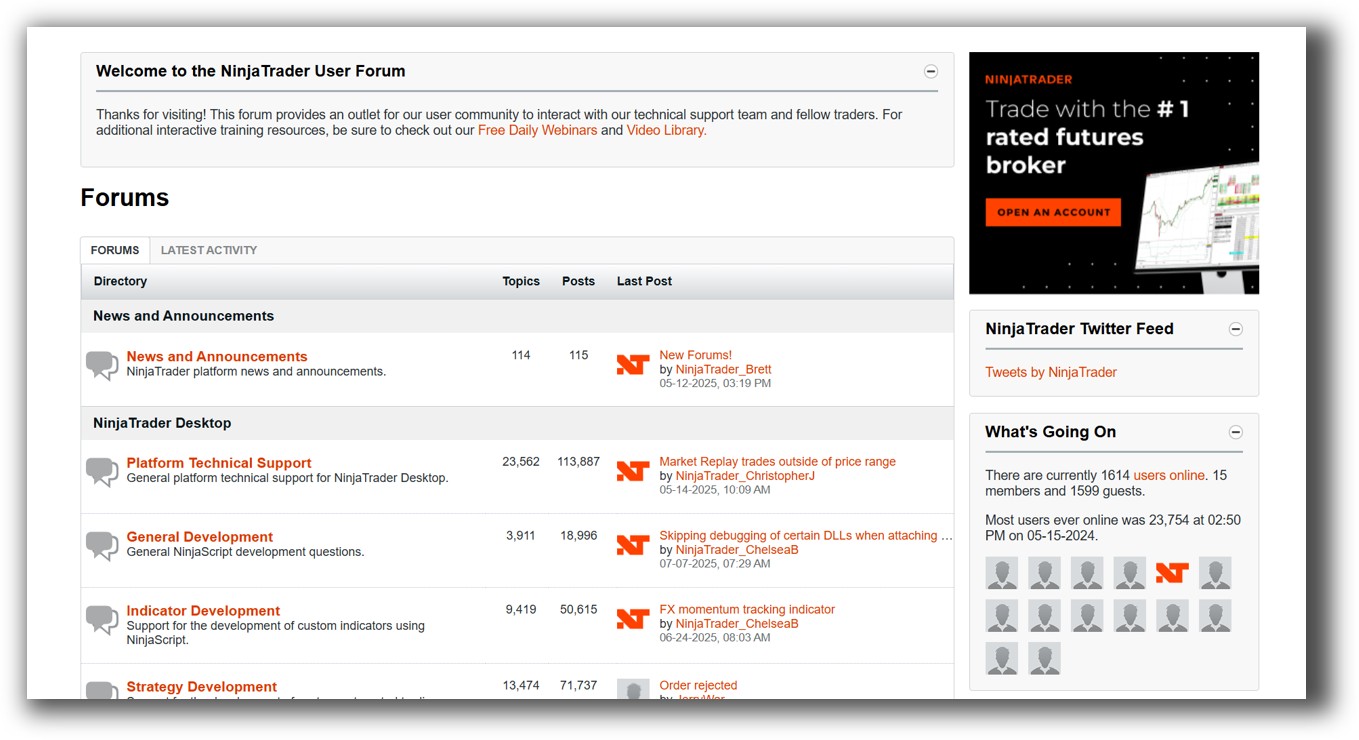
NinjaTrader has technical documentation and an active developer forum. It’s developer-heavy, which may slow beginners.
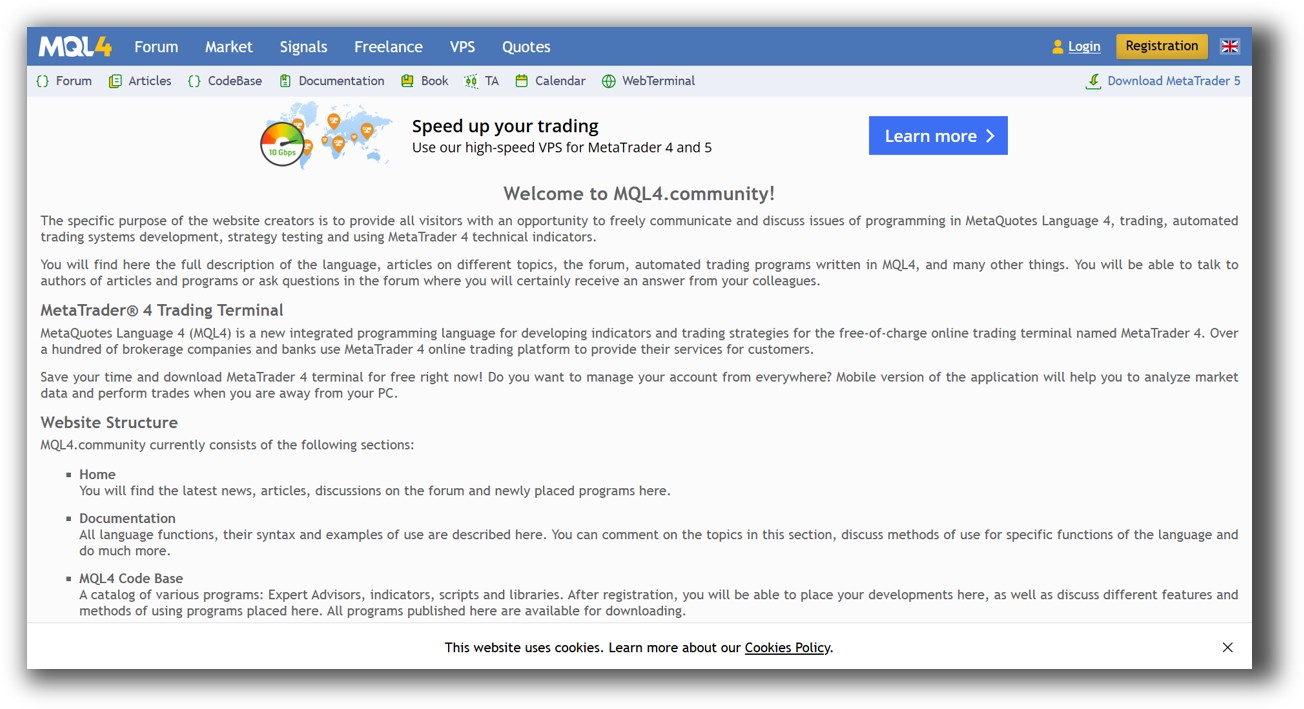
MT4 benefits from sheer volume. There are hundreds of tutorials and forums… but much of it is outdated, repetitive, or unreliable.
NinjaTrader Forum Front Page is illustrated down below:
MetaTrader 4 Forum Front Page is illustrated down below:
NinjaTrader VS MetaTrader 4: Which One Should You Use?
For traders focused on Forex-only automation, MT4 is free, accessible, and lightweight.
But for traders serious about building systematic, diversified strategies across multiple instruments with realistic backtesting, NinjaTrader is the better platform.
Our Recommendation
While NinjaTrader is the better of the two in this head-to-head, neither is our top choice for long-term systematic traders.
At Enlightened Stock Trading, we prefer RealTest for one core reason: it’s faster, more realistic, and designed specifically for portfolio-level systematic trading. It integrates beautifully into a structured, time-efficient workflow. If you want to run diversified strategies across ASX, US, and international markets with confidence, that’s where we recommend starting.
Want The Rest of the Puzzle?
Backtesting software is just one piece. The real transformation happens when you align your tools, your systems, and your psychology with your goals.
If you’re tired of chasing tips and want to build wealth systematically, the next step is clear: The Trader Success System.
Inside, you’ll discover:
- Proven trading systems
- A step-by-step backtesting framework
- Position sizing tools
- Automation strategies that let you trade in 30 minutes or less
Trading and Backtesting Software Review List
- RealTest vs Amibroker
- RealTest VS TradeStation
- RealTest VS NinjaTrader
- RealTest VS MultiCharts
- RealTest VS Wealth-Lab
- RealTest VS Beyond Charts
- RealTest VS Optuma
- RealTest VS TradingView
- RealTest VS MetaTrader 4 (MT4)
- RealTest VS MetaTrader 5 (MT5)
- AmiBroker VS TradeStation
- AmiBroker VS NinjaTrader
- AmiBroker VS MultiCharts
- AmiBroker VS Wealth-Lab
- AmiBroker VS Beyond Charts
- AmiBroker VS Optuma
- AmiBroker VS TradingView
- AmiBroker VS MetaTrader 4 (MT4)
- AmiBroker VS MetaTrader 5 (MT5)
- TradeStation VS NinjaTrader
- TradeStation VS MultiCharts
- TradeStation VS Wealth-Lab
- TradeStation VS Beyond Charts
- TradeStation VS Optuma
- TradeStation VS TradingView
- TradeStation VS MetaTrader 4 (MT4)
- TradeStation VS MetaTrader 5 (MT5)
- NinjaTrader VS MultiCharts
- NinjaTrader VS Wealth-Lab
- NinjaTrader VS Beyond Charts
- NinjaTrader VS Optuma
- NinjaTrader VS TradingView
- NinjaTrader VS MetaTrader 4 (MT4)
- NinjaTrader VS MetaTrader 5 (MT5)
- MultiCharts VS Wealth-Lab
- MultiCharts VS Beyond Charts
- MultiCharts VS Optuma
- MultiCharts VS TradingView
- MultiCharts VS MetaTrader 4 (MT4)
- MultiCharts VS MetaTrader 5 (MT5)
- Wealth-Lab VS Beyond Charts
- Wealth-Lab VS Optuma
- Wealth-Lab VS TradingView
- Wealth-Lab VS MetaTrader 4 (MT4)
- Wealth-Lab VS MetaTrader 5 (MT5)
- Beyond Charts VS Optuma
- Beyond Charts VS TradingView
- Beyond Charts VS MetaTrader 4 (MT4)
- Beyond Charts VS MetaTrader 5 (MT5)
- Optuma VS TradingView
- Optuma VS MetaTrader 4 (MT4)
- Optuma VS MetaTrader 5 (MT5)
- TradingView VS MetaTrader 4 (MT4)
- TradingView VS MetaTrader 5 (MT5)
- MetaTrader 4 (MT4) VS MetaTrader 5 (MT5)


