

NinjaTrader VS MetaTrader 5 Comparing Backtesting Software for Systematic Trading
NinjaTrader offers deeper backtesting and development flexibility for futures and algorithmic traders, while MetaTrader 5 is widely accessible and integrates tightly with forex brokers. However, both fall short for serious systematic traders needing realistic, portfolio-level backtests – in that case, RealTest is a better choice.
NinjaTrader VS MetaTrader 5 at a Glance
Short on time? Here’s how NinjaTrader VS MetaTrader 5 compare side by side.
|
Feature |
NinjaTrader |
MetaTrader 5 |
|
OS Support |
Windows only (native), Mac via Parallels |
Windows, Mac (via Wine/Parallels), Web & Mobile |
|
Programming |
NinjaScript (C#) |
MQL5 (C-like, purpose-built for MT5) |
|
Cost |
Free basic, paid advanced features |
Free via broker, no direct cost |
|
Broker Integration |
Native (NinjaTrader Brokerage) |
Depends on third-party broker |
|
Charting |
Advanced, customizable |
Strong, especially for forex |
|
Backtesting |
Multi-timeframe, single-system |
Single-symbol only, lacks portfolio testing |
|
Execution |
Futures-focused, automated |
Strong forex automation via EAs |
|
Strategy Development |
Moderate coding skill required |
Easier entry for coders via MQL5 |
Platform Overview, Cost & Compatibility
NinjaTrader is a desktop trading platform launched in 2003 and caters primarily to futures and equities traders. It supports Windows natively and can be run on Mac using Parallels or Bootcamp – though this is not ideal for performance. A free version is available, but live trading and advanced backtesting require a paid license.
MetaTrader 5, released in 2010, is the evolution of MetaTrader 4. It’s accessible via Windows, browser, and mobile, and can also be run on Mac with compatibility layers like Wine (not recommended) or Parallels. MT5 is completely free to use but requires connecting to a supporting broker.
If you’re trading forex with minimal setup, MT5 wins on accessibility. For deeper functionality, NinjaTrader edges ahead – but both require effort to match the needs of a true systematic trader.
NinjaTrader Main View:

MetaTrader 5 Main View:

Market Access & Data Support in NinjaTrader VS MetaTrader 5
NinjaTrader supports futures, forex, stocks, and options – but its integration leans heavily on the futures side via its brokerage arm. You can connect other brokers via external data feeds like Kinetick or Interactive Brokers, though this adds complexity.
MT5, on the other hand, is laser-focused on forex and CFD trading. Broker integration is seamless, but the range of asset classes depends entirely on the broker you connect with.
If you’re trading globally diversified portfolios (ASX, US, TSX, HK stocks), neither platform offers out-of-the-box market breadth like RealTest paired with Norgate Data does.
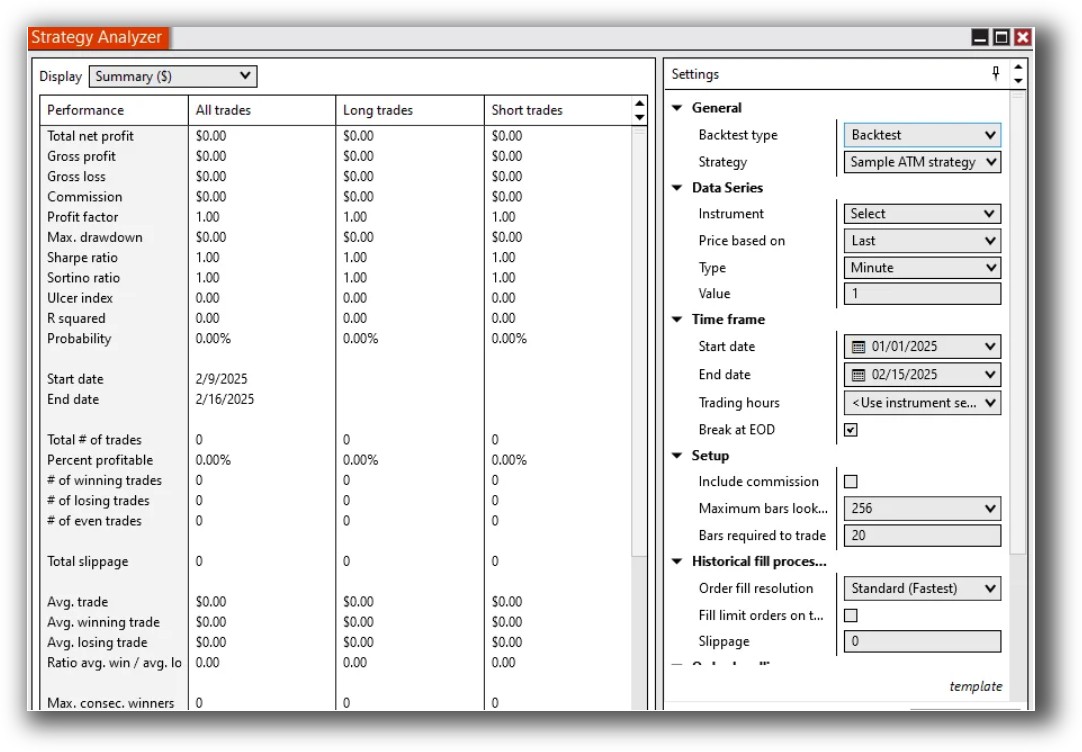
NinjaTrader Backtesting Interface:
MetaTrader 5 Backtesting Interface:

Building & Customizing Trading Strategies
Both platforms allow algorithmic trading – but their workflows differ significantly.
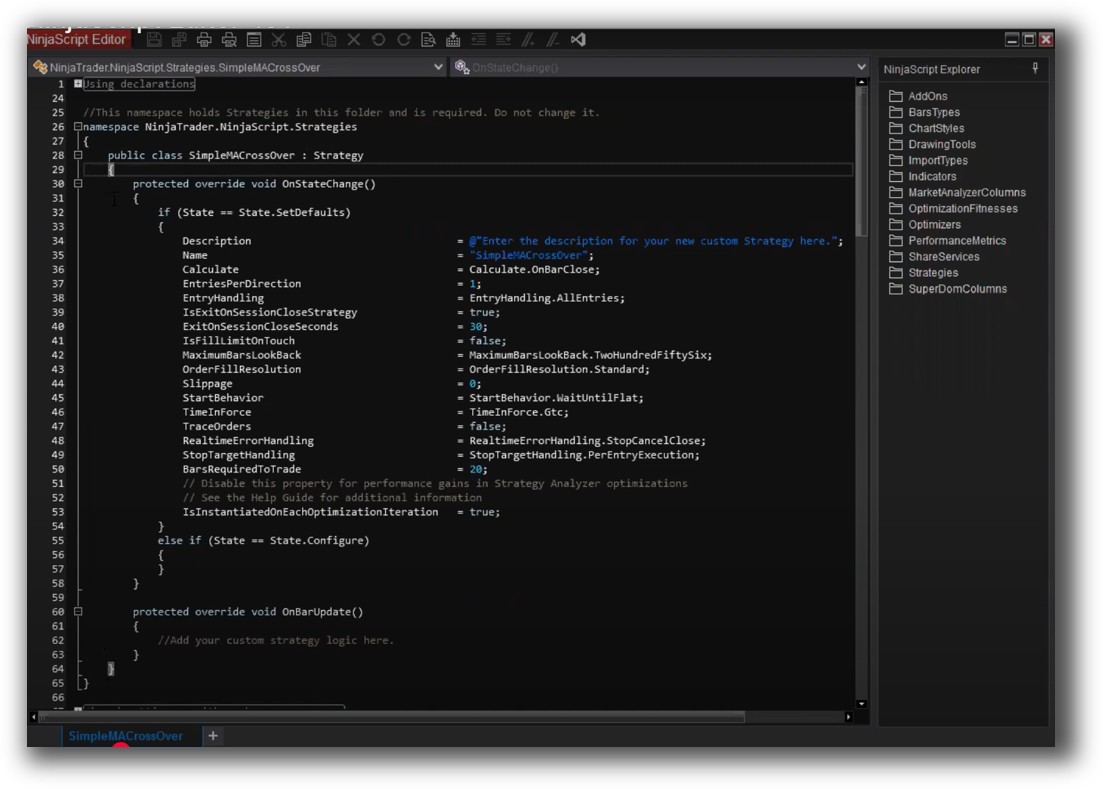
- NinjaTrader uses NinjaScript, a C#-based language that offers great control but requires more development time. Building complex systems like long/short trend following or mean reversion strategies can be done – but you’ll need solid programming skills.
- MetaTrader 5 uses MQL5, a purpose-built language for writing EAs (Expert Advisors). It’s cleaner for simple strategies and has built-in functions for order management and indicators. However, strategy development is limited to one symbol at a time unless you custom-code multi-symbol logic.
If you’re serious about building and managing a portfolio of trading systems, both tools feel clunky compared to RealTest’s plain-text configuration and blazing-fast portfolio testing.
Check Out: Trading System Development
NinjaTrader Code Editor (NinjaScript Editor):
MetaTrader 5 Code Editor (Meta Editor):

Backtesting Performance, Speed & Realism
This is where the cracks show.
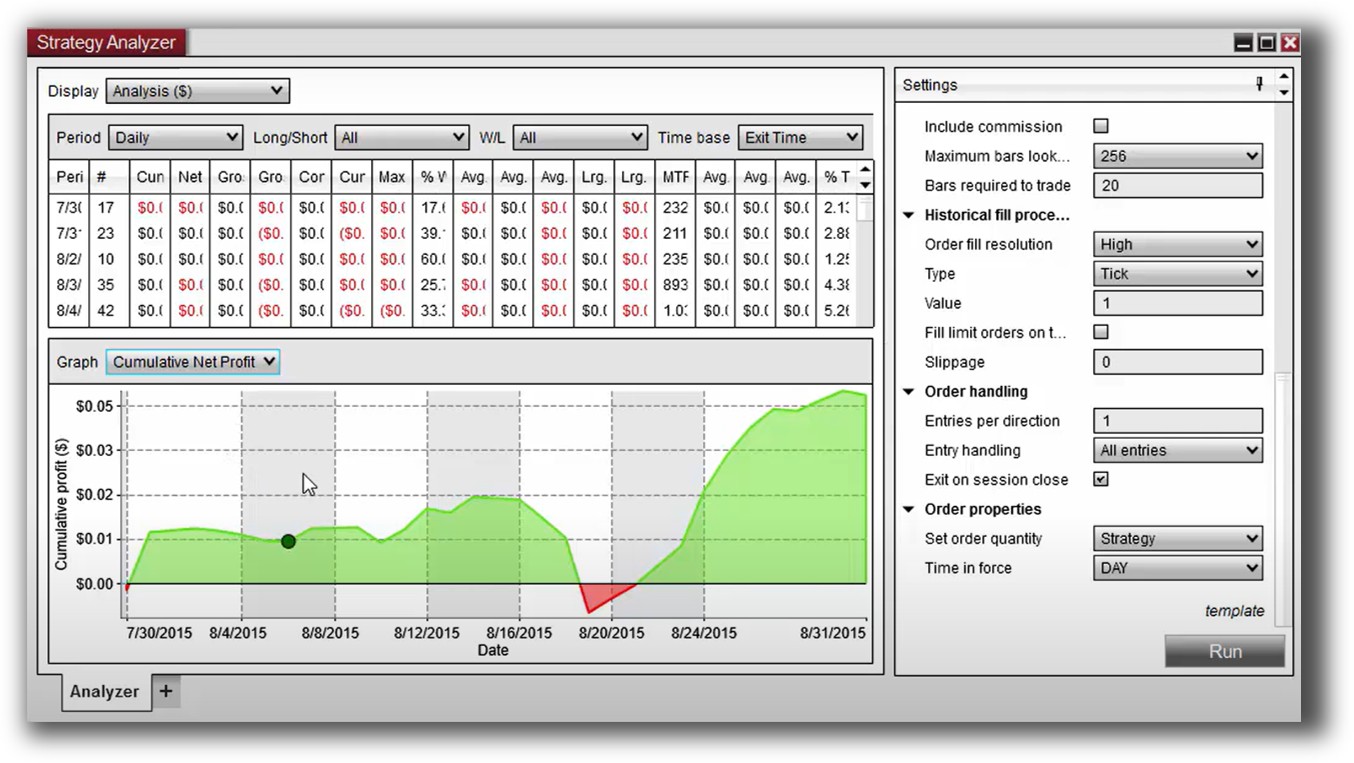
- NinjaTrader supports multi-timeframe, walk-forward testing and trade-by-trade simulation. However, it’s still limited to single-symbol backtesting unless you develop complex workarounds or use external integrations. Portfolio-level testing is not native.
- MetaTrader 5 supports bar-by-bar simulation, visual replay, and Monte Carlo analysis (via plugins), but only on one instrument at a time. No support for portfolio-level simulation or realistic cash allocation.
Neither platform supports realistic multi-strategy portfolio backtests across thousands of stocks with correct position sizing and drawdown tracking. If your goal is long-term wealth with confidence, this is a major red flag.
Check out: Backtesting | Drawdown
NinjaTrader Backtest Report:
MetaTrader 5 Backtest Report:

Strategy Optimization & Stress Testing Tools
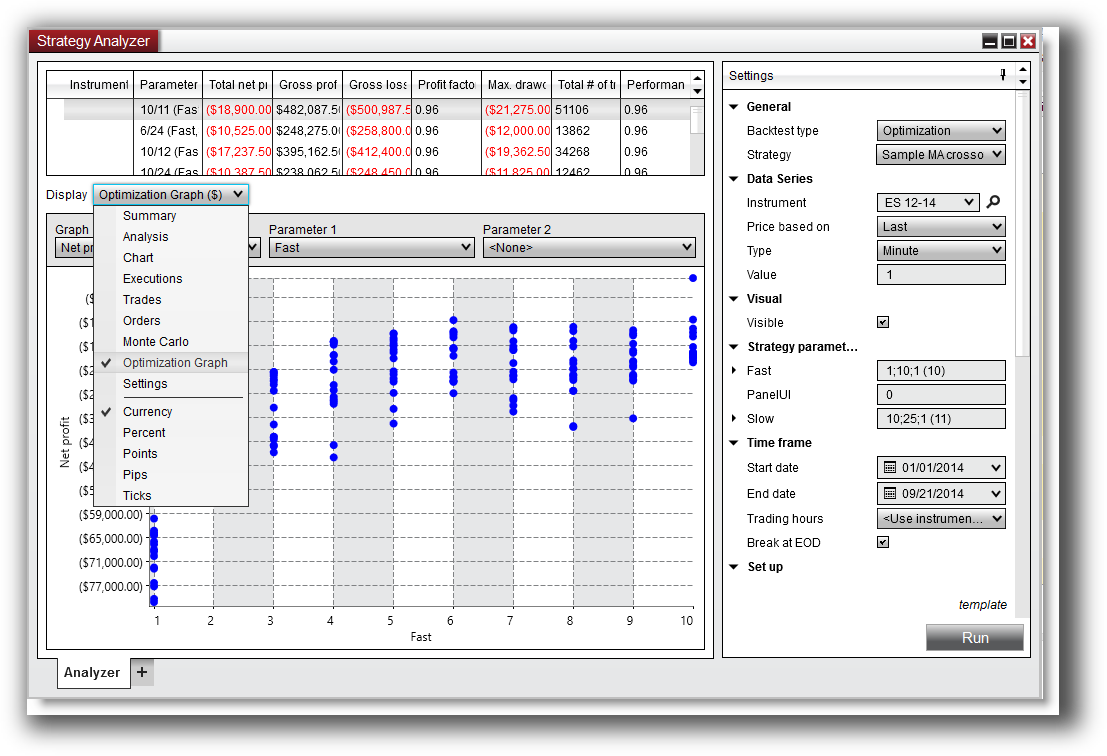
NinjaTrader offers parameter optimization and some walk-forward tools, but results are slow and limited in flexibility.
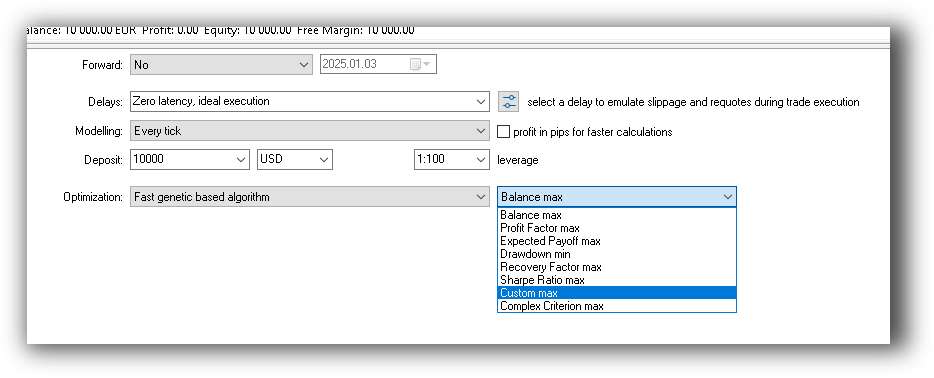
MT5 supports genetic algorithms and optimization across input ranges, but again – only on one instrument at a time.
What both platforms lack:
- Robustness testing over market regimes
- Stability testing across multiple instruments
- Integration with a proper trading system optimization workflow
Without these tools, traders are flying blind or overfitting to past data – not a path to long-term success.
Check Out: Trading System Optimization
NinjaTrader Optimization Graph:
MetaTrader 5 Genetic Optimization:
Charting Features, Signal Exploration & Live Execution
NinjaTrader offers highly customizable charting, advanced order types, and automated execution via scripts. It’s strong here, especially for discretionary traders or hybrid workflows.
MT5 has excellent charting for forex and CFDs, with tight integration to brokers. It also supports automated trading via EAs and alerts – but execution reliability depends on your broker.
For scanning multiple instruments or visual technical analysis, Amibroker still leads the pack. But NinjaTrader is solid for visual setups and bar-by-bar strategy testing.
Check Out Order Types | Automated Trading Systems
NinjaTrader Automation Set Up:
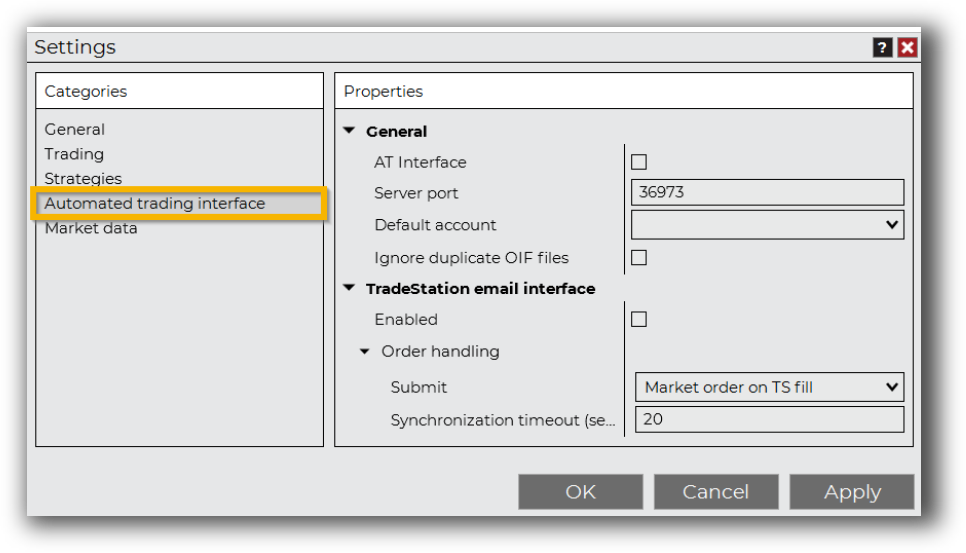
MetaTrader 5 Automation Set Up (Expert Advisor):

Support, Documentation & Learning Resources
Both platforms offer extensive documentation – but it’s a mixed bag.
- NinjaTrader’s docs are detailed but technical. You’ll need time to navigate it. Community forums are helpful, but support is ticket-based.
- MT5 has massive global usage, so tutorials, forums, and broker support are abundant. MQL5.com is a rich resource but cluttered.
Neither platform makes it easy to go from idea to confidence. For that, RealTest stands out with its clear documentation and streamlined workflow built specifically for systematic traders.
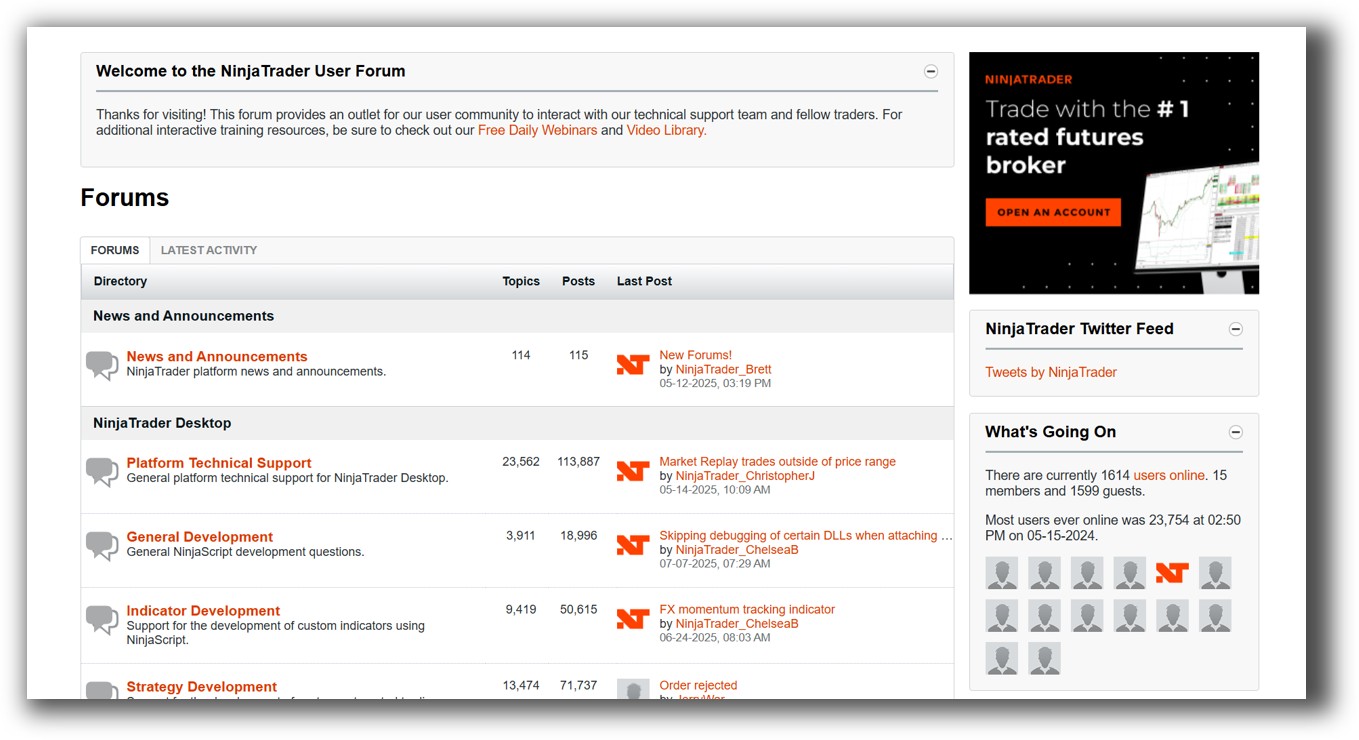
NinjaTrader Forum Front Page is illustrated down below:
MetaTrader 5 Forum Front Page is illustrated down below:

NinjaTrader VS MetaTrader 5: Which One Should You Use?
- Choose NinjaTrader if you’re focused on futures, want high customizability, and don’t mind Windows-only software.
- Choose MetaTrader 5 if you’re focused on forex, want a lightweight tool with lots of broker support, and are comfortable coding single-symbol strategies.
But… if you want to trade a diversified portfolio of trading systems across markets, with full confidence in your edge and a backtest you can trust, neither platform is ideal.
Our Recommendation
Serious about building a long-term systematic trading business?
Use:
- RealTest for portfolio-level backtesting and strategy development
- Amibroker for scanning and visualization
- Interactive Brokers for global execution
- Norgate Data for historical EOD stock data
And if you’re still stuck in discretionary mode or bogged down in complexity…
Want The Rest of the Puzzle?
Backtesting software is just one piece. The real transformation happens when you align your tools, your systems, and your psychology with your goals.
If you’re tired of chasing tips and want to build wealth systematically, the next step is clear: The Trader Success System.
Inside, you’ll discover:
- Proven trading systems
- A step-by-step backtesting framework
- Position sizing tools
- Automation strategies that let you trade in 30 minutes or less
Trading and Backtesting Software Review List
- RealTest vs Amibroker
- RealTest VS TradeStation
- RealTest VS NinjaTrader
- RealTest VS MultiCharts
- RealTest VS Wealth-Lab
- RealTest VS Beyond Charts
- RealTest VS Optuma
- RealTest VS TradingView
- RealTest VS MetaTrader 4 (MT4)
- RealTest VS MetaTrader 5 (MT5)
- AmiBroker VS TradeStation
- AmiBroker VS NinjaTrader
- AmiBroker VS MultiCharts
- AmiBroker VS Wealth-Lab
- AmiBroker VS Beyond Charts
- AmiBroker VS Optuma
- AmiBroker VS TradingView
- AmiBroker VS MetaTrader 4 (MT4)
- AmiBroker VS MetaTrader 5 (MT5)
- TradeStation VS NinjaTrader
- TradeStation VS MultiCharts
- TradeStation VS Wealth-Lab
- TradeStation VS Beyond Charts
- TradeStation VS Optuma
- TradeStation VS TradingView
- TradeStation VS MetaTrader 4 (MT4)
- TradeStation VS MetaTrader 5 (MT5)
- NinjaTrader VS MultiCharts
- NinjaTrader VS Wealth-Lab
- NinjaTrader VS Beyond Charts
- NinjaTrader VS Optuma
- NinjaTrader VS TradingView
- NinjaTrader VS MetaTrader 4 (MT4)
- NinjaTrader VS MetaTrader 5 (MT5)
- MultiCharts VS Wealth-Lab
- MultiCharts VS Beyond Charts
- MultiCharts VS Optuma
- MultiCharts VS TradingView
- MultiCharts VS MetaTrader 4 (MT4)
- MultiCharts VS MetaTrader 5 (MT5)
- Wealth-Lab VS Beyond Charts
- Wealth-Lab VS Optuma
- Wealth-Lab VS TradingView
- Wealth-Lab VS MetaTrader 4 (MT4)
- Wealth-Lab VS MetaTrader 5 (MT5)
- Beyond Charts VS Optuma
- Beyond Charts VS TradingView
- Beyond Charts VS MetaTrader 4 (MT4)
- Beyond Charts VS MetaTrader 5 (MT5)
- Optuma VS TradingView
- Optuma VS MetaTrader 4 (MT4)
- Optuma VS MetaTrader 5 (MT5)
- TradingView VS MetaTrader 4 (MT4)
- TradingView VS MetaTrader 5 (MT5)
- MetaTrader 4 (MT4) VS MetaTrader 5 (MT5)


