
NinjaTrader VS MultiCharts Comparing Backtesting Software for Systematic Trading
Quick answer: For systematic traders focused on futures and who want an all-in-one platform with brokerage integration, NinjaTrader stands out. But if your priority is multi-broker flexibility, superior charting, and compatibility with EasyLanguage strategies, MultiCharts has the edge. That said, neither platform rivals RealTest when it comes to speed, realism, and ease of use for portfolio-level backtesting. Let’s dive into the details so you can decide what fits best with your goals and workflow.
NinjaTrader VS MultiCharts at a Glance
Short on time? Here’s how NinjaTrader VS MultiCharts compare side by side.
|
Feature |
NinjaTrader |
MultiCharts |
|
Year Established |
2003 |
1999 (Team origins) |
|
Operating System |
Windows only |
Windows only |
|
Programming Language |
NinjaScript (C#/.NET) |
PowerLanguage (EasyLanguage) |
|
Brokerage Integration |
Yes – NinjaTrader Brokerage |
Yes – Multi-broker (IB, CQG, etc.) |
|
Backtesting Engine |
Good for single-symbol testing |
Portfolio-level testing supported |
|
Strategy Optimization |
Yes – Genetic Algorithms, Walk-Forward |
Yes – Robust optimizer with Walk-Forward |
|
Charting |
Advanced charts & order flow tools |
Strong charting, multi-data series |
|
Cost |
Free version; paid add-ons |
Free trial; then lifetime or subscription |
Platform Overview, Cost & Compatibility
NinjaTrader is more than just backtesting software, it’s also a brokerage. That makes it highly integrated, particularly for futures traders. You can start with the free version, but advanced features like automated trading and strategy optimization require a paid license.
MultiCharts is a charting and backtesting platform that supports multiple brokers and data feeds. It offers a free trial, then a choice between a subscription or a one-time purchase. Both platforms are Windows-only. Mac users will need Parallels or Bootcamp (Wine is not recommended for either.)
NinjaTrader Main View:

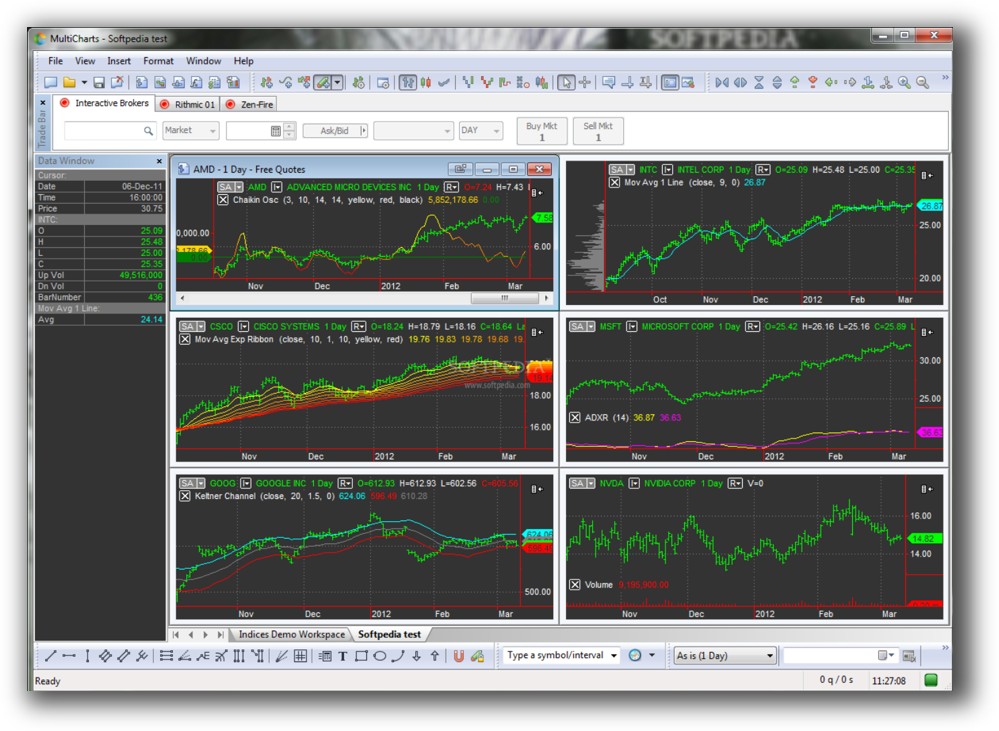
MultiCharts Main View:
Market Access & Data Support in NinjaTrader VS MultiCharts
NinjaTrader leans heavily toward futures markets and is best when used with NinjaTrader Brokerage. It also supports stocks and forex, but connectivity is more limited outside its native ecosystem.
MultiCharts shines here with multi-broker and multi-data feed support. You can connect it to Interactive Brokers, CQG, Rithmic, and others, great if you want flexibility across instruments and exchanges.
For systematic traders building diversified portfolios across stocks, futures, and FX, MultiCharts has broader reach.
NinjaTrader Backtesting Interface:
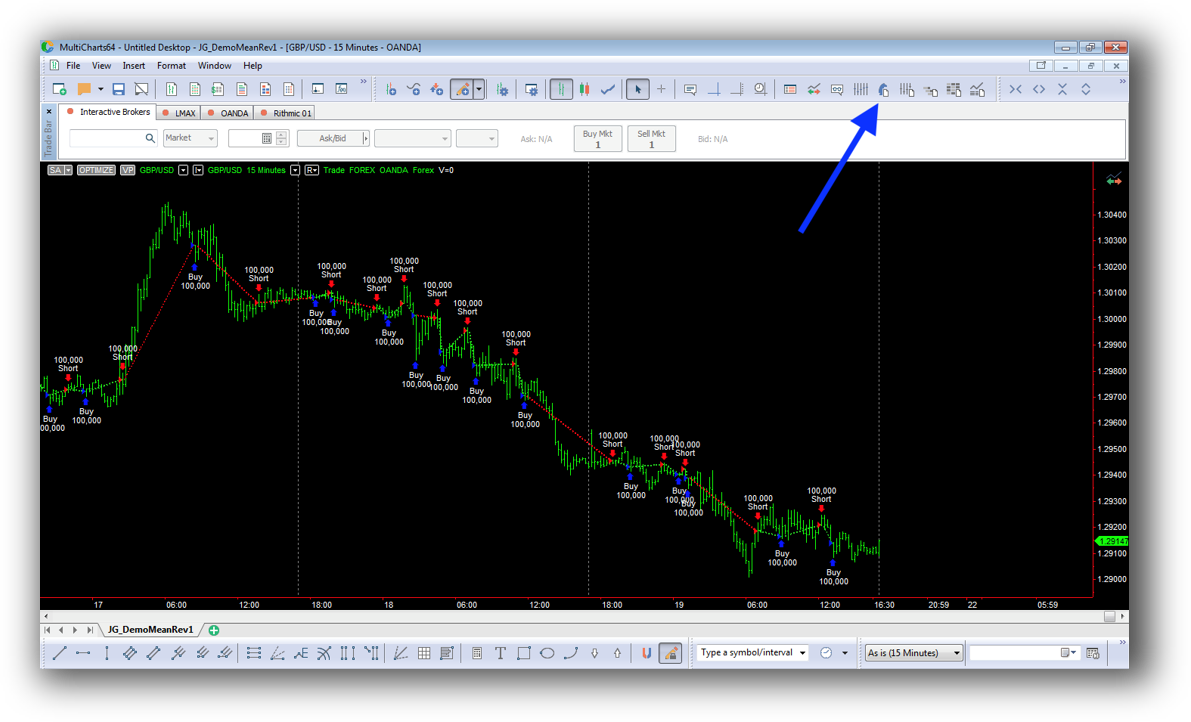
MultiCharts Backtesting Interface:
Building & Customizing Trading Strategies
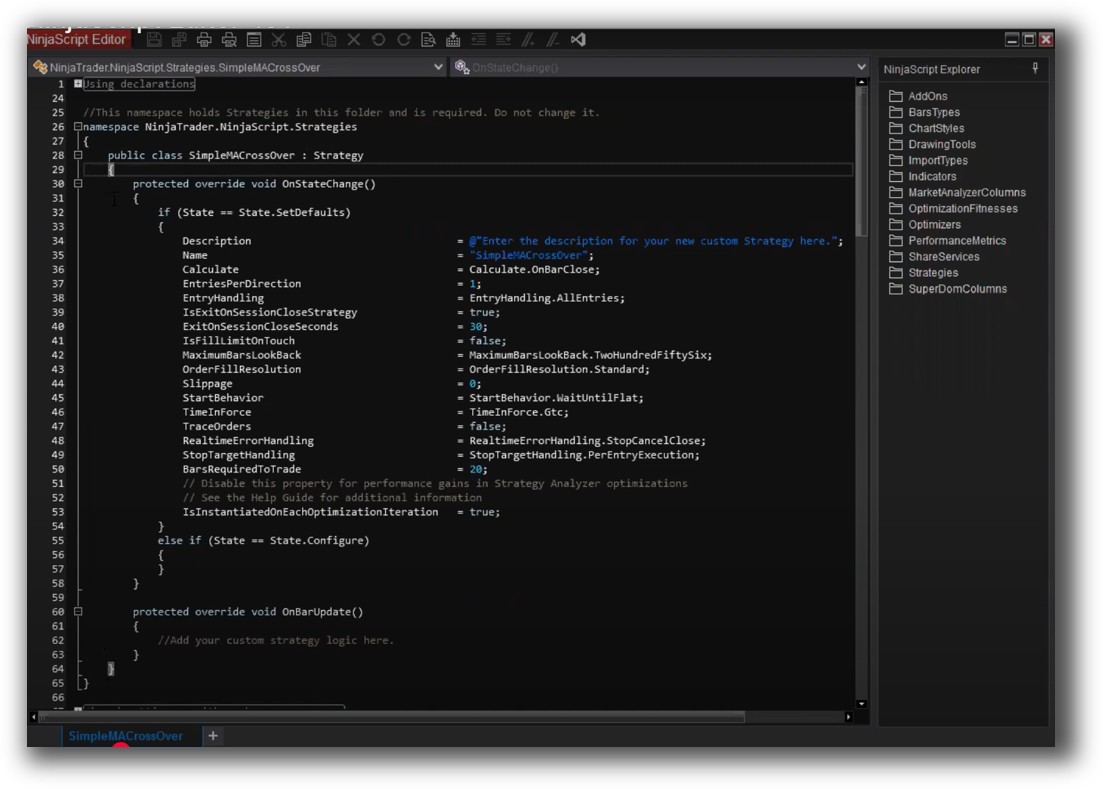
In NinjaTrader, strategies are coded using NinjaScript – a C#-based language. This allows for powerful and custom strategy development, but the learning curve is steep unless you already know .NET.
MultiCharts supports PowerLanguage, which is nearly identical to EasyLanguage (used in TradeStation). This makes it accessible to non-programmers and those migrating from other trading tools.
If you’re new to coding, MultiCharts is easier to pick up. If you have a dev background, NinjaTrader gives you deeper flexibility.
Check Out: Trading System Development
NinjaTrader Code Editor (NinjaScript Editor):
MultiCharts Code Editor:

Backtesting Performance, Speed & Realism
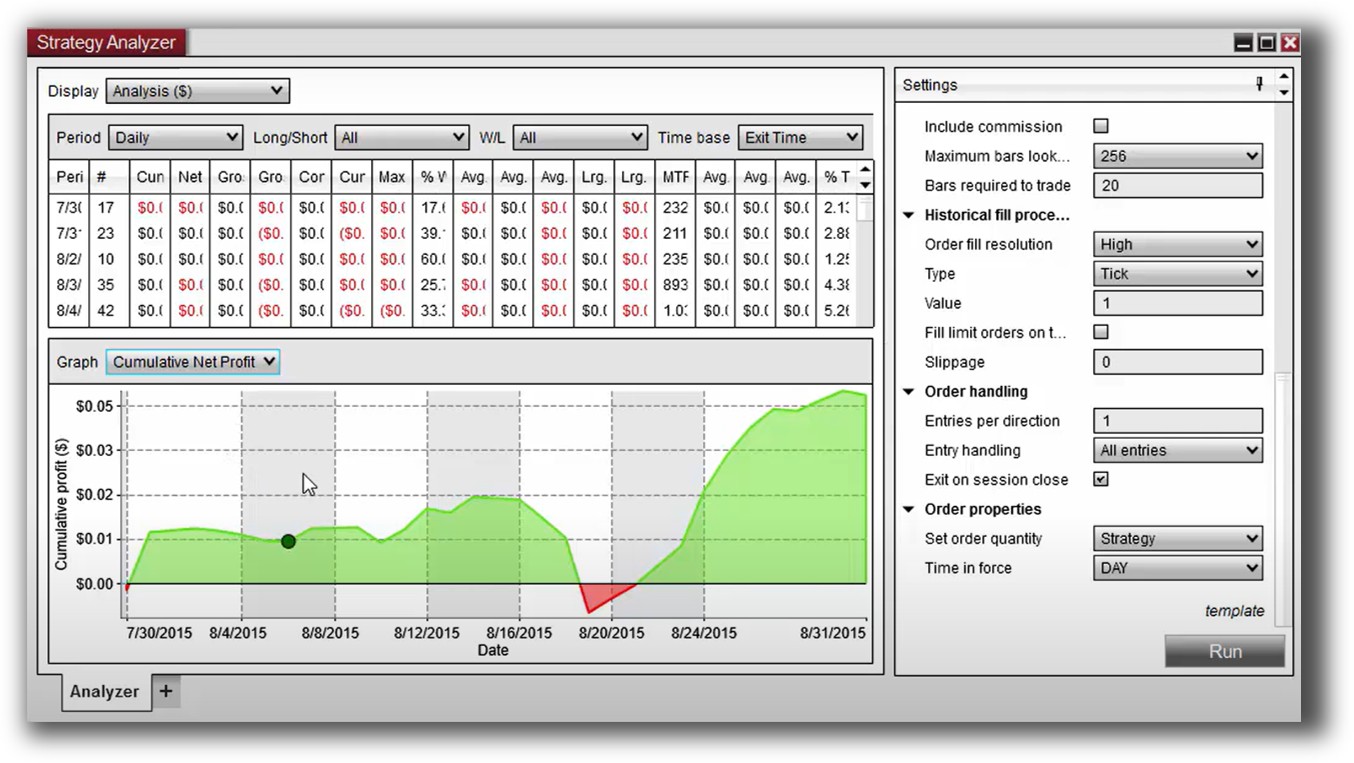
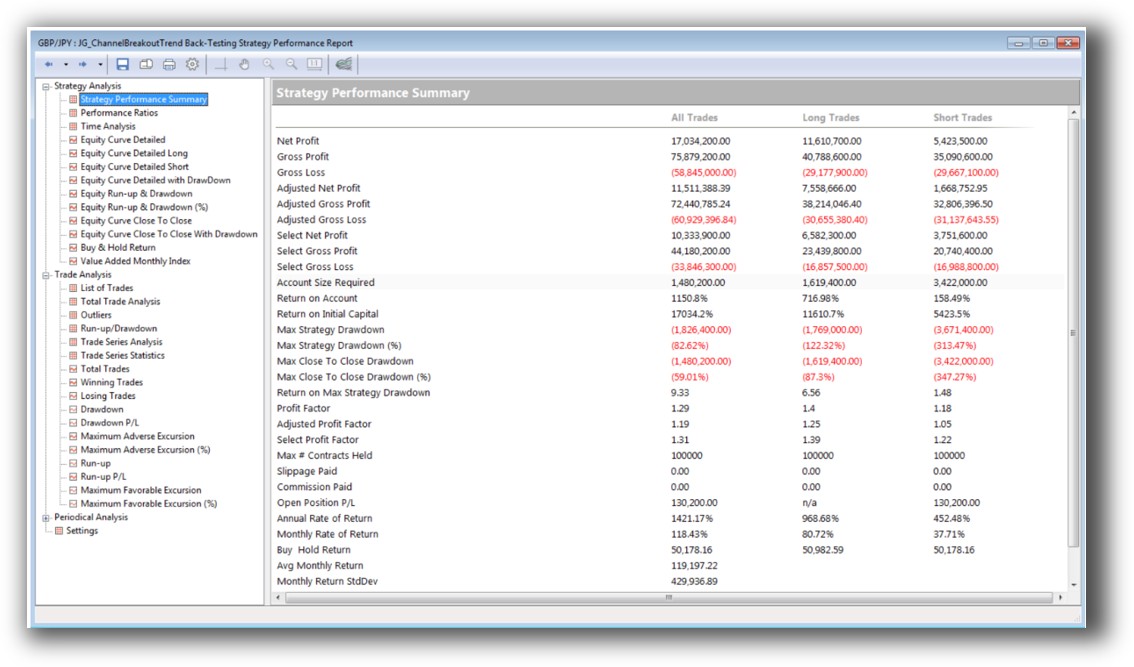
This is where MultiCharts has the upper hand. It supports true portfolio-level backtesting, with robust control over capital allocation, margin, and position sizing across multiple strategies. NinjaTrader is better suited to testing single instruments or strategies in isolation.
Neither tool is known for lightning-fast speed in large portfolio simulations. RealTest wins here (it is purpose-built for speed and realism in portfolio-level backtesting, while keeping the workflow simple).
Bottom line: If you want to build confidence in your system’s edge through realistic backtesting, MultiCharts is stronger, but both are outclassed by RealTest.
Check out: Backtesting | Drawdown
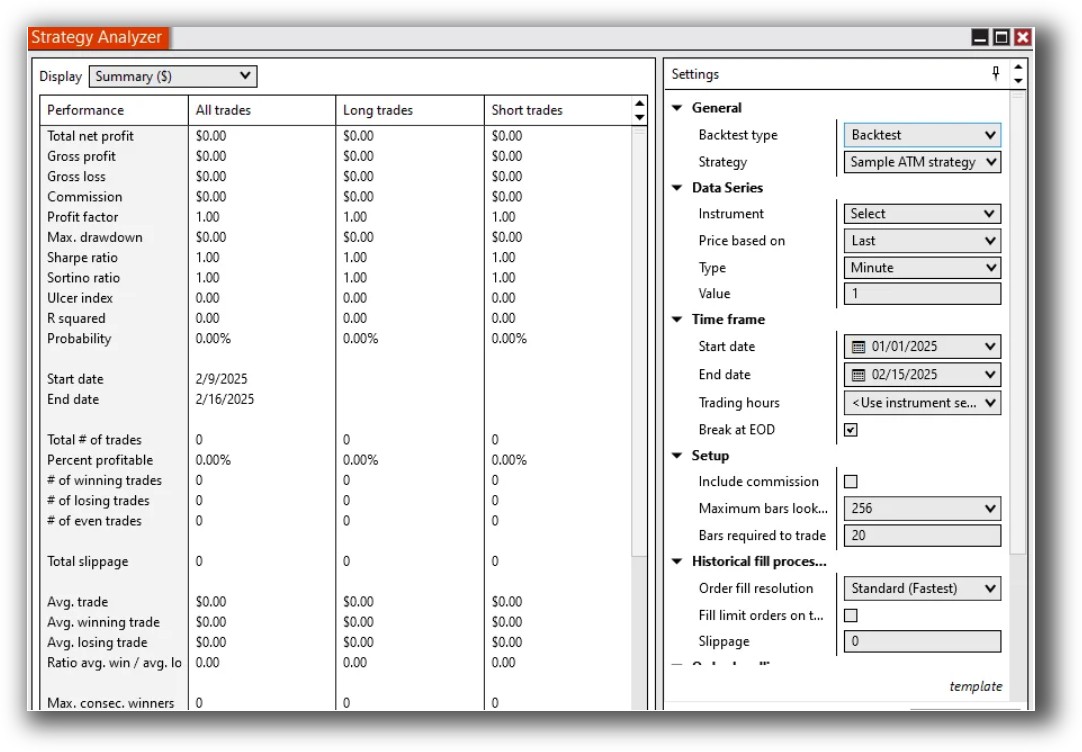
NinjaTrader Backtest Report:
MultiCharts Backtest Report:
Strategy Optimization & Stress Testing Tools
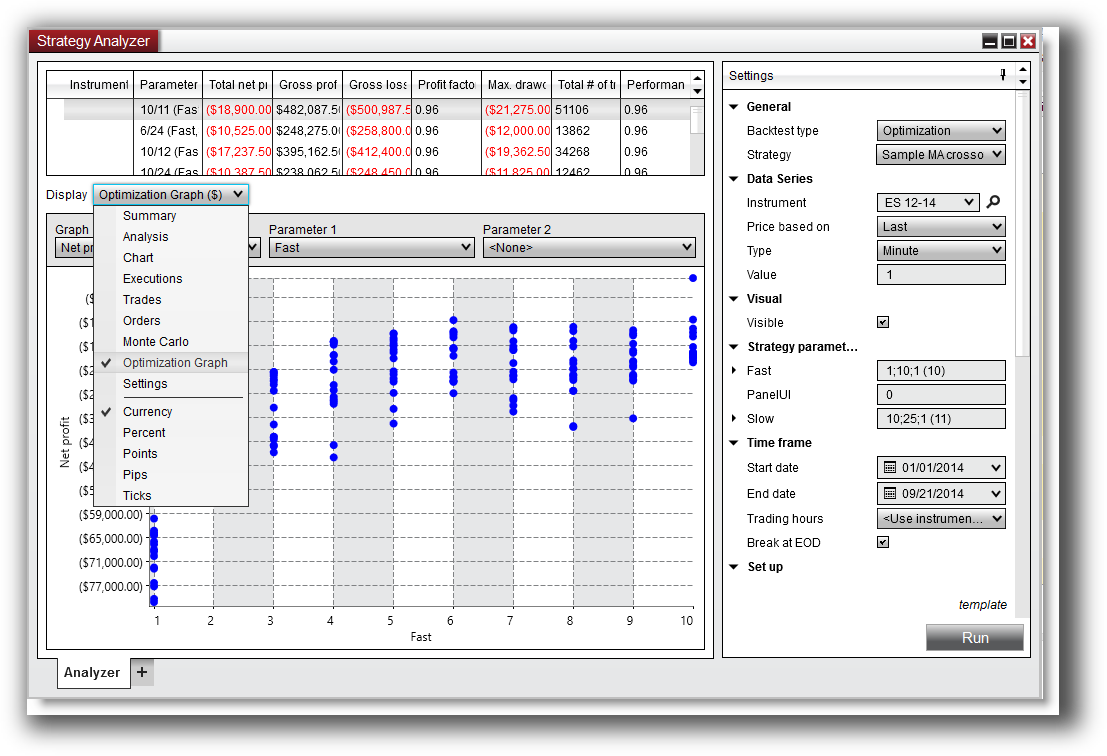
Both platforms offer walk-forward testing, Monte Carlo simulations, and genetic algorithm optimizers. These features help reduce curve fitting and validate the stability of your strategy.
MultiCharts offers more flexibility and transparency in the optimization process. For many users, NinjaTrader’s optimizer is more of a “black box” unless you dig deep into the code.
Either tool can be used to support trading system optimization, but MultiCharts provides a clearer workflow for analytical traders who want control and understanding.
Check Out: Trading System Optimization
NinjaTrader Optimization Graph:
MultiCharts Walk-Forward Parameters:

Charting Features, Signal Exploration & Live Execution
NinjaTrader is strong in order flow analysis, footprint charts, and depth-of-market tools, which appeals to intraday futures traders.
MultiCharts is better for multi-symbol charting, scanning, and indicator development, especially for stocks and ETFs. Its scanning engine allows for custom filters and real-time alerts across watchlists.
When it comes to execution, NinjaTrader integrates tightly with its own brokerage. MultiCharts requires a third-party broker, but supports many. For traders automating trading systems, both platforms allow for full automation, but MultiCharts provides easier broker flexibility.
Check Out Order Types | Automated Trading Systems
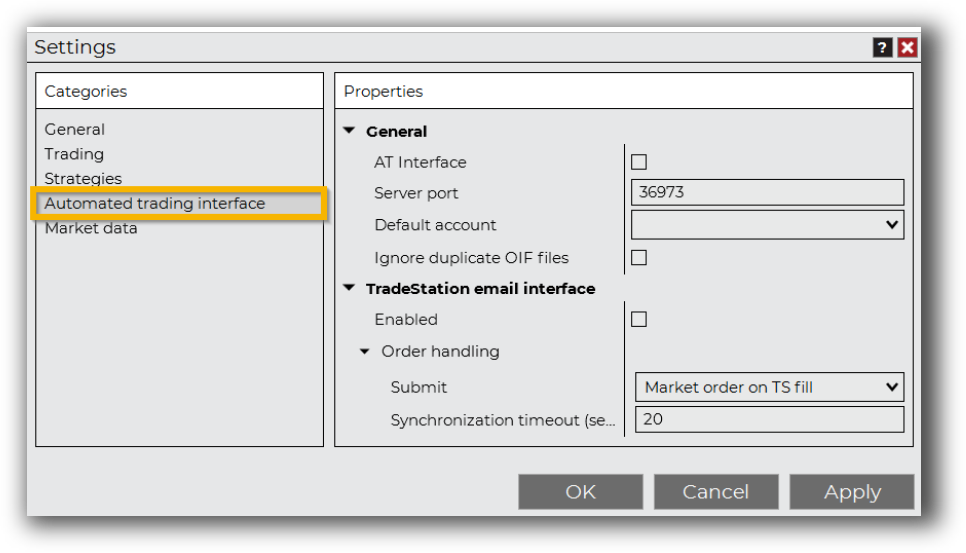
NinjaTrader Automation Set Up:
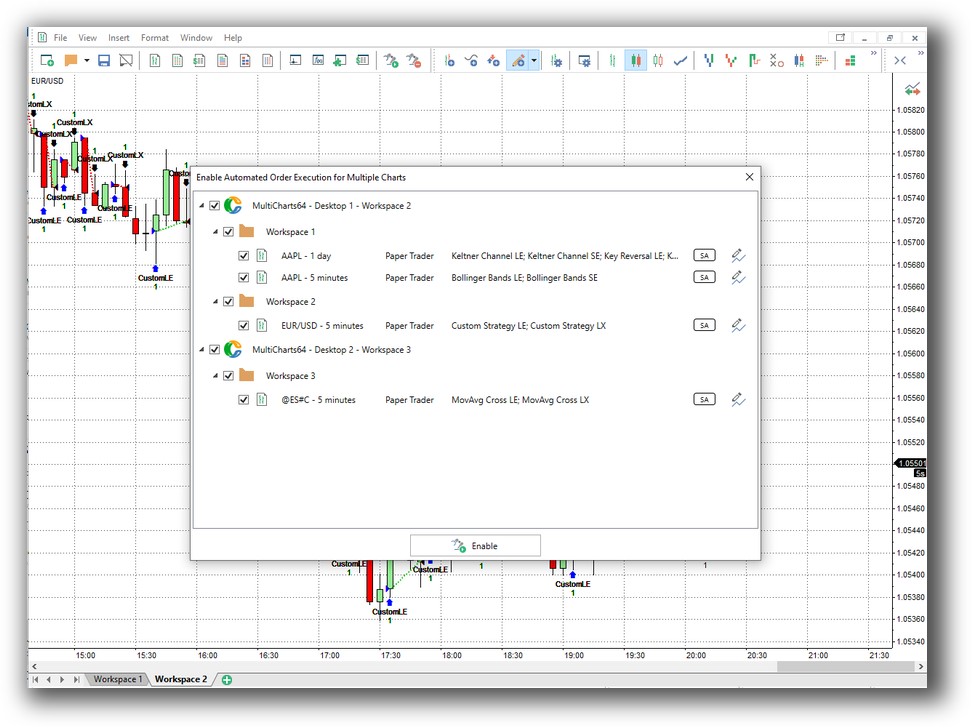
MultiCharts Automation Set Up (Automated Order Execution):
Support, Documentation & Learning Resources
Documentation is where both platforms struggle compared to RealTest.
- NinjaTrader has a deep but technical documentation library. Many users report relying on forums and YouTube for real-world help.
- MultiCharts has better in-software guidance and a more active community for beginners, especially those coming from TradeStation or EasyLanguage.
Neither platform matches RealTest’s clean, modern documentation and focus on clarity over complexity. This matters when you’re building confidence in your trading system.
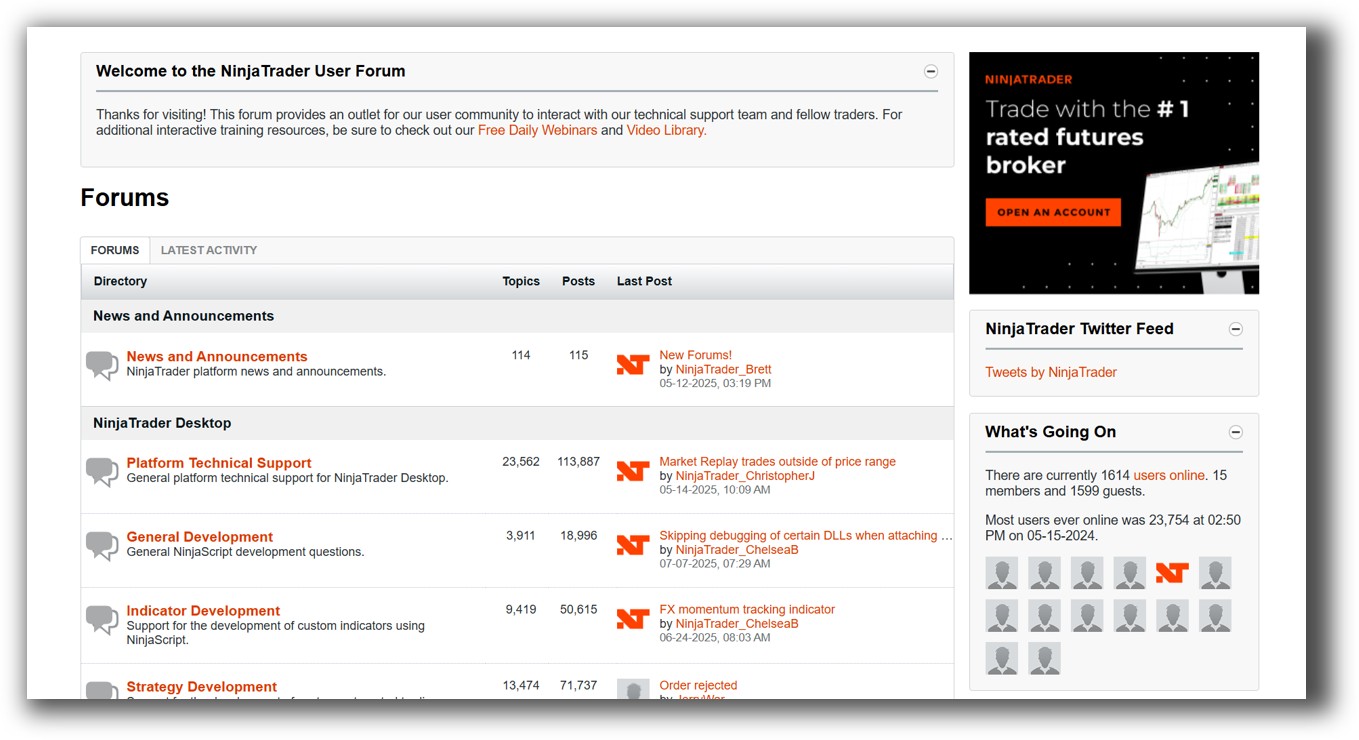
NinjaTrader Forum Front Page is illustrated down below:
MultiCharts Forum Front Page is illustrated down below:

NinjaTrader VS MultiCharts: Which One Should You Use?
If you’re a futures trader who wants an all-in-one platform with integrated brokerage and strong intraday tools, NinjaTrader makes sense.
If your goal is to build and run a diversified portfolio of systematic trading strategies across multiple brokers, MultiCharts offers more flexibility, better scanning, and easier scripting.
But if your priority is fast, realistic backtests and a lightweight workflow you can trust, neither is ideal.
Our Recommendation
Both NinjaTrader and MultiCharts are decent options depending on your priorities. But if you’re serious about systematic trading, portfolio diversification, their is a better option.
RealTest is better suited for strategy design, testing, and portfolio-level confidence.
Once you have your backtesting workflow nailed down, the real key is aligning your system to your goals, psychology, and time constraints.
That’s exactly what we teach in The Trader Success System – including how to use backtesting software effectively, without wasting months on tools that don’t fit
Want The Rest of the Puzzle?
Backtesting software is just one piece. The real transformation happens when you align your tools, your systems, and your psychology with your goals.
If you’re tired of chasing tips and want to build wealth systematically, the next step is clear: The Trader Success System.
Inside, you’ll discover:
- Proven trading systems
- A step-by-step backtesting framework
- Position sizing tools
- Automation strategies that let you trade in 30 minutes or less
Trading and Backtesting Software Review List
- RealTest vs Amibroker
- RealTest VS TradeStation
- RealTest VS NinjaTrader
- RealTest VS MultiCharts
- RealTest VS Wealth-Lab
- RealTest VS Beyond Charts
- RealTest VS Optuma
- RealTest VS TradingView
- RealTest VS MetaTrader 4 (MT4)
- RealTest VS MetaTrader 5 (MT5)
- AmiBroker VS TradeStation
- AmiBroker VS NinjaTrader
- AmiBroker VS MultiCharts
- AmiBroker VS Wealth-Lab
- AmiBroker VS Beyond Charts
- AmiBroker VS Optuma
- AmiBroker VS TradingView
- AmiBroker VS MetaTrader 4 (MT4)
- AmiBroker VS MetaTrader 5 (MT5)
- TradeStation VS NinjaTrader
- TradeStation VS MultiCharts
- TradeStation VS Wealth-Lab
- TradeStation VS Beyond Charts
- TradeStation VS Optuma
- TradeStation VS TradingView
- TradeStation VS MetaTrader 4 (MT4)
- TradeStation VS MetaTrader 5 (MT5)
- NinjaTrader VS MultiCharts
- NinjaTrader VS Wealth-Lab
- NinjaTrader VS Beyond Charts
- NinjaTrader VS Optuma
- NinjaTrader VS TradingView
- NinjaTrader VS MetaTrader 4 (MT4)
- NinjaTrader VS MetaTrader 5 (MT5)
- MultiCharts VS Wealth-Lab
- MultiCharts VS Beyond Charts
- MultiCharts VS Optuma
- MultiCharts VS TradingView
- MultiCharts VS MetaTrader 4 (MT4)
- MultiCharts VS MetaTrader 5 (MT5)
- Wealth-Lab VS Beyond Charts
- Wealth-Lab VS Optuma
- Wealth-Lab VS TradingView
- Wealth-Lab VS MetaTrader 4 (MT4)
- Wealth-Lab VS MetaTrader 5 (MT5)
- Beyond Charts VS Optuma
- Beyond Charts VS TradingView
- Beyond Charts VS MetaTrader 4 (MT4)
- Beyond Charts VS MetaTrader 5 (MT5)
- Optuma VS TradingView
- Optuma VS MetaTrader 4 (MT4)
- Optuma VS MetaTrader 5 (MT5)
- TradingView VS MetaTrader 4 (MT4)
- TradingView VS MetaTrader 5 (MT5)
- MetaTrader 4 (MT4) VS MetaTrader 5 (MT5)


