
NinjaTrader VS Optuma Comparing Backtesting Software for Systematic Trading
If your primary goal is fast, realistic, portfolio-level backtesting for systematic trading, NinjaTrader edges out Optuma in core execution and backtesting power. However, Optuma offers powerful visualization and institutional-grade charting that discretionary or hybrid traders may appreciate. Your choice depends on whether you value precise strategy simulation or chart-driven market insights.
NinjaTrader VS Optuma at a Glance
Short on time? Here’s how NinjaTrader VS Optuma compare side by side.
|
Feature |
NinjaTrader |
Optuma |
|
Operating System |
Windows only |
Windows only |
|
Web/Mobile Access |
Yes (limited) |
Yes (limited) |
|
Integrated Brokerage |
Yes (NinjaTrader Brokerage) |
Yes (IBKR, Saxo, CQG) |
|
Strategy Scripting Language |
NinjaScript (C#/.NET) |
OSL (Optuma Scripting Language) |
|
Backtesting Engine |
Advanced w/ portfolio simulation |
Limited to single security |
|
Charting |
Strong but traditional |
Exceptional (used by institutions) |
|
Automation & Execution |
Native automation via NinjaScript |
Manual or via broker integration |
|
Pricing |
Free basic, paid for full features |
Subscription model (from $810/yr) |
Platform Overview, Cost & Compatibility
NinjaTrader has been around since 2003 and runs exclusively on Windows. It offers a free version with essential features, but you’ll need a paid license for live trading, automation, and advanced capabilities. It also operates as a brokerage, giving you tight integration between analysis and execution.
Optuma was established earlier, in 1996, and also runs on Windows only. Its pricing is tiered: the “Trader” level starts at ~$810/year, while more advanced capabilities like quantitative testing require the “Professional” or “Enterprise” tiers.
Both platforms offer limited web access – typically for viewing charts or dashboards. Mac users must use Parallels or Bootcamp. Wine is not recommended due to stability issues.
NinjaTrader Main View:

Optuma Main View:

Market Access & Data Support in NinjaTrader VS Optuma
NinjaTrader supports a wide range of data providers (e.g., Kinetick, IQFeed, Rithmic) and integrates directly with futures, forex, and equities. You get real-time, historical, and tick data support.
Optuma also connects to many data sources, including Interactive Brokers, Bloomberg (for institutional users), and IQFeed. It offers EOD and intraday data access, but the integration and ease of setup vary by provider.
For global market access, both platforms perform well. NinjaTrader is better suited to active futures and day traders, while Optuma is often used by professionals analysing macro trends and broad market indicators.
NinjaTrader Backtesting Interface:
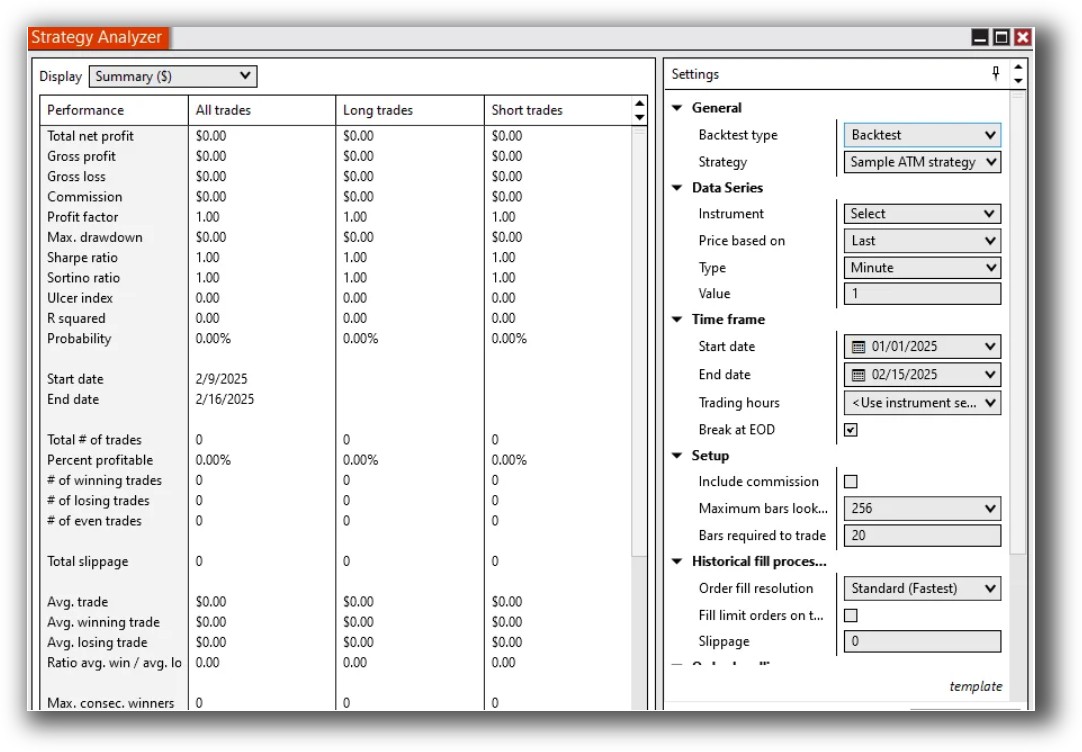
Optuma Backtesting Interface:

Building & Customizing Trading Strategies
NinjaTrader uses NinjaScript, a C#-based language. This gives you a high degree of control over logic, entries, exits, and portfolio behavior. However, there’s a steep learning curve if you’re not familiar with programming.
Optuma uses a proprietary scripting language (OSL). It’s simpler than C#, making it more accessible to non-coders. However, the trade-off is lower flexibility and control for complex or portfolio-based trading strategies.
Both tools support indicator development, signal generation, and conditional logic. But only NinjaTrader supports complete end-to-end system design and execution for systematic traders.
Check Out: Trading System Development
NinjaTrader Code Editor (NinjaScript Editor):
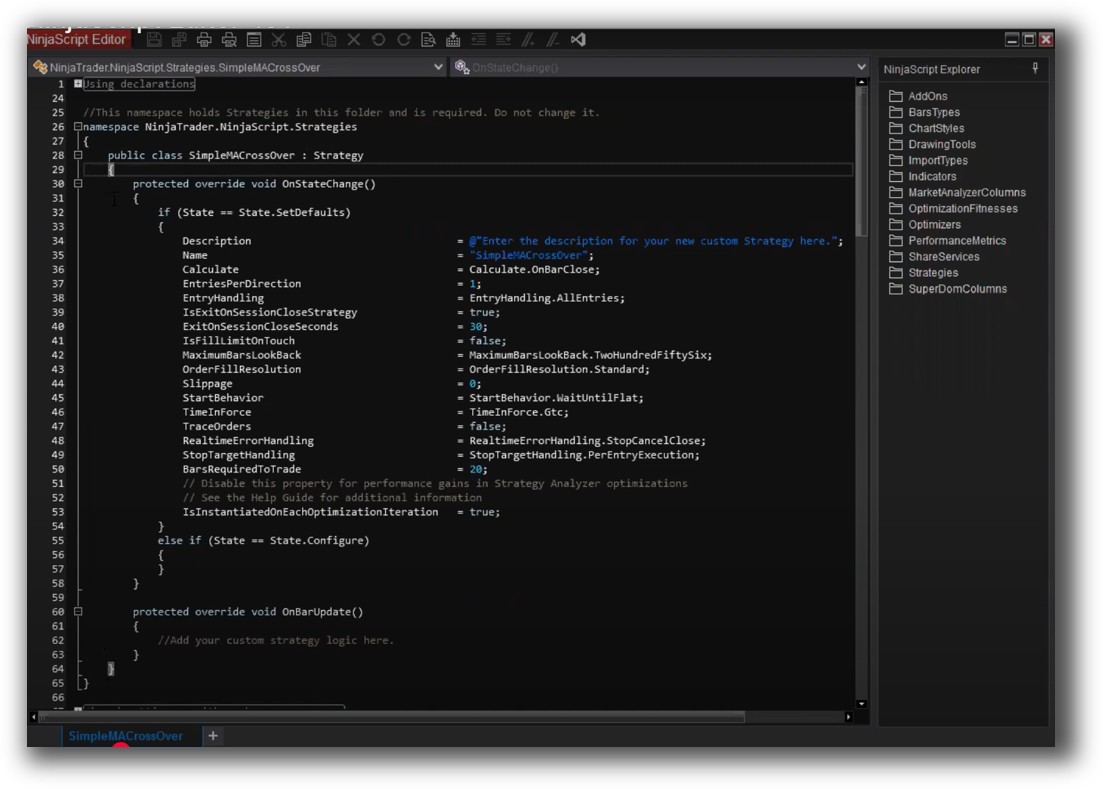
Optuma Code Editor (Script Manager)

Backtesting Performance, Speed & Realism
Here’s where the difference is most stark.
NinjaTrader offers robust backtesting features:
- Multi-asset, portfolio-level testing
- Event-based simulation (e.g. slippage, commissions)
- Historical bar replay
- Full automation and walk-forward testing support
Optuma, in contrast, limits backtesting to one security at a time. It’s great for scanning and signal generation, but portfolio simulation is not part of the core offering unless you’re on a higher-tier plan, and even then it’s limited.
If you’re building or running systematic trading systems, NinjaTrader provides far greater realism and control.
Check out: Backtesting | Drawdown
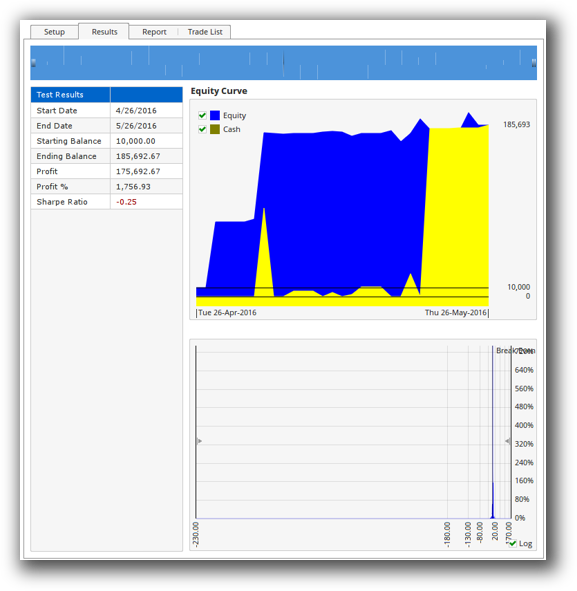
NinjaTrader Backtest Report:
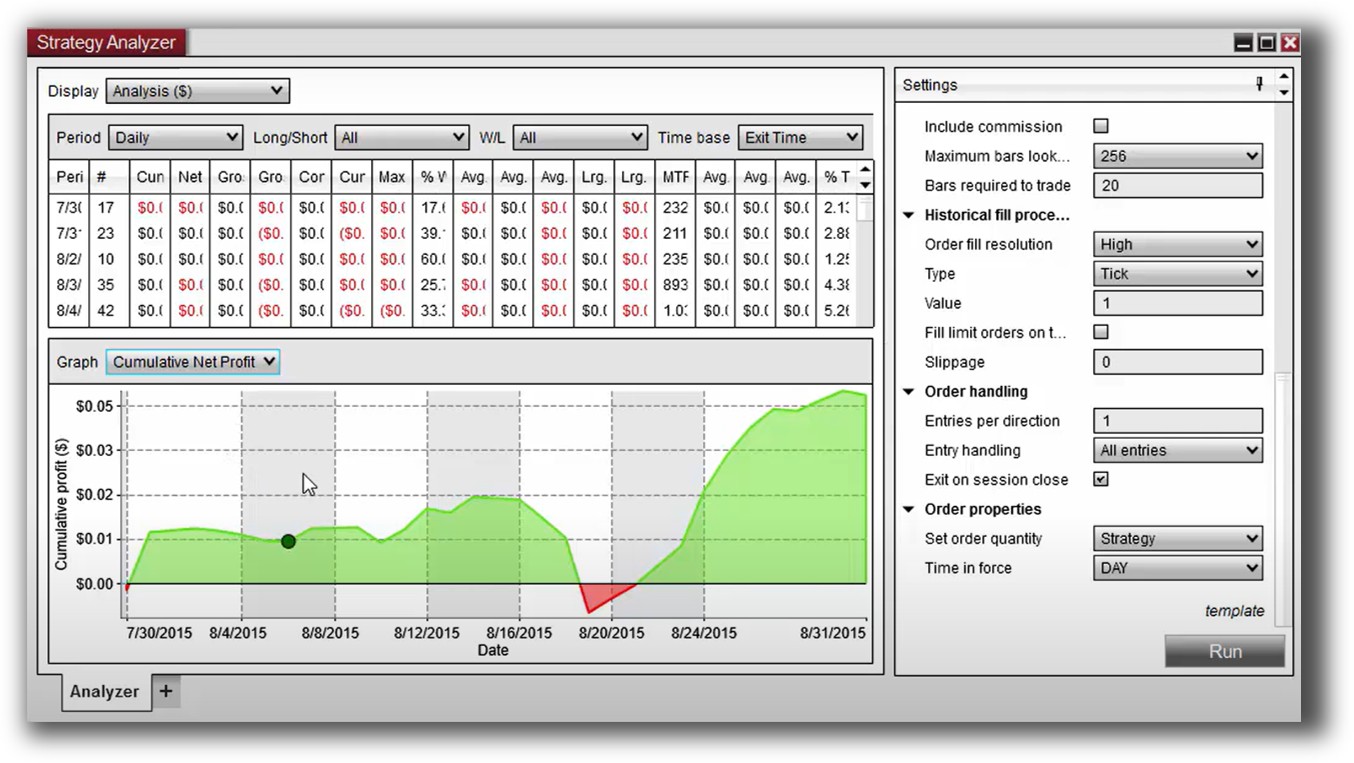
Optuma Backtest Report:
Strategy Optimization & Stress Testing Tools
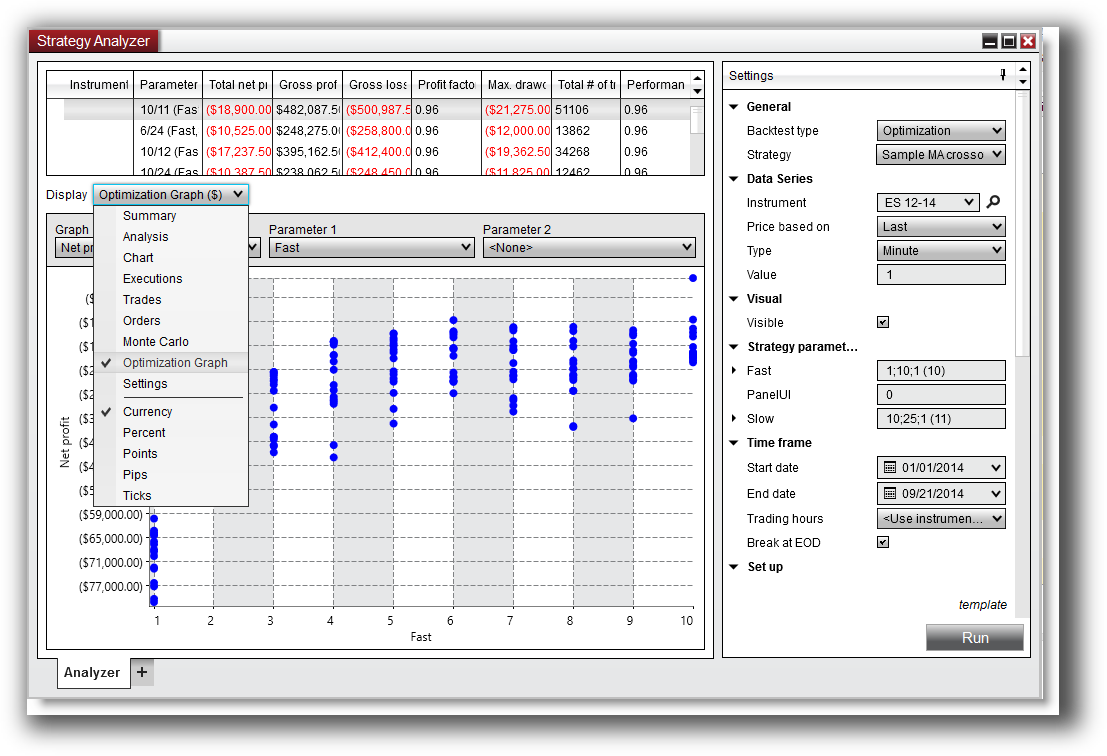
NinjaTrader offers parameter optimization with walk-forward testing and Monte Carlo simulations (via add-ons). You can assess system robustness and avoid curve-fitting – essential for systematic traders who understand the dangers of optimization bias.
Optuma has basic optimization tools for scanning and indicator tweaking, but lacks the depth and power found in NinjaTrader or tools like Amibroker.
If robustness testing matters to you – and it should – NinjaTrader wins this round.
Check Out: Trading System Optimization
NinjaTrader Optimization Graph:
Charting Features, Signal Exploration & Live Execution
Optuma shines in charting and visualization. It’s used by institutional-level analysts and funds for its:
- Deep technical indicator library
- Advanced chart layouts and dashboards
- Custom scripting for proprietary indicators
NinjaTrader, while capable, leans toward function over form. Charts are responsive and configurable, but not as visually rich or insightful as Optuma’s
For scanning and signal generation, both tools perform well. But again, only NinjaTrader can automate execution based on those signals without leaving the platform.
Check Out Order Types | Automated Trading Systems
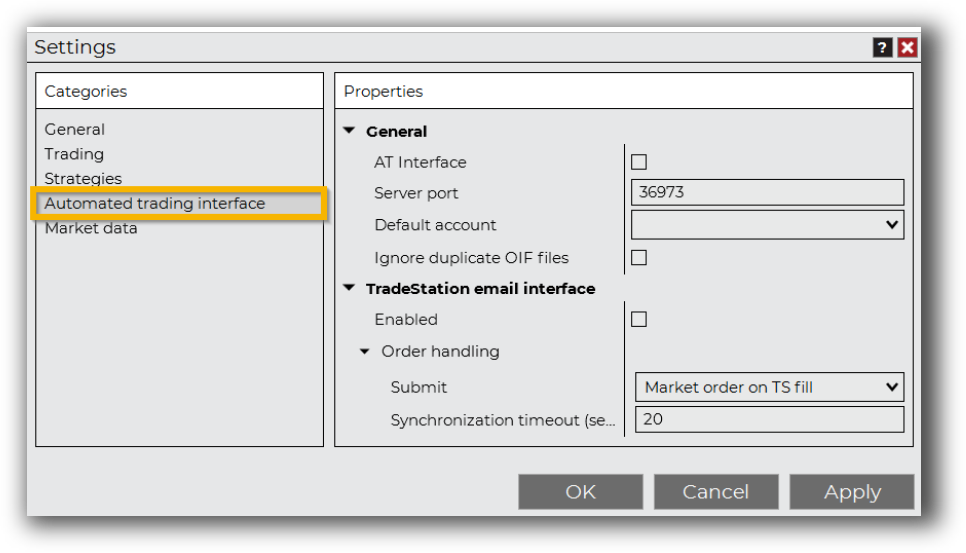
NinjaTrader Automation Set Up:
Optuma Automation Set Up:

Support, Documentation & Learning Resources
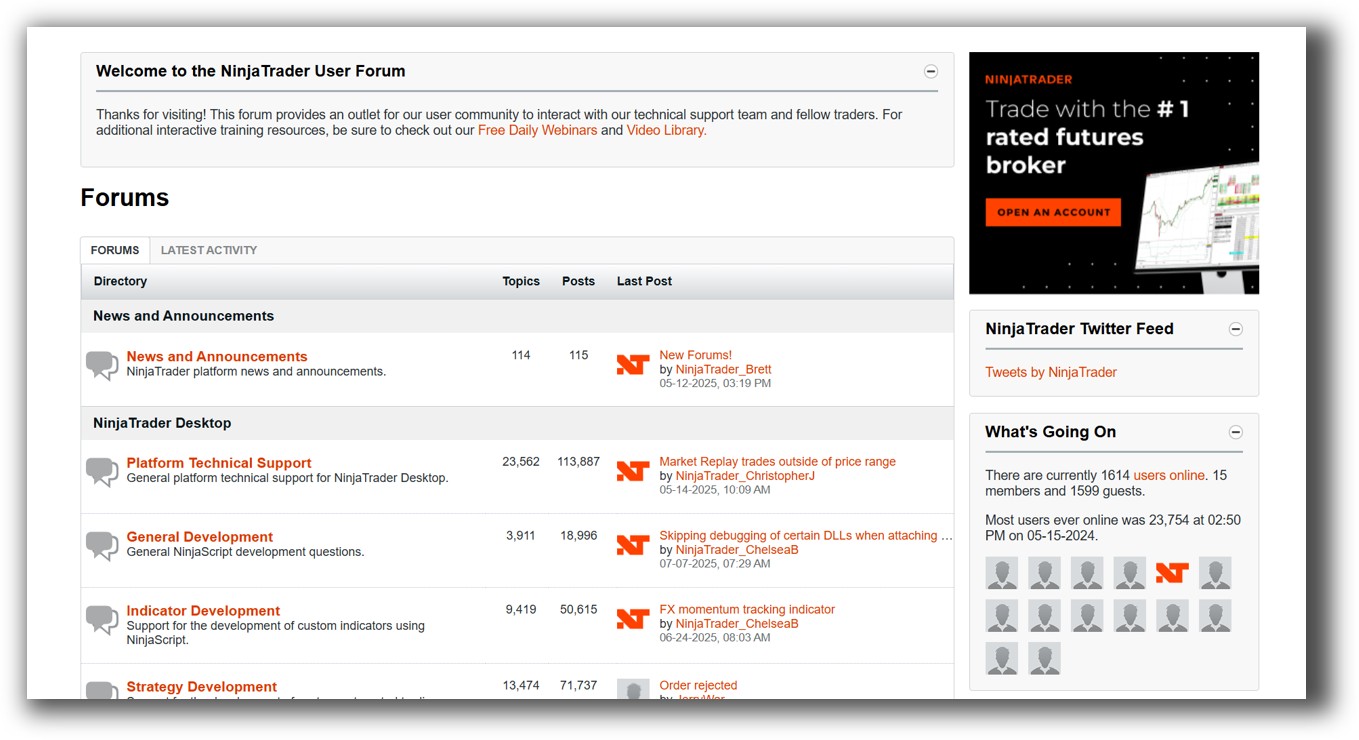
NinjaTrader has a massive user base, with extensive online forums, help docs, video tutorials, and third-party developer tools. The documentation is modern and regularly updated.
Optuma has a steeper support curve. While professional support is available (especially at higher price tiers), the user community is smaller. Some documentation is outdated, and learning resources are more technical.
If fast onboarding and strong community matter to you, NinjaTrader is more accessible.
NinjaTrader Forum Front Page is illustrated down below:
Optuma Forum Front Page is illustrated down below:

NinjaTrader VS Optuma: Which One Should You Use?
If you’re a serious systematic trader who values realistic backtesting, strategy automation, and portfolio-level testing, NinjaTrader is the stronger choice.
Optuma may appeal to traders who are deeply visual, want institutional-grade charting, or do more discretionary macro-level analysis. But for those building robust, rules-based trading systems – particularly if you’re aiming to trade with confidence and minimal time – NinjaTrader is the clear winner.
Our Recommendation
For traders transitioning to systematic trading and looking for a true backtesting software platform that supports end-to-end system development, NinjaTrader offers a better blend of speed, realism, and automation.
That said, at Enlightened Stock Trading, we recommend RealTest for most of our students because of its unmatched backtest realism, speed, and simplicity. NinjaTrader is a solid alternative if you prefer a more integrated brokerage or want to stay in the C# ecosystem.
Optuma, while beautiful and powerful in its own way, simply doesn’t provide the testing depth required for confident system development and execution.
Want The Rest of the Puzzle?
Backtesting software is just one piece. The real transformation happens when you align your tools, your systems, and your psychology with your goals.
If you’re tired of chasing tips and want to build wealth systematically, the next step is clear: The Trader Success System.
Inside, you’ll discover:
- Proven trading systems
- A step-by-step backtesting framework
- Position sizing tools
- Automation strategies that let you trade in 30 minutes or less
Trading and Backtesting Software Review List
- RealTest vs Amibroker
- RealTest VS TradeStation
- RealTest VS NinjaTrader
- RealTest VS MultiCharts
- RealTest VS Wealth-Lab
- RealTest VS Beyond Charts
- RealTest VS Optuma
- RealTest VS TradingView
- RealTest VS MetaTrader 4 (MT4)
- RealTest VS MetaTrader 5 (MT5)
- AmiBroker VS TradeStation
- AmiBroker VS NinjaTrader
- AmiBroker VS MultiCharts
- AmiBroker VS Wealth-Lab
- AmiBroker VS Beyond Charts
- AmiBroker VS Optuma
- AmiBroker VS TradingView
- AmiBroker VS MetaTrader 4 (MT4)
- AmiBroker VS MetaTrader 5 (MT5)
- TradeStation VS NinjaTrader
- TradeStation VS MultiCharts
- TradeStation VS Wealth-Lab
- TradeStation VS Beyond Charts
- TradeStation VS Optuma
- TradeStation VS TradingView
- TradeStation VS MetaTrader 4 (MT4)
- TradeStation VS MetaTrader 5 (MT5)
- NinjaTrader VS MultiCharts
- NinjaTrader VS Wealth-Lab
- NinjaTrader VS Beyond Charts
- NinjaTrader VS Optuma
- NinjaTrader VS TradingView
- NinjaTrader VS MetaTrader 4 (MT4)
- NinjaTrader VS MetaTrader 5 (MT5)
- MultiCharts VS Wealth-Lab
- MultiCharts VS Beyond Charts
- MultiCharts VS Optuma
- MultiCharts VS TradingView
- MultiCharts VS MetaTrader 4 (MT4)
- MultiCharts VS MetaTrader 5 (MT5)
- Wealth-Lab VS Beyond Charts
- Wealth-Lab VS Optuma
- Wealth-Lab VS TradingView
- Wealth-Lab VS MetaTrader 4 (MT4)
- Wealth-Lab VS MetaTrader 5 (MT5)
- Beyond Charts VS Optuma
- Beyond Charts VS TradingView
- Beyond Charts VS MetaTrader 4 (MT4)
- Beyond Charts VS MetaTrader 5 (MT5)
- Optuma VS TradingView
- Optuma VS MetaTrader 4 (MT4)
- Optuma VS MetaTrader 5 (MT5)
- TradingView VS MetaTrader 4 (MT4)
- TradingView VS MetaTrader 5 (MT5)
- MetaTrader 4 (MT4) VS MetaTrader 5 (MT5)


