
NinjaTrader VS TradingView Comparing Backtesting Software for Systematic Trading
If you’re deciding between NinjaTrader and TradingView for backtesting and systematic trading, here’s the bottom line:
NinjaTrader is a more powerful choice for traders focused on futures, scripting custom strategies, and brokerage integration.
TradingView offers a smoother experience for charting, cross-platform access, and social sharing, but falls short in robust backtesting features and strategy automation.
The right tool depends on your priorities, but if you’re serious about becoming a systematic trader, there’s more you need to know.
NinjaTrader VS TradingView at a Glance
Short on time? Here’s how NinjaTrader VS TradingView compare side by side.
|
Feature |
NinjaTrader |
TradingView |
|
Operating System |
Windows (full), limited web/mobile access |
Fully browser-based; native Mac/Windows |
|
Programming Language |
NinjaScript (C#-based) |
Pine Script (simplified, proprietary) |
|
Strategy Backtesting |
Advanced multi-system backtesting |
Basic single-system backtesting |
|
Portfolio Simulation |
Supported via third-party integrations |
Not natively supported |
|
Charting |
Advanced with volume, tick & range charts |
Excellent and highly interactive |
|
Execution |
Through integrated brokerage (futures, forex) |
Broker-connected; no built-in execution |
|
Community & Collaboration |
Smaller developer focus |
Large, active community |
|
Cost |
Free basic, paid upgrades |
Free trial, paid plans |
Platform Overview, Cost & Compatibility
NinjaTrader is a Windows-native trading platform offering full desktop functionality with limited web/mobile interfaces. While Mac users can run it through Parallels or Bootcamp, this introduces complexity and cost.
TradingView runs directly in your browser on any operating system, with dedicated desktop apps for Mac and Windows. It’s more accessible out of the box, especially for traders who prefer Apple devices or working on the go.
In terms of pricing:
- NinjaTrader offers a free version for charting and limited strategy development. Advanced backtesting and automation require paid upgrades or leasing.
- TradingView has a freemium model with basic features available for free and higher-tier plans for professional tools, strategy alerts, and multiple charts.
NinjaTrader Main View:

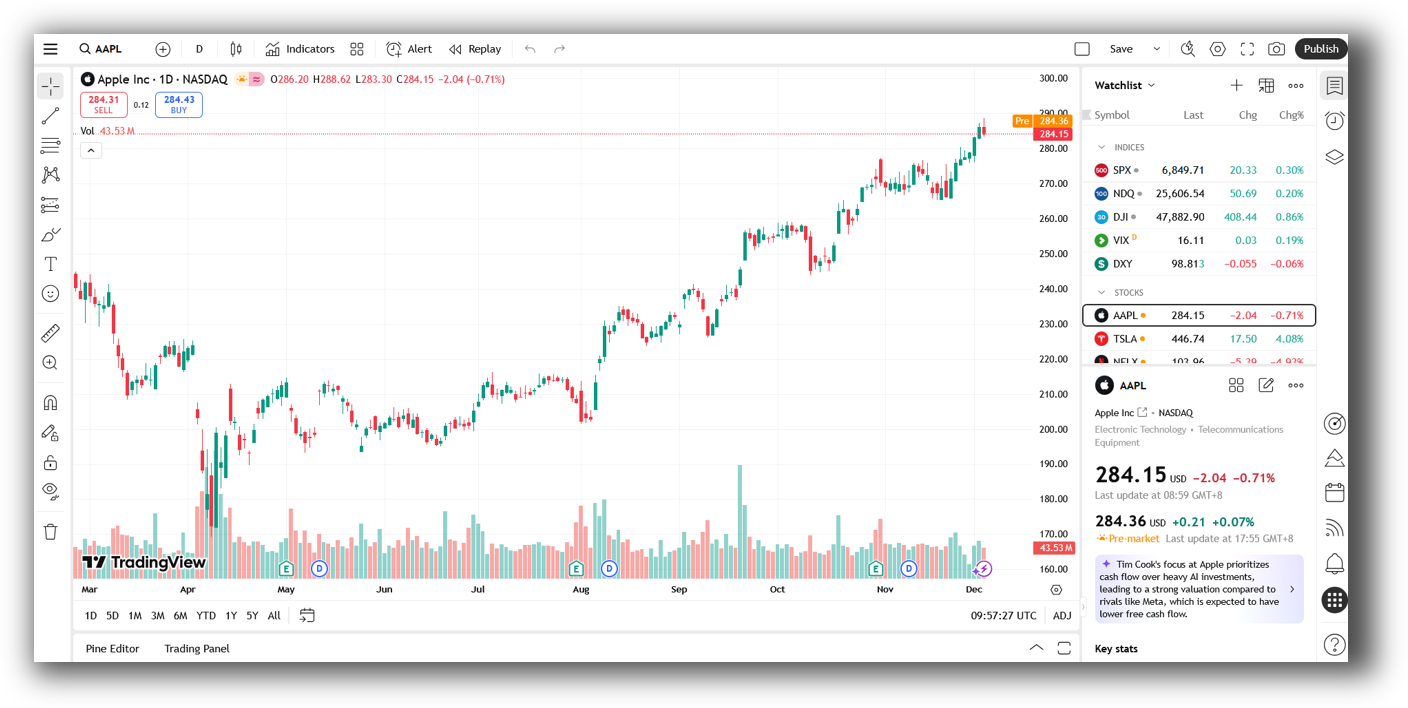
TradingView Main View:
Market Access & Data Support in NinjaTrader VS TradingView
NinjaTrader is built for active traders in futures and forex. Through its brokerage services and integration with data providers, it provides:
- Direct execution
- Market replay
- Real-time depth of market
TradingView shines for stock and crypto traders. It connects to multiple brokers and offers broad market access, especially for retail traders.
That said, both platforms rely on third-party data feeds for more advanced needs, and neither provides deep fundamental data natively.
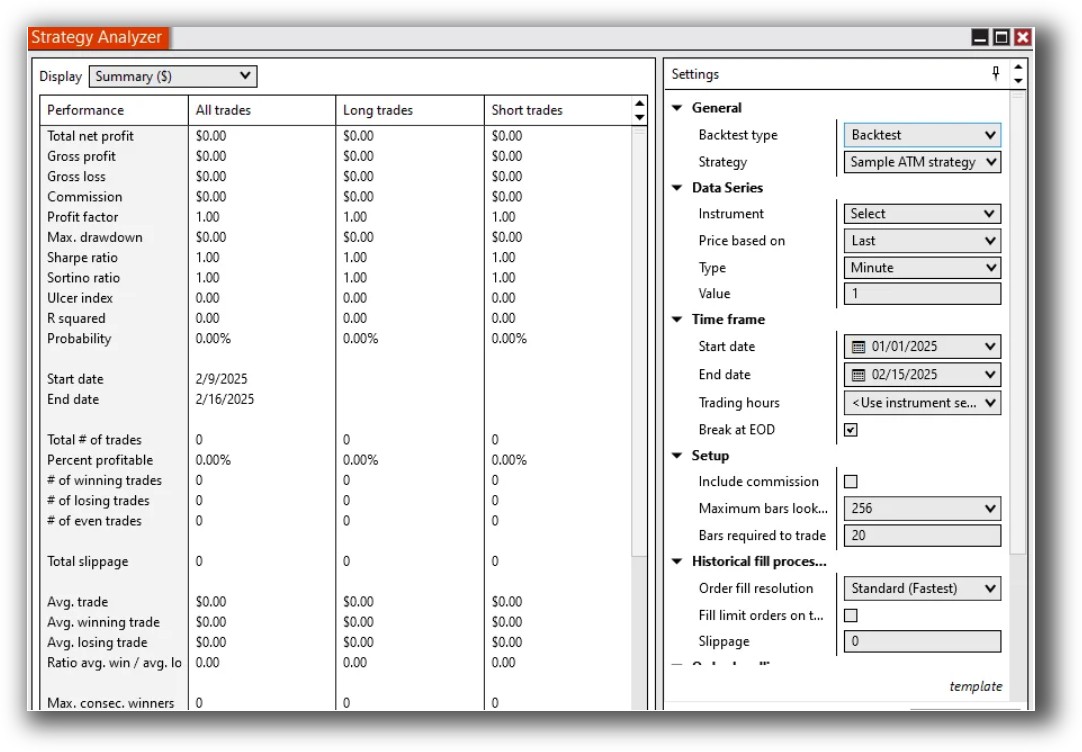
NinjaTrader Backtesting Interface:
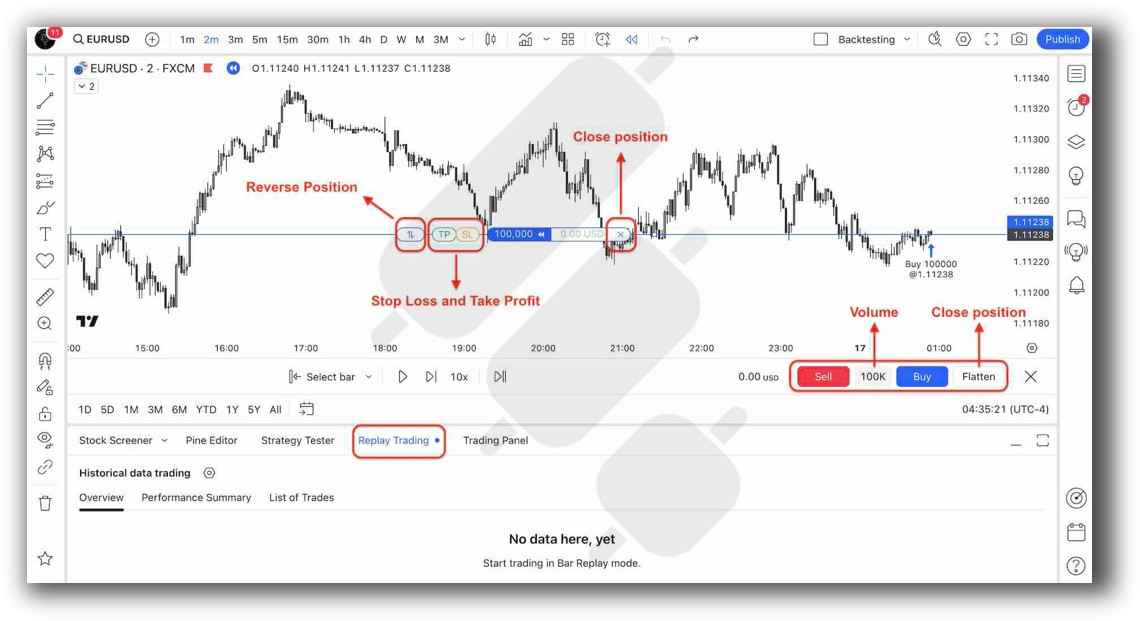
TradingView Backtesting Interface:
Building & Customizing Trading Strategies
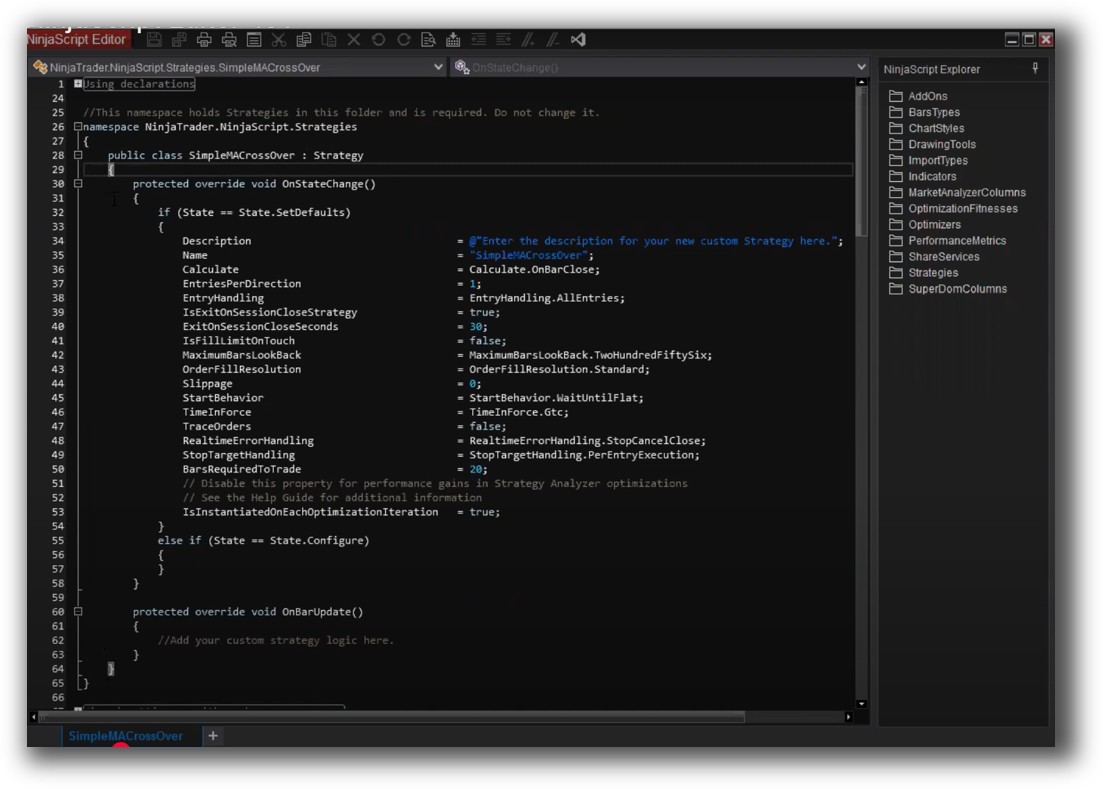
- NinjaTrader uses NinjaScript, a C#-based language, which gives advanced users full control over logic, risk rules, and automation.
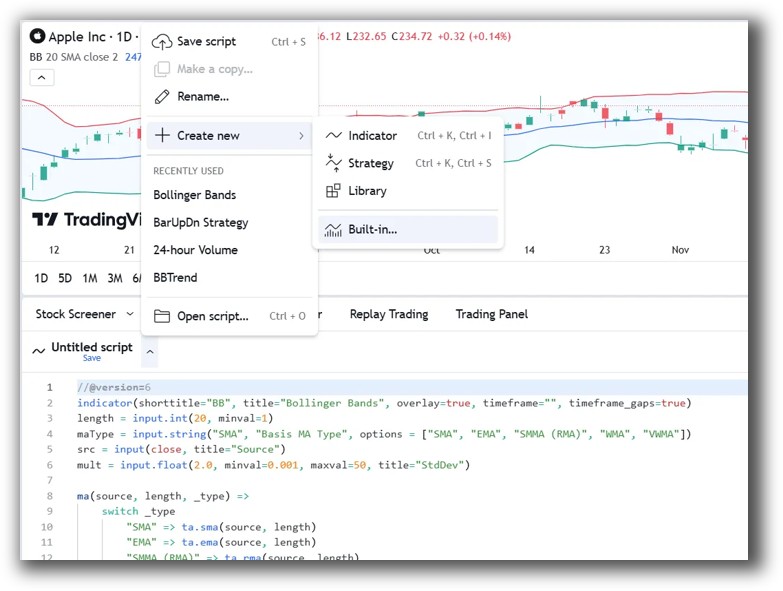
- TradingView uses Pine Script, which is easier to learn but more limited in depth, especially for portfolio-level systems.
If your trading approach depends on coding robust rules, testing multiple strategies, and automating execution, NinjaTrader gives you the muscle.
TradingView is better suited to simple, indicator-driven systems or alerts.
Check Out: Trading System Development
NinjaTrader Code Editor (NinjaScript Editor):
TradingView Code Editor (PineScript):
Backtesting Performance, Speed & Realism
Backtesting isn’t just about pressing “run.” To support real-world results, you need:
- Slippage modelling
- Position sizing
- Portfolio-level simulation
- Historical walk-forward analysis
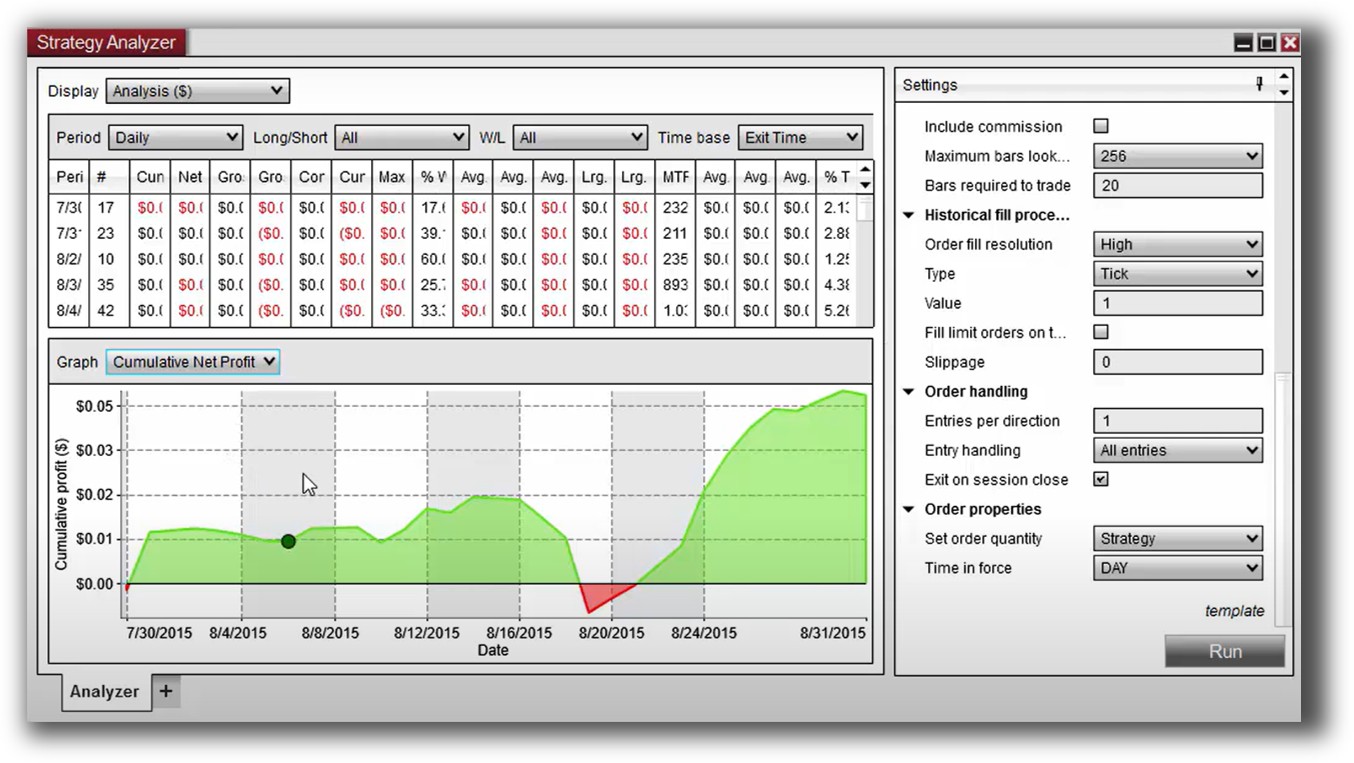
NinjaTrader supports strategy backtesting using historical bar and tick data. It includes slippage modelling and integrates with tools for multi-strategy portfolios and trade analytics.
TradingView, by contrast:
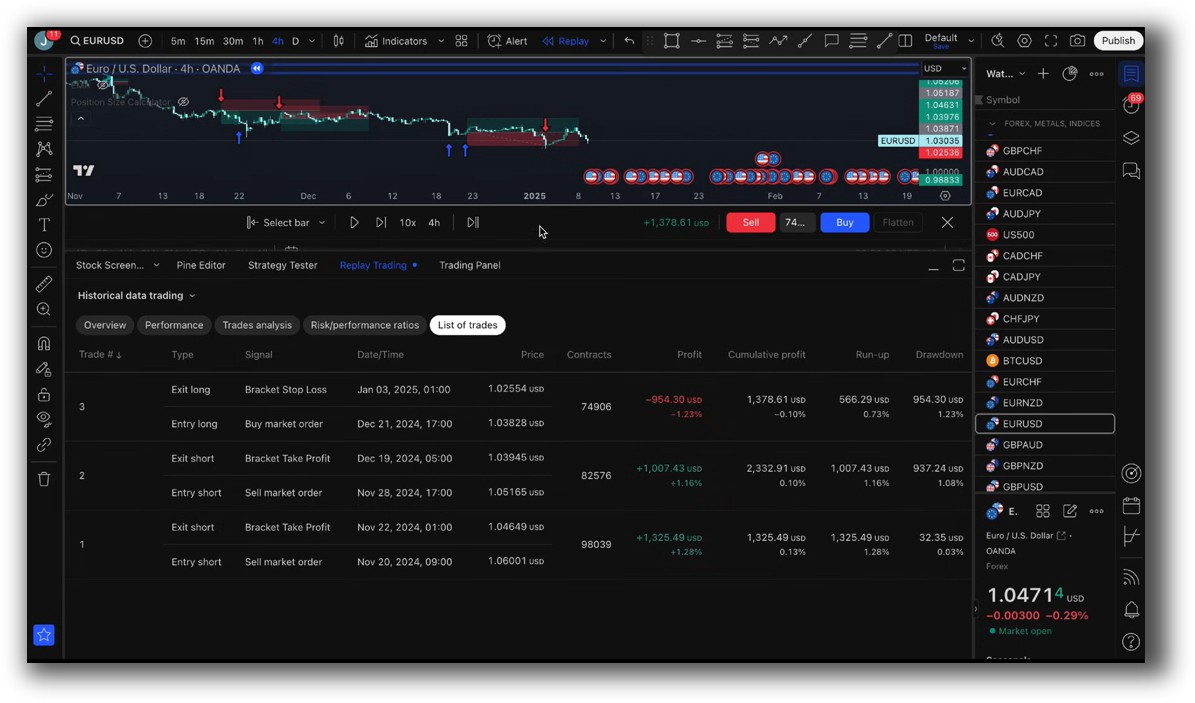
- Only supports basic bar-by-bar backtests
- No realistic fills or slippage modelling
- No portfolio-level testing
Check out: Backtesting | Drawdown
NinjaTrader Backtest Report:
TradingView Backtest Report:
Strategy Optimization & Stress Testing Tools
Optimizing your strategy without overfitting is key to long-term success.
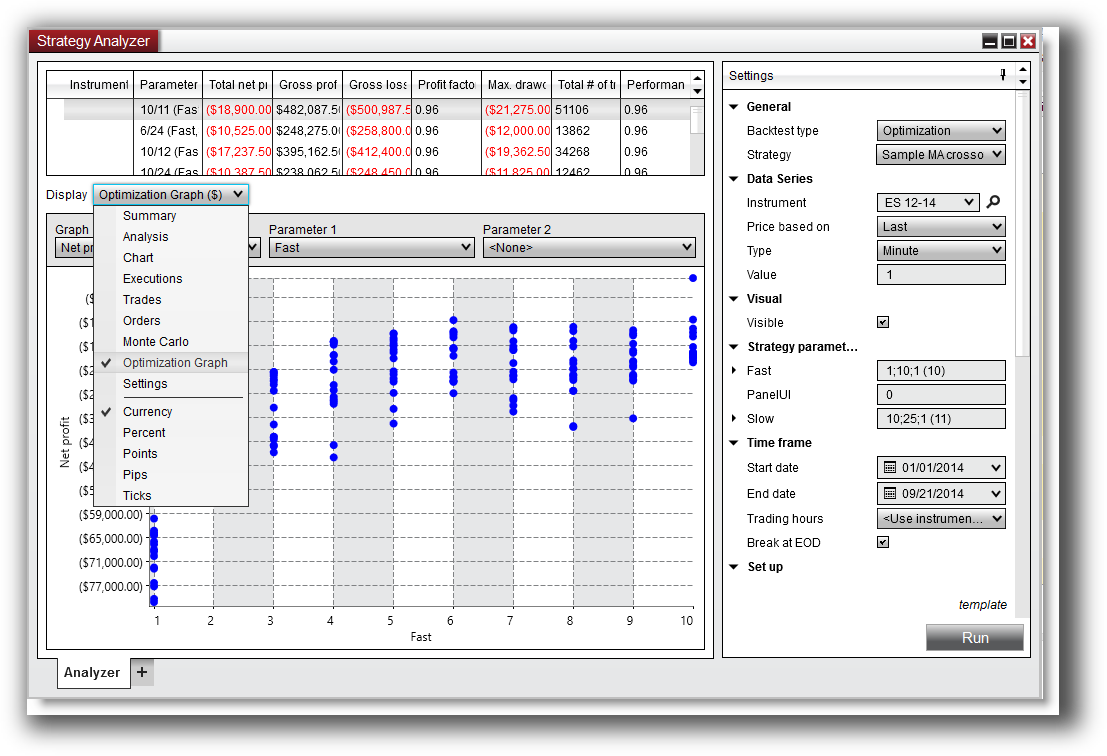
- NinjaTrader provides in-platform strategy optimization with multiple parameters and evaluation metrics.
- TradingView has no built-in optimization capabilities. You’d need to export data and optimize externally, which adds friction and risk.
For those who want to test and iterate rapidly, NinjaTrader makes it possible – though the learning curve is steeper.
Check Out: Trading System Optimization
NinjaTrader Optimization Graph:
Charting Features, Signal Exploration & Live Execution
Charting:
- TradingView wins on UI, ease of use, and interactivity.
- NinjaTrader supports more advanced chart types like volume, tick, and range charts.
Scanning:
- TradingView’s screener is fast and flexible.
- NinjaTrader is weaker in native scanning and requires more manual setup or external tools.
Execution:
- NinjaTrader includes brokerage execution (especially for futures/forex).
- TradingView connects to brokers, but execution happens on external platforms.
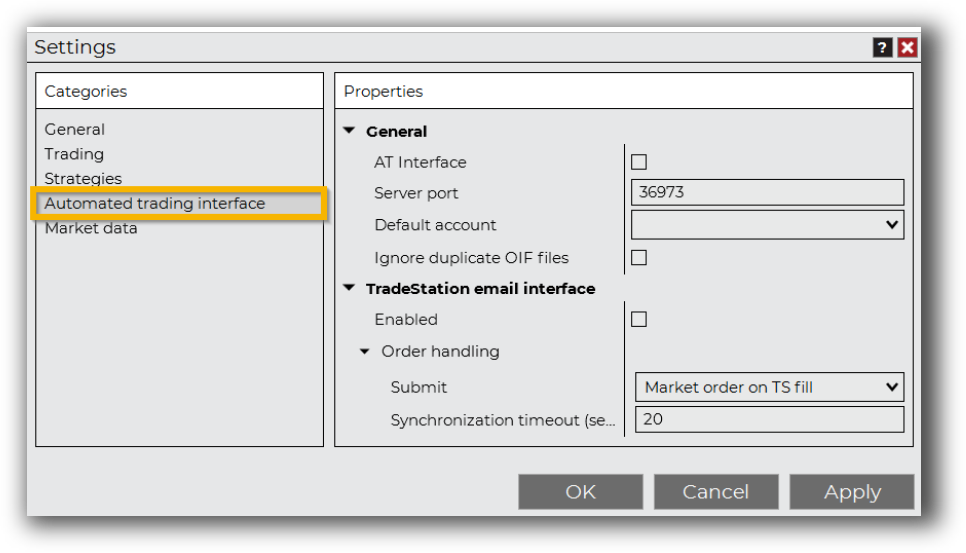
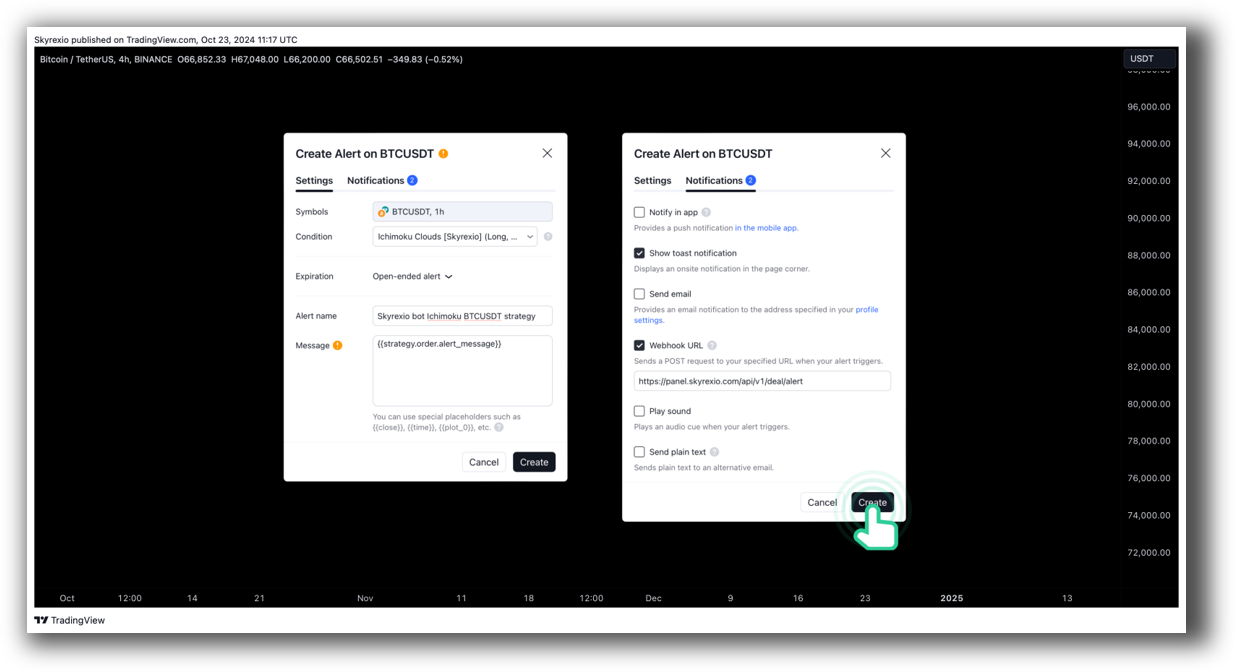
Check Out Order Types | Automated Trading Systems
NinjaTrader Automation Set Up:
TradingView Automation Set Up:
Support, Documentation & Learning Resources
- TradingView has a massive online user base, hundreds of community scripts, and strong documentation for Pine Script.
- NinjaTrader offers deep documentation but is more technical. Their support is more targeted to developers and serious traders.
If you’re learning to trade systematically, neither platform holds your hand. You’ll need structured training or a mentor, especially for NinjaTrader.
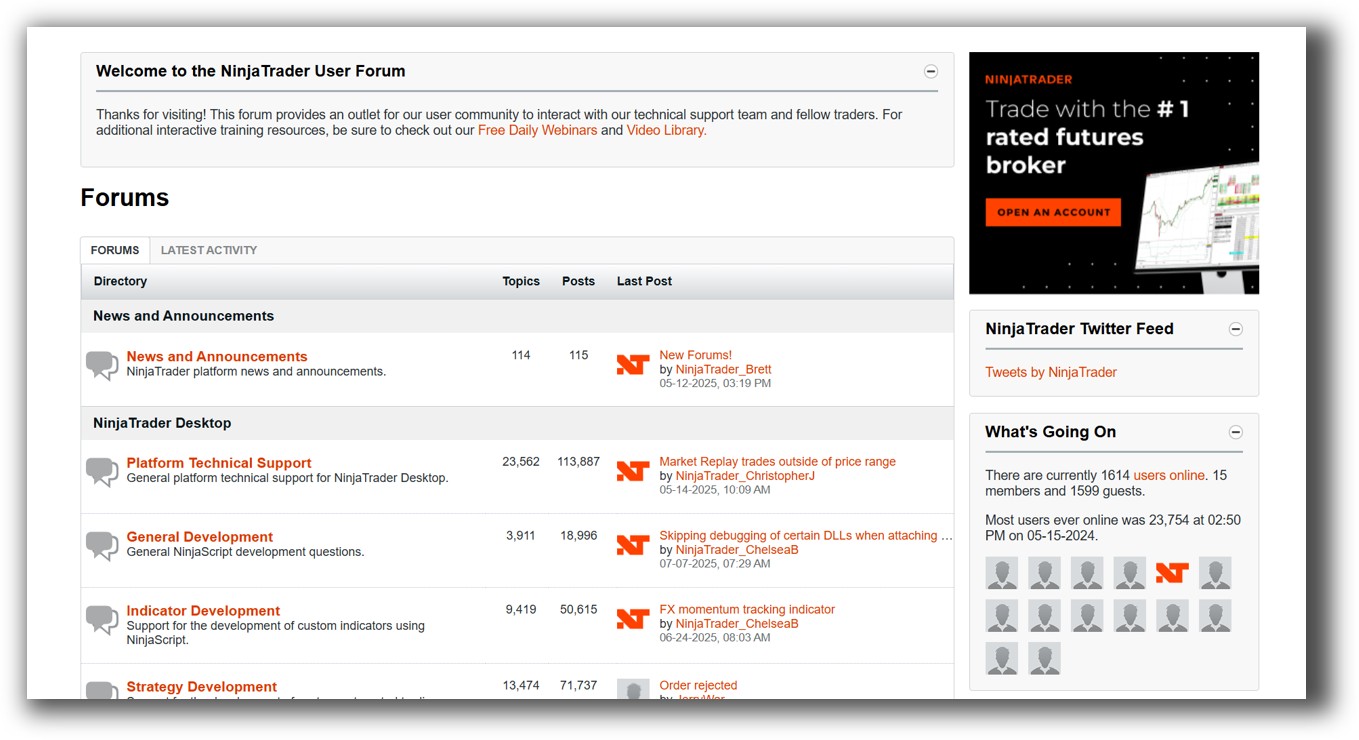
NinjaTrader Forum Front Page is illustrated down below:
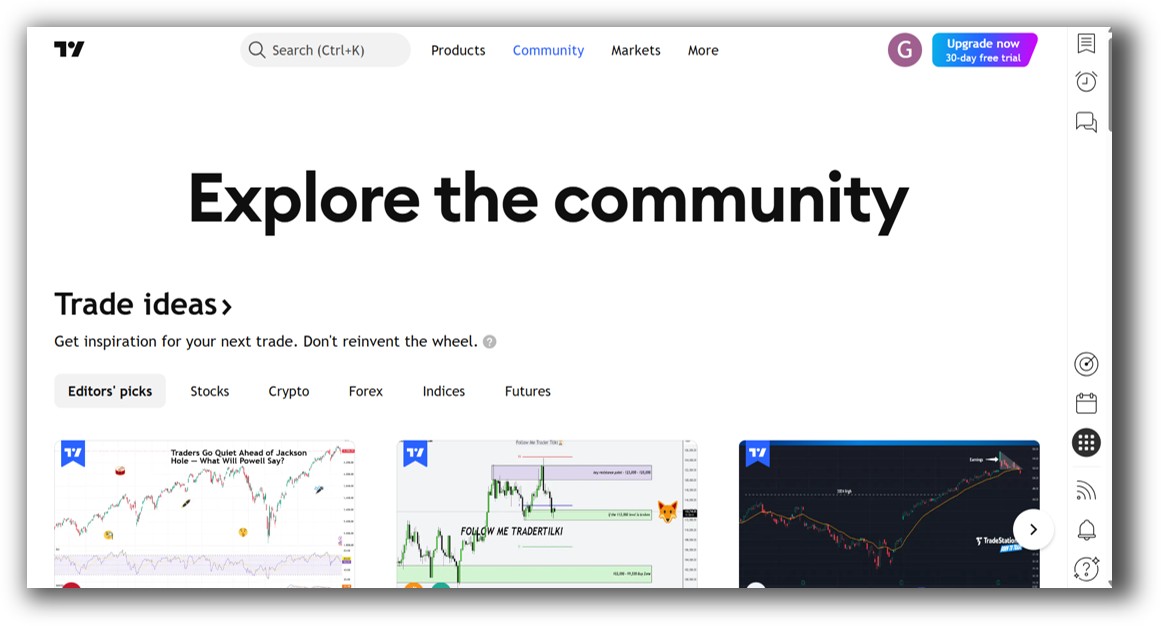
TradingView Forum Front Page is illustrated down below:
NinjaTrader VS TradingView: Which One Should You Use?
Both NinjaTrader and TradingView have their place, but your choice should depend on how far you want to go with systematic trading.
- TradingView is excellent for idea generation, chart analysis, and simpler rule-based systems. It’s intuitive and works on any device.
- NinjaTrader is more powerful for serious traders building, testing, and running systematic strategies, especially in futures.
If you’re just dabbling, TradingView may be enough. But if you want to build a reliable trading engine for long-term wealth and consistency, NinjaTrader has the better tools.
Our Recommendation
At Enlightened Stock Trading, we’ve tested nearly every backtesting software on the market.
While both platforms offer value, neither NinjaTrader nor TradingView is the best tool for building and managing a full portfolio of systematic trading systems.
We recommend RealTest, a lightweight, high-speed, and realistic backtesting engine that outperforms both platforms for systematic traders.
If you want to simulate realistic trade execution, optimize your workflow, and avoid false confidence from poor backtests, RealTest is our preferred choice.
Use TradingView for charting. Consider NinjaTrader if you’re futures-focused. But for backtesting your way to consistent profits, RealTest stands out.
Want The Rest of the Puzzle?
Backtesting software is just one piece of the puzzle. The real transformation happens when you align your tools, your systems, and your psychology with your goals.
If you’re tired of chasing tips and want to build wealth systematically, the next step is clear: The Trader Success System.
Inside, you’ll discover:
- Proven trading systems
- A step-by-step backtesting framework
- Position sizing tools
- Automation strategies that let you trade in 30 minutes or less
Trading and Backtesting Software Review List
- RealTest vs Amibroker
- RealTest VS TradeStation
- RealTest VS NinjaTrader
- RealTest VS MultiCharts
- RealTest VS Wealth-Lab
- RealTest VS Beyond Charts
- RealTest VS Optuma
- RealTest VS TradingView
- RealTest VS MetaTrader 4 (MT4)
- RealTest VS MetaTrader 5 (MT5)
- AmiBroker VS TradeStation
- AmiBroker VS NinjaTrader
- AmiBroker VS MultiCharts
- AmiBroker VS Wealth-Lab
- AmiBroker VS Beyond Charts
- AmiBroker VS Optuma
- AmiBroker VS TradingView
- AmiBroker VS MetaTrader 4 (MT4)
- AmiBroker VS MetaTrader 5 (MT5)
- TradeStation VS NinjaTrader
- TradeStation VS MultiCharts
- TradeStation VS Wealth-Lab
- TradeStation VS Beyond Charts
- TradeStation VS Optuma
- TradeStation VS TradingView
- TradeStation VS MetaTrader 4 (MT4)
- TradeStation VS MetaTrader 5 (MT5)
- NinjaTrader VS MultiCharts
- NinjaTrader VS Wealth-Lab
- NinjaTrader VS Beyond Charts
- NinjaTrader VS Optuma
- NinjaTrader VS TradingView
- NinjaTrader VS MetaTrader 4 (MT4)
- NinjaTrader VS MetaTrader 5 (MT5)
- MultiCharts VS Wealth-Lab
- MultiCharts VS Beyond Charts
- MultiCharts VS Optuma
- MultiCharts VS TradingView
- MultiCharts VS MetaTrader 4 (MT4)
- MultiCharts VS MetaTrader 5 (MT5)
- Wealth-Lab VS Beyond Charts
- Wealth-Lab VS Optuma
- Wealth-Lab VS TradingView
- Wealth-Lab VS MetaTrader 4 (MT4)
- Wealth-Lab VS MetaTrader 5 (MT5)
- Beyond Charts VS Optuma
- Beyond Charts VS TradingView
- Beyond Charts VS MetaTrader 4 (MT4)
- Beyond Charts VS MetaTrader 5 (MT5)
- Optuma VS TradingView
- Optuma VS MetaTrader 4 (MT4)
- Optuma VS MetaTrader 5 (MT5)
- TradingView VS MetaTrader 4 (MT4)
- TradingView VS MetaTrader 5 (MT5)
- MetaTrader 4 (MT4) VS MetaTrader 5 (MT5)


