

Optuma VS MetaTrader 4: Comparing Backtesting Software for Systematic Trading
If you’re a serious systematic trader, MetaTrader 4 (MT4) lacks the depth and structure needed for robust backtesting and strategy design. Optuma offers stronger capabilities for technical charting and scripting, but it’s still not purpose-built for fully systematic, portfolio-level testing. While both platforms serve different purposes, neither is ideal for systematic traders who want fast, realistic, and scalable backtesting. For that, RealTest is preferred.
But let’s break down the comparison, so you can see which one might still play a supporting role in your trading setup.
Optuma VS MetaTrader 4 at a Glance:
Short on time? Here’s how Optuma VS MetaTrader 4 compare side by side.
|
Feature |
Optuma |
MetaTrader 4 |
|
Operating System |
Windows Desktop; Web (via Parallels on Mac) |
Windows Desktop; Mobile (iOS/Android) |
|
Cost |
~$810/year (Trader tier) |
Free via brokers |
|
Programming Language |
Optuma Script Language (OSL) |
MQL4 (C-like, for indicators & EAs) |
|
Brokerage Integration |
Interactive Brokers (via scripting) |
Fully integrated (broker dependent) |
|
Backtesting Engine |
Yes – Single security only |
Yes – Limited, single-instrument focus |
|
Automation Support |
Partial (via scripting & integrations) |
Yes – Full EA automation |
|
Charting |
Advanced visual tools |
Standard charting, broker-dependent |
|
Documentation |
Mixed quality, somewhat dated |
Community-based, fragmented |
TradeStation provides access to US equities, options, futures, forex, and crypto (via partner). You get real-time and historical data bundled with your brokerage account or available for purchase.
Optuma supports global market data (ASX, TSX, NYSE, and others) but via external data feeds like Norgate Data. This adds complexity and additional cost, but also flexibility.
If you’re trading globally or want diversified exposure across multiple exchanges, Optuma has an edge here. However, expect setup time and a steep learning curve.
Check Out: Trading System Development
Platform Overview, Cost & Compatibility
Optuma is a Windows-based desktop application with some cloud access via Parallels for Mac users. It’s built for traders who value advanced technical visualizations and scripting. Pricing starts around AUD $810 per year, with higher tiers for professional users.
MetaTrader 4, in contrast, is free to use if you’re trading through a supporting broker. It runs on Windows natively, with mobile access via official apps. Mac users can install it via emulators like Wine or Parallels, though Wine is not recommended.
- If you want a professional trading interface with strong visual tools, Optuma has an edge.
- If cost is a concern, MT4 is technically free, but it’s bundled with your broker.
Optuma Main View:

MetaTrader 4 Main View:
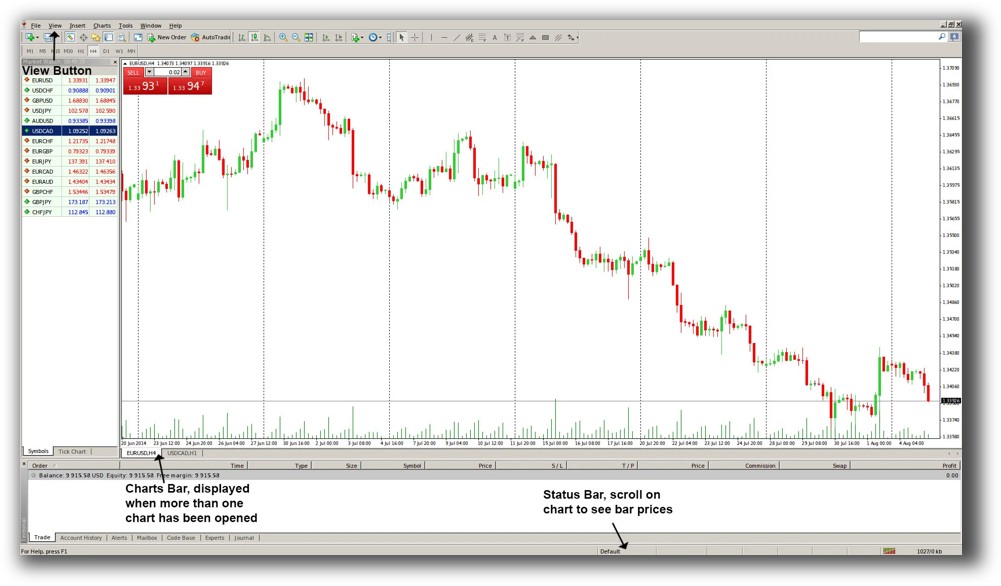
Market Access & Data Support in Optuma VS MetaTrader 4
Optuma supports a wide range of global market data feeds including Norgate and Bloomberg. However, data feeds often require separate subscriptions.
MT4 is primarily used for forex and CFDs, with market access controlled by the broker. You’re limited to the data your broker provides, which is often insufficient for rigorous backtesting across multiple asset classes.:
- Optuma is better for equities and multi-market setups.
- MT4 is focused on forex, which limits flexibility.
Optuma Backtesting Interface:

MetaTrader 4 Backtesting Interface:
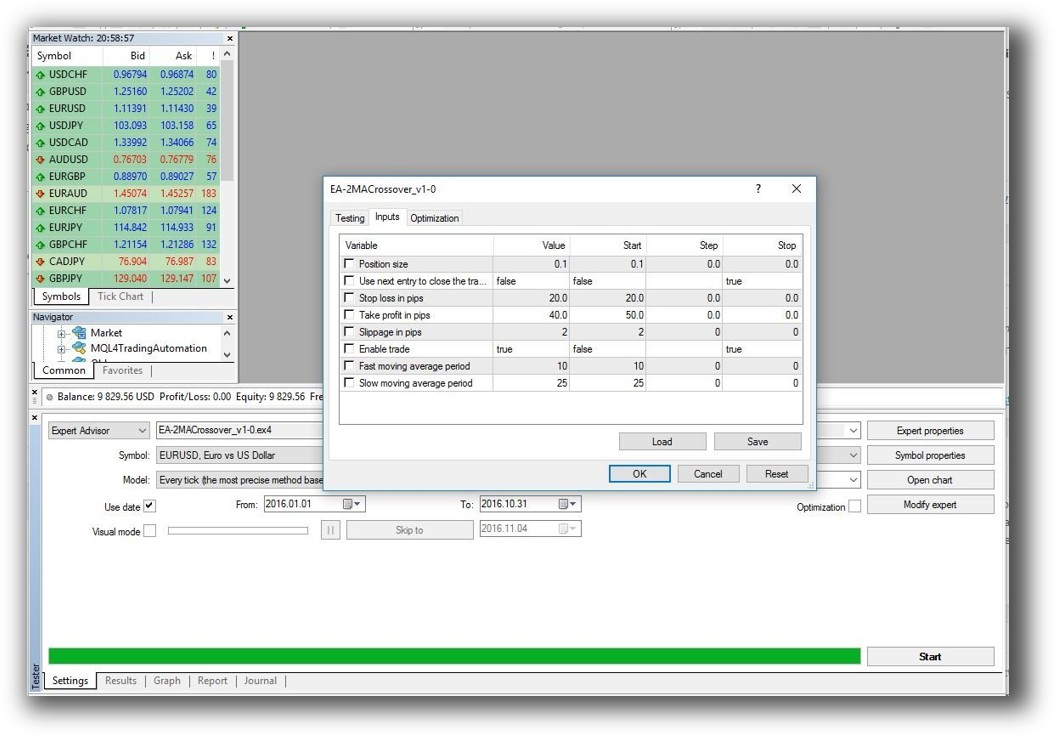
Building & Customizing Trading Strategies
Optuma uses its own scripting language (OSL), designed more for scanning and visualization than full trading system logic. It’s powerful for discretionary traders but limited for true systematic design across portfolios.
MetaTrader 4 relies on MQL4, a C-like language. While powerful for coding expert advisors (EAs), it’s time-intensive, especially for non-programmers. Testing portfolio-level strategies or combining multiple systems requires significant custom development.
- Optuma offers easier scripting but lacks portfolio-level execution.
- MT4 is more powerful in automation but has a steeper learning curve and lacks system-level structure.
Check Out: Trading System Development
Optuma Code Editor:

MetaTrader 4 Code Editor:

Backtesting Performance, Speed & Realism
Optuma allows backtesting on single securities but does not support true portfolio simulation or realistic trade sequencing. Slippage, commissions, and realistic fills require manual estimation.
MT4 allows backtesting EAs on single instruments with basic controls, but its simulation lacks realism. There’s no native support for walk-forward testing, slippage modeling, or realistic portfolio rebalancing.
- Both tools fall short for serious systematic backtesting.
- Neither supports realistic portfolio-level simulation or robust statistical validation.
Check out: Backtesting | Drawdown
Optuma Backtest Report:
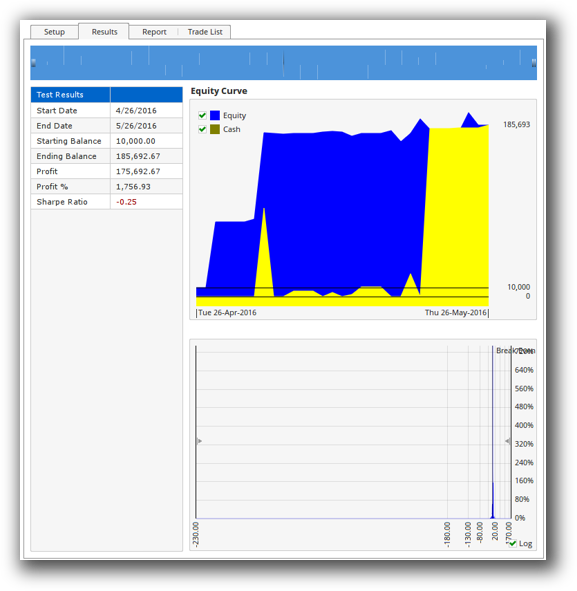
MetaTrader 4 Backtest Report:
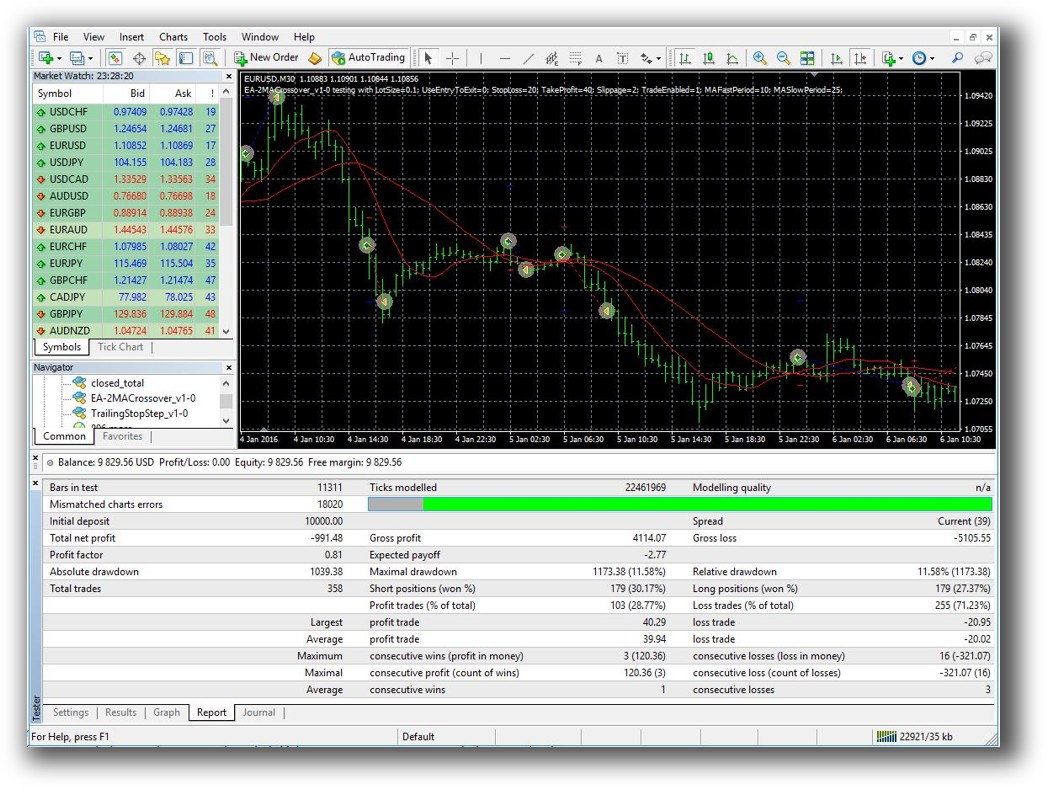
Strategy Optimization & Stress Testing Tools
Optuma does not include built-in robustness testing or walk-forward optimization. Parameter analysis is limited.
MT4 includes basic optimization tools but lacks deeper robustness metrics. Testing across multiple market conditions or applying Monte Carlo simulation requires third-party tools or heavy coding.
- If robustness matters to you (and it should), you’ll need external tools for both.
- RealTest remains the benchmark here for fast, realistic and reliable backtesting.
Charting Features, Signal Exploration & Live Execution
Optuma shines in this area. Its charting capabilities are among the best, with customizable scans and advanced visualization tools. You can build rule-based scans with the formula language, though not full automation.
MetaTrader 4 includes standard charting and indicators. Execution is handled through broker-integrated terminals or automated EAs. Visual appeal and usability depend heavily on the broker’s implementation.
- Optuma wins for scanning and charting flexibility.
- MT4 wins for automation and trade execution, assuming you’re staying within one asset class.
Check Out Order Types | Automated Trading Systems
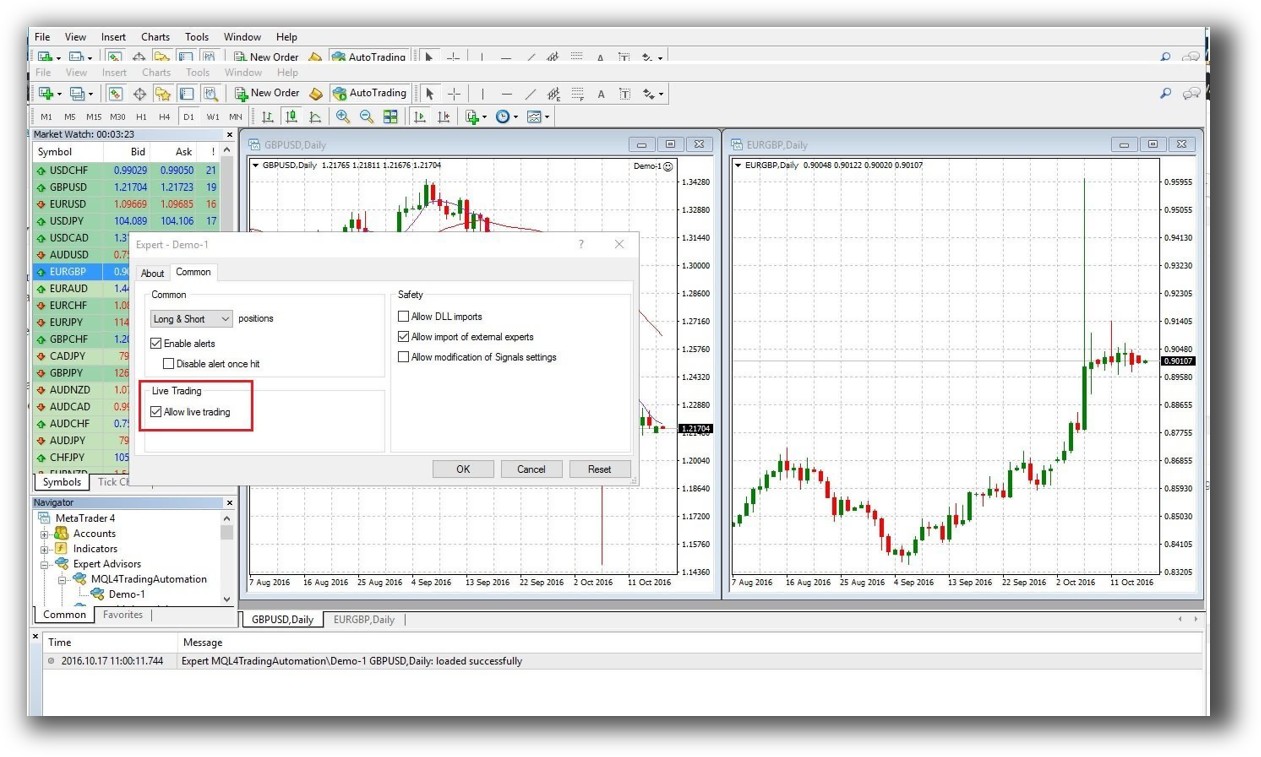
Optuma Automation Set Up:

MetaTrader 4 Automation Set Up:
Support, Documentation & Learning Resources
Optuma offers official documentation, but some users report that it’s scattered or outdated. The learning curve is manageable, especially for visual users.
MT4 has a vast online community, but documentation is community-driven and inconsistent. Quality varies depending on the source.
Compared to both, RealTest’s documentation is modern, clear, and purpose-built for systematic traders.
- Both platforms require effort to master.
- If clean, modern docs matter to you, consider alternatives like RealTest.
Optuma Forum Front Page is illustrated down below:

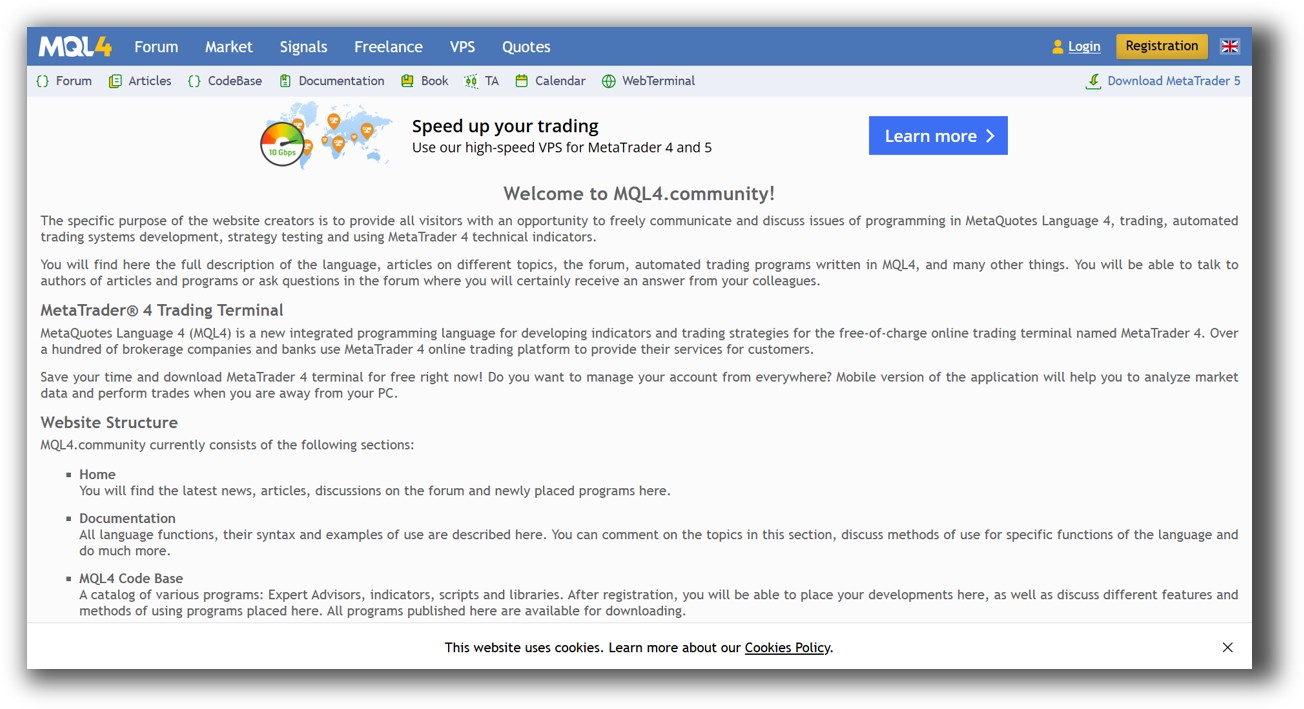
MetaTrader 4 Forum Front Page is illustrated down below:
Optuma VS MetaTrader 4: Which One Should You Use?
Both Optuma and MT4 serve distinct niches:
- Optuma is ideal for discretionary or semi-systematic traders who need high-end charting and scanning.
- MetaTrader 4 is best suited for forex-focused traders who are comfortable coding and want to deploy automated systems via brokers.
However, neither platform is ideal for traders who want:
- Fast, reliable, realistic multi-system backtesting software
- Easy portfolio-level simulation
- A structured, systematic trading strategy development workflow
Our Recommendation
If you’re serious about building a systematic trading business that’s scalable, realistic, and efficient, neither Optuma nor MT4 are enough. They may assist you in specific areas (like charting or automation), but they don’t deliver the full solution.
We recommend RealTest for serious backtesting and system development. It’s faster, more realistic, and more aligned with systematic trading principles.
If you already own Optuma or MT4, you can still use them. Just know their limitations, and integrate better tools where needed.
Want The Rest of the Puzzle?
Backtesting software is just one piece. The real transformation happens when you align your tools, your systems, and your psychology with your goals.
If you’re tired of chasing tips and want to build wealth systematically, the next step is clear: The Trader Success System.
Inside, you’ll discover:
- Proven trading systems
- A step-by-step backtesting framework
- Position sizing tools
- Automation strategies that let you trade in 30 minutes or less
Trading and Backtesting Software Review List
- RealTest vs Amibroker
- RealTest VS TradeStation
- RealTest VS NinjaTrader
- RealTest VS MultiCharts
- RealTest VS Wealth-Lab
- RealTest VS Beyond Charts
- RealTest VS Optuma
- RealTest VS TradingView
- RealTest VS MetaTrader 4 (MT4)
- RealTest VS MetaTrader 5 (MT5)
- AmiBroker VS TradeStation
- AmiBroker VS NinjaTrader
- AmiBroker VS MultiCharts
- AmiBroker VS Wealth-Lab
- AmiBroker VS Beyond Charts
- AmiBroker VS Optuma
- AmiBroker VS TradingView
- AmiBroker VS MetaTrader 4 (MT4)
- AmiBroker VS MetaTrader 5 (MT5)
- TradeStation VS NinjaTrader
- TradeStation VS MultiCharts
- TradeStation VS Wealth-Lab
- TradeStation VS Beyond Charts
- TradeStation VS Optuma
- TradeStation VS TradingView
- TradeStation VS MetaTrader 4 (MT4)
- TradeStation VS MetaTrader 5 (MT5)
- NinjaTrader VS MultiCharts
- NinjaTrader VS Wealth-Lab
- NinjaTrader VS Beyond Charts
- NinjaTrader VS Optuma
- NinjaTrader VS TradingView
- NinjaTrader VS MetaTrader 4 (MT4)
- NinjaTrader VS MetaTrader 5 (MT5)
- MultiCharts VS Wealth-Lab
- MultiCharts VS Beyond Charts
- MultiCharts VS Optuma
- MultiCharts VS TradingView
- MultiCharts VS MetaTrader 4 (MT4)
- MultiCharts VS MetaTrader 5 (MT5)
- Wealth-Lab VS Beyond Charts
- Wealth-Lab VS Optuma
- Wealth-Lab VS TradingView
- Wealth-Lab VS MetaTrader 4 (MT4)
- Wealth-Lab VS MetaTrader 5 (MT5)
- Beyond Charts VS Optuma
- Beyond Charts VS TradingView
- Beyond Charts VS MetaTrader 4 (MT4)
- Beyond Charts VS MetaTrader 5 (MT5)
- Optuma VS TradingView
- Optuma VS MetaTrader 4 (MT4)
- Optuma VS MetaTrader 5 (MT5)
- TradingView VS MetaTrader 4 (MT4)
- TradingView VS MetaTrader 5 (MT5)
- MetaTrader 4 (MT4) VS MetaTrader 5 (MT5)


