

RealTest vs TradeStation: Comparing Backtesting Software for Systematic Trading
Quick Answer:
If you’re a systematic trader looking for speed, precision, and a no-nonsense backtesting experience, RealTest is the better choice. It offers cleaner portfolio-level backtesting, easier scripting, and higher flexibility for rule-based trading. TradeStation, while powerful and integrated with a brokerage, is more suited for discretionary or hybrid traders who want advanced charting, built-in execution, and don’t mind a steeper learning curve.
If you value clarity, speed, and systematic thinking, RealTest will likely align better with how you want to trade.
RealTest vs TradeStation at a Glance
Short on time? Here’s how RealTest and TradeStation compare side by side.
| Feature | RealTest | TradeStation |
| OS Compatibility | Windows (64-bit); Mac via VM | Windows only (desktop); Web & Mobile limited |
| Pricing | US$389 once + US$159/year optional updates | Platform free, but requires brokerage & data fees |
| Portfolio Backtesting | Full multi-system, multi-symbol backtesting | Yes, but less transparent |
| Optimization | Basic brute force with realism | Extensive (with risk of overfitting) |
| Charting | Minimal; functional | Excellent, interactive, multi-timeframe |
| Execution | Exports orders to IBKR, etc. | Fully integrated with brokerage |
| Learning Curve | Moderate; logical syntax | Steep due to platform complexity |
| Documentation | Modern, clear, concise | Legacy-style; harder to navigate |
| Scripting Language | Custom rule-based scripting | EasyLanguage (proprietary but readable) |
Platform Overview, Cost & Compatibility
RealTest is a purpose-built backtesting engine focused on helping traders simulate systematic strategies with realism and speed. It runs on 64-bit Windows and works via virtual machines on Mac (Parallels, Bootcamp). It’s a one-time purchase (US$389), with optional annual updates ($159) – no monthly fees, no lock-in.
TradeStation, by contrast, is a full-service brokerage platform with charting, backtesting, and live trading bundled together. The software itself is free, but only if you use TradeStation as your broker. You’ll pay through brokerage commissions and data feeds, which can stack up. It’s Windows-only with a basic web and mobile experience.
If you’re running multiple strategies, prefer control, and want to separate your backtesting from your broker, RealTest offers better long-term flexibility and lower cost.
RealTest Main View:

TradeStation Main View:

Market Access & Data Support in RealTest and TradeStation
RealTest supports multiple markets by allowing you to import data from external sources (like Norgate Data, Yahoo, or your own CSVs). You control what data goes in, and that’s powerful. It supports stocks, ETFs, indexes, and even crypto if formatted correctly.
TradeStation supports U.S. stocks, options, futures, and forex natively – but you’re limited to what their platform and brokerage offer. If you want full global market access or use different data vendors, you’ll find TradeStation restrictive
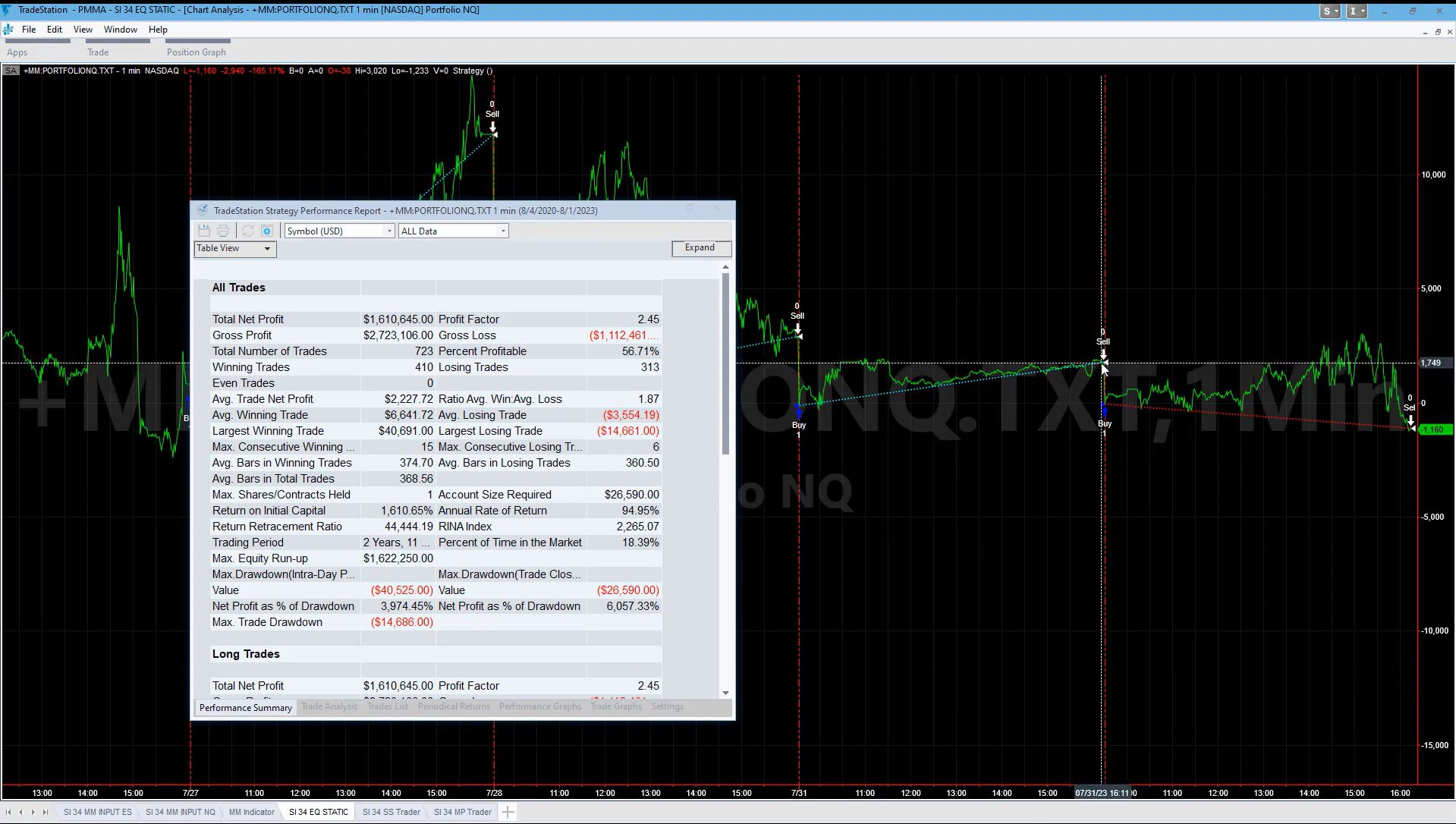
RealTest Backtesting Interface:

TradeStation Backtesting Interface:
Building & Customizing Trading Strategies
RealTest shines here. You write strategies in plain, rule-based logic. No looping. No messy syntax. Each strategy is like a checklist. This is ideal for traders who want to test ideas quickly and clearly.
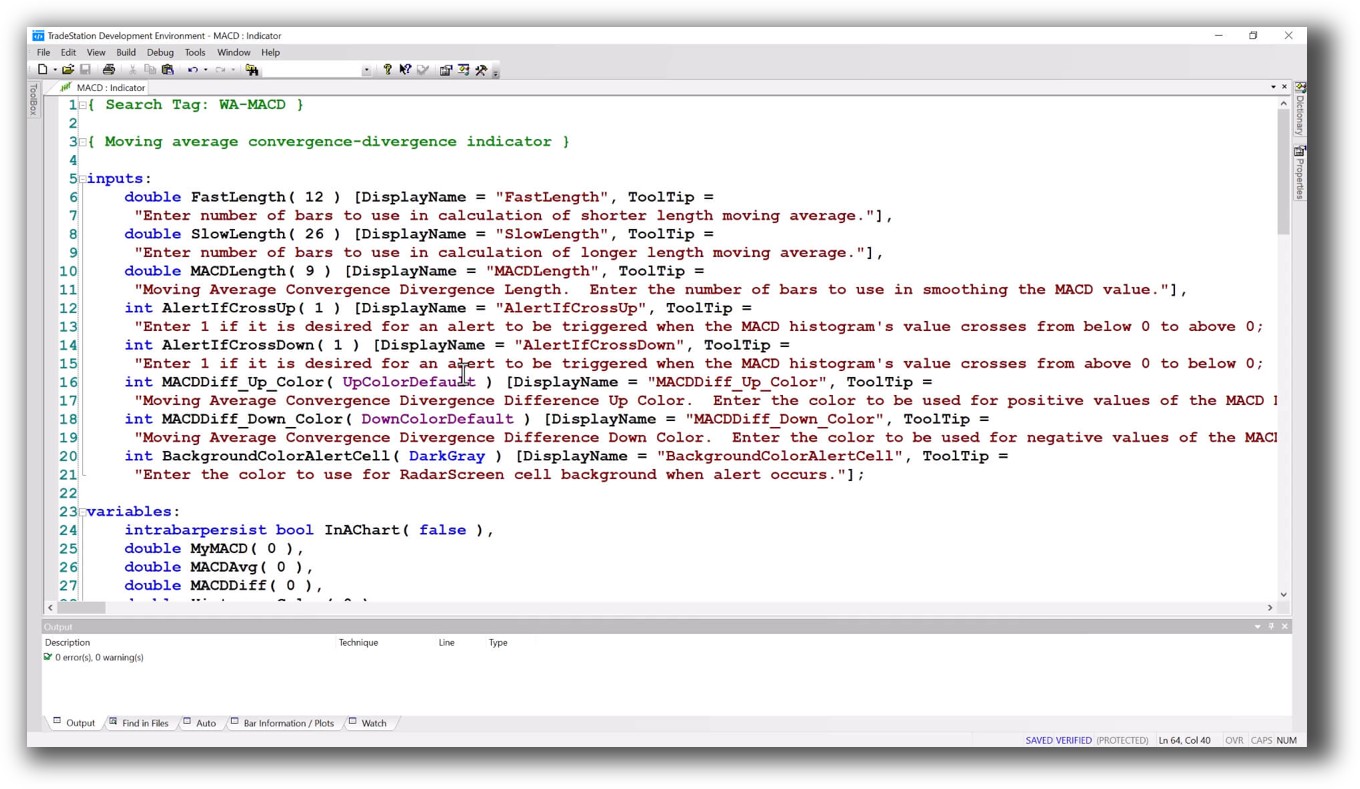
TradeStation uses EasyLanguage, which is more like traditional programming. It’s readable but can get bulky. It supports complex custom indicators and workflows, which is great for advanced users but intimidating for beginners.
If you want to test your logic, tweak a few rules, and hit “Run” – RealTest is faster and less error-prone.
Check Out: Trading System Development
RealTest Code Editor:
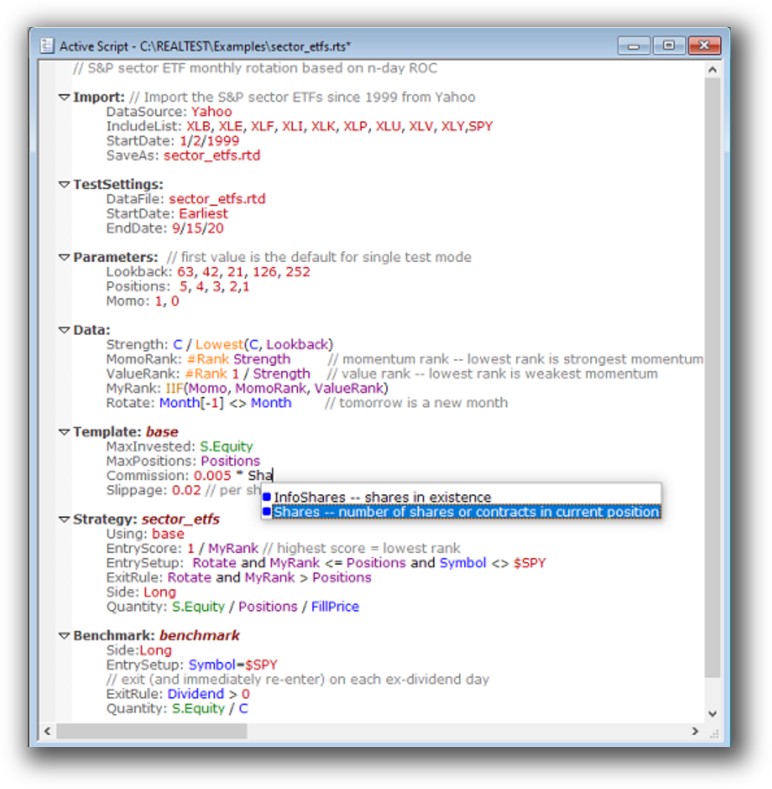
TradeStation Code Editor:
Backtesting Performance, Speed & Realism
This is where RealTest dominates.
It was built from the ground up to simulate entire portfolios, not just single strategies. It includes:
- Realistic execution timing
- Capital constraints
- Position sizing
- Multi-strategy portfolio testing
- Strategy-level and portfolio-level metrics
TradeStation offers backtesting too, but often runs at the individual symbol level, with limited cross-symbol awareness. Portfolio backtesting is possible, but it requires more setup, and realism suffers. Execution assumptions in TradeStation are more abstract, which can lead to misleading results.
For systematic traders, realism and portfolio-level testing matter. And that’s RealTest’s core strength.
Check out: Backtesting | Drawdown
RealTest Backtest Report:
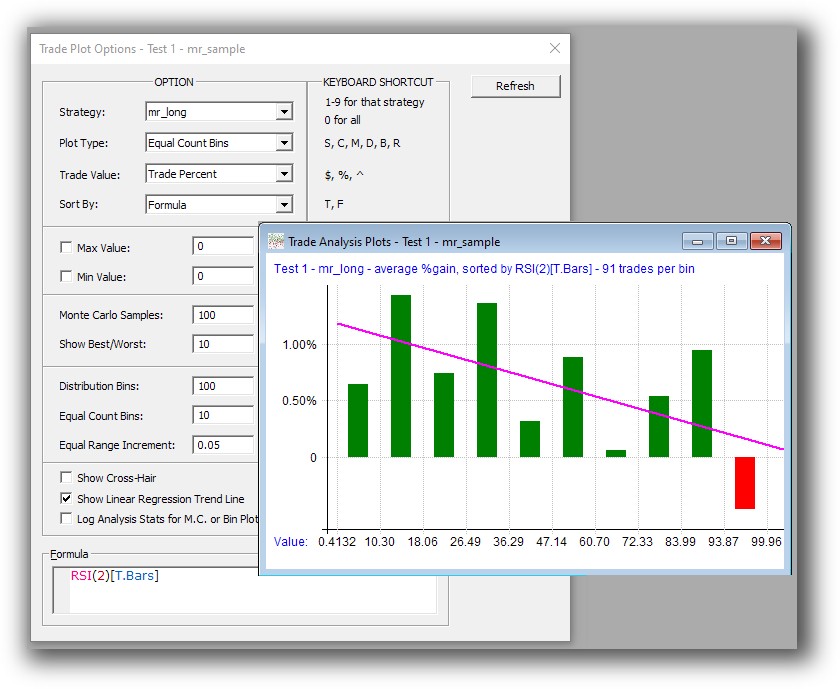
TradeStationBacktest Report:

Strategy Optimization & Stress Testing Tools
TradeStation has powerful optimizers and walk-forward tools. If you want to brute-force 100,000 combinations of a parameter, you can.
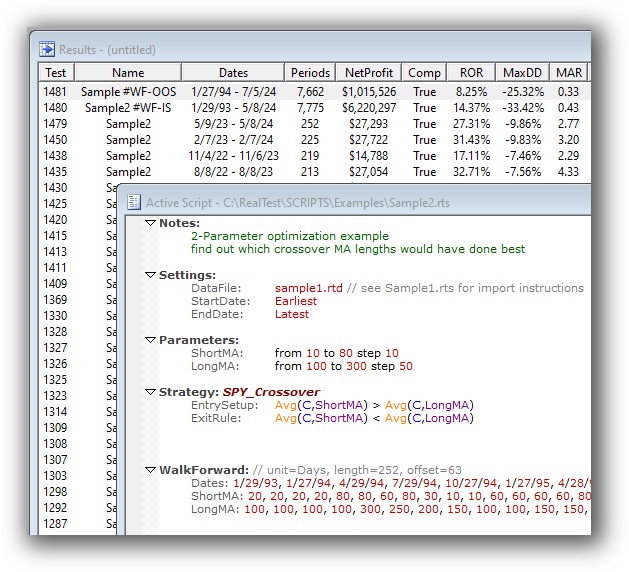
RealTest takes a different approach. It encourages simple, logical testing of ideas using rule variations and controlled simulations. It supports brute-force optimization, but it’s not the main event. Why? Because over-optimization is a trap.
If you want to focus on building robust strategies that actually work, RealTest keeps you grounded.
Check Out: Trading System Optimization
Real Test Walk-Forward:
TradeStation Walk-Forward Out of Sample:

Charting Features, Signal Exploration & Live Execution
This is where TradeStation wins. If you love charts, indicators, scanning through setups visually, or placing trades directly from a chart, TradeStation delivers.
RealTest provides only basic charts – functional, but minimal. It’s not built to scan for live trades or be your visual dashboard. It’s built to validate ideas through logic, not visuals.
Execution-wise:
- RealTest exports order files (e.g. for Interactive Brokers or third-party automation).
- TradeStation integrates execution, backtesting, and brokerage in one platform.
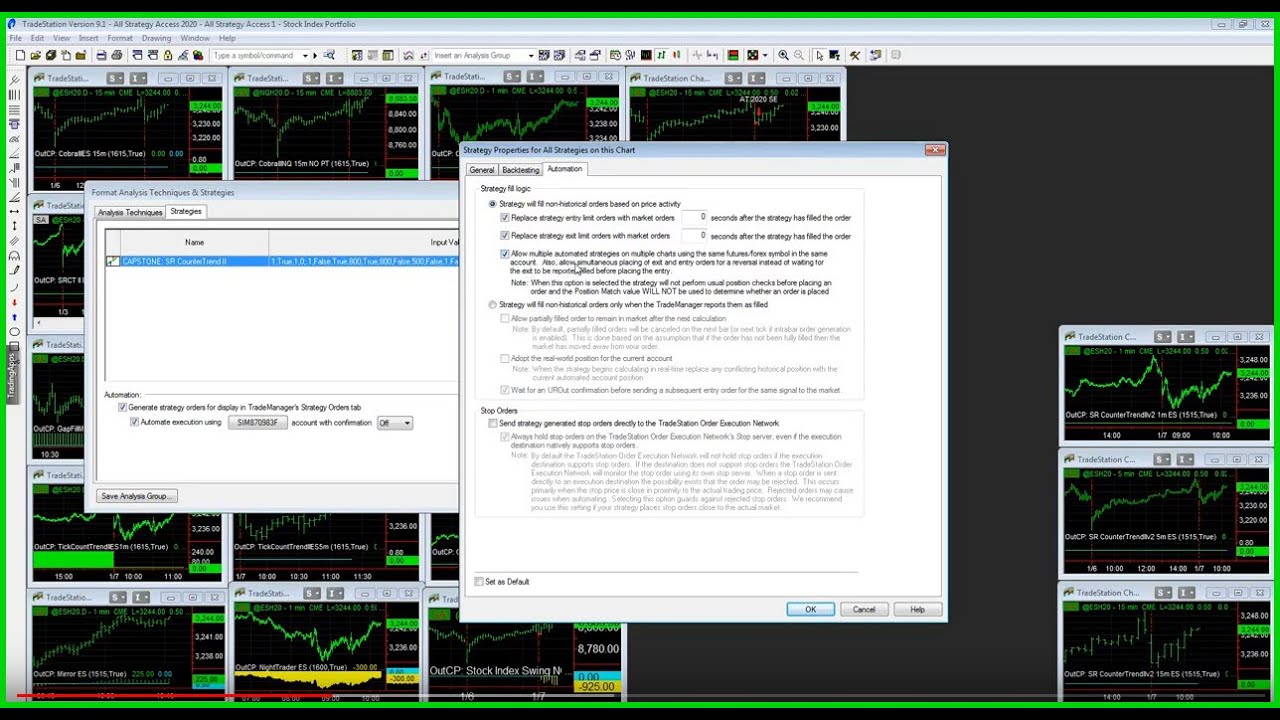
If you need tight integration and one-click trades from a chart, TradeStation is better. But for most serious systematic traders, decoupling research from execution is preferred, RealTest supports that separation.
Check Out Order Types | Automated Trading Systems
RealTest Automation Set Up:

TradeStation Automation Set Up (Format Strategies):
Support, Documentation & Learning Resources
RealTest’s documentation is clear, searchable, and modern. If you’ve ever been stuck in old software with outdated docs (hello AmiBroker…), you’ll appreciate this.
TradeStation’s documentation is more fragmented and legacy-heavy. While there’s a large user base and plenty of tutorials, it takes longer to filter through noise and old resources.
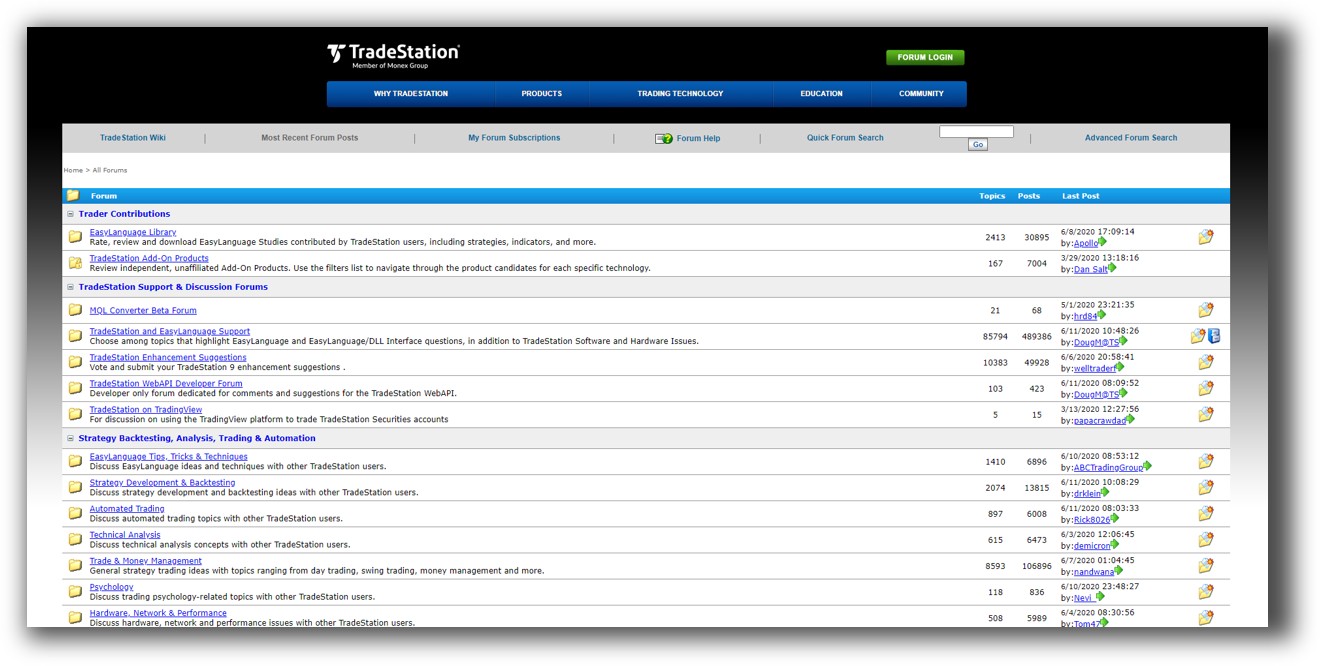
RealTest’s creator, Marsten Parker, is also active and responsive in forums, another bonus if you’re stuck.
RealTest Forum is illustrated down below:

TradeStation Forum is llustrated down below:
RealTest vs TradeStation: Which One Should You Use?
If your goal is to build, test, and validate robust rule-based trading strategies with speed and confidence, RealTest is the superior backtesting software.
It’s faster, cleaner, and gives you better visibility into what your strategy is actually doing.
TradeStation is still a strong choice for visual traders, discretionary setups, or those who want an all-in-one brokerage platform with solid charting. But it’s not ideal for portfolio-level testing or clean separation of research and execution.
Our Recommendation
At Enlightened Stock Trading, we mentor traders to build their own systematic edge – not rely on broker platforms or pretty charts.
That’s why we recommend RealTest for most serious traders.
- It aligns with your logic-driven mindset
- It removes the clutter of brokerage distractions
- It helps you focus on building and validating strategies that actually work
You’ll save hours of frustration and get to consistent results faster.
Want the Rest of the Puzzle?
To become a confident, profitable trader, you also need:
- A structured trading plan
- A portfolio of systems
- Proper risk management
- Accurate analytics
- The mindset to stay consistent
You’ll find it all in The Trader Success System. It’s the most comprehensive and practical training available for system traders.
Trading and Backtesting Software Review List
- RealTest vs Amibroker
- RealTest VS TradeStation
- RealTest VS NinjaTrader
- RealTest VS MultiCharts
- RealTest VS Wealth-Lab
- RealTest VS Beyond Charts
- RealTest VS Optuma
- RealTest VS TradingView
- RealTest VS MetaTrader 4 (MT4)
- RealTest VS MetaTrader 5 (MT5)
- AmiBroker VS TradeStation
- AmiBroker VS NinjaTrader
- AmiBroker VS MultiCharts
- AmiBroker VS Wealth-Lab
- AmiBroker VS Beyond Charts
- AmiBroker VS Optuma
- AmiBroker VS TradingView
- AmiBroker VS MetaTrader 4 (MT4)
- AmiBroker VS MetaTrader 5 (MT5)
- TradeStation VS NinjaTrader
- TradeStation VS MultiCharts
- TradeStation VS Wealth-Lab
- TradeStation VS Beyond Charts
- TradeStation VS Optuma
- TradeStation VS TradingView
- TradeStation VS MetaTrader 4 (MT4)
- TradeStation VS MetaTrader 5 (MT5)
- NinjaTrader VS MultiCharts
- NinjaTrader VS Wealth-Lab
- NinjaTrader VS Beyond Charts
- NinjaTrader VS Optuma
- NinjaTrader VS TradingView
- NinjaTrader VS MetaTrader 4 (MT4)
- NinjaTrader VS MetaTrader 5 (MT5)
- MultiCharts VS Wealth-Lab
- MultiCharts VS Beyond Charts
- MultiCharts VS Optuma
- MultiCharts VS TradingView
- MultiCharts VS MetaTrader 4 (MT4)
- MultiCharts VS MetaTrader 5 (MT5)
- Wealth-Lab VS Beyond Charts
- Wealth-Lab VS Optuma
- Wealth-Lab VS TradingView
- Wealth-Lab VS MetaTrader 4 (MT4)
- Wealth-Lab VS MetaTrader 5 (MT5)
- Beyond Charts VS Optuma
- Beyond Charts VS TradingView
- Beyond Charts VS MetaTrader 4 (MT4)
- Beyond Charts VS MetaTrader 5 (MT5)
- Optuma VS TradingView
- Optuma VS MetaTrader 4 (MT4)
- Optuma VS MetaTrader 5 (MT5)
- TradingView VS MetaTrader 4 (MT4)
- TradingView VS MetaTrader 5 (MT5)
- MetaTrader 4 (MT4) VS MetaTrader 5 (MT5)


