

TradeStation VS TradingView: Comparing Backtesting Software for Systematic Trading
If you’re searching for the best backtesting software to develop, test, and run rule-based trading systems, two popular names will keep cropping up: TradeStation and TradingView.
So which one is better for serious, systematic traders?
TradeStation offers powerful portfolio-level backtesting and full brokerage integration, but it’s locked into the Windows ecosystem and comes with a steeper learning curve. TradingView, on the other hand, wins with ease of use, platform access across devices, and wide community engagement, but falls short on robust backtesting capabilities.
For traders building scalable, rule-based strategies, the choice depends on how deep you want to go. Let’s break it down so you can choose the right tool for your trading evolution.
TradeStation VS TradingView at a Glance
Short on time? Here’s how TradeStation VS TradingView compare side by side.
| Feature | TradeStation | TradingView |
| Year Established | 1982 | 2011 |
| OS Support | Windows only | Web, Mac, Windows, iOS, Android |
| Programming Language | EasyLanguage | Pine Script |
| Integrated Brokerage | Fully integrated (stocks, options, futures) | Supports multiple brokers |
| Strategy Backtesting | Portfolio-level, fast, realistic | Limited to single instrument |
| Charting | Advanced (Windows only) | Web-based, modern, user-friendly |
| Automation | Native via TradeStation API | Via third-party plugins and alerts |
| Documentation | Deep, but dated | Cleaner UI, active community support |
| Cost | Brokerage + data fees | Freemium + monthly tiers |
Platform Overview, Cost & Compatibility
TradeStation is a legacy Windows-based platform designed for active traders. It’s free to use if you have a funded brokerage account but incurs charges for market data and premium tools. You’ll need a Windows PC or a Parallels setup on Mac, which isn’t ideal for flexibility.
TradingView is browser-based and works on virtually any device. It offers a freemium model with multiple pricing tiers for advanced features. It’s accessible, lightweight, and visually modern, making it an easy starting point for newer traders.
Note: Neither platform runs natively on Mac without a workaround. For serious backtesting and system development, running on a native OS matters for performance and reliability.
TradeStation Main View:

TradingView Main View:
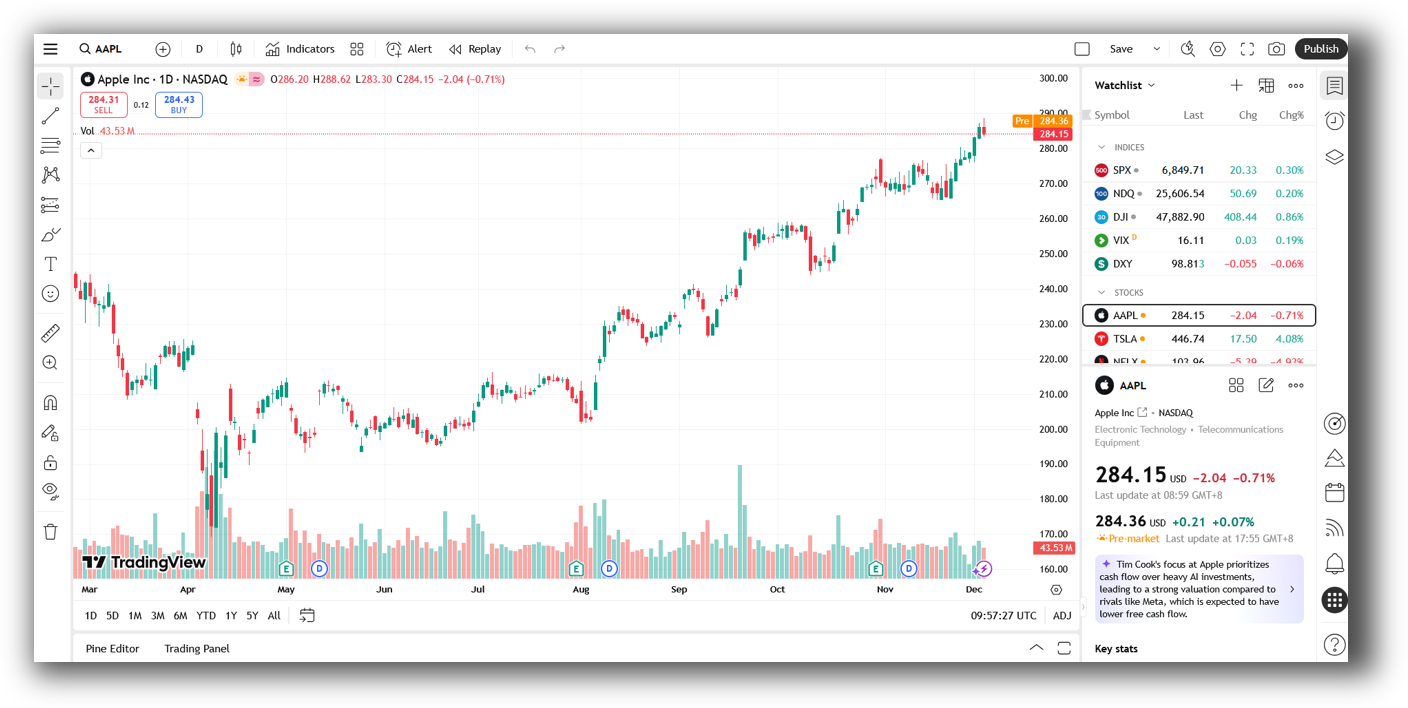
Market Access & Data Support in TradeStation VS TradingView
TradeStation provides integrated brokerage services for stocks, options, futures, and crypto (via partner relationships). You can backtest and trade in the same place, which simplifies workflow and reduces friction.
TradingView connects to a wide range of brokers but doesn’t handle execution natively. It’s primarily a charting and signal platform (great for alerts and scanning, but disconnected when it comes to live, automated execution.)
TradeStation’s data is cleaner and more complete for system development, while TradingView relies on real-time data but restricts backtesting to a single instrument at a time.
Check Out: Trading System Development
TradeStation Backtesting Interface:
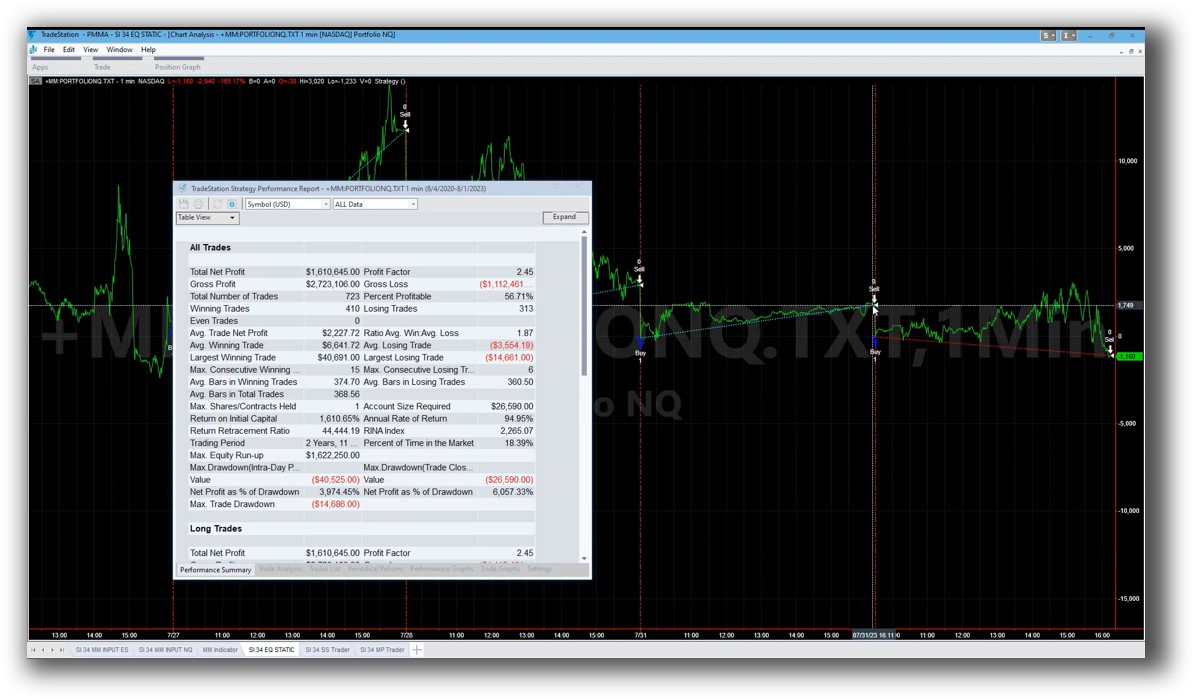
TradingView Backtesting Interface:
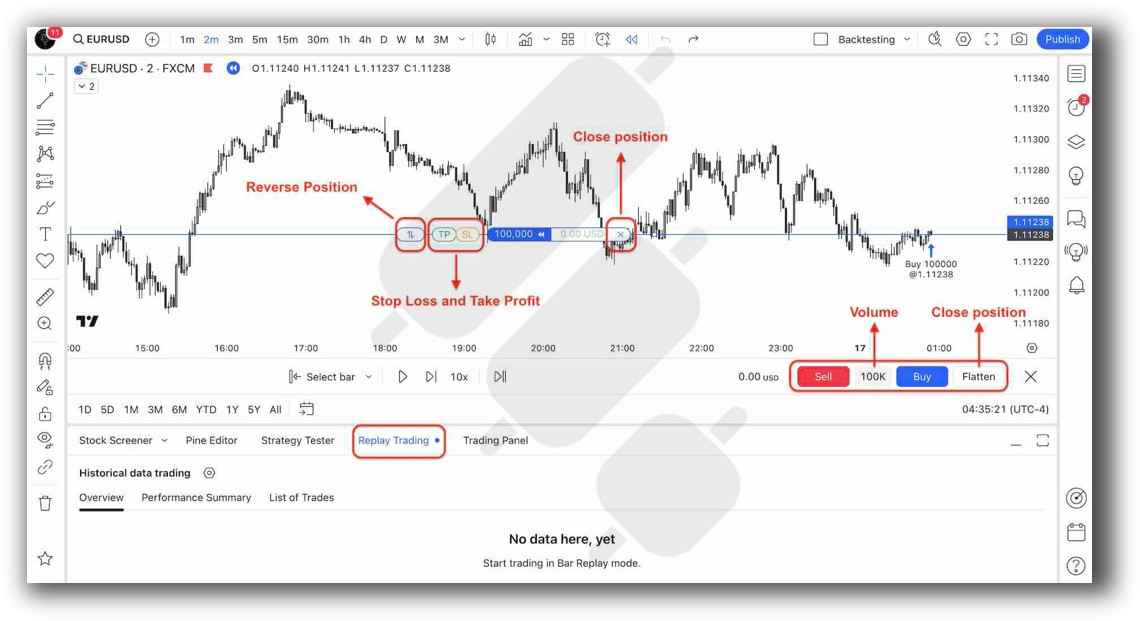
Building & Customizing Trading Strategies
TradeStation uses EasyLanguage, a proprietary but intuitive scripting language. It supports conditions, indicators, and strategy automation with full control over trade logic. Once you get past the learning curve, it’s powerful and precise.
TradingView uses Pine Script, which is lighter and more accessible, but not designed for portfolio-level logic or robust automation. It’s useful for learning logic and visualising ideas, but you’re limited to single-chart scripts.
For systematic traders aiming to build rule-based strategies that scale, TradeStation provides a better development environment.
Check Out: Trading System Development
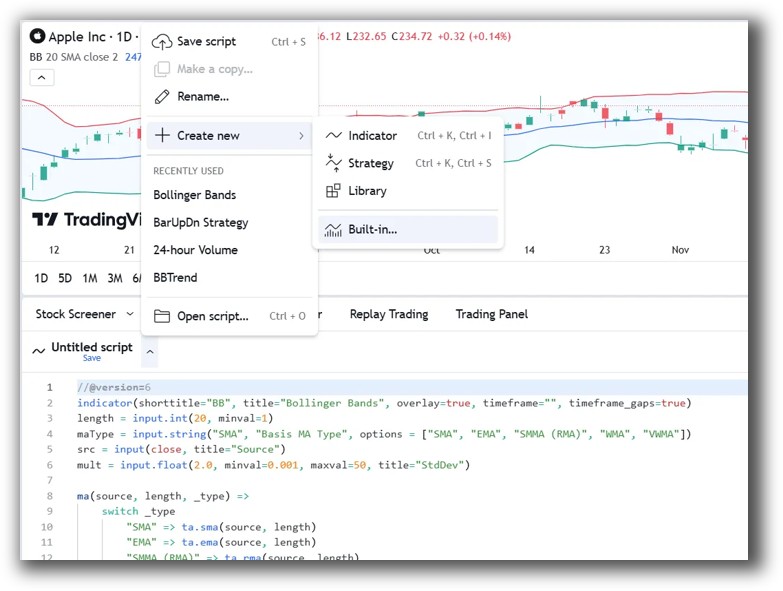
TradeStation Code Editor:
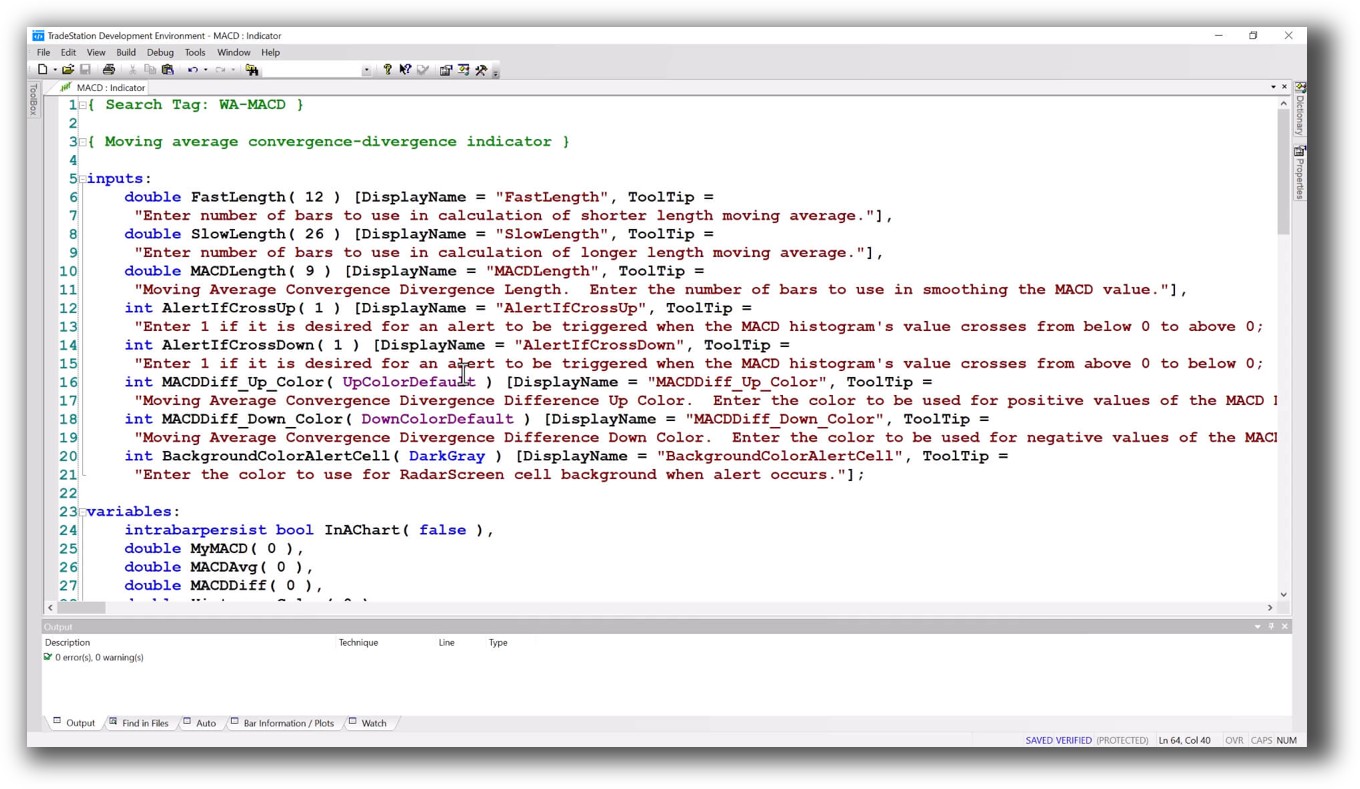
TradingView Code Editor:
Backtesting Performance, Speed & Realism
Here’s where the difference becomes critical.
TradeStation allows portfolio-level backtesting, supports historical slippage, commissions, and multi-instrument strategies. This makes it suitable for validating systems with realistic assumptions, essential for confidence and scalability.
TradingView, by contrast, only supports single-instrument backtesting, and doesn’t offer real portfolio simulation. You can test ideas on individual charts but can’t simulate full strategy portfolios or capital allocation across multiple systems.
This limitation makes TradingView a chartist’s tool, not a robust system development platform.
Check out: Backtesting | Drawdown
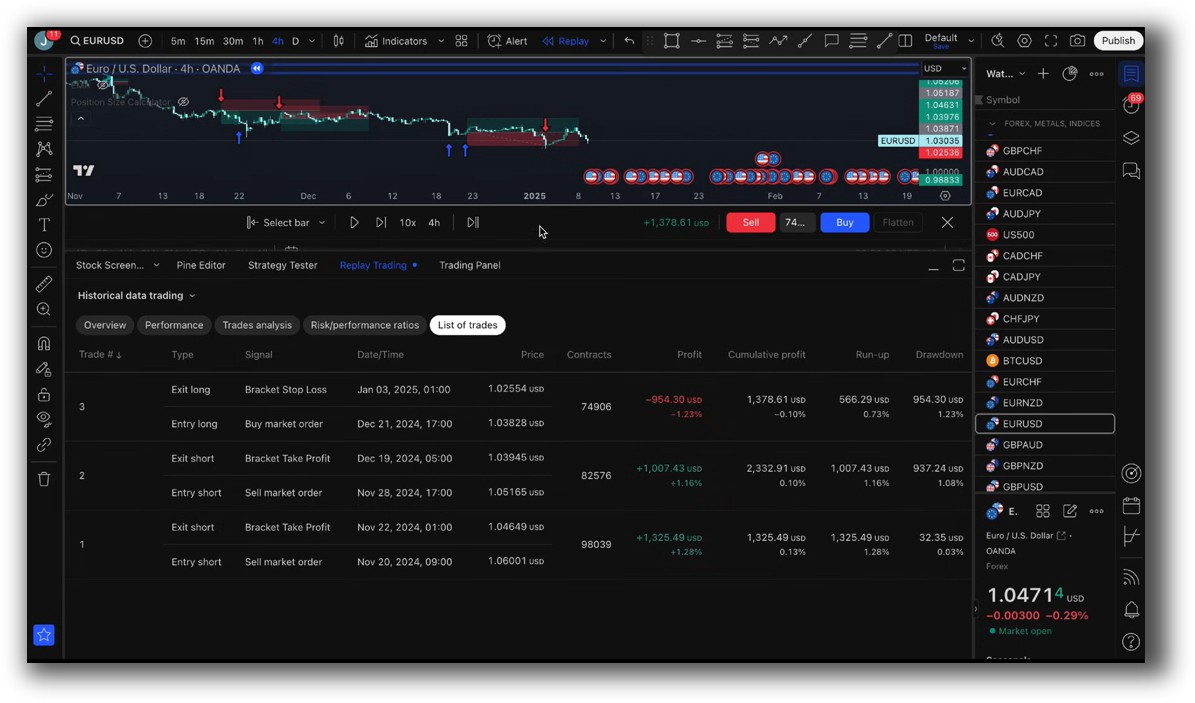
TradeStation Backtest Report:

TradingView Backtest Report:
Strategy Optimization & Stress Testing Tools
-
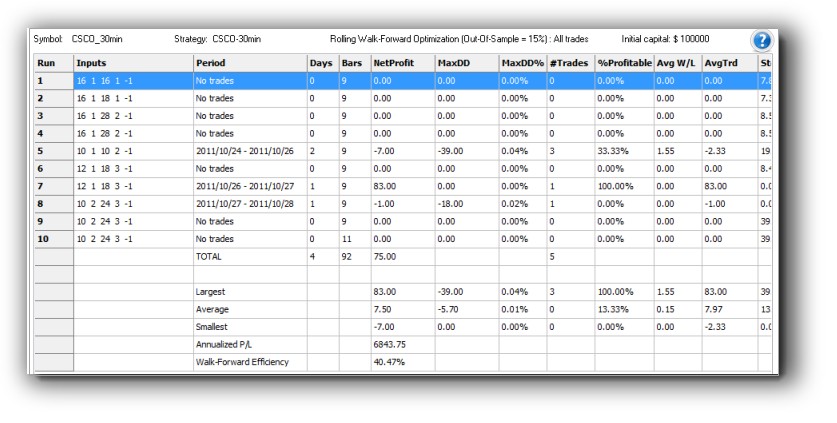
TradeStation offers walk-forward analysis, parameter optimization, and full access to slippage, commissions, and out-of-sample testing. You can explore strategy sensitivity and test robustness, vital for avoiding curve fitting.
-
TradingView does not support formal optimization or robustness testing.
For traders serious about confidence and scale, TradeStation offers the necessary depth. TradingView is not built for robustness evaluation, which can lead to false confidence if you’re not careful.
Check Out: Trading System Optimization
TradeStation Walk-Forward (Out-of-Sample):
Charting Features, Signal Exploration & Live Execution
TradingView clearly wins on charting and scanning. Its interface is faster, more user-friendly, and supports custom indicators with ease. If your workflow includes active market monitoring, TradingView is a strong companion tool.
TradeStation, while powerful, feels dated in comparison and requires installation on a Windows machine.
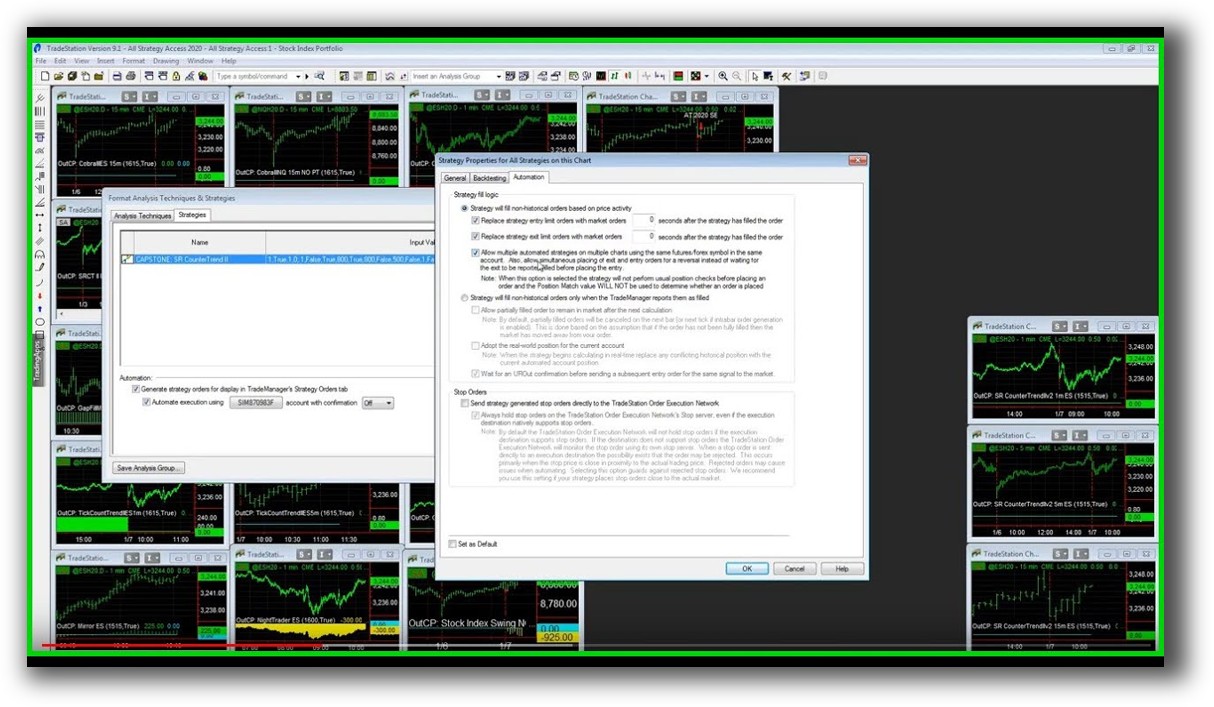
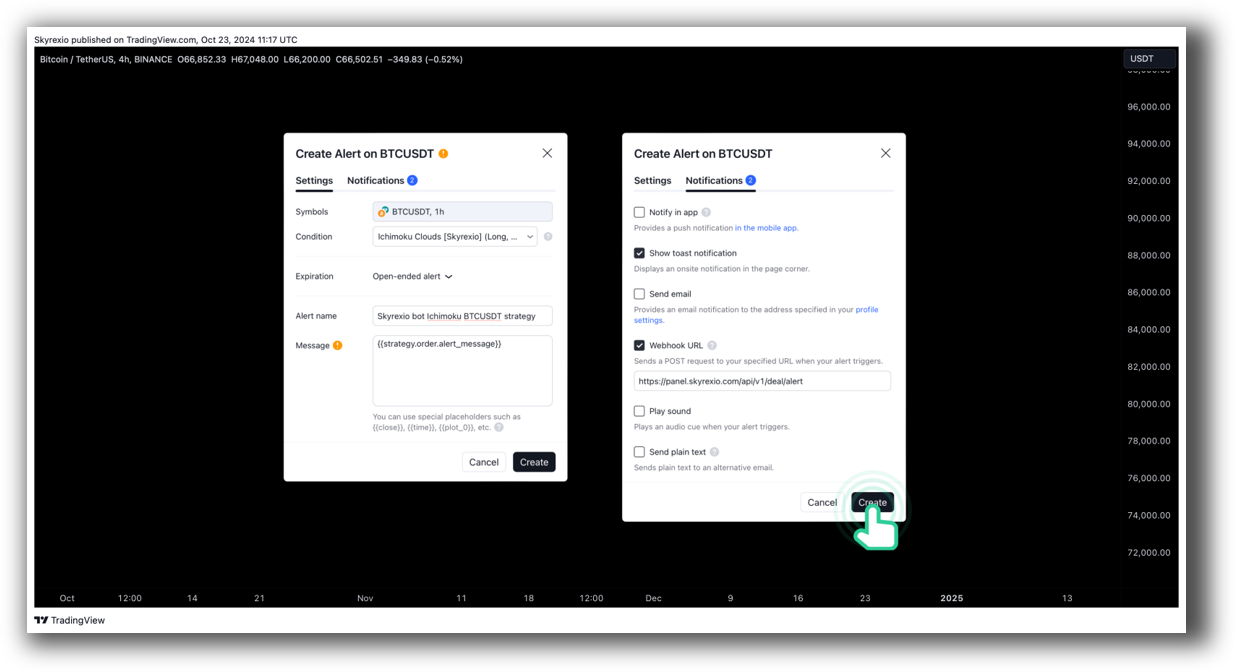
Execution-wise, TradeStation enables direct trade automation, while TradingView requires alerts + third-party integration (like webhook-based execution via brokers like Alpaca).
If charting and discretionary alerts matter to you, TradingView is unmatched. But for true automation and strategy execution, TradeStation takes the lead.
Check Out Order Types | Automated Trading Systems
TradeStation Automation Set Up (Format Strategies):
TradingView Automation Set Up (TradingView Alerts):
Support, Documentation & Learning Resources
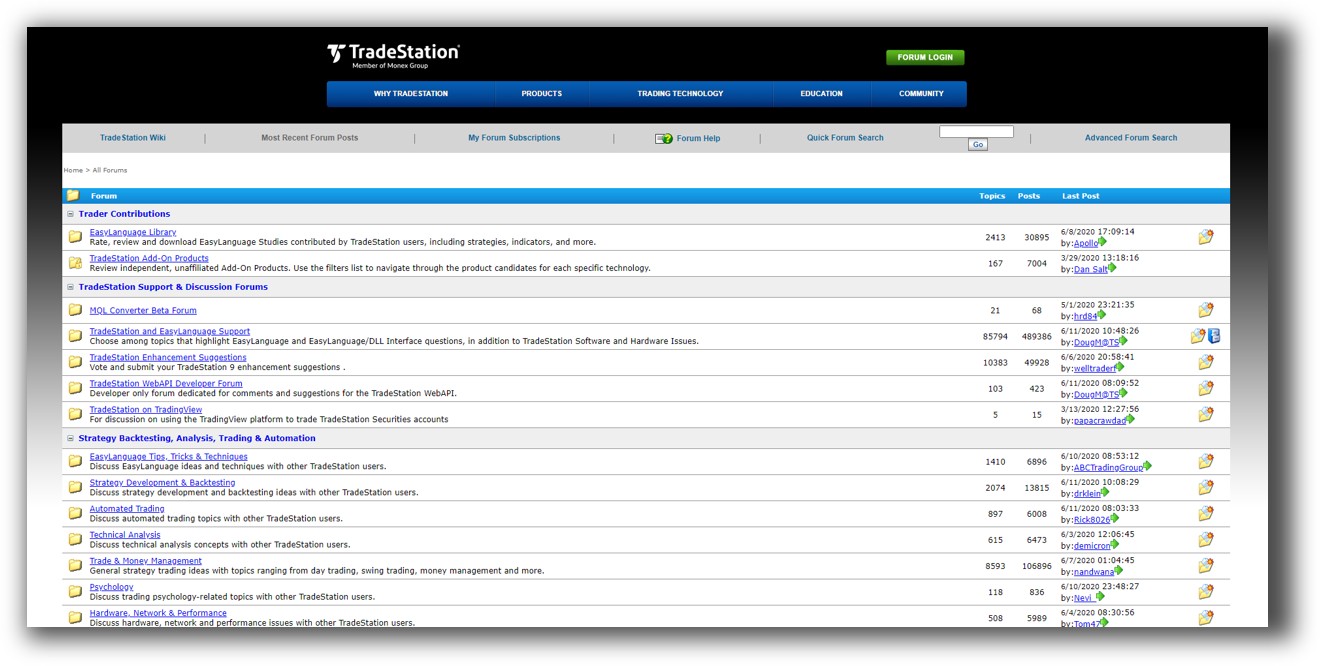
TradeStation’s documentation is comprehensive but can be overwhelming and outdated in areas. The EasyLanguage community is large but less modern.
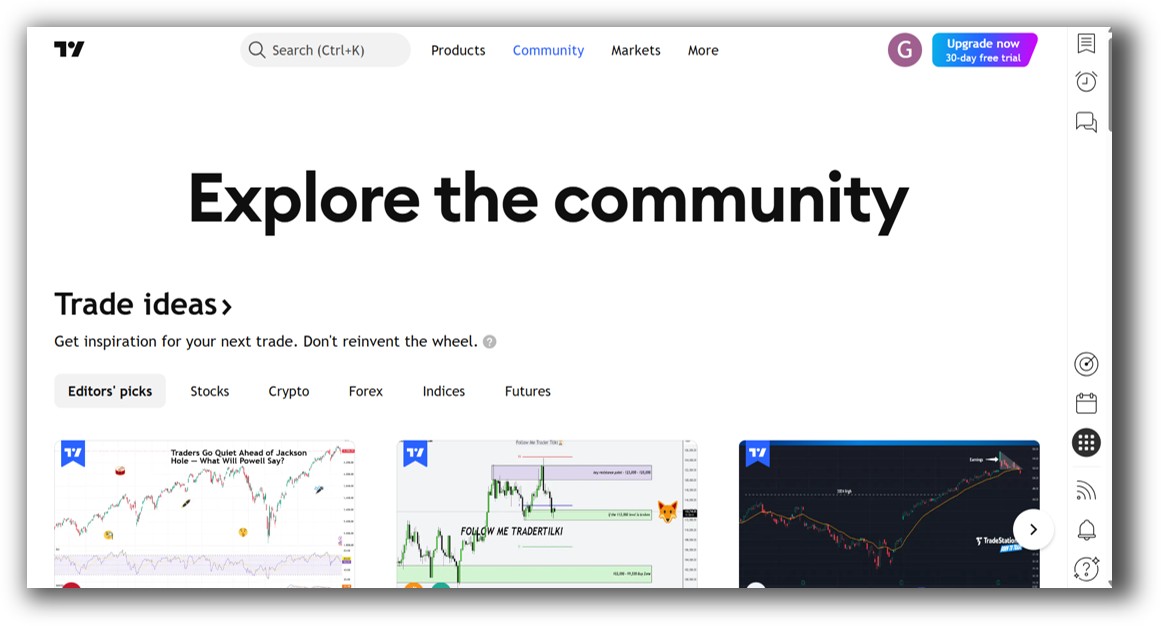
TradingView offers a cleaner experience with a strong user community and plenty of user-generated content. However, advanced users will eventually hit its limitations.
For clarity, realism, and strategy-first education, platforms like RealTest or AmiBroker remain superior – with documentation designed for systematic thinkers.
TradeStation Forum is illustrated down below:
TradingView Community is illustrated down below:
TradeStation VS TradingView: Which One Should You Use?
- If your goal is charting, alerts, and scanning, and you want something that works on any device, TradingView is a strong option.
- If your goal is developing, backtesting, and running systematic strategies, TradeStation wins, hands down, among the two.
But be honest with yourself: Are you here to draw charts, or build a scalable trading engine?
Our Recommendation:
For system traders who want to develop robust, diversified strategies and manage risk across multiple markets, TradeStation is the better option between the two.
However, it’s not the best overall. RealTest is the preferred tool for portfolio-level backtesting due to its:
- Speed
- Realism
- Simple scripting interface
- Support for multi-strategy, multi-timeframe simulations
If you’re early in your journey and want to combine visual learning with basic testing, TradingView is a helpful companion, but not the full solution.
Want the Rest of the Puzzle?
Backtesting is just one piece.
If you want to build unshakeable confidence in your systems, diversify across markets, automate your trades, and finally stop second-guessing yourself, then the real work begins now.
The next step is learning the proven process we use to turn inconsistent traders into confident, rule-based professionals.
Learn more inside The Trader Success System, your shortcut to systematic trading success.
Remember – You are only one trading system away!
Trading and Backtesting Software Review List
- RealTest vs Amibroker
- RealTest VS TradeStation
- RealTest VS NinjaTrader
- RealTest VS MultiCharts
- RealTest VS Wealth-Lab
- RealTest VS Beyond Charts
- RealTest VS Optuma
- RealTest VS TradingView
- RealTest VS MetaTrader 4 (MT4)
- RealTest VS MetaTrader 5 (MT5)
- AmiBroker VS TradeStation
- AmiBroker VS NinjaTrader
- AmiBroker VS MultiCharts
- AmiBroker VS Wealth-Lab
- AmiBroker VS Beyond Charts
- AmiBroker VS Optuma
- AmiBroker VS TradingView
- AmiBroker VS MetaTrader 4 (MT4)
- AmiBroker VS MetaTrader 5 (MT5)
- TradeStation VS NinjaTrader
- TradeStation VS MultiCharts
- TradeStation VS Wealth-Lab
- TradeStation VS Beyond Charts
- TradeStation VS Optuma
- TradeStation VS TradingView
- TradeStation VS MetaTrader 4 (MT4)
- TradeStation VS MetaTrader 5 (MT5)
- NinjaTrader VS MultiCharts
- NinjaTrader VS Wealth-Lab
- NinjaTrader VS Beyond Charts
- NinjaTrader VS Optuma
- NinjaTrader VS TradingView
- NinjaTrader VS MetaTrader 4 (MT4)
- NinjaTrader VS MetaTrader 5 (MT5)
- MultiCharts VS Wealth-Lab
- MultiCharts VS Beyond Charts
- MultiCharts VS Optuma
- MultiCharts VS TradingView
- MultiCharts VS MetaTrader 4 (MT4)
- MultiCharts VS MetaTrader 5 (MT5)
- Wealth-Lab VS Beyond Charts
- Wealth-Lab VS Optuma
- Wealth-Lab VS TradingView
- Wealth-Lab VS MetaTrader 4 (MT4)
- Wealth-Lab VS MetaTrader 5 (MT5)
- Beyond Charts VS Optuma
- Beyond Charts VS TradingView
- Beyond Charts VS MetaTrader 4 (MT4)
- Beyond Charts VS MetaTrader 5 (MT5)
- Optuma VS TradingView
- Optuma VS MetaTrader 4 (MT4)
- Optuma VS MetaTrader 5 (MT5)
- TradingView VS MetaTrader 4 (MT4)
- TradingView VS MetaTrader 5 (MT5)
- MetaTrader 4 (MT4) VS MetaTrader 5 (MT5)


