
TradingView VS MetaTrader 4: Comparing Backtesting Software for Systematic Trading
If your primary goal is to build, test, and trade rule-based systems with confidence and speed, neither TradingView nor MetaTrader 4 is ideal as your main backtesting software. That title belongs to RealTest. However, both TradingView and MT4 offer specific features that can still serve certain traders well, especially for charting and execution. Here’s how they compare side-by-side.
TradingView VS MetaTrader 4 at a Glance:
Short on time? Here’s how TradingView VS MetaTrader 4 compare side by side.
|
Feature |
TradingView |
MetaTrader 4 |
|
Year Established |
2011 |
2005 |
|
Operating System |
Web + Windows/Mac app |
Windows only |
|
Broker Integration |
Partial, via connected accounts |
Full, broker-delivered platform |
|
Strategy Language |
Pine Script v5 |
MQL4 (more complex, but powerful) |
|
Backtesting Support |
Basic, limited realism |
Strategy tester with limitations |
|
Platform Cost |
Freemium w/ upgrades |
Free through brokers |
|
Data Access |
Wide multi-asset coverage |
Broker-dependent |
|
Ease of Use |
Intuitive for charting and scripting |
Steeper learning curve |
Platform Overview, Cost & Compatibility
TradingView is a browser-based platform with additional desktop apps for Mac and Windows. It’s fast, responsive, and runs without installation. That’s a big plus for traders who use multiple devices. However, full backtesting capabilities require a paid plan.
MetaTrader 4 is a Windows-only desktop application (unless run through a virtual machine on Mac). It’s been around since 2005 and is widely used by forex traders.
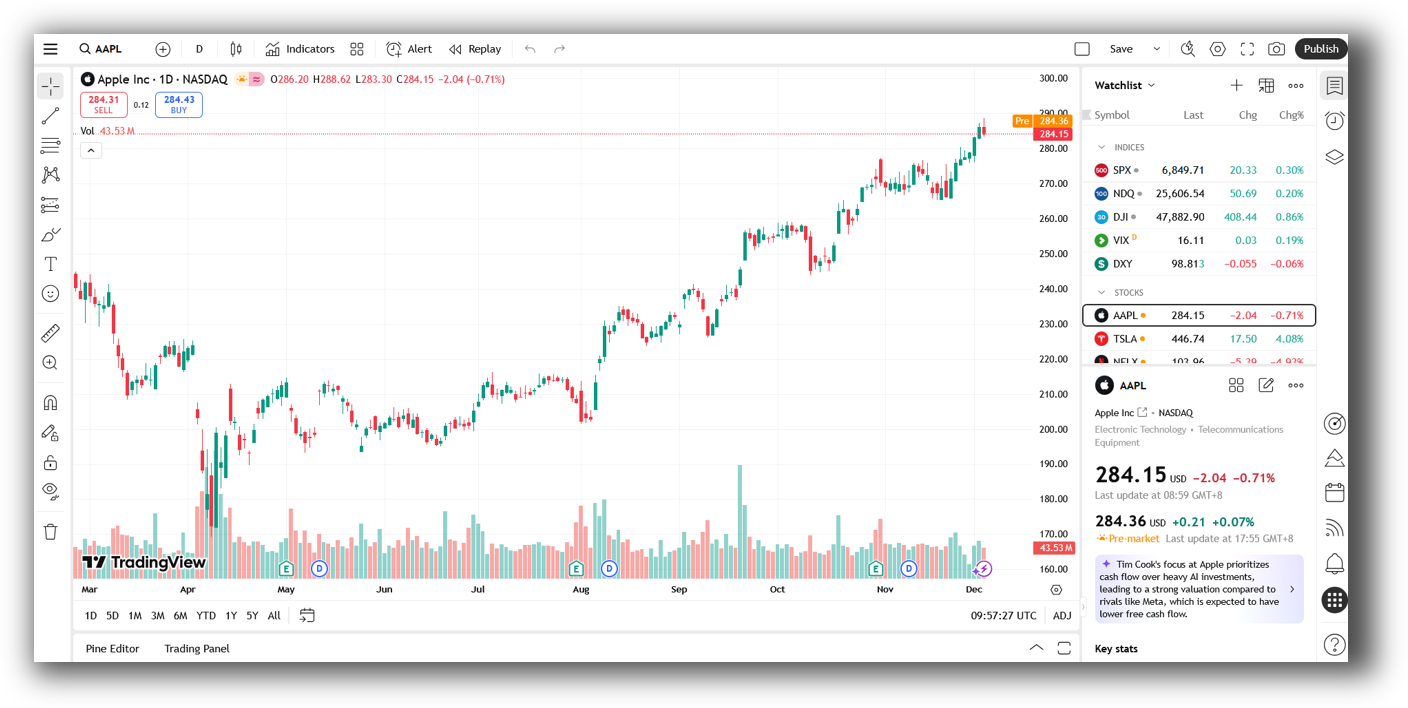
TradingView Main View:
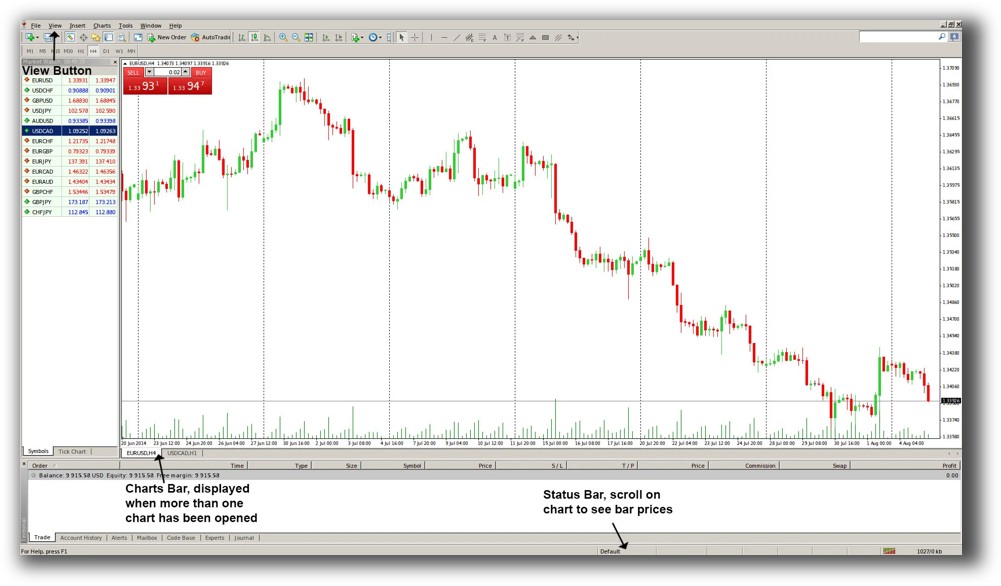
MetaTrader 4 Main View:
Market Access & Data Support in TradingView VS MetaTrader 4
TradingView connects to a wide range of markets (stocks, forex, crypto, future) and offers extensive historical data on-demand. But backtestable data is limited to what your script requests, and you don’t get full portfolio-level simulation.
MT4 relies entirely on your broker for data. You don’t get clean historical datasets or full market depth unless your broker provides them.
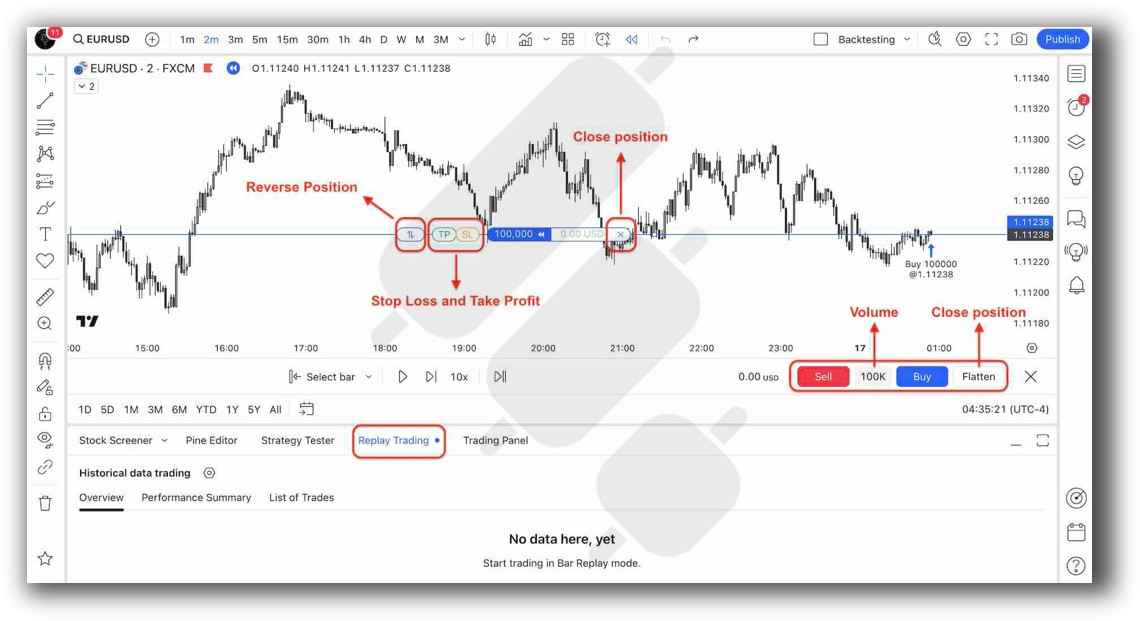
TradingView Backtesting Interface:
MetaTrader 4 Backtesting Interface:
Building & Customizing Trading Strategies
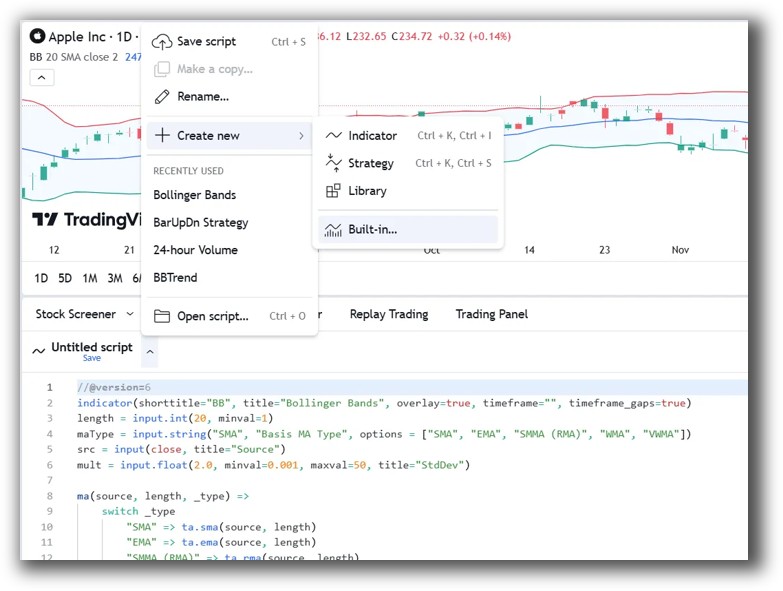
TradingView uses Pine Script. It’s accessible and beginner-friendly, but limited in flexibility. You can build simple strategies and backtest them bar-by-bar on the chart. However, there’s no support for portfolio-level testing or multi-symbol strategies.
MetaTrader 4 uses MQL4, a much more powerful and complex scripting language. It supports indicators, scripts, and automated Expert Advisors (EAs), but has a steeper learning curve. For programmers, it offers more flexibility than Pine Script.
If you’re just starting with trading system development, TradingView is easier to learn. But MT4 offers more depth, at the cost of complexity.
Check Out: Trading System Development
TradingView Code Editor:
MetaTrader 4 Code Editor:

Backtesting Performance, Speed & Realism
This is where both platforms fall short for serious system traders.
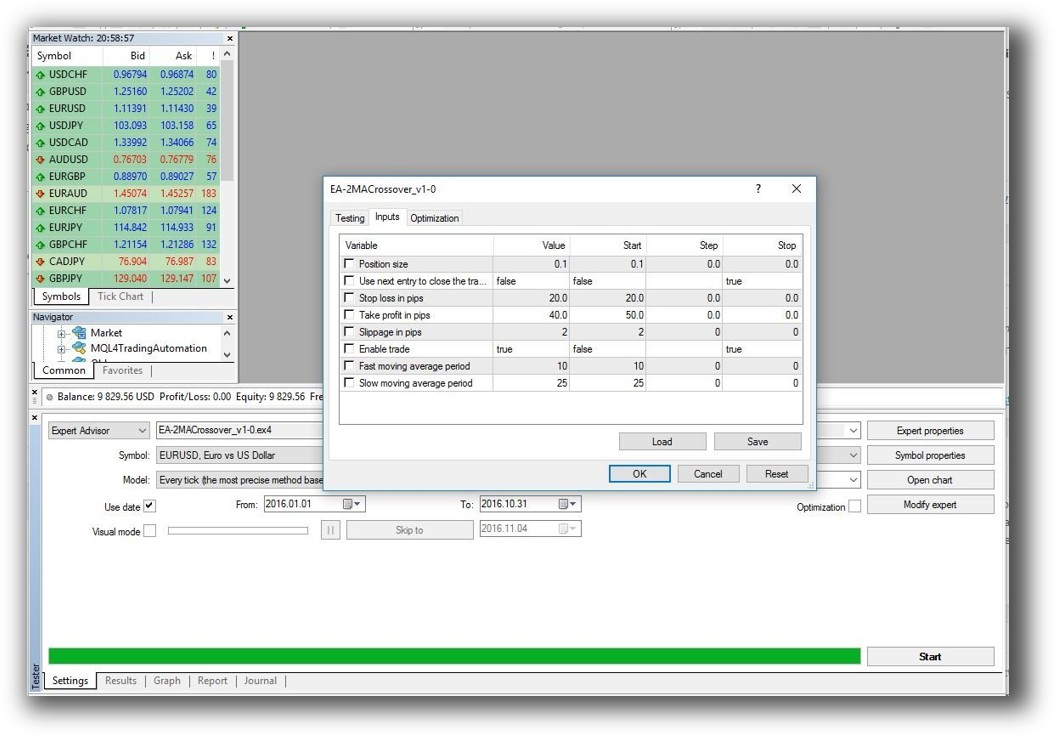
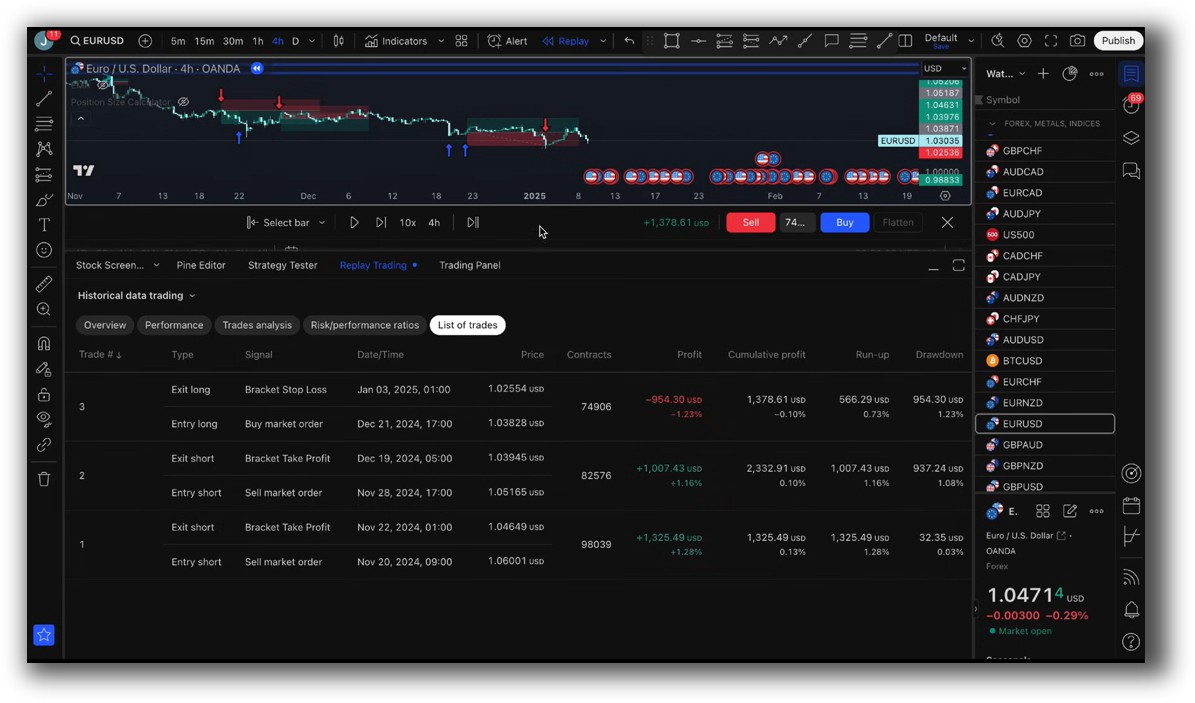
TradingView does not support true portfolio backtesting. You can test one instrument at a time, but there’s no simulation of position sizing, slippage, or capital allocation across multiple symbols. Speed is limited by the platform’s visual interface.
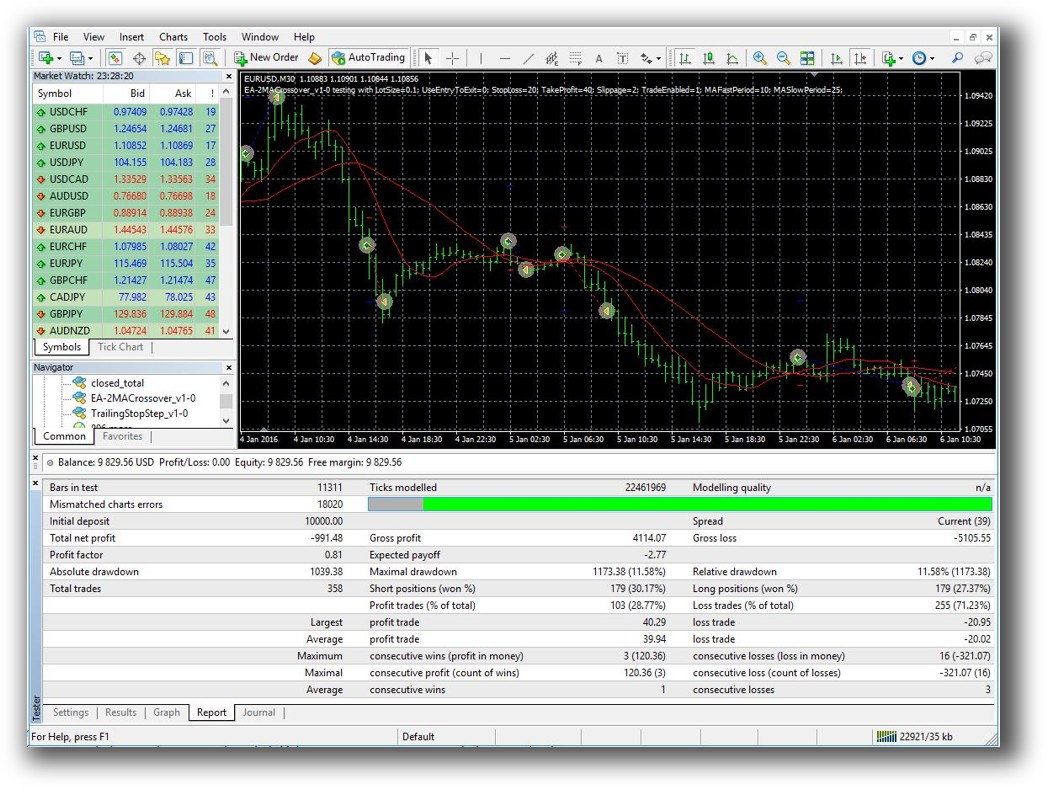
MT4 includes a built-in Strategy Tester. It allows for visual and non-visual backtesting of EAs, but only on one symbol at a time. There are workarounds with multi-symbol EAs, but they’re not user-friendly. Execution realism (e.g. order fills, delays) is minimal unless heavily customized.
If backtesting realism, drawdown, and simulation accuracy matter to you, and they should, use RealTest instead. It’s faster, more realistic, and supports full portfolio-level simulation.
Check out: Backtesting | Drawdown
TradingView Backtest Report:
MetaTrader 4 Backtest Report:
Strategy Optimization & Stress Testing Tools
TradingView has no built-in optimization. You need to manually change parameters and rerun the script. This makes robustness testing tedious and error-prone.
MetaTrader 4 includes parameter optimization with multiple modes and custom criteria. However, it’s notorious for curve fitting. It also lacks walk-forward analysis and other modern robustness tools.
If your aim is to perform trading system optimization that’s fast, stable, and repeatable, MT4 is better than TradingView, but still second-rate compared to professional tools like RealTest or Amibroker.
Charting Features, Signal Exploration & Live Execution
TradingView shines here. It offers clean, fast charts with hundreds of built-in indicators and overlays. The scanner is powerful and customizable. Execution integration is limited to certain brokers, but improving.
MT4 offers basic charting and a clunky scanner (Market Watch). Execution is integrated and typically faster, but users say the experience is dated, it feels like software from 2005, because it is.
If you want to visually explore the market and spot ideas, TradingView wins hands down. If you want fast execution in forex, MT4 may still be useful.
Check Out Order Types | Automated Trading Systems
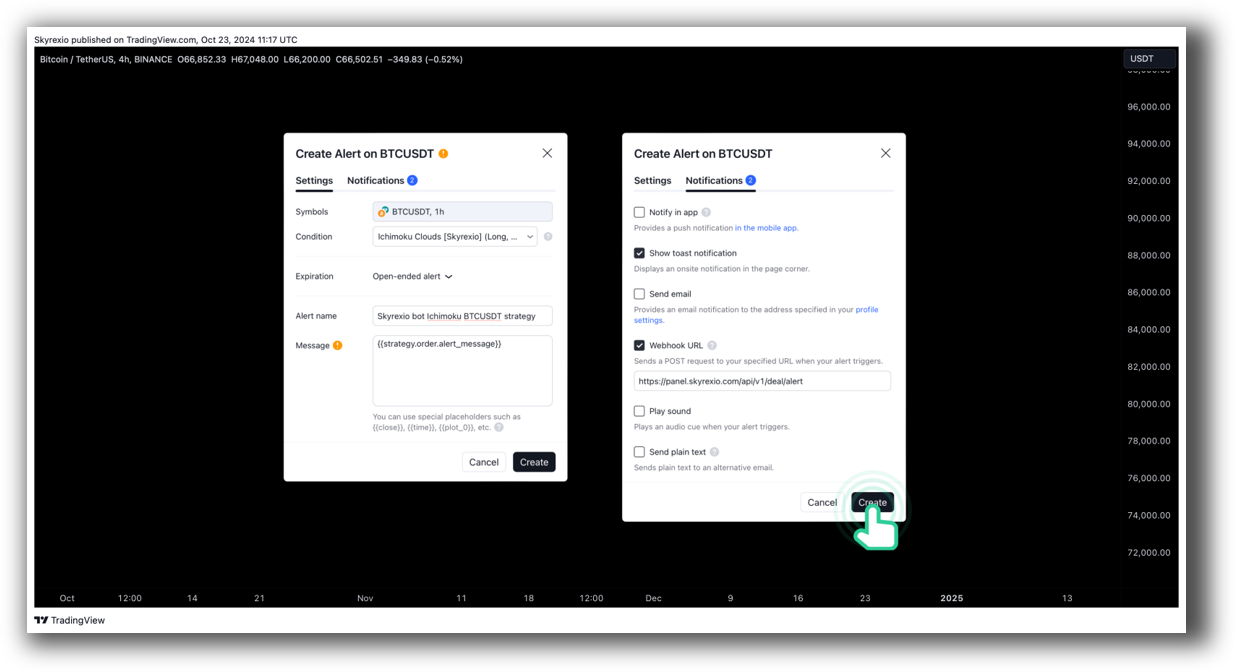
TradingView Automation Set Up:
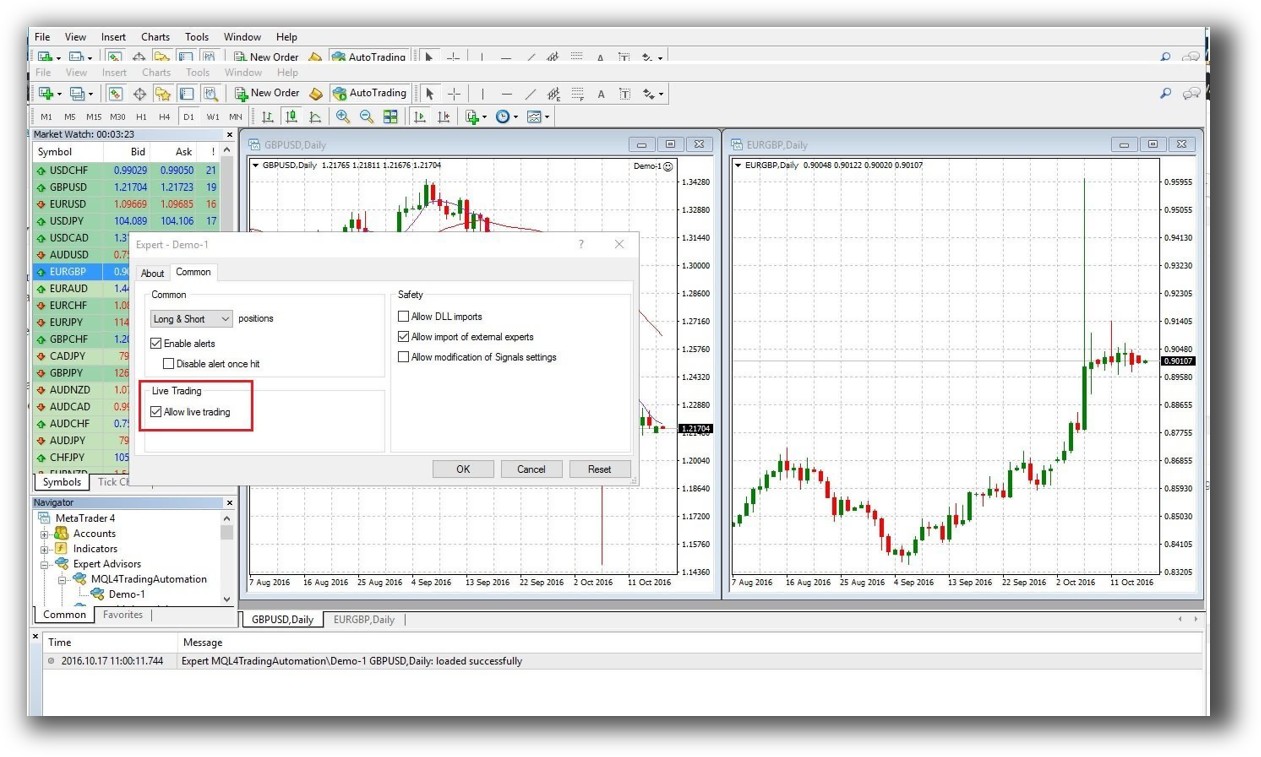
MetaTrader 4 Automation Set Up:
Support, Documentation & Learning Resources
TradingView has modern documentation and a vast public script library. It’s easy to find examples and learn Pine Script. Community support is strong, especially for indicator development.
MetaTrader 4 has fragmented documentation. Most support comes from third-party forums, not official channels. The MetaEditor tool helps with code building, but it’s not beginner-friendly.
Compared to either, RealTest offers clear, modern documentation with a focus on backtesting speed and system clarity, a major benefit for traders building a portfolio of systems.
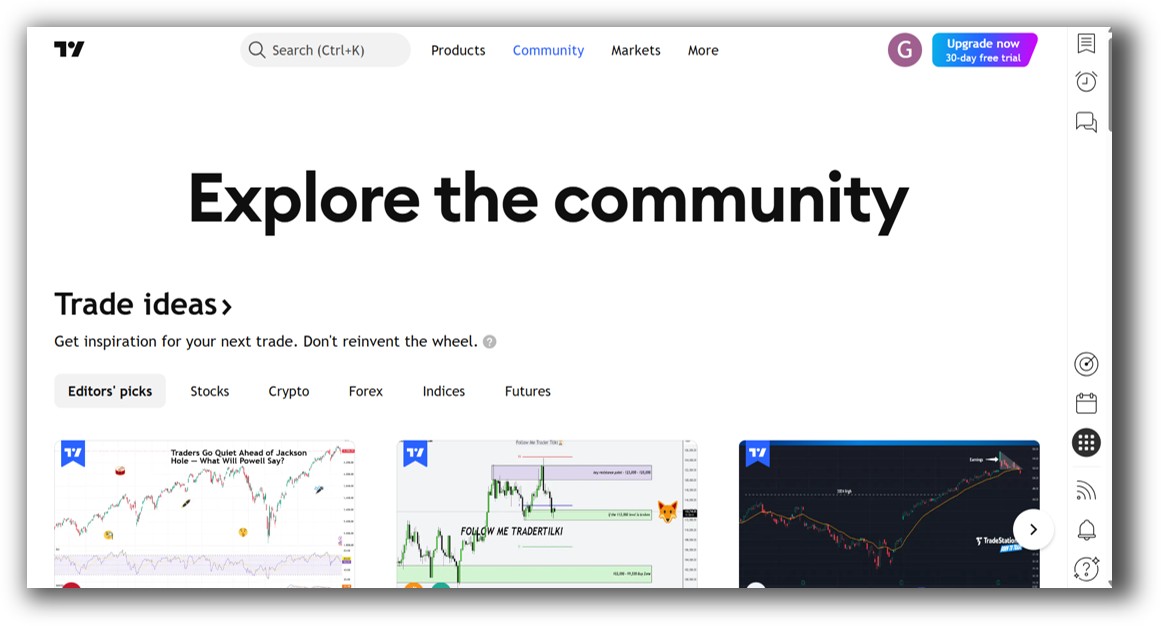
TradingView Community Ideas Front Page is illustrated down below:
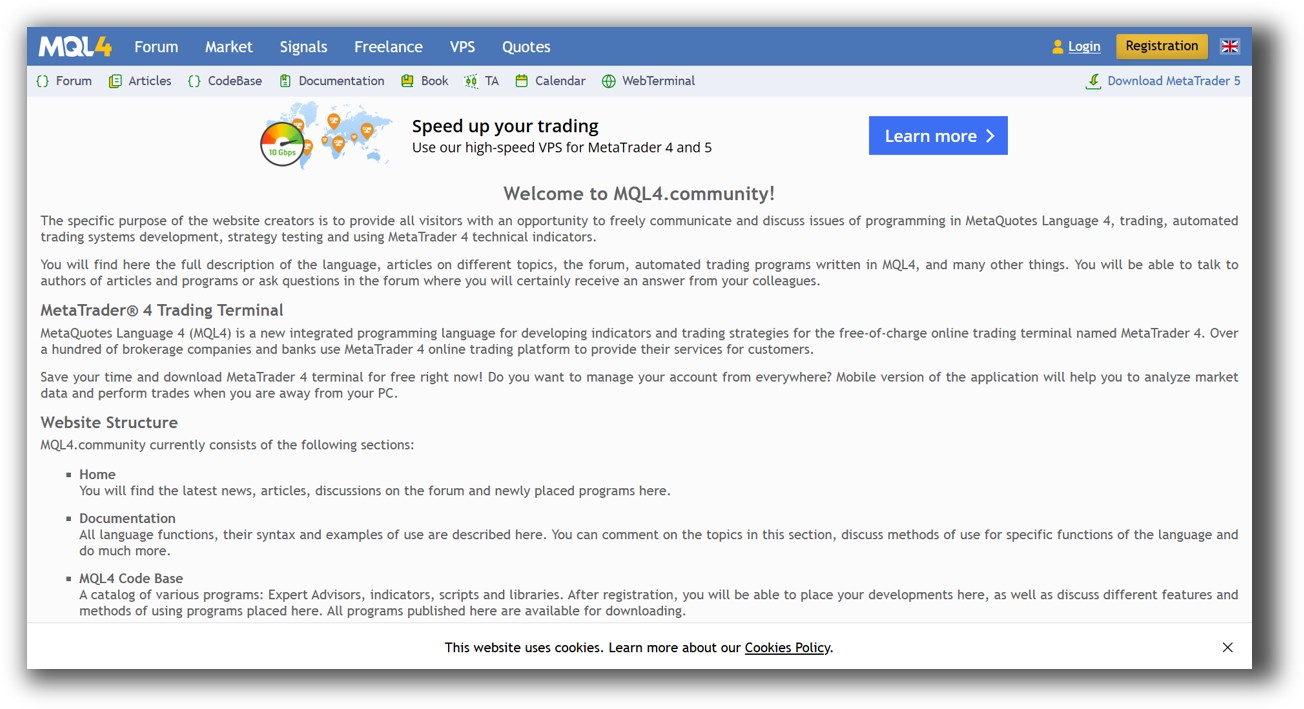
MetaTrader 4 Forum Front Page is illustrated down below:
TradingView VS MetaTrader 4: Which One Should You Use?
If your focus is ease of use, modern charting, and simple strategy testing, TradingView offers a better user experience.
If you want automation, broker execution, and can handle complex scripting, MetaTrader 4 is more flexible.
But for serious system traders focused on consistent profits, neither is the best core backtesting tool.
Our Recommendation
Use TradingView for market visualization, scanning, and early-stage scripting.
Use MetaTrader 4 only if you’re committed to forex trading with automated EAs and are comfortable coding in MQL4.
But for true systematic trading success (where speed, realism, and multi-strategy simulation matter) use RealTest. It’s purpose-built for traders who want to trade professionally with consistency and confidence.
Want The Rest of the Puzzle?
Backtesting software is just one piece. The real transformation happens when you align your tools, your systems, and your psychology with your goals.
If you’re tired of chasing tips and want to build wealth systematically, the next step is clear: The Trader Success System.
Inside, you’ll discover:
- Proven trading systems
- A step-by-step backtesting framework
- Position sizing tools
- Automation strategies that let you trade in 30 minutes or less
Trading and Backtesting Software Review List
- RealTest vs Amibroker
- RealTest VS TradeStation
- RealTest VS NinjaTrader
- RealTest VS MultiCharts
- RealTest VS Wealth-Lab
- RealTest VS Beyond Charts
- RealTest VS Optuma
- RealTest VS TradingView
- RealTest VS MetaTrader 4 (MT4)
- RealTest VS MetaTrader 5 (MT5)
- AmiBroker VS TradeStation
- AmiBroker VS NinjaTrader
- AmiBroker VS MultiCharts
- AmiBroker VS Wealth-Lab
- AmiBroker VS Beyond Charts
- AmiBroker VS Optuma
- AmiBroker VS TradingView
- AmiBroker VS MetaTrader 4 (MT4)
- AmiBroker VS MetaTrader 5 (MT5)
- TradeStation VS NinjaTrader
- TradeStation VS MultiCharts
- TradeStation VS Wealth-Lab
- TradeStation VS Beyond Charts
- TradeStation VS Optuma
- TradeStation VS TradingView
- TradeStation VS MetaTrader 4 (MT4)
- TradeStation VS MetaTrader 5 (MT5)
- NinjaTrader VS MultiCharts
- NinjaTrader VS Wealth-Lab
- NinjaTrader VS Beyond Charts
- NinjaTrader VS Optuma
- NinjaTrader VS TradingView
- NinjaTrader VS MetaTrader 4 (MT4)
- NinjaTrader VS MetaTrader 5 (MT5)
- MultiCharts VS Wealth-Lab
- MultiCharts VS Beyond Charts
- MultiCharts VS Optuma
- MultiCharts VS TradingView
- MultiCharts VS MetaTrader 4 (MT4)
- MultiCharts VS MetaTrader 5 (MT5)
- Wealth-Lab VS Beyond Charts
- Wealth-Lab VS Optuma
- Wealth-Lab VS TradingView
- Wealth-Lab VS MetaTrader 4 (MT4)
- Wealth-Lab VS MetaTrader 5 (MT5)
- Beyond Charts VS Optuma
- Beyond Charts VS TradingView
- Beyond Charts VS MetaTrader 4 (MT4)
- Beyond Charts VS MetaTrader 5 (MT5)
- Optuma VS TradingView
- Optuma VS MetaTrader 4 (MT4)
- Optuma VS MetaTrader 5 (MT5)
- TradingView VS MetaTrader 4 (MT4)
- TradingView VS MetaTrader 5 (MT5)
- MetaTrader 4 (MT4) VS MetaTrader 5 (MT5)


