

TradingView VS MetaTrader 5: Comparing Backtesting Software for Systematic Trading
For traders serious about building consistency and eliminating emotion, neither TradingView nor MetaTrader 5 (MT5) is ideal as a core backtesting software. TradingView shines in charting and ease of access, while MT5 is better suited for automated execution and broker integration. However, both fall short in portfolio-level systematic trading and advanced backtesting realism.
If you want speed, realism, and systematic simplicity, RealTest is the preferred tool. But if you’re early in your journey or prioritise visual analysis, keep reading to see where each tool fits best.
TradingView VS MetaTrader 5 at a Glance:
Short on time? Here’s how TradingView VS MetaTrader 5 compare side by side.
|
Feature |
TradingView |
MetaTrader 5 (MT5) |
|
Platform Type |
Web-based, desktop, mobile |
Primarily desktop (Windows), mobile, web |
|
Programming Language |
Pine Script |
MQL5 (powerful but more complex) |
|
Integrated Brokerage |
Many supported via API |
Deep broker integration (mainly Forex/CFDs) |
|
Backtesting Engine |
Limited, single-symbol, non-portfolio |
Supports single-system backtesting with EAs |
|
Strategy Automation |
Limited, via 3rd party |
Built-in for supported brokers |
|
Charting & Visual Tools |
Market-leading |
Adequate, not as modern |
|
Cost |
Freemium (limited free, paid tiers available) |
Free (via broker) |
|
Learning Curve |
Moderate |
Steep |
|
Suitability for Systematic Trading |
Low-to-Medium |
Medium |
Platform Overview, Cost & Compatibility
TradingView is cloud-based and runs on nearly any device. You can use it on Windows, Mac, or even directly in a browser. There’s also a mobile app. The platform has both free and premium tiers, with backtesting and alerts improving at higher levels.
MetaTrader 5, on the other hand, is a downloadable desktop application. It’s free through most brokers but best suited to Windows. Mac users can run MT5 using Parallels or a virtual machine, but Wine is not recommended due to instability.
If simplicity and multi-device access are important, TradingView wins here. If you’re already trading through a supported broker and need automation, MT5 might fit better.
TradingView Main View:
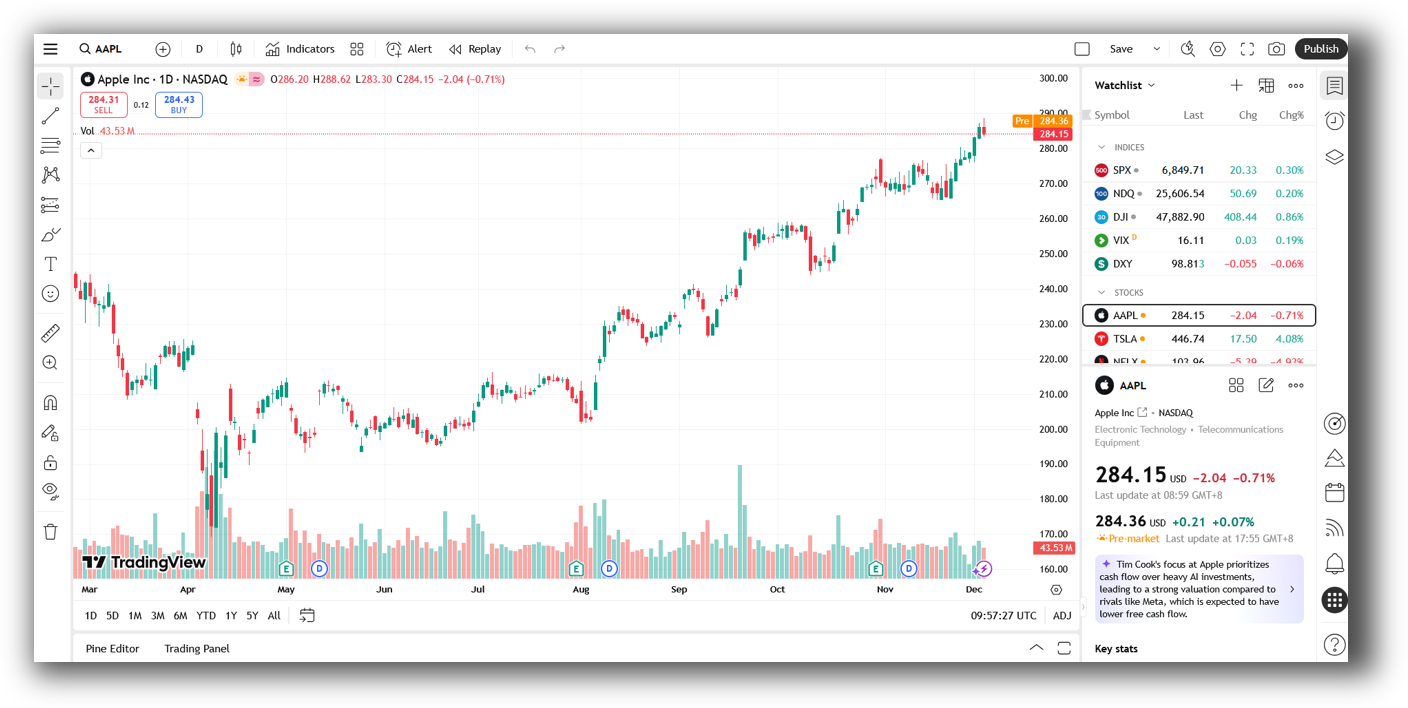
MetaTrader 5 Main View:

Market Access & Data Support in TradingView VS MetaTrader 5
TradingView supports real-time data feeds from a wide range of global exchanges (stocks, crypto, forex). You can connect your broker, though live trading access depends on broker compatibility and your subscription tier.
MT5 primarily targets Forex and CFD traders, with access depending entirely on your broker. Some brokers offer stock CFDs or limited exchange connectivity, but it’s not consistent across providers.
So if you’re trading equities systematically with reliable end-of-day data, neither platform is ideal. But for retail forex traders seeking live automation, MT5 has the edge.
TradingView Backtesting Interface:
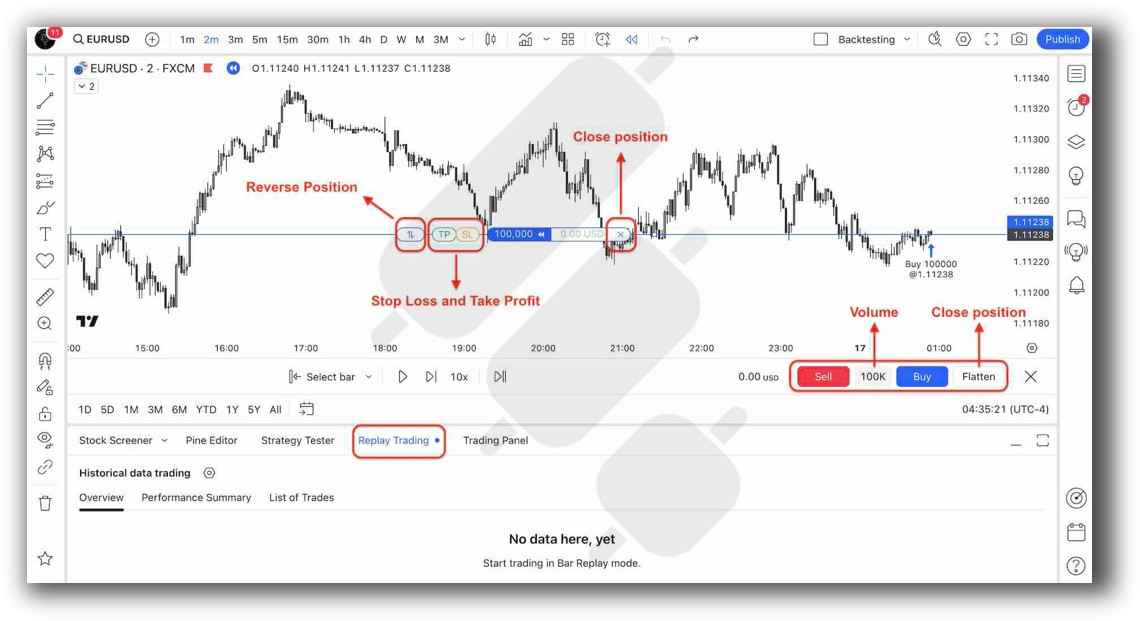
MetaTrader 5 Backtesting Interface:

Building & Customizing Trading Strategies
TradingView uses Pine Script, a purpose-built language for indicators and simple strategies. It’s readable but limited in terms of portfolio-level logic. Good for developing one-off entry conditions or indicators.
MT5 uses MQL5, a powerful, compiled language for building Expert Advisors (EAs). It’s capable of sophisticated logic but much harder to learn and debug. Great if you’re a programmer, but not beginner-friendly.
Neither platform supports full portfolio-level trading system development, which is crucial for long-term success and proper diversification.
Check Out: Trading System Development
TradingView Code Editor:
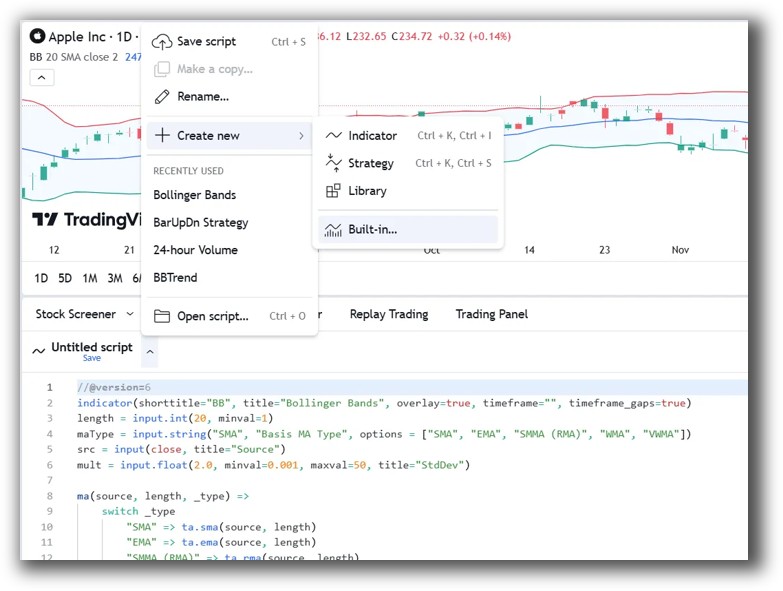
MetaTrader 5 Code Editor:

Backtesting Performance, Speed & Realism
TradingView’s backtester is basic. It operates on a single symbol and doesn’t handle portfolio rules or real-world constraints like position sizing, slippage, or margin properly. It’s fine for quick tests but dangerous if used for system validation.
MT5 offers more depth, including custom position sizing and slippage settings, but it also runs single-system tests. Portfolio-level simulation isn’t supported natively, which limits its use for traders seeking realistic multi-strategy testing.
Both are inferior to RealTest, which supports fast, realistic portfolio backtesting with clear and actionable outputs.
Check out: Backtesting | Drawdown
TradingView Backtest Report:
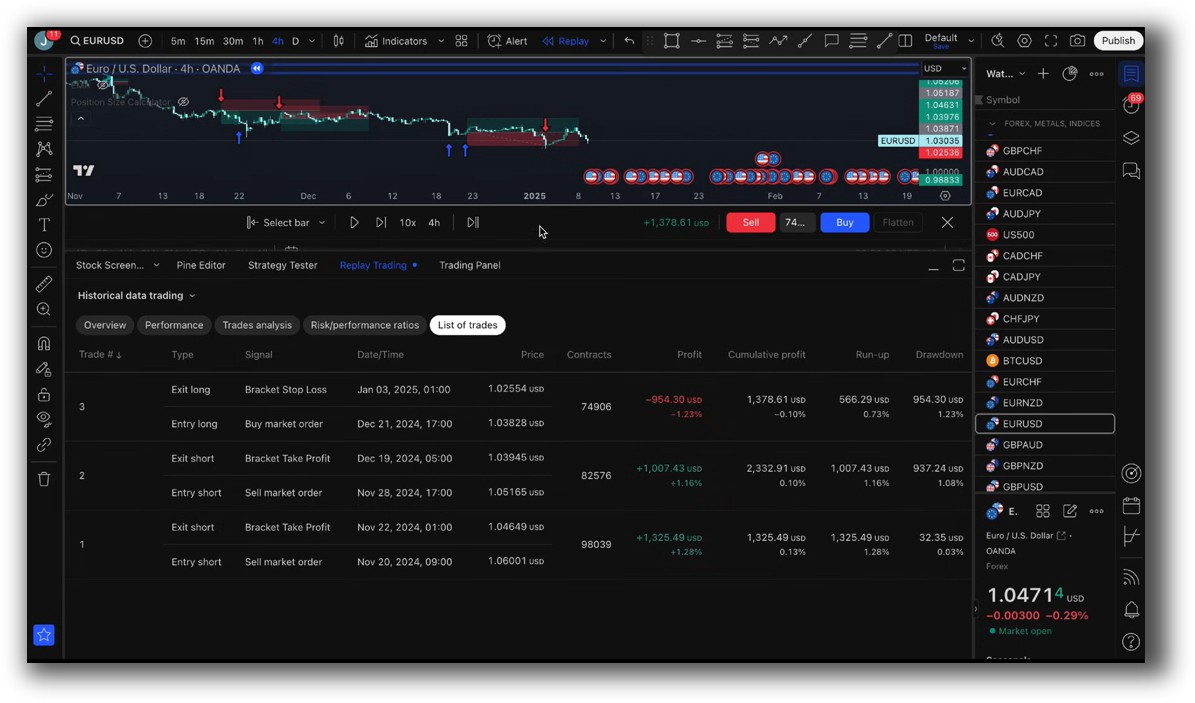
MetaTrader 5 Backtest Report:

Strategy Optimization & Stress Testing Tools
TradingView has no native optimization tools. Any tuning of parameters must be done manually through trial and error.
MT5 includes a built-in optimizer and genetic algorithm support, making it more robust for exploring strategy parameters. However, it’s easy to fall into curve fitting traps if you don’t understand proper robustness testing techniques.
Neither platform helps you deeply assess stability over time or test across market conditions. RealTest or Amibroker is much more suited for this.
MetaTrader 5 Genetic Optimization:

Charting Features, Signal Exploration & Live Execution
TradingView leads the industry in charting and scanning. It offers fast, smooth charts, multi-timeframe analysis, and custom indicators. It’s a powerful tool for visualising market behaviour or identifying setups visually.
MT5’s charting is functional but dated. Scanning capabilities depend on custom coding via MQL5 or third-party tools. Automation and execution, however, are tightly integrated if your broker supports it.
For system development, execution matters, but scanning and visual clarity can speed up your process. Use TradingView for visuals, MT5 for broker automation, and RealTest for the core strategy logic.
Check Out Order Types | Automated Trading Systems
TradingView Automation Set Up:
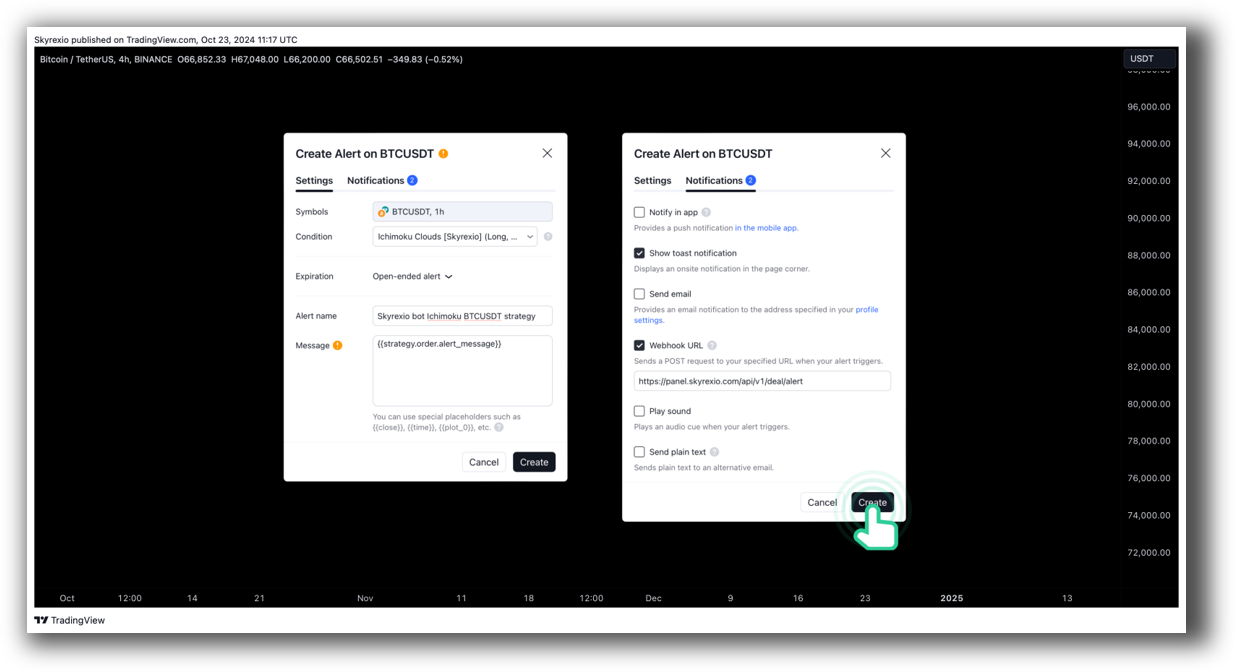
MetaTrader 5 Automation Set Up:

Support, Documentation & Learning Resources
TradingView has a large community and decent documentation for Pine Script. It’s well-suited to self-learners and those seeking plug-and-play indicators.
MT5 has extensive but scattered documentation. Learning MQL5 takes time and patience. Most help comes from forums and outdated tutorials, making it frustrating for newcomers.
Compared to RealTest, which has clean, modern documentation and fast developer support, both platforms lag behind in clarity and accessibility.
TradingView Community Ideas Front Page is illustrated down below:
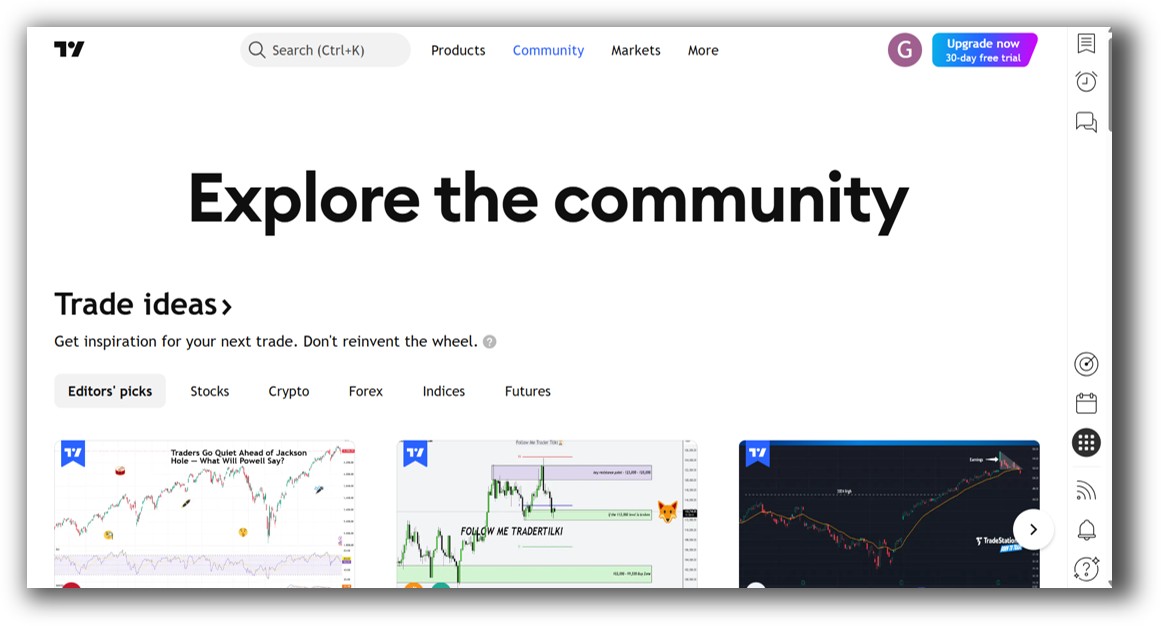
MetaTrader 5 Forum Front Page is illustrated down below:

TradingView VS MetaTrader 5: Which One Should You Use?
If you want great charts, quick prototyping, and a visual playground for ideas, TradingView delivers. But it’s not a serious backtesting software platform.
If you’re trading live via a Forex broker and want automation with tighter broker integration, MetaTrader 5 wins.
But if your goal is systematic trading with accuracy, confidence, and efficiency… you’ll need to look beyond both.
Want The Rest of the Puzzle?
Backtesting software is just one piece. The real transformation happens when you align your tools, your systems, and your psychology with your goals.
If you’re tired of chasing tips and want to build wealth systematically, the next step is clear: The Trader Success System.
Inside, you’ll discover:
- Proven trading systems
- A step-by-step backtesting framework
- Position sizing tools
- Automation strategies that let you trade in 30 minutes or less
Trading and Backtesting Software Review List
- RealTest vs Amibroker
- RealTest VS TradeStation
- RealTest VS NinjaTrader
- RealTest VS MultiCharts
- RealTest VS Wealth-Lab
- RealTest VS Beyond Charts
- RealTest VS Optuma
- RealTest VS TradingView
- RealTest VS MetaTrader 4 (MT4)
- RealTest VS MetaTrader 5 (MT5)
- AmiBroker VS TradeStation
- AmiBroker VS NinjaTrader
- AmiBroker VS MultiCharts
- AmiBroker VS Wealth-Lab
- AmiBroker VS Beyond Charts
- AmiBroker VS Optuma
- AmiBroker VS TradingView
- AmiBroker VS MetaTrader 4 (MT4)
- AmiBroker VS MetaTrader 5 (MT5)
- TradeStation VS NinjaTrader
- TradeStation VS MultiCharts
- TradeStation VS Wealth-Lab
- TradeStation VS Beyond Charts
- TradeStation VS Optuma
- TradeStation VS TradingView
- TradeStation VS MetaTrader 4 (MT4)
- TradeStation VS MetaTrader 5 (MT5)
- NinjaTrader VS MultiCharts
- NinjaTrader VS Wealth-Lab
- NinjaTrader VS Beyond Charts
- NinjaTrader VS Optuma
- NinjaTrader VS TradingView
- NinjaTrader VS MetaTrader 4 (MT4)
- NinjaTrader VS MetaTrader 5 (MT5)
- MultiCharts VS Wealth-Lab
- MultiCharts VS Beyond Charts
- MultiCharts VS Optuma
- MultiCharts VS TradingView
- MultiCharts VS MetaTrader 4 (MT4)
- MultiCharts VS MetaTrader 5 (MT5)
- Wealth-Lab VS Beyond Charts
- Wealth-Lab VS Optuma
- Wealth-Lab VS TradingView
- Wealth-Lab VS MetaTrader 4 (MT4)
- Wealth-Lab VS MetaTrader 5 (MT5)
- Beyond Charts VS Optuma
- Beyond Charts VS TradingView
- Beyond Charts VS MetaTrader 4 (MT4)
- Beyond Charts VS MetaTrader 5 (MT5)
- Optuma VS TradingView
- Optuma VS MetaTrader 4 (MT4)
- Optuma VS MetaTrader 5 (MT5)
- TradingView VS MetaTrader 4 (MT4)
- TradingView VS MetaTrader 5 (MT5)
- MetaTrader 4 (MT4) VS MetaTrader 5 (MT5)


