

Amibroker VS TradingView: Comparing Backtesting Software for Systematic Trading
If you’re serious about systematic trading, Amibroker delivers far greater flexibility, performance, and realism in backtesting. But if you need intuitive charts and easy scanning without complex setup, TradingView offers excellent accessibility. The right tool depends on whether you value analytical power or visual simplicity.
Let’s compare them feature by feature to help you choose the right backtesting software for your trading strategy.
Amibroker VS TradingView at a Glance
Short on time? Here’s how Amibroker VS TradingView compare side by side.
|
Feature |
Amibroker |
TradingView |
|
Year Established |
1995 |
2011 |
|
Operating Systems |
Windows only (Mac via VM) |
Web-based + native Mac app |
|
Programming Language |
AFL (flexible but steep learning) |
Pine Script (easier, but limited) |
|
Backtesting Engine |
Extremely fast, portfolio-level |
Slow, single-instrument only |
|
Strategy Optimization |
Advanced with walk-forward, Monte Carlo |
Limited |
|
Charting |
Customizable, but dated UI |
Beautiful, real-time charts |
|
Broker Integration |
Interactive Brokers via plugins |
Direct to brokers, web-based |
|
Pricing |
One-time license from $299 |
Subscription: Free–$59.95/month |
|
Community & Scripts |
Smaller, advanced users |
Massive community, easy sharing |
Platform Overview, Cost & Compatibility
Amibroker is a powerful Windows-based trading software tailored for technical traders who want full control of system design, testing, and analysis. Mac users can run it using Parallels or Bootcamp, though performance depends on the VM setup.
TradingView, on the other hand, runs in your browser or as a desktop app on both Windows and Mac. No installation headaches. Its free version offers impressive features, with multiple paid tiers based on alerts, chart types, and backtesting capability.
Verdict: TradingView wins on accessibility. Amibroker wins on value and capability for serious traders.
Amibroker Main View:

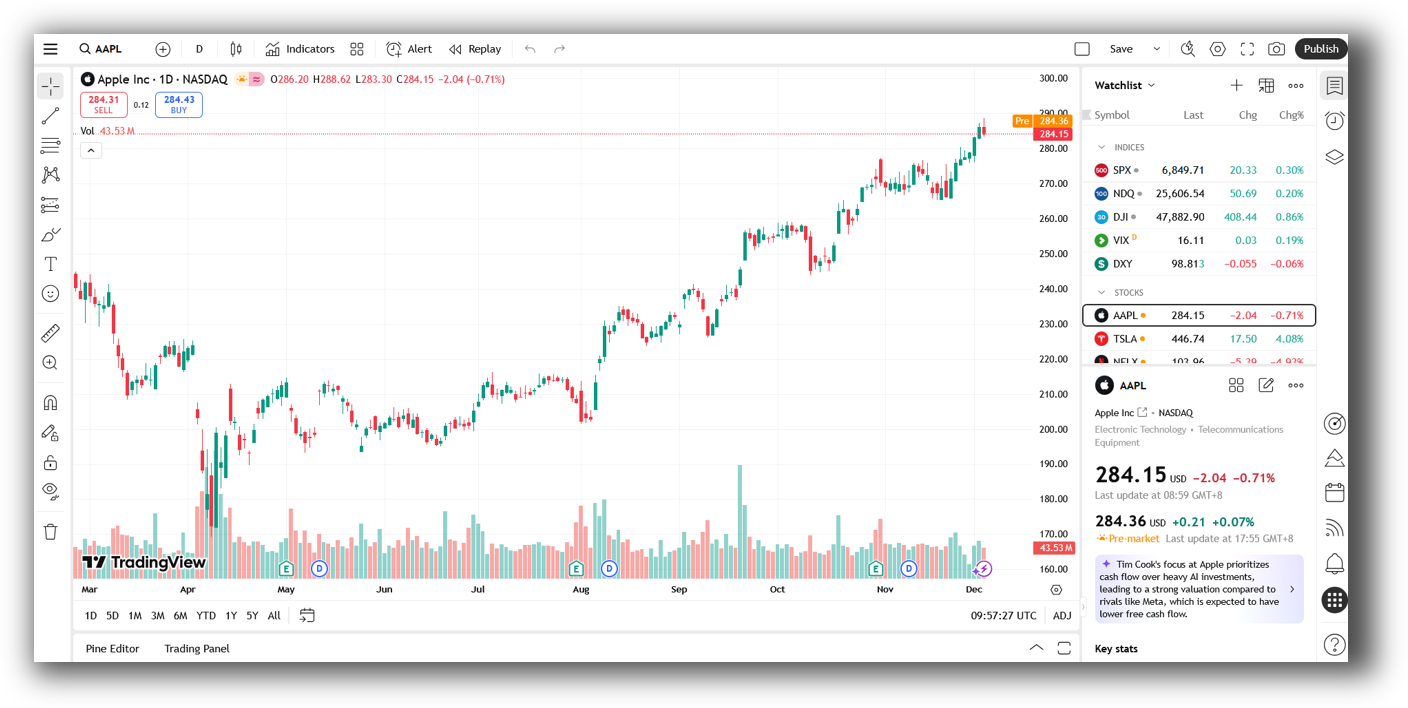
TradingView Main View:
Market Access & Data Support in Amibroker VS TradingView
Amibroker relies on third-party data providers like Norgate or Interactive Brokers for market access. This allows traders to test systems with clean, survivorship-bias-free data – crucial for accuracy.
TradingView provides integrated real-time and delayed data for many global markets, including crypto, forex, stocks, and indices. However, historical data length is limited unless you pay for premium plans.
For long-term system development and robust analysis, Amibroker’s support for clean end-of-day (EOD) and intraday data wins
Amibroker Backtesting Interface:
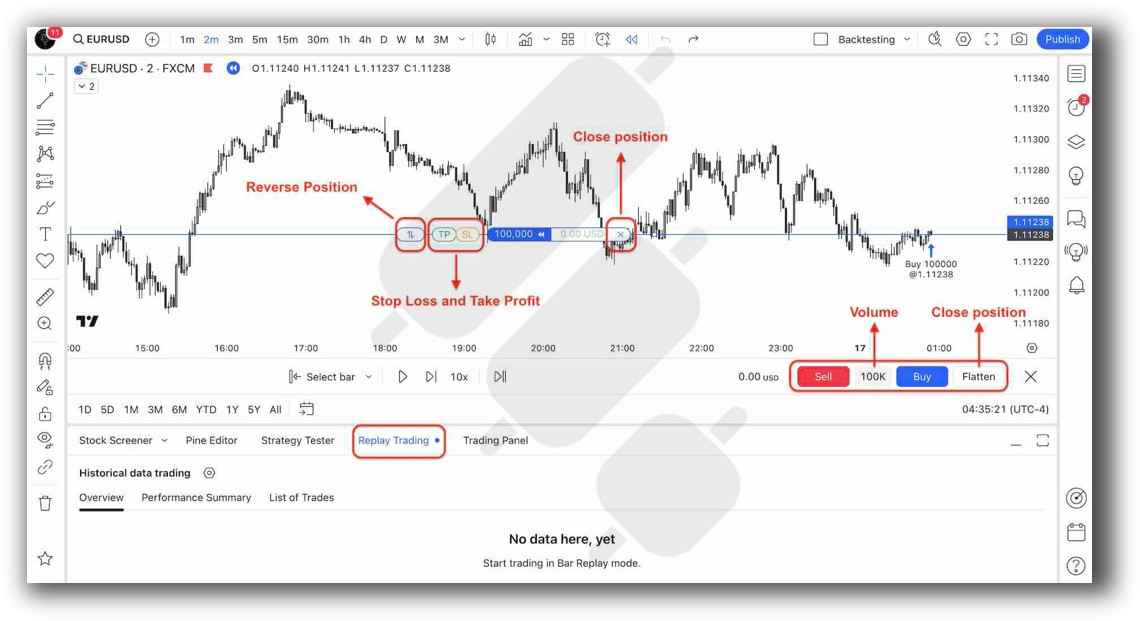
TradingView Backtesting Interface:
Building & Customizing Trading Strategies
Amibroker uses AFL (Amibroker Formula Language), which is extremely flexible. You can define and backtest complex multi-strategy portfolios with full position sizing and rules-based logic. But there’s a learning curve.
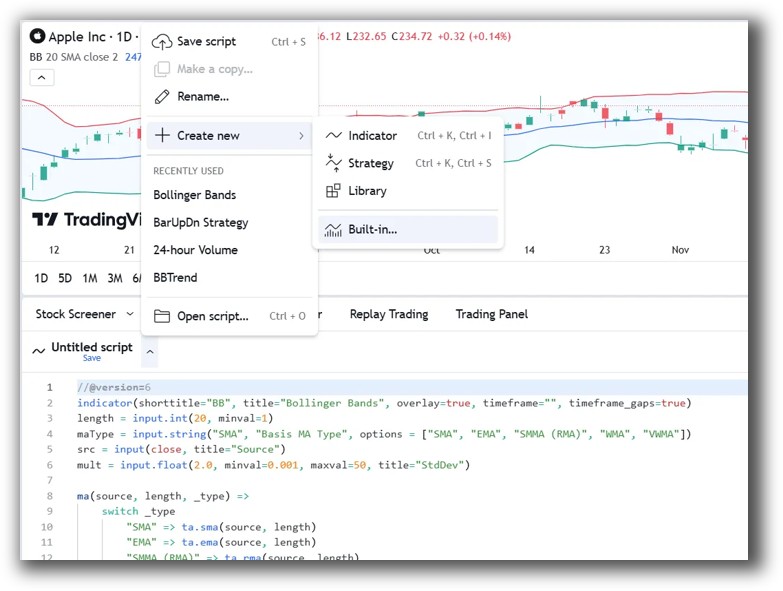
TradingView’s Pine Script is beginner-friendly. It’s designed for indicators and visual signals, not for building and running robust portfolios. Good for alerts and trade ideas – not so great for trading system development.
Amibroker is superior for systematic traders who want full control. TradingView suits discretionary traders dabbling in scripting.
Check Out: Trading System Development
Amibroker Code Editor:

TradingView Code Editor:
Backtesting Performance, Speed & Realism
This is where the gap widens.
- Amibroker offers blazing-fast portfolio-level backtests, walk-forward testing, realistic slippage models, and trade lists. It supports multiple strategies, overlapping trades, and complex position sizing.
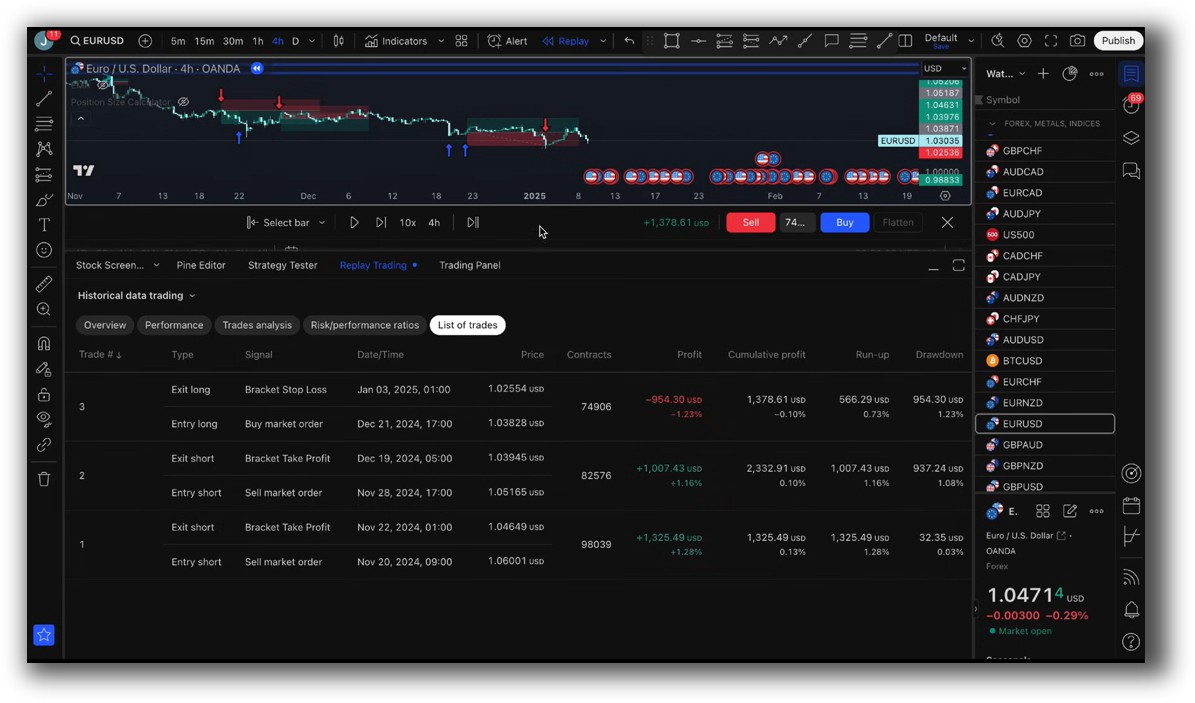
- TradingView supports only single-instrument backtesting with basic metrics and no portfolio simulation.
If your goal is to build robust trading systems, this matters. Realistic backtesting is essential to avoid curve fitting and disappointment in live trading.
Hands down, Amibroker wins for serious system traders.
Check out: Backtesting | Drawdown
Amibroker Backtest Report:

TradingView Backtest Report:
Strategy Optimization & Stress Testing Tools
Amibroker gives you:
- Parameter optimization with 1,000s of combinations
- Monte Carlo simulation
- Walk-forward testing
- Distribution curves
TradingView offers almost none of this. You can manually change variables in Pine Script, but there’s no optimizer.
This is where amateurs get stuck. Without robust testing, you’re guessing.
Amibroker is essential if you want to eliminate emotional bias and build systems with real statistical edge.
Check Out: Trading System Optimization
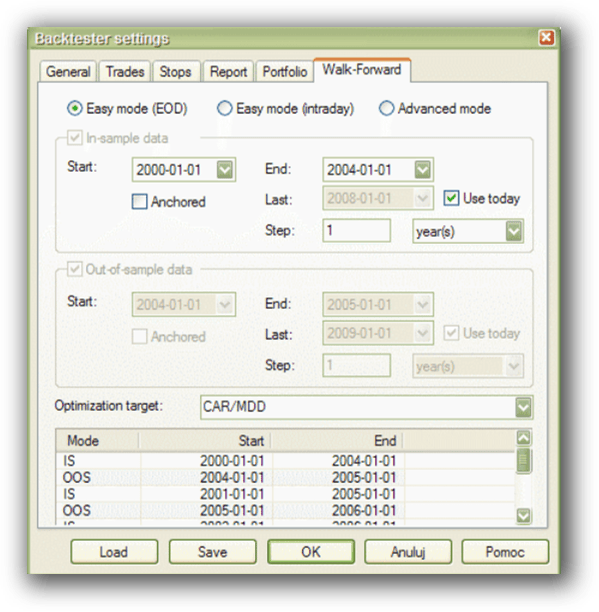
Amibroker Walk-Forward Tab:
TradingView Strategy Tester:

Charting Features, Signal Exploration & Live Execution
TradingView shines here. Its charts are stunning. Scanning for setups is visual, fast, and flexible. You can even set alerts and trade directly via broker APIs.
Amibroker looks dated. But under the hood, it has ultra-fast scanning and custom watchlists. If you know what you’re doing, it’s extremely powerful – but the user interface can feel clunky.
Verdict: TradingView wins for visual traders and scanning ease. Amibroker wins if you value custom, precise scans and can handle the interface.
Check Out Order Types | Automated Trading Systems
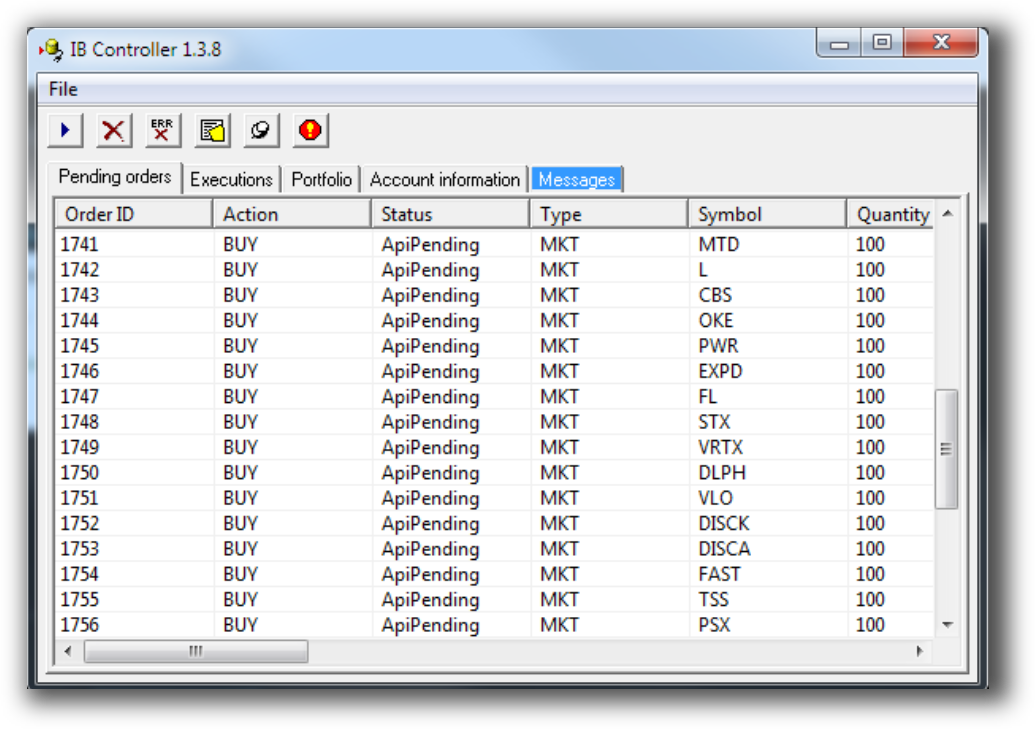
Amibroker Automation Set Up (IB Controller):
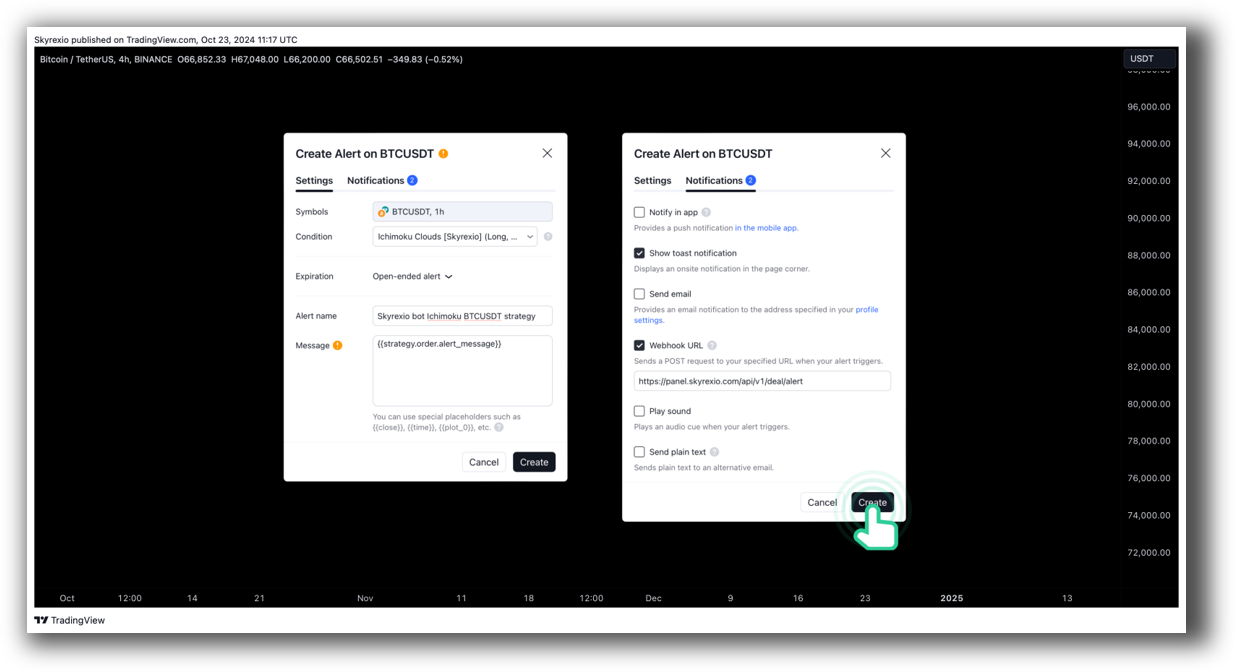
TradingView Automation Set Up:
Support, Documentation & Learning Resources
Amibroker’s documentation is comprehensive but technical. It hasn’t evolved much, and support is limited to forums and developer docs. There’s a learning curve, and you’ll need to dig.
TradingView has an enormous community, thousands of public scripts, and active social features.
Still, neither platform provides structured education on building profitable trading systems.
That’s where The Trader Success System bridges the gap – teaching you how to design, test and trade profitable systems step by step.
Verdict: TradingView is better for beginners looking for community interaction. Amibroker is more powerful, but the learning curve is steep without structured guidance.
Amibroker Forum is illustrated down below:

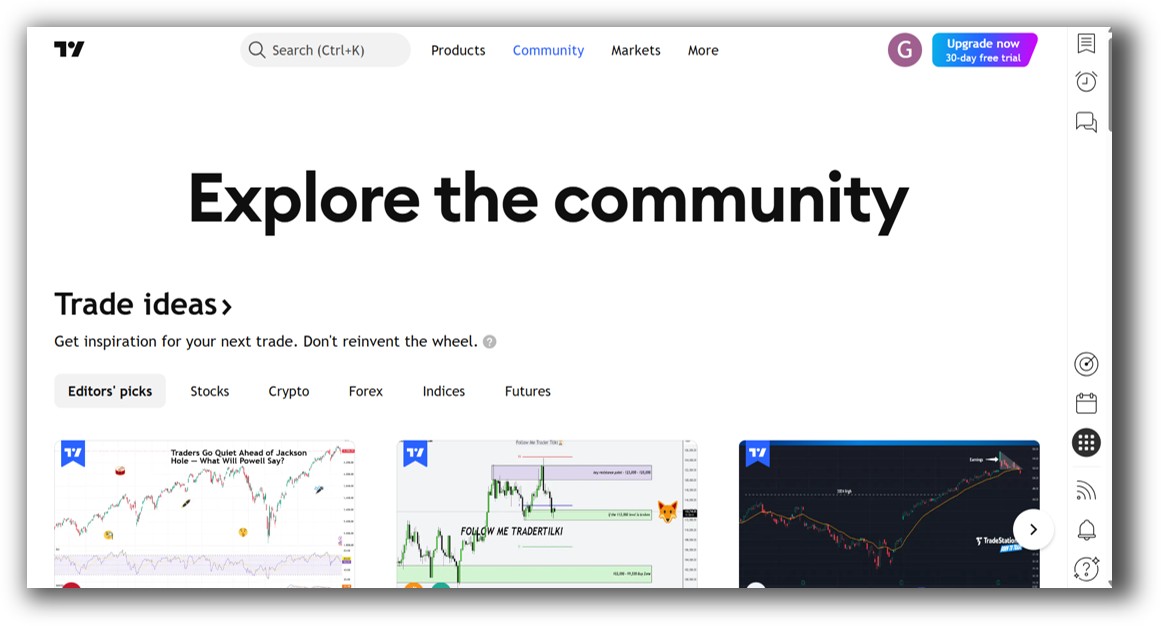
TradingView Community Ideas is illustrated down below:
Amibroker VS TradingView: Which One Should You Use?
If you’re looking for:
- Beautiful charts and quick alerts
- Easy access and community support
- Browser-based experience
…then TradingView is a great tool.
But if you want:
- Realistic portfolio-level backtesting
- Deep analysis and optimization
- Proven tools to build systems and grow your wealth…
Then Amibroker is the clear winner for systematic trading.
Our Recommendation
Use both – but for different jobs.
- Amibroker is ideal for system design, backtesting, and trading system optimization.
- TradingView is useful for scanning, visual analysis, and monitoring markets live.
If you’re just starting out, it’s easy to get stuck scripting and testing without a clear plan. That’s why we built The Trader Success System – to show you how to go from confused to confident trader without wasting years.
Want The Rest of the Puzzle?
Backtesting software is just one piece of the trading puzzle. Most traders fail not because of poor tools, but because they don’t know how to build a system that fits them.
With the right strategy, backtest, and support, you can trade with confidence in just 30 minutes a day.
That’s what we teach in The Trader Success System – the complete framework for mastering systematic trading, no matter your starting point.
Trading and Backtesting Software Review List
- RealTest vs Amibroker
- RealTest VS TradeStation
- RealTest VS NinjaTrader
- RealTest VS MultiCharts
- RealTest VS Wealth-Lab
- RealTest VS Beyond Charts
- RealTest VS Optuma
- RealTest VS TradingView
- RealTest VS MetaTrader 4 (MT4)
- RealTest VS MetaTrader 5 (MT5)
- AmiBroker VS TradeStation
- AmiBroker VS NinjaTrader
- AmiBroker VS MultiCharts
- AmiBroker VS Wealth-Lab
- AmiBroker VS Beyond Charts
- AmiBroker VS Optuma
- AmiBroker VS TradingView
- AmiBroker VS MetaTrader 4 (MT4)
- AmiBroker VS MetaTrader 5 (MT5)
- TradeStation VS NinjaTrader
- TradeStation VS MultiCharts
- TradeStation VS Wealth-Lab
- TradeStation VS Beyond Charts
- TradeStation VS Optuma
- TradeStation VS TradingView
- TradeStation VS MetaTrader 4 (MT4)
- TradeStation VS MetaTrader 5 (MT5)
- NinjaTrader VS MultiCharts
- NinjaTrader VS Wealth-Lab
- NinjaTrader VS Beyond Charts
- NinjaTrader VS Optuma
- NinjaTrader VS TradingView
- NinjaTrader VS MetaTrader 4 (MT4)
- NinjaTrader VS MetaTrader 5 (MT5)
- MultiCharts VS Wealth-Lab
- MultiCharts VS Beyond Charts
- MultiCharts VS Optuma
- MultiCharts VS TradingView
- MultiCharts VS MetaTrader 4 (MT4)
- MultiCharts VS MetaTrader 5 (MT5)
- Wealth-Lab VS Beyond Charts
- Wealth-Lab VS Optuma
- Wealth-Lab VS TradingView
- Wealth-Lab VS MetaTrader 4 (MT4)
- Wealth-Lab VS MetaTrader 5 (MT5)
- Beyond Charts VS Optuma
- Beyond Charts VS TradingView
- Beyond Charts VS MetaTrader 4 (MT4)
- Beyond Charts VS MetaTrader 5 (MT5)
- Optuma VS TradingView
- Optuma VS MetaTrader 4 (MT4)
- Optuma VS MetaTrader 5 (MT5)
- TradingView VS MetaTrader 4 (MT4)
- TradingView VS MetaTrader 5 (MT5)
- MetaTrader 4 (MT4) VS MetaTrader 5 (MT5)


