Beyond Charts VS TradingView: Comparing Backtesting Software for Systematic Trading
If your priority is deep charting, technical analysis overlays, and social sharing, TradingView offers a more modern interface and broader access. But if you’re trying to build a consistent trading system or test a rule-based strategy with realism and control, neither is ideal for full systematic trading. Tools like RealTest or Amibroker are far more capable in those areas.
Let’s break down the comparison and help you choose where (or if) either of these tools fits into your systematic trading workflow.
Beyond Charts VS TradingView at a Glance:
Short on time? Here’s how Beyond Charts VS TradingView compare side by side.
|
Feature |
Beyond Charts |
TradingView |
|
Platform Type |
Windows-only desktop app |
Web-based + desktop apps for Mac/Windows |
|
Programming Language |
BCFL (basic scripting) |
Pine Script (v4/v5) |
|
Charting |
Deep technical analysis focus |
Sleek, fast, and easy to use |
|
Backtesting |
Basic, limited control |
Visual, non-portfolio based |
|
Strategy Development |
Manual workflows, not portfolio-based |
Visual scripting, community-shared ideas |
|
Execution Integration |
No broker connectivity |
Integrates with brokers like Interactive Brokers |
|
OS Compatibility (Mac) |
Via Parallels or Bootcamp |
Native Mac app available |
|
Pricing |
One-time cost (~AUD $595) |
Freemium + paid tiers |
Platform Overview, Cost & Compatibility
Beyond Charts is a legacy desktop software for Windows users. There’s no native Mac version, so Mac users need a workaround like Parallels. It requires a paid license (~AUD $595) but gives lifetime access with no recurring fees.
TradingView, on the other hand, is cloud-based. It’s accessible from any browser and offers native desktop apps for both Windows and Mac. It operates on a freemium model, usable for free, but key features like multiple charts and advanced alerts require a paid plan.
For flexibility and access, TradingView wins. For long-term ownership and full offline control, Beyond Charts is more traditional.
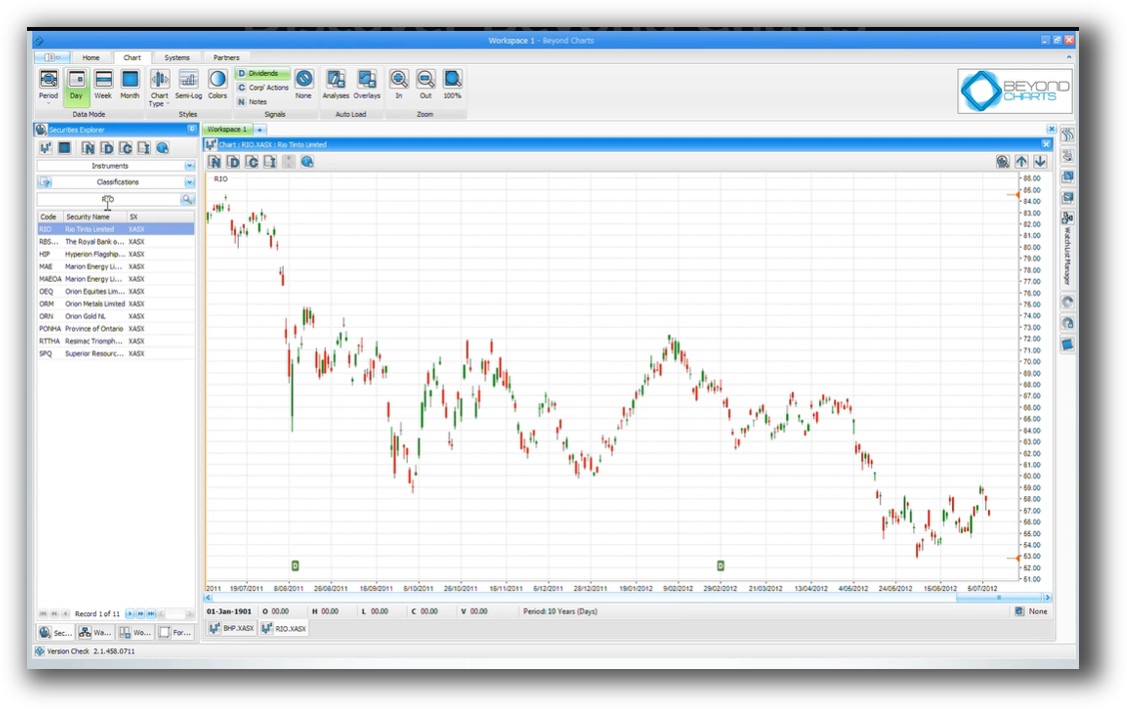
Beyond Charts Main View:
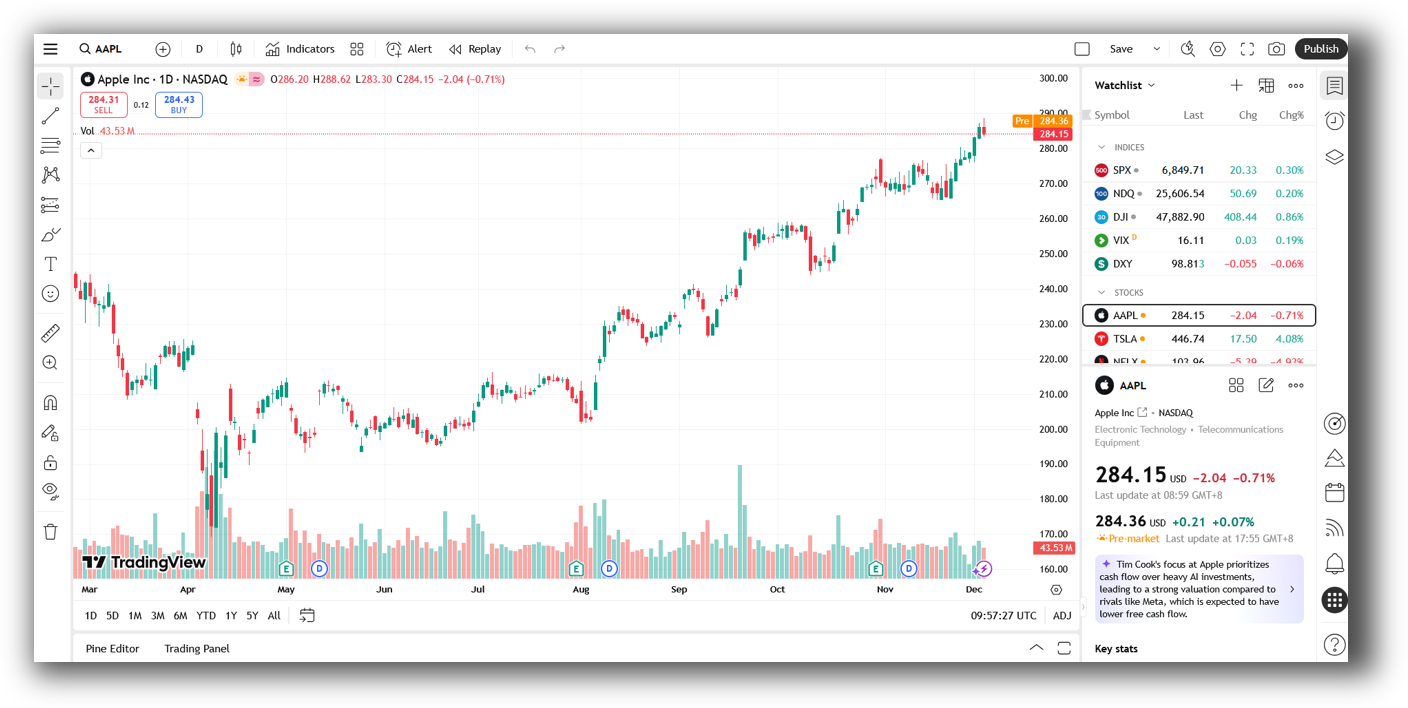
TradingView Main View:
Market Access & Data Support in Beyond Charts VS TradingView
Beyond Charts is designed for traders using ASX and international markets via EOD data, typically from sources like Norgate. It’s not ideal if you want fast access to intraday or global markets without setup.
TradingView shines here. It offers real-time data on global stocks, crypto, forex, indices, and futures. You can scan and trade across exchanges like NASDAQ, NYSE, ASX, TSX, and Binance – all from one screen.
If you’re trading crypto or want a broader watchlist across multiple markets, TradingView clearly has the edge.
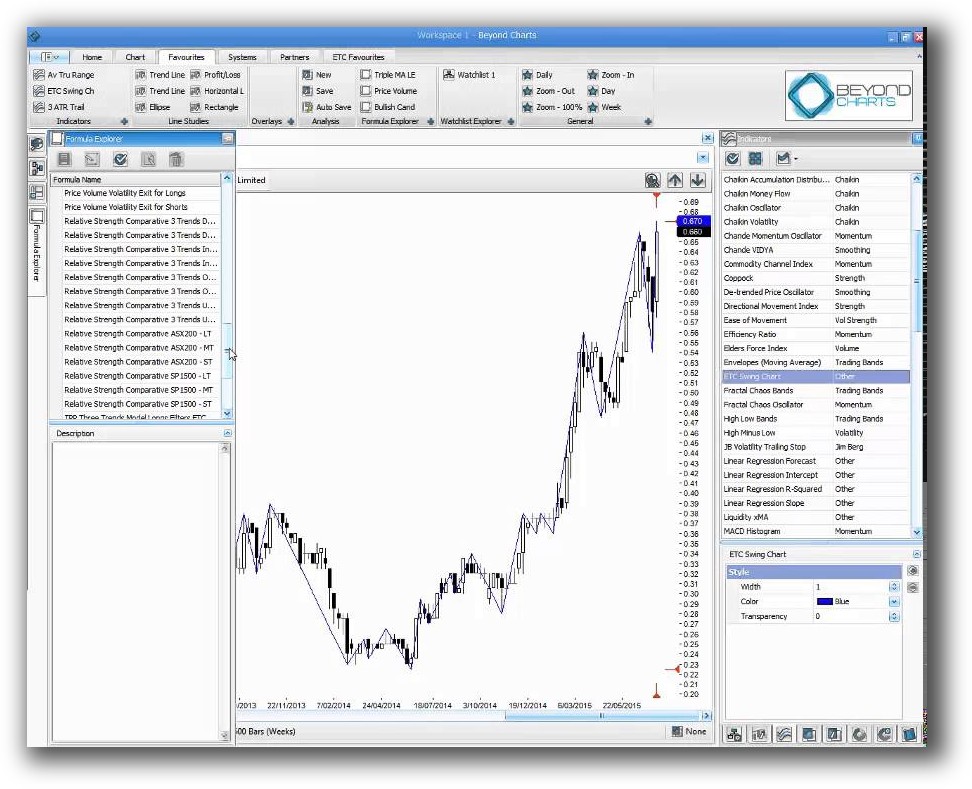
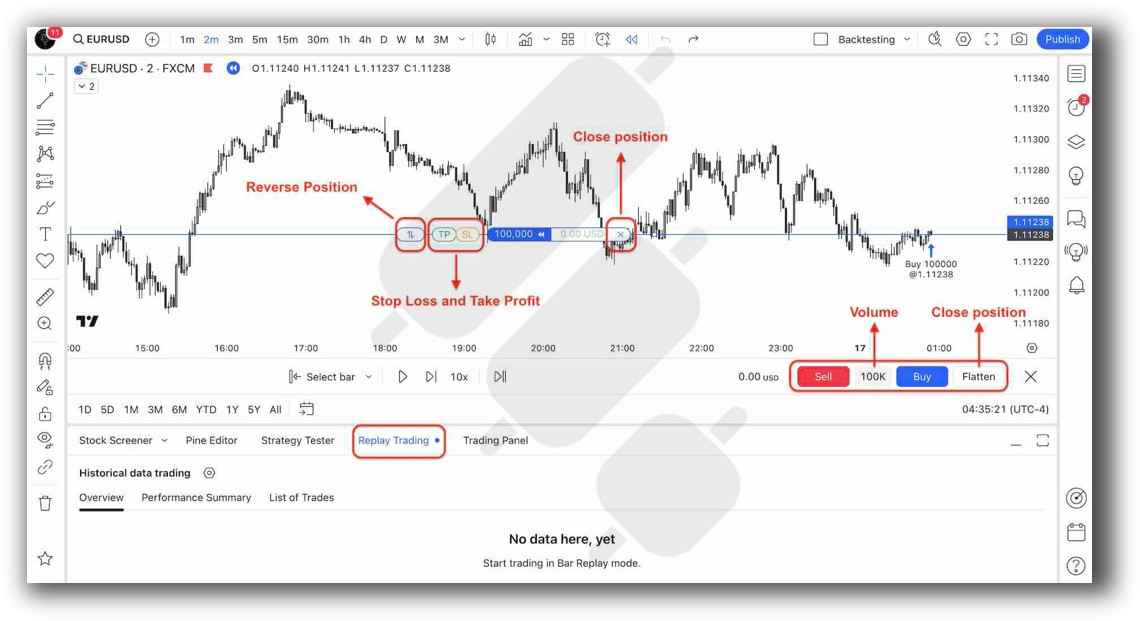
Beyond Charts Backtesting Interface:
TradingView Backtesting Interface:
Building & Customizing Trading Strategies
Both platforms fall short of what’s needed for robust trading system development.
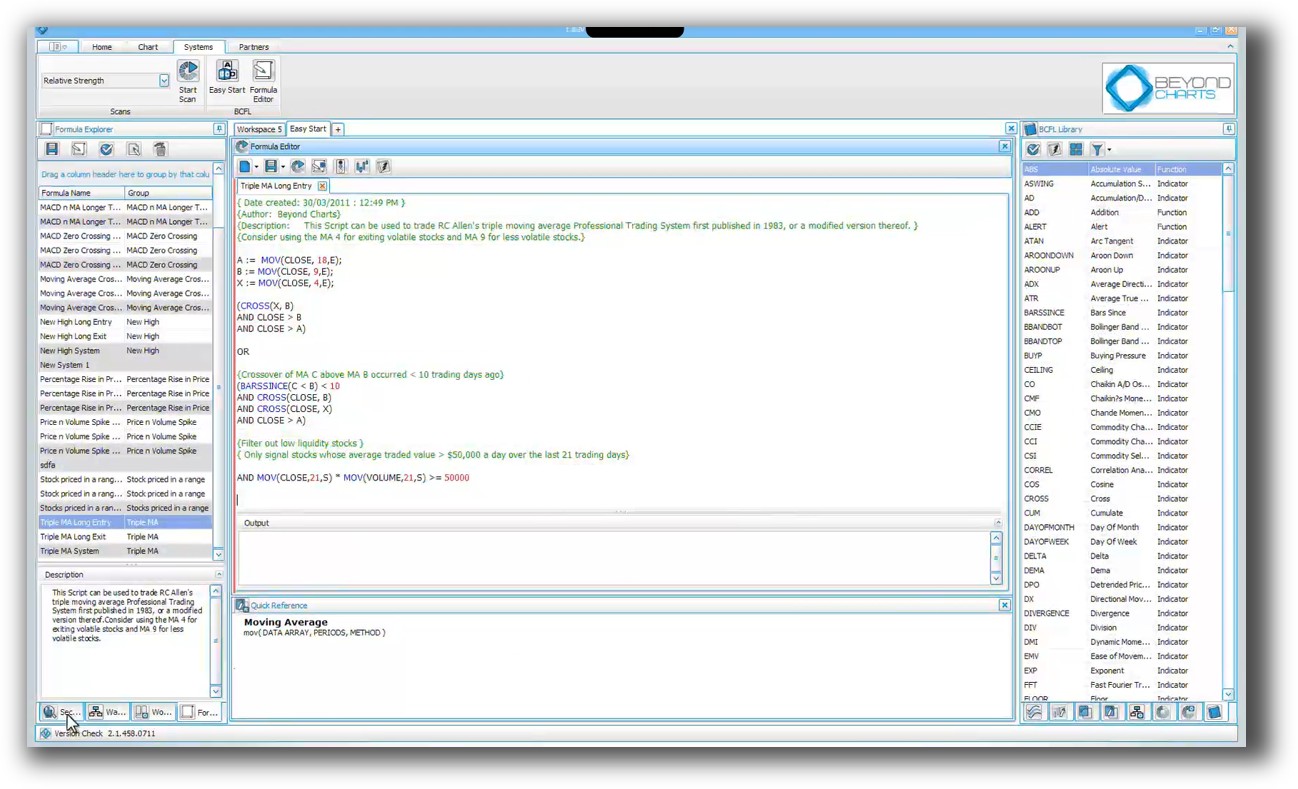
Beyond Charts offers basic scripting with its own formula language (BCFL). But there’s no integrated portfolio backtesting, no automation, and no modern scripting structure.
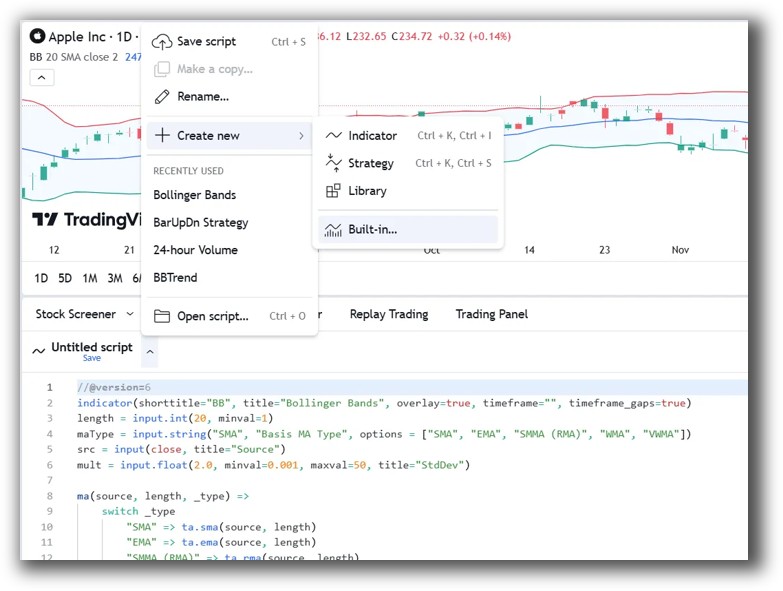
TradingView provides Pine Script, a purpose-built language for building indicators and strategies. It’s well-documented and widely used, but it’s visual, and still doesn’t offer robust portfolio simulations or forward testing.
If you’re serious about building a systematic portfolio of rules-based strategies, you’ll outgrow both platforms quickly. You need something like RealTest or Amibroker.
Check Out: Trading System Development
Beyond Charts Code Editor:
TradingView Code Editor:
Backtesting Performance, Speed & Realism
This is where things get critical.
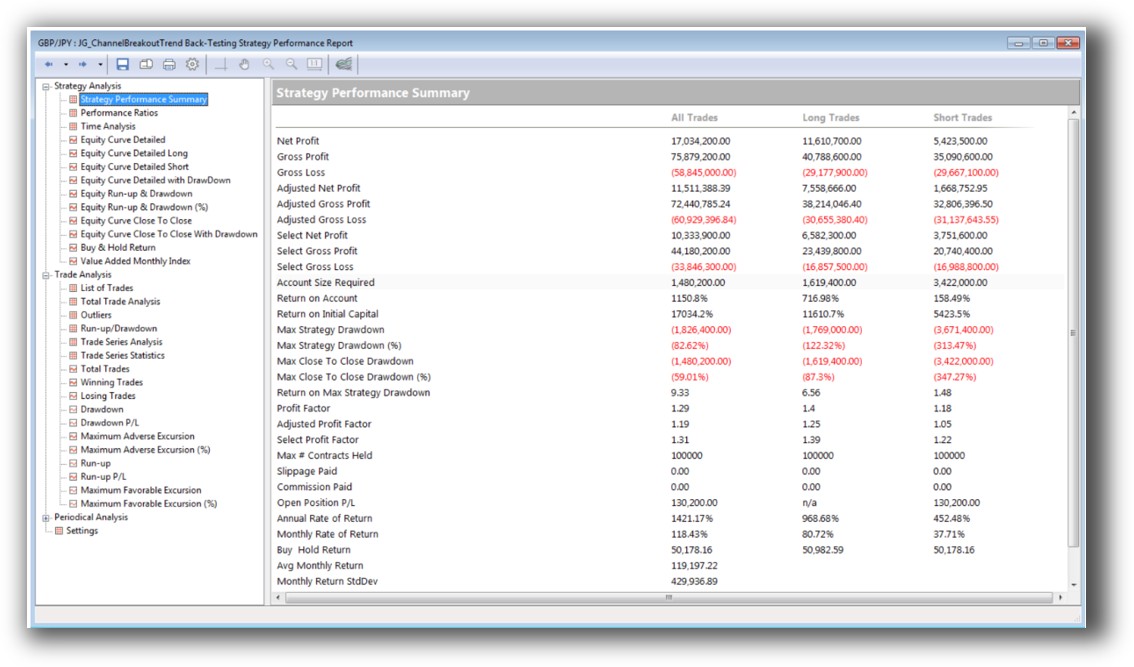
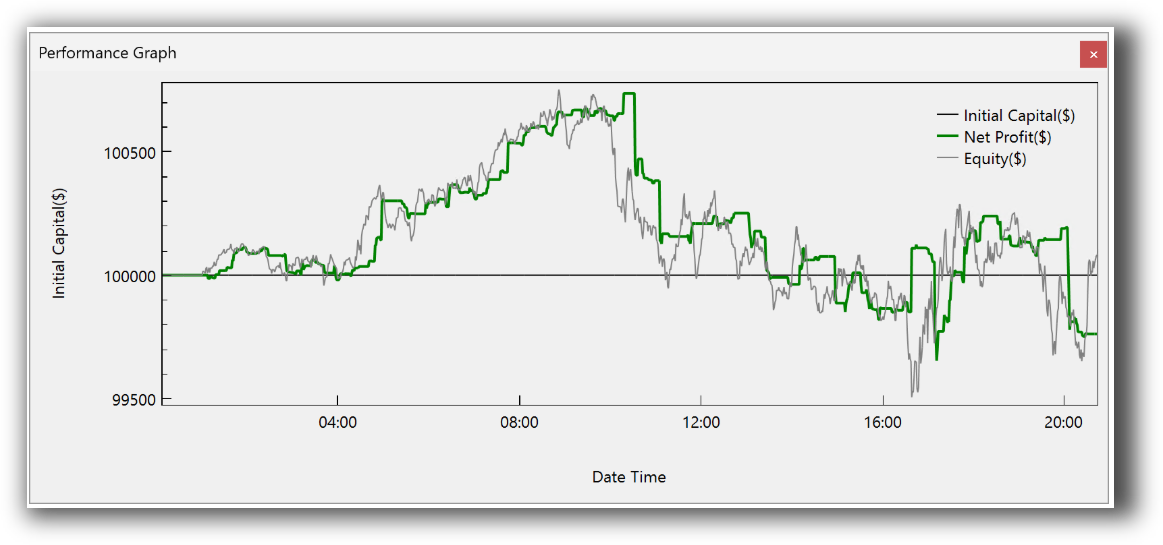
Beyond Charts: Backtesting is basic. It simulates strategy performance on a single instrument at a time with no support for portfolio-level testing, position sizing, or capital allocation. That makes it unsuitable for testing systems that include position sizing or require a realistic drawdown profile.
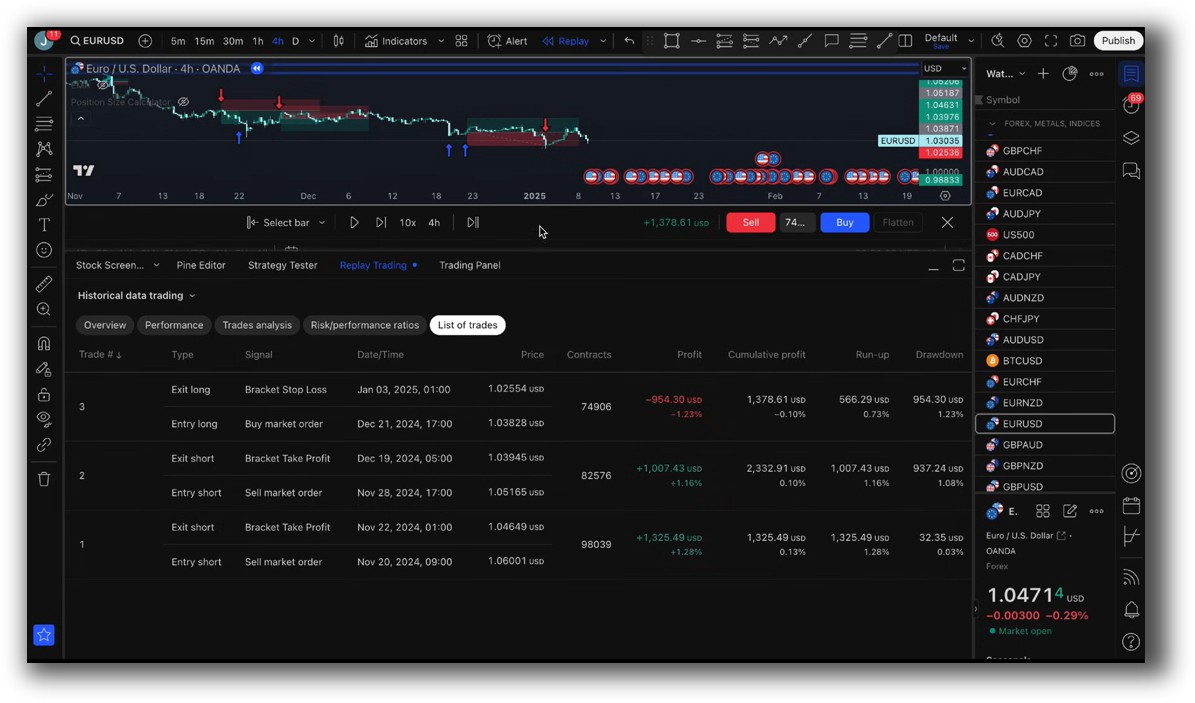
TradingView: Backtesting in Pine Script is scripted visually and runs on the chart. It’s great for spot testing, but it assumes you have infinite capital and doesn’t simulate real-world constraints like slippage, commissions, or competing positions.
For real traders building confidence in their edge, both tools fail to deliver the realism needed to build conviction in a system.
Check Out: Trading System Development
Beyond Charts Backtest Report:
TradingView Backtest Report:
Strategy Optimization & Stress Testing Tools
Neither platform has reliable features for trading system optimization. You won’t find:
- Walk-forward testing
- Monte Carlo analysis
- Parameter sensitivity testing
- Portfolio-level simulations
This makes it nearly impossible to test a strategy’s robustness under different market conditions or avoid curve fitting.
Again, RealTest or Amibroker do this far better and are built for that exact purpose.
Charting Features, Signal Exploration & Live Execution
Now here’s where both tools offer some value – especially for discretionary traders.
Beyond Charts:
- Strong scanning tools
- Deep technical analysis tools (including Elliott Wave and Gann tools)
- Static watchlists and chart layouts
TradingView:
- Intuitive charts and fast loading
- Community-built indicators and strategies
- Browser access from any device
- Broker integration for direct execution
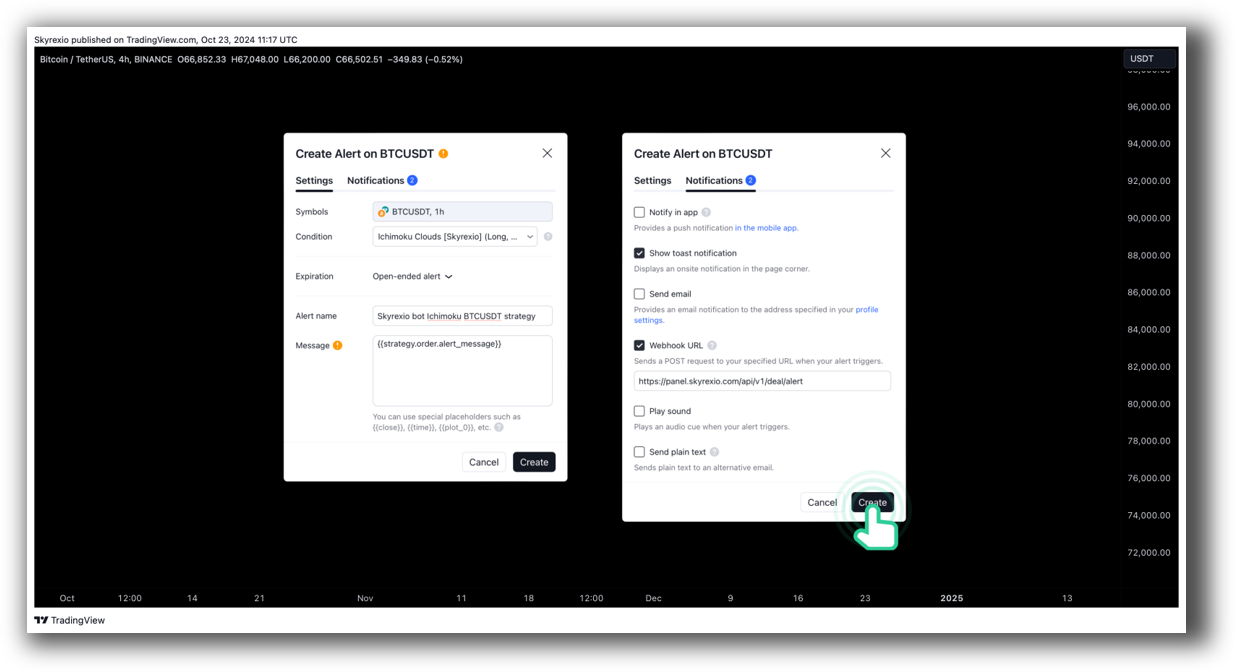
If you’re using a rules-based system and want a modern charting interface, TradingView can be a good companion for visual confirmation or trade execution, but not development.
Check Out Order Types | Automated Trading Systems
TradingView Automation Set Up:
Support, Documentation & Learning Resources
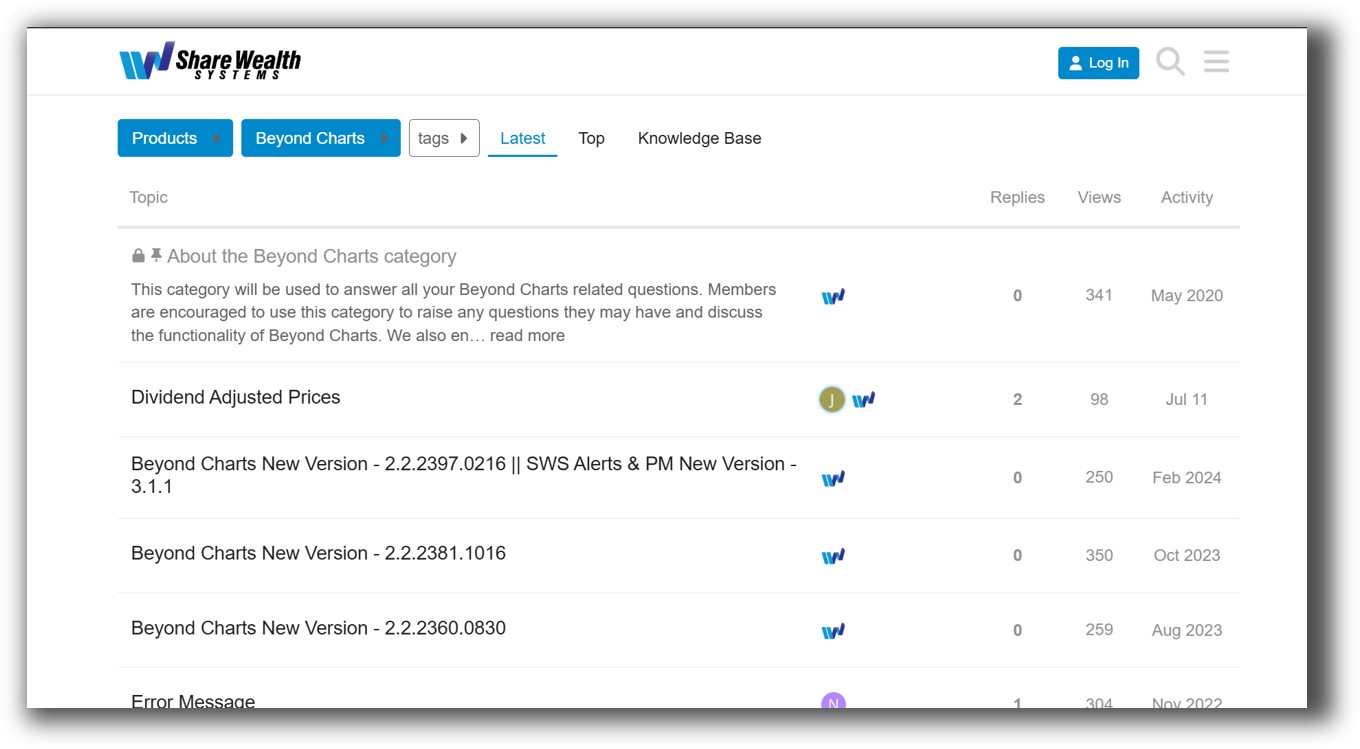
Beyond Charts has limited and outdated documentation, and new traders may find the learning curve frustrating without guidance.
TradingView, by contrast, has:
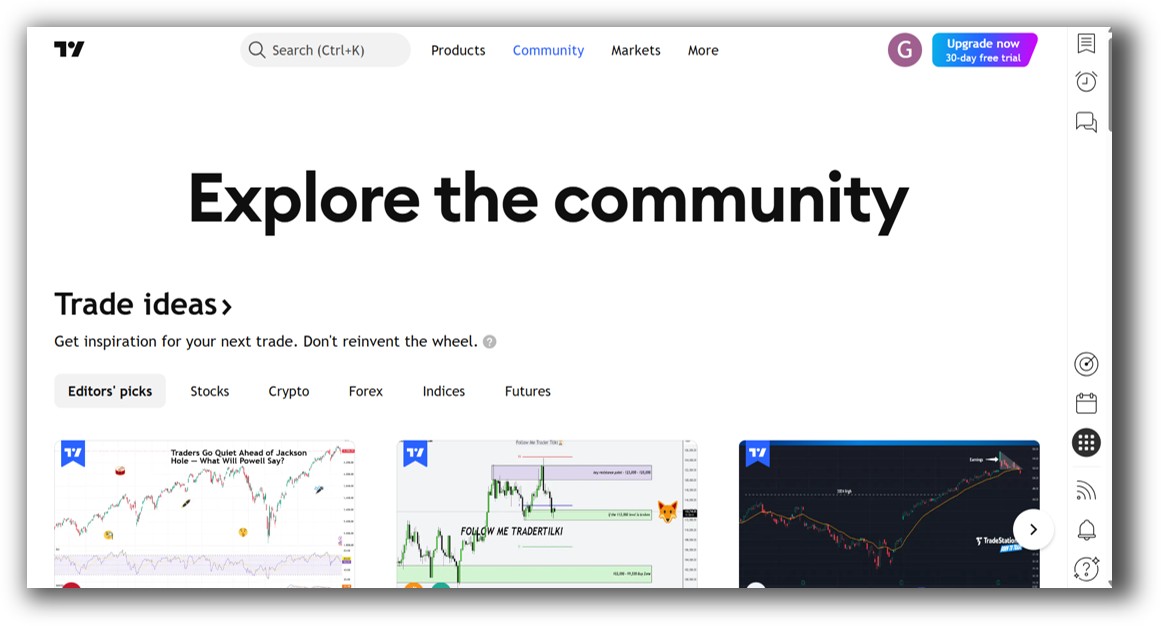
- Massive community of script developers
- Extensive documentation
- Active forums and support
So if you’re starting out and want easier onboarding, TradingView is more accessible. But if you’re working toward full automation, you’ll hit a wall with both.
Beyond Charts Forum Front Page is illustrated down below:
TradingView Community Ideas Front Page is illustrated down below:
Beyond Charts VS TradingView: Which One Should You Use?
|
Use Case |
Recommended Platform |
|
System design & backtesting |
Neither – use RealTest or Amibroker |
|
Deep technical analysis |
Beyond Charts |
|
Fast charting & scanning |
TradingView |
|
Broker execution & alerts |
TradingView |
|
Full portfolio simulation |
Not supported by either |
If your goal is discretionary trading with a rules-based overlay, TradingView can serve you well.
But if you’re aiming for full systematic trading with confidence in your edge, both of these tools will leave you short.
Our Recommendation
If you want to:
- Build profitable trading systems
- Test them properly
- Manage risk
- Trade across multiple markets with minimal time and emotion
Then neither TradingView nor Beyond Charts is ideal.
Instead, you should be looking at RealTest for its speed, portfolio simulation, and realism. Or Amibroker for its advanced scanning and custom scripting capabilities (though expect a steeper learning curve).
Better yet, skip the years of trial-and-error and build your foundation inside the Trader Success System.
Want The Rest of the Puzzle?
Backtesting software is just one piece. The real transformation happens when you align your tools, your systems, and your psychology with your goals.
If you’re tired of chasing tips and want to build wealth systematically, the next step is clear: The Trader Success System.
Inside, you’ll discover:
- Proven trading systems
- A step-by-step backtesting framework
- Position sizing tools
- Automation strategies that let you trade in 30 minutes or less
Trading and Backtesting Software Review List
- RealTest vs Amibroker
- RealTest VS TradeStation
- RealTest VS NinjaTrader
- RealTest VS MultiCharts
- RealTest VS Wealth-Lab
- RealTest VS Beyond Charts
- RealTest VS Optuma
- RealTest VS TradingView
- RealTest VS MetaTrader 4 (MT4)
- RealTest VS MetaTrader 5 (MT5)
- AmiBroker VS TradeStation
- AmiBroker VS NinjaTrader
- AmiBroker VS MultiCharts
- AmiBroker VS Wealth-Lab
- AmiBroker VS Beyond Charts
- AmiBroker VS Optuma
- AmiBroker VS TradingView
- AmiBroker VS MetaTrader 4 (MT4)
- AmiBroker VS MetaTrader 5 (MT5)
- TradeStation VS NinjaTrader
- TradeStation VS MultiCharts
- TradeStation VS Wealth-Lab
- TradeStation VS Beyond Charts
- TradeStation VS Optuma
- TradeStation VS TradingView
- TradeStation VS MetaTrader 4 (MT4)
- TradeStation VS MetaTrader 5 (MT5)
- NinjaTrader VS MultiCharts
- NinjaTrader VS Wealth-Lab
- NinjaTrader VS Beyond Charts
- NinjaTrader VS Optuma
- NinjaTrader VS TradingView
- NinjaTrader VS MetaTrader 4 (MT4)
- NinjaTrader VS MetaTrader 5 (MT5)
- MultiCharts VS Wealth-Lab
- MultiCharts VS Beyond Charts
- MultiCharts VS Optuma
- MultiCharts VS TradingView
- MultiCharts VS MetaTrader 4 (MT4)
- MultiCharts VS MetaTrader 5 (MT5)
- Wealth-Lab VS Beyond Charts
- Wealth-Lab VS Optuma
- Wealth-Lab VS TradingView
- Wealth-Lab VS MetaTrader 4 (MT4)
- Wealth-Lab VS MetaTrader 5 (MT5)
- Beyond Charts VS Optuma
- Beyond Charts VS TradingView
- Beyond Charts VS MetaTrader 4 (MT4)
- Beyond Charts VS MetaTrader 5 (MT5)
- Optuma VS TradingView
- Optuma VS MetaTrader 4 (MT4)
- Optuma VS MetaTrader 5 (MT5)
- TradingView VS MetaTrader 4 (MT4)
- TradingView VS MetaTrader 5 (MT5)
- MetaTrader 4 (MT4) VS MetaTrader 5 (MT5)