
TradeStation VS MetaTrader 4: Comparing Backtesting Software for Systematic Trading
Short answer: If your goal is high-speed, realistic, and portfolio-level backtesting for stock or futures strategies, TradeStation is more capable than MetaTrader 4 (MT4). But if you only trade forex and want to automate with minimal upfront cost, MT4 is still widely used. Neither tool is perfect. For most systematic traders, especially those building diversified multi-strategy portfolios, RealTest is better suited overall.
Let’s break down how TradeStation and MetaTrader 4 stack up across the key features that matter to system traders.
TradeStation VS MetaTrader 4 at a Glance
Short on time? Here’s how TradeStation VS MetaTrader 4 compare side by side.
| Feature | TradeStation | MetaTrader 4 |
|---|---|---|
| First Released | 1982 | 2005 |
| OS Support | Windows only (web/mobile lite versions) | Windows (full), iOS/Android (mobile) |
| Programming Language | EasyLanguage | MQL4 (C-like) |
| Backtesting Engine | Full tick-level testing, portfolio capable | Basic single-instrument testing |
| Strategy Optimization | Built-in, wide range of metrics | Included, limited to EA-level |
| Market Access | Stocks, futures, options, crypto | Forex, CFDs, crypto via brokers |
| Pricing | Data + brokerage fees | Free (broker-sponsored) |
| Automation | Advanced, broker-integrated | EA (Expert Advisor) based |
Platform Overview, Cost & Compatibility
TradeStation is a full-service trading and development environment originally launched as Omega Research in the early 80s. It’s tailored for serious traders who want high-performance strategy testing, trading, and automation across multiple asset classes.
MetaTrader 4, on the other hand, was launched by MetaQuotes in 2005 for forex traders. It’s broker-supplied, free to use, and runs well on modest hardware.
Key considerations:
- Both platforms are Windows native. Mac users will need to run them via Parallels or a Windows VM.
- TradeStation comes with costs: platform access, data feeds, and brokerage. MT4 is typically free when using a supporting broker.
TradeStation Main View:

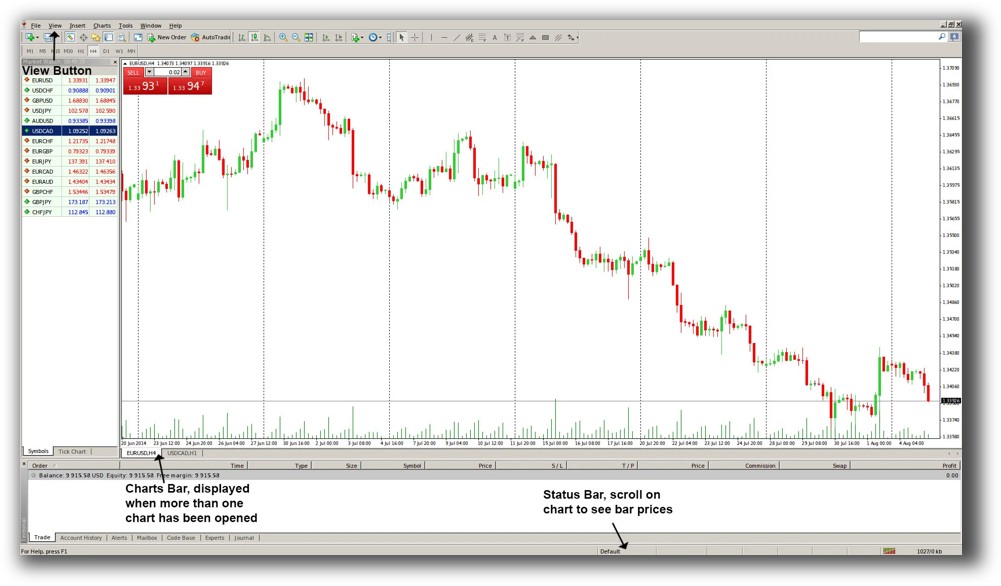
MetaTrader 4 Main View:
Market Access & Data Support in TradeStation VS MetaTrader 4
TradeStation offers access to:
- US stocks, ETFs
- Options and futures
- Some crypto and forex
- Institutional-grade historical data (EOD and intraday)
MT4, however, is focused on:
- Spot forex
- CFDs on indices, commodities, crypto (broker-dependent)
- Data quality varies massively between brokers
If you want to trade stocks, TradeStation is your only real option here. If you only trade forex, MT4 may suffice.
Check Out: Trading System Development
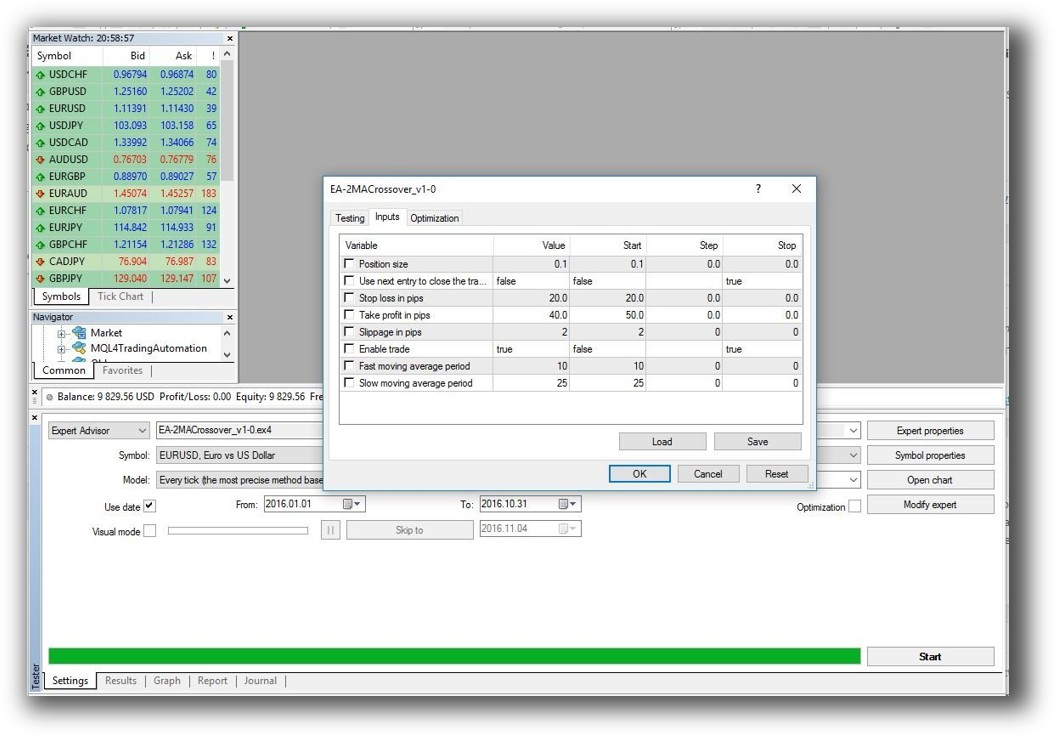
TradeStation Backtesting Interface:
MetaTrader 4 Backtesting Interface:
Building & Customizing Trading Strategies
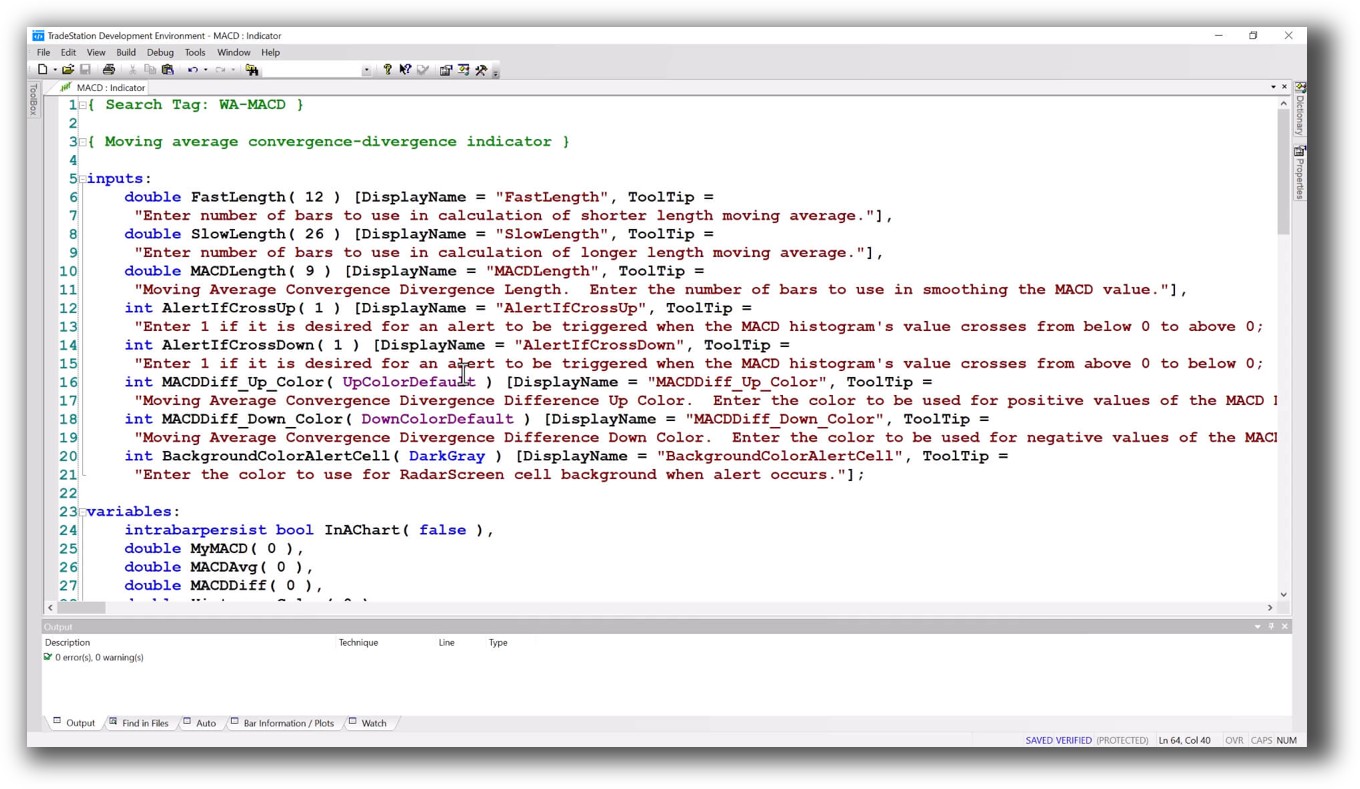
TradeStation uses EasyLanguage – a proprietary but intuitive language that’s ideal for traders with little coding experience. You can build custom strategies, indicators, and alerts.
MT4 uses MQL4 – a C-like language that’s more technical and often requires developer support for custom systems or bots (Expert Advisors).
For system traders looking to explore their own ideas, EasyLanguage typically results in faster progress and fewer bugs. But both platforms allow you to code and deploy live systems.
Check Out: Trading System Development
TradeStation Code Editor:
MetaTrader 4 Code Editor:

Backtesting Performance, Speed & Realism
This is where the gap widens.
TradeStation’s backtester:
- Tick-by-tick and bar-by-bar testing
- Full position sizing, slippage, commissions
- Portfolio-level simulations across instruments
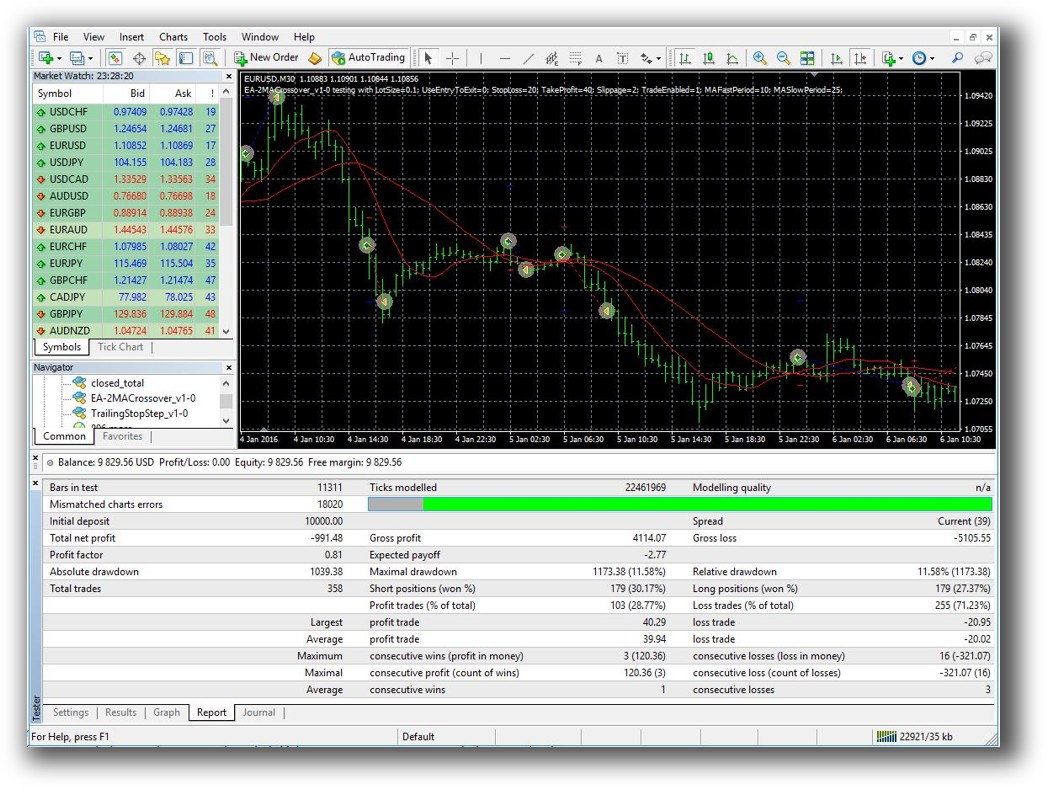
MT4’s Strategy Tester:
- Single-instrument only
- No multi-strategy portfolio testing
- Simplified assumptions about execution and fills
Put simply, TradeStation is built for backtesting. MT4 is built for execution of forex EAs. If you care about knowing your strategy’s real drawdowns, behavior in bear markets, and performance across multiple instruments, TradeStation wins. But even TradeStation falls short of RealTest when it comes to speed, clarity, and stability of portfolio testing.
Check out: Backtesting | Drawdown
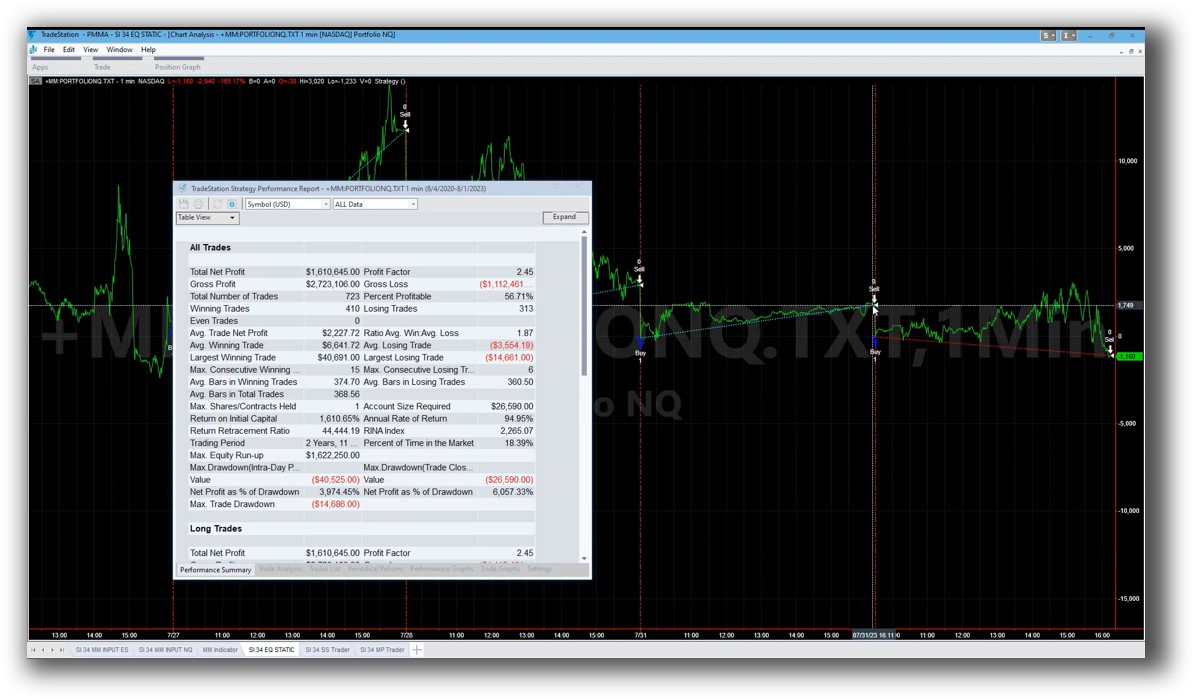
TradeStation Backtest Report:

MetaTrader 4 Backtest Report:
Strategy Optimization & Stress Testing Tools
Both platforms allow parameter optimization, but the depth and control differ.
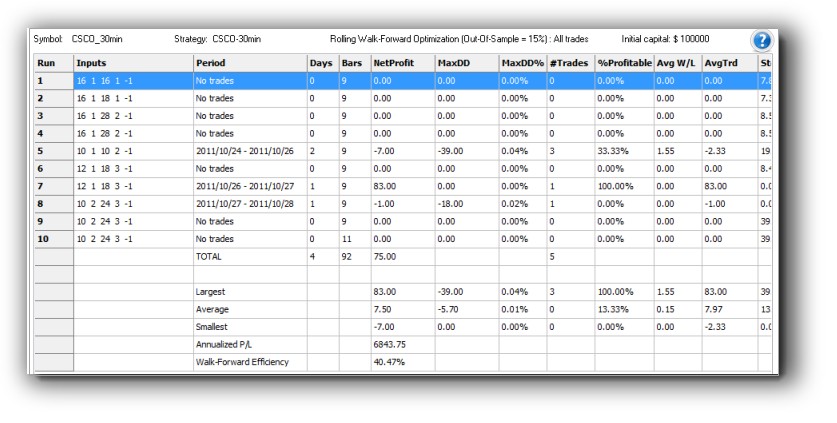
- TradeStation: Supports multi-objective optimization, walk-forward testing, and advanced performance metrics. However, it’s prone to curve-fitting if not used carefully.
- MT4: Basic grid search over parameters, limited robustness metrics. Most users rely on third-party plugins or Monte Carlo tools.
Neither platform excels in stability testing. RealTest and Amibroker are better if you’re focused on robust strategy design.
Check out: Trading System Optimization
TradeStation Walk-Forward (Out-of-Sample):
Charting Features, Signal Exploration & Live Execution
MT4 shines in charting for intraday and forex traders. It’s clean, fast, and supports most technical indicators out of the box. But it lacks multi-timeframe portfolio views.
TradeStation’s charting is more versatile for stocks and futures, with integrated scanning, order placement, and alerts.
Execution:
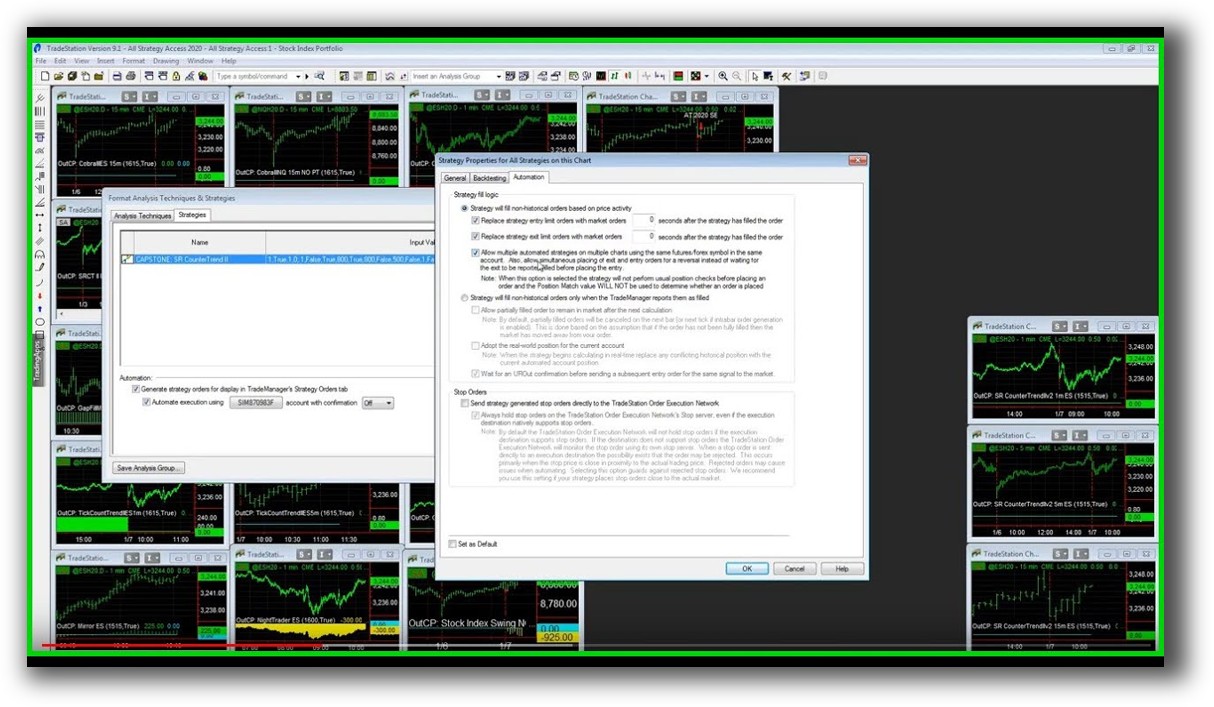
- TradeStation: Direct to brokerage, full order types, server-side execution.
- MT4: Broker-dependent, EA-triggered orders, often less precise.
If you need scanning across hundreds of stocks or ETF strategies, Amibroker may still be a better fit than either tool.
Check Out Order Types | Automated Trading Systems
TradeStation Automation Set Up (Format Strategies):
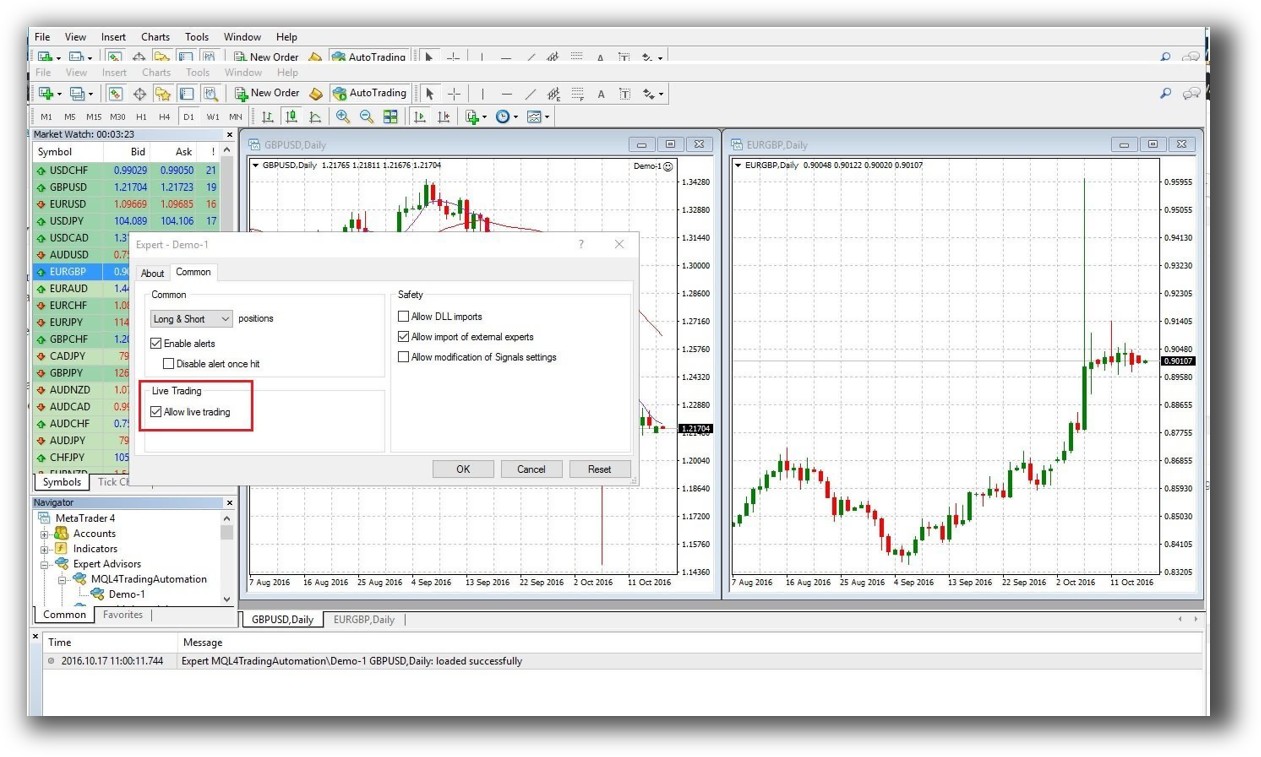
MetaTrader 4 Automation Set Up (Expert Advisor):
Support, Documentation & Learning Resources
TradeStation’s documentation is:
- Extensive but aged in places
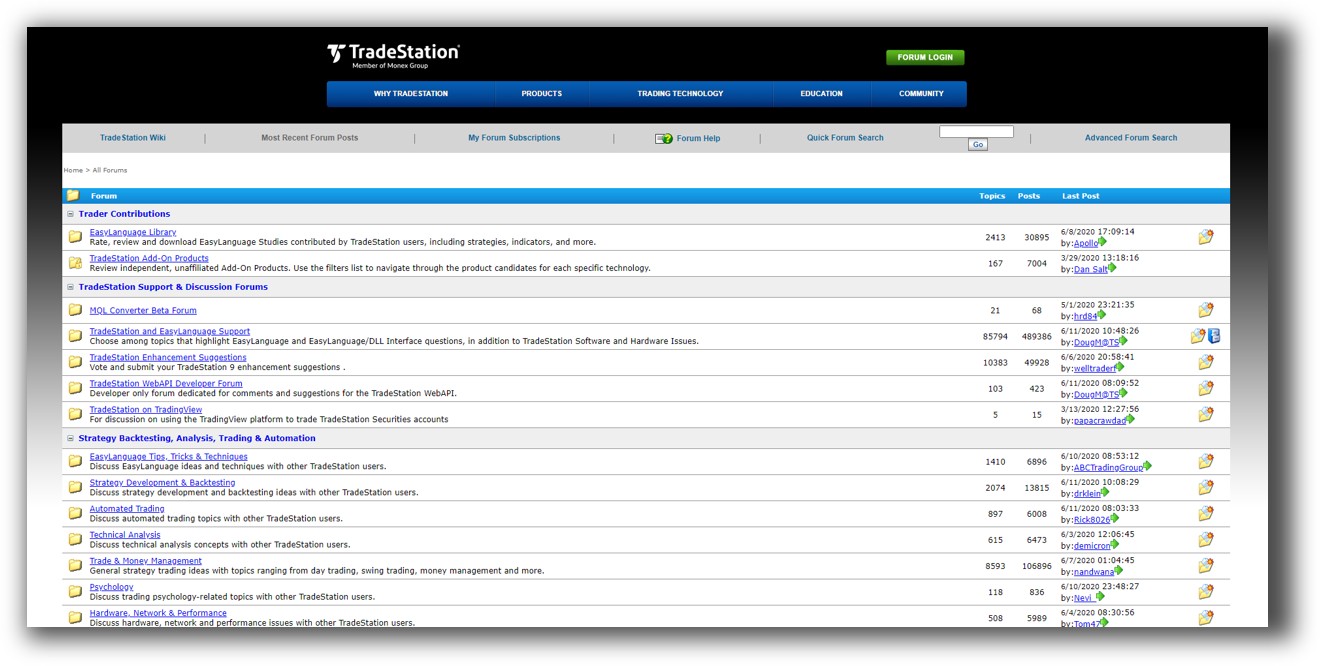
- Community forums are active
- Some proprietary language quirks
MetaTrader 4:
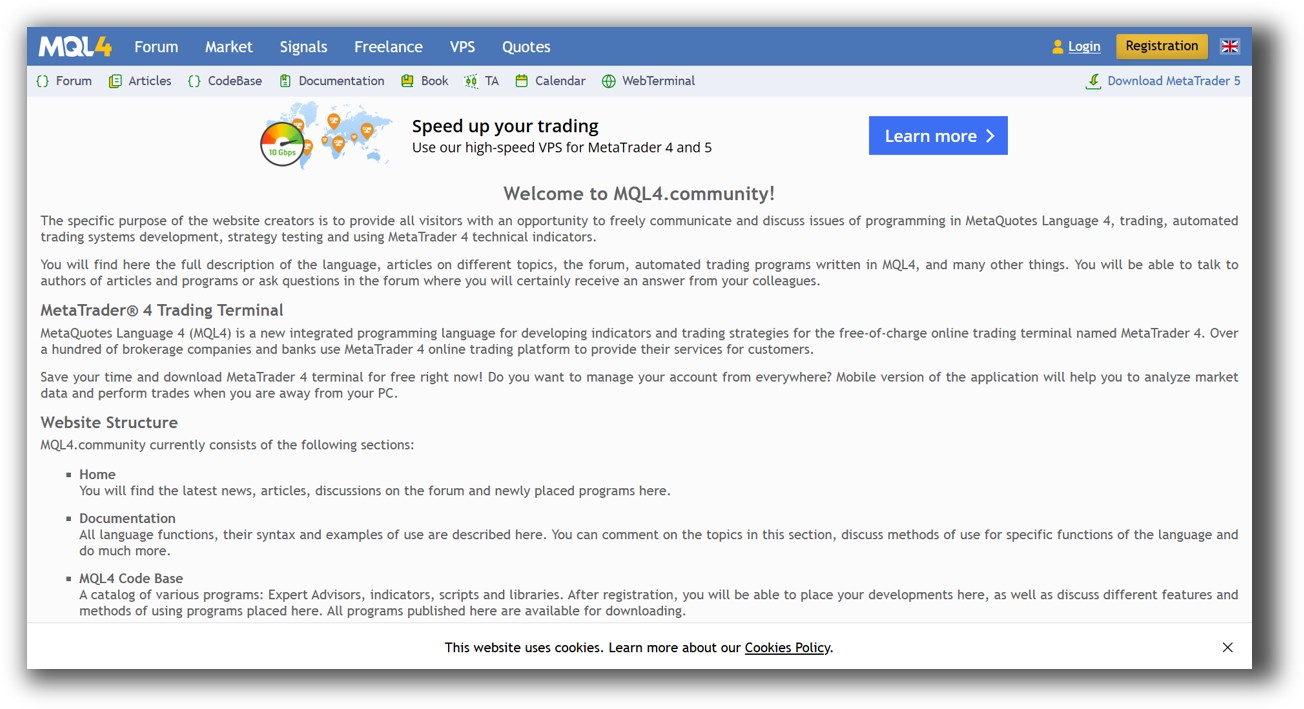
- Thousands of tutorials, but many are outdated or low quality
- Community support is hit or miss
- MQL4 docs are sparse compared to more modern platforms
Compared to RealTest’s modern and clear documentation, both MT4 and TradeStation require more trial-and-error learning. This leads to more trading mistakes for beginners.
TradeStation Forum is illustrated down below:
MetaTrader 4 Forum is illustrated down below:
TradeStation VS MetaTrader 4: Which One Should You Use?
|
Category |
Most Ideal |
|
Market Access |
TradeStation |
|
Strategy Coding |
TradeStation |
|
Backtesting Accuracy |
TradeStation |
|
Optimization |
TradeStation |
|
Forex Execution |
MetaTrader 4 |
|
Price (Upfront Cost) |
MetaTrader 4 |
|
Ease of Setup |
MetaTrader 4 |
|
Learning Curve |
Tie |
|
Best for Stock & Futures Traders |
TradeStation |
|
Best for Forex EA Users |
MetaTrader 4 |
Our Recommendation:
If you trade forex exclusively and want a free tool with built-in automation, MetaTrader 4 is still a valid starting point.
But if you’re serious about systematic trading, especially with stocks, ETFs, or multi-strategy portfolios, TradeStation is the stronger option. Its integrated brokerage, strategy engine, and historical data give you far more room to grow.
That said, for maximum speed, realism, and portfolio testing accuracy, RealTest is better than either platform. It’s lightweight, blazingly fast, and purpose-built for the type of trading systems we teach at Enlightened Stock Trading.
Want the Rest of the Puzzle?
Backtesting is just one piece.
If you want to build unshakeable confidence in your systems, diversify across markets, automate your trades, and finally stop second-guessing yourself, then the real work begins now.
The next step is learning the proven process we use to turn inconsistent traders into confident, rule-based professionals.
Learn more inside The Trader Success System, your shortcut to systematic trading success.
Remember – You are only one trading system away!
Trading and Backtesting Software Review List
- RealTest vs Amibroker
- RealTest VS TradeStation
- RealTest VS NinjaTrader
- RealTest VS MultiCharts
- RealTest VS Wealth-Lab
- RealTest VS Beyond Charts
- RealTest VS Optuma
- RealTest VS TradingView
- RealTest VS MetaTrader 4 (MT4)
- RealTest VS MetaTrader 5 (MT5)
- AmiBroker VS TradeStation
- AmiBroker VS NinjaTrader
- AmiBroker VS MultiCharts
- AmiBroker VS Wealth-Lab
- AmiBroker VS Beyond Charts
- AmiBroker VS Optuma
- AmiBroker VS TradingView
- AmiBroker VS MetaTrader 4 (MT4)
- AmiBroker VS MetaTrader 5 (MT5)
- TradeStation VS NinjaTrader
- TradeStation VS MultiCharts
- TradeStation VS Wealth-Lab
- TradeStation VS Beyond Charts
- TradeStation VS Optuma
- TradeStation VS TradingView
- TradeStation VS MetaTrader 4 (MT4)
- TradeStation VS MetaTrader 5 (MT5)
- NinjaTrader VS MultiCharts
- NinjaTrader VS Wealth-Lab
- NinjaTrader VS Beyond Charts
- NinjaTrader VS Optuma
- NinjaTrader VS TradingView
- NinjaTrader VS MetaTrader 4 (MT4)
- NinjaTrader VS MetaTrader 5 (MT5)
- MultiCharts VS Wealth-Lab
- MultiCharts VS Beyond Charts
- MultiCharts VS Optuma
- MultiCharts VS TradingView
- MultiCharts VS MetaTrader 4 (MT4)
- MultiCharts VS MetaTrader 5 (MT5)
- Wealth-Lab VS Beyond Charts
- Wealth-Lab VS Optuma
- Wealth-Lab VS TradingView
- Wealth-Lab VS MetaTrader 4 (MT4)
- Wealth-Lab VS MetaTrader 5 (MT5)
- Beyond Charts VS Optuma
- Beyond Charts VS TradingView
- Beyond Charts VS MetaTrader 4 (MT4)
- Beyond Charts VS MetaTrader 5 (MT5)
- Optuma VS TradingView
- Optuma VS MetaTrader 4 (MT4)
- Optuma VS MetaTrader 5 (MT5)
- TradingView VS MetaTrader 4 (MT4)
- TradingView VS MetaTrader 5 (MT5)
- MetaTrader 4 (MT4) VS MetaTrader 5 (MT5)


