

TradeStation VS MetaTrader 5: Comparing Backtesting Software for Systematic Trading
Quick Answer: If you’re serious about systematic trading and want reliable backtesting, TradeStation offers more robust features than MetaTrader 5. However, both tools have strengths, and your choice should depend on your trading goals, markets, and workflow preferences.
This guide breaks down each platform in detail, so you can decide with confidence and avoid wasting years on the wrong tool.
TradeStation VS MetaTrader 5 at a Glance
Short on time? Here’s how TradeStation VS MetaTrader 5 compare side by side.
|
Feature |
TradeStation |
MetaTrader 5 (MT5) |
|
Year Established |
1982 |
2010 |
|
Operating System |
Windows only (Web & Mobile versions limited) |
Windows, Mac (via emulation), Web, Mobile |
|
Cost |
Paid (via brokerage fees + data subs) |
Free via brokers |
|
Programming Language |
EasyLanguage (proprietary) |
MQL5 (C-like, powerful but more complex) |
|
Brokerage Integration |
Full integration (US stocks, options, futures) |
Varies by broker (mostly forex/CFDs) |
|
Backtesting Engine |
Strong portfolio-level testing |
Single symbol only |
|
Strategy Optimization |
Walk-forward, Monte Carlo available |
Built-in optimizer, basic walk-forward |
|
Charting & Scanning |
Advanced |
Strong charts, limited scanning |
|
Support & Documentation |
Deep library + community forums |
Large online base, but fragmented |
Platform Overview, Cost & Compatibility
TradeStation is a mature, US-focused trading software platform originally built for equities, options, and futures traders. It uses EasyLanguage, which is beginner-friendly for building custom systems.
MetaTrader 5, on the other hand, was designed primarily for forex and CFD trading. It uses MQL5, a more complex language but powerful for building bots and indicators.
Cost Comparison:
- TradeStation is free only if you’re a brokerage client with qualifying activity. Otherwise, data fees and subscriptions apply.
- MT5 is free but depends heavily on your chosen broker’s setup.
Mac Users Note: Neither software has a native Mac version. You’ll need Parallels or Bootcamp for either. Avoid Wine – too unstable for live trading.
TradeStation Main View:

MetaTrader 5 Main View:

Market Access & Data Support in TradeStation VS MetaTrader 5
TradeStation offers direct access to US stocks, options, futures, and some crypto. It’s tightly integrated with its own brokerage and offers real-time institutional-grade data feeds.
MT5 depends entirely on the broker you use. Most commonly, you’ll get access to:
- Forex
- CFDs (including indices, metals, and crypto)
- Some brokers may provide US equities, but execution quality varies.
If you trade beyond forex or want access to historical EOD data for robust backtesting, TradeStation is superior.
Check Out: Trading System Development
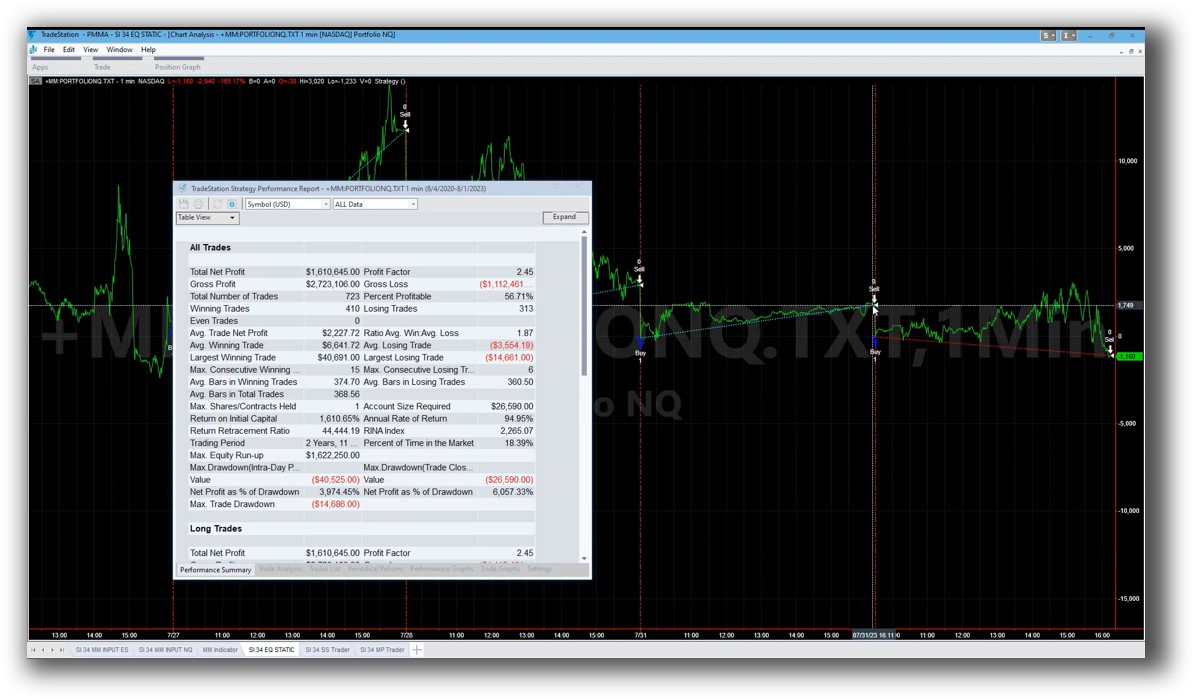
TradeStation Backtesting Interface:
MetaTrader 5 Backtesting Interface:

Building & Customizing Trading Strategies
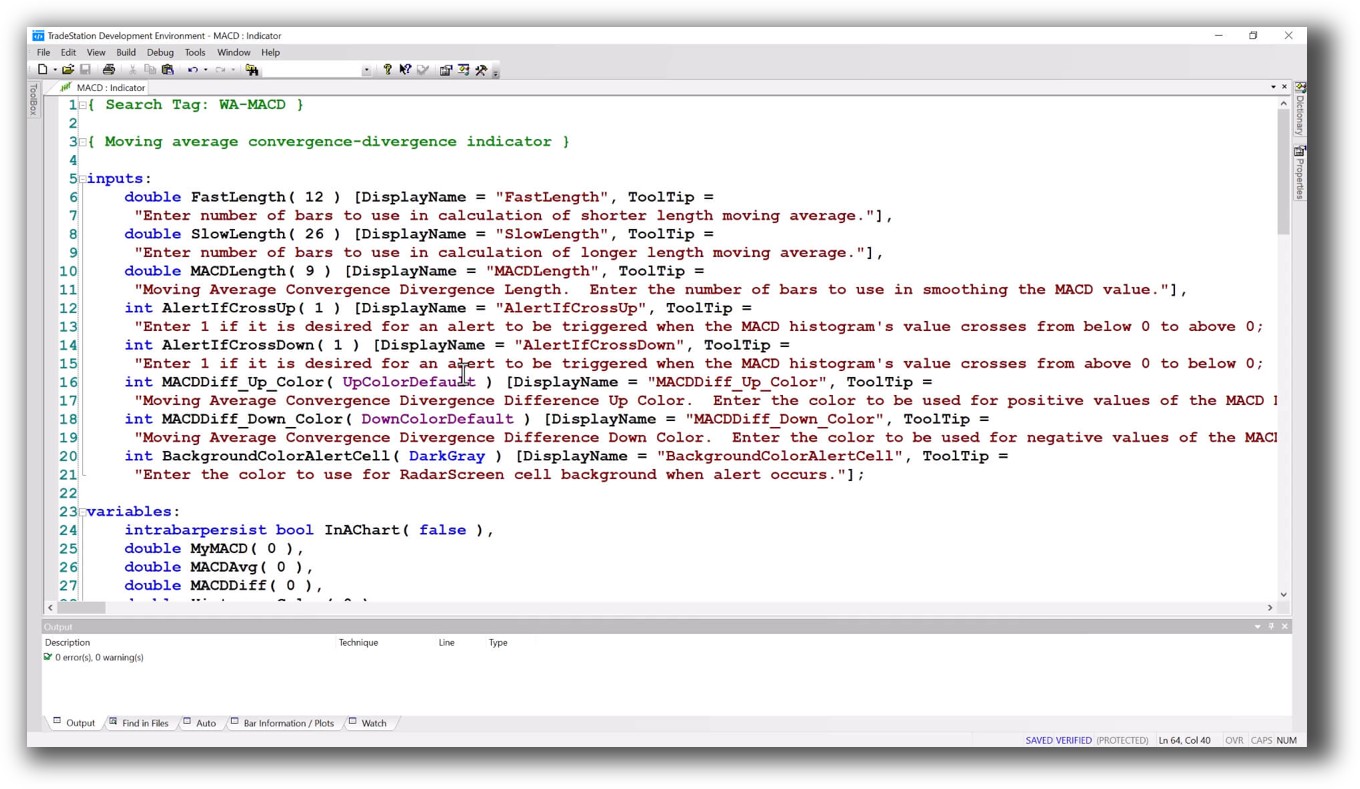
TradeStation uses EasyLanguage – a proprietary but intuitive language that’s ideal for traders with little coding experience. You can build custom strategies, indicators, and alerts.
MT5 uses MQL5 – a C-like language that’s more technical and often requires developer support for custom systems or bots (Expert Advisors).
For system traders looking to explore their own ideas, EasyLanguage typically results in faster progress and fewer bugs. But both platforms allow you to code and deploy live systems.
Check Out: Trading System Development
TradeStation Code Editor:
MetaTrader 5 Code Editor:

Backtesting Performance, Speed & Realism
This is where the real divide shows up.
- TradeStation supports:
- Multi-symbol portfolio testing
- Intraday & daily resolution
- Custom slippage, commissions, position sizing
- Walk-forward testing
- MetaTrader 5 only supports:
- Single-symbol backtesting
- Custom indicators & strategies
- Tick-by-tick simulation (good for scalping)
- No native portfolio-level backtesting
If you’re designing multi-strategy systems across markets (like we teach in the Trader Success System), MT5 simply won’t cut it for portfolio-level realism.
Check out: Backtesting | Drawdown
TradeStation Backtest Report:

MetaTrader 5 Backtest Report:

Strategy Optimization & Stress Testing Tools
Both platforms offer optimization tools, but their depth differs:
- TradeStation provides:
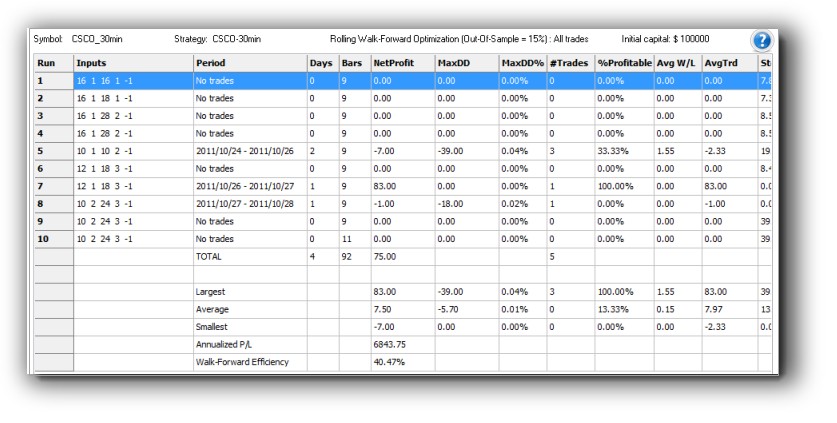
- Walk-forward testing
- Monte Carlo simulation
- Visual parameter analysis
- MetaTrader 5 includes:
- Genetic optimization
- Forward testing
- Less transparency in visual analysis
TradeStation is clearly stronger for traders looking to avoid curve fitting and build stable systems that perform across markets.
Check Out: Trading System Optimization
TradeStation Walk-Forward (Out-of-Sample):
MetaTrader 5 Genetic Optimization:

Charting Features, Signal Exploration & Live Execution
Charting is strong on both platforms, but their focus is different:
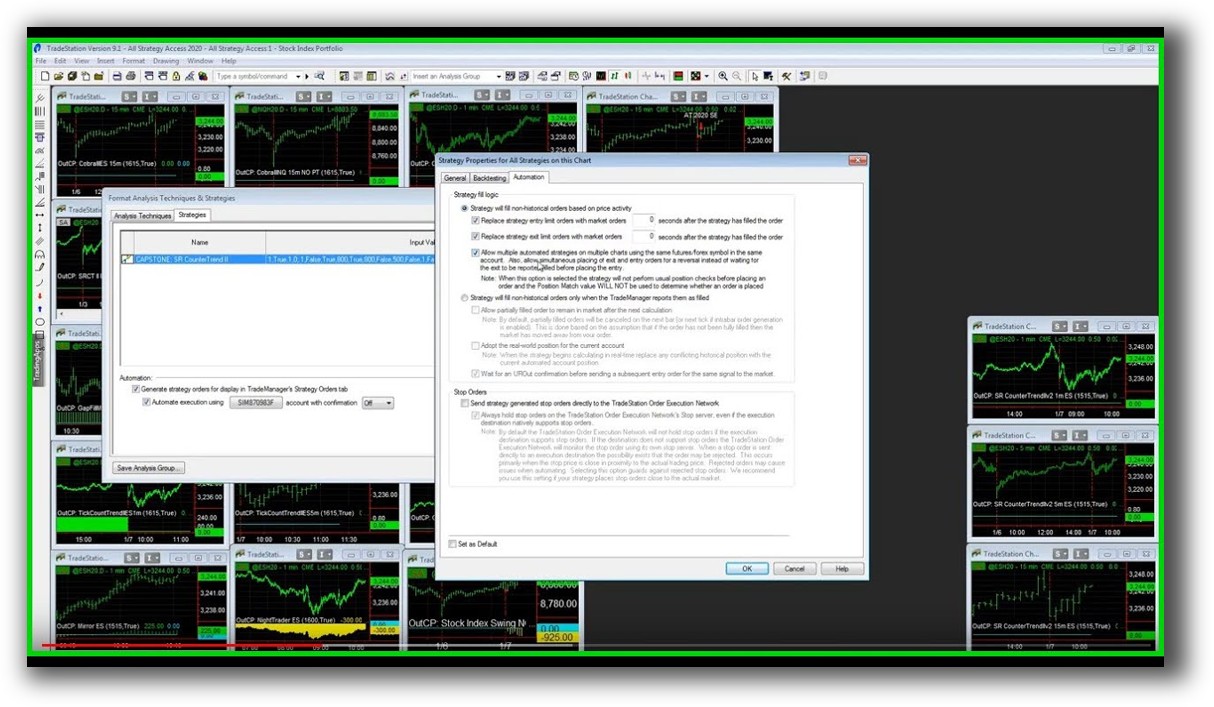
- TradeStation supports advanced scanning and radar screens, ideal for signal discovery and system execution.
- MetaTrader 5 shines in real-time charting and trade execution, especially for forex.
But MT5 lacks a robust scanner or market-wide testing capability. If you’re building diversified systems that rely on stock filters or screeners, TradeStation (or Amibroker) is better.
Check Out Order Types | Automated Trading Systems
TradeStation Automation Set Up (Format Strategies):
MetaTrader 5 Automation Set Up (Expert Advisor):

Support, Documentation & Learning Resources
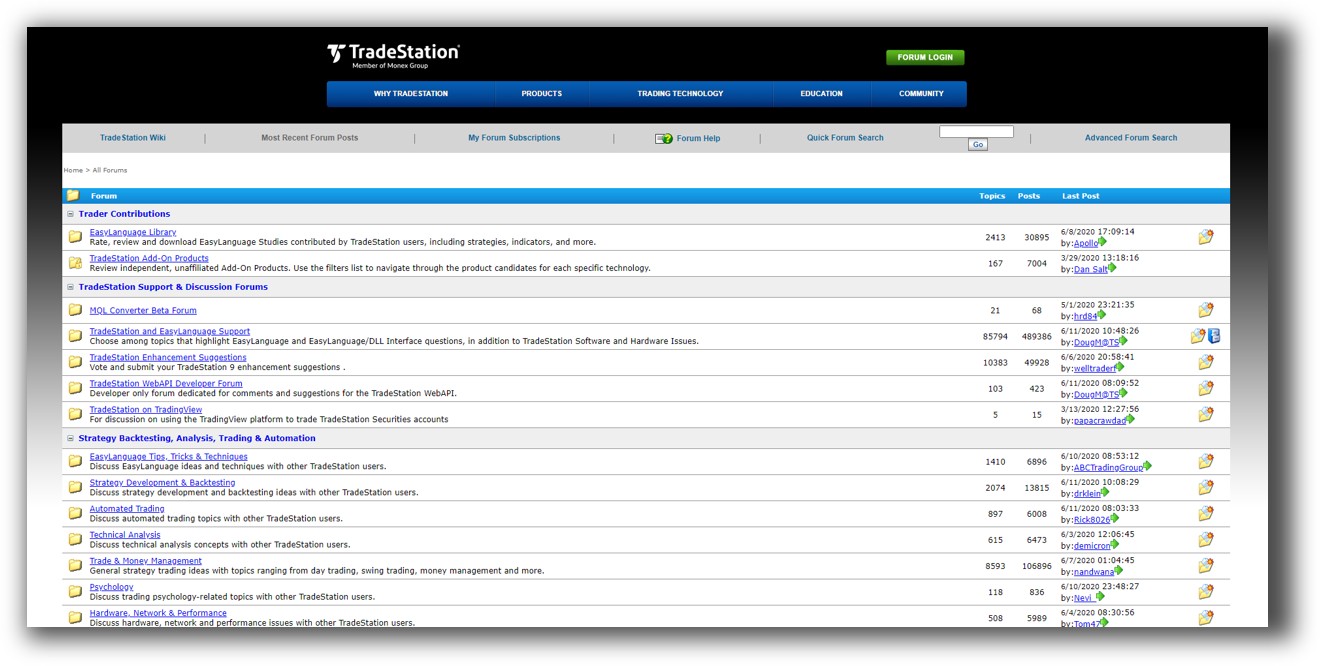
- TradeStation has deep documentation, tutorials, and a large user community. But EasyLanguage still requires effort to master.
- MetaTrader 5 has broad global adoption, but its help resources are fragmented. Much of the support comes from third-party YouTubers and forums.
Compared to tools like RealTest, both TradeStation and MT5 fall behind in documentation clarity, simplicity, and learning speed.
TradeStation Forum is illustrated down below:
MetaTrader 5 Forum is illustrated down below:

TradeStation VS MetaTrader 5: Which One Should You Use?
But if you’re serious about systematic trading, multi-strategy portfolios, and reliable backtesting software, TradeStation is far better suited.
It gives you what most traders lack:
- Confidence in your system
- Realistic simulations
The ability to test and improve your trading strategy without emotion.
Our Recommendation:
Neither platform is perfect.
- Use MetaTrader 5 if you’re dabbling in forex or experimenting with bots and indicators.
- Use TradeStation if you’re building multi-system portfolios and want to simulate real-world outcomes more accurately.
But if you’re looking for the most efficient, accurate, and trader-aligned tool?
Use RealTest for backtesting and system development. Combine it with Interactive Brokers for execution. Add Amibroker if you need advanced charting.
This setup gives you the most control, confidence, and clarity – and it’s what we recommend inside the Trader Success System.
Want the Rest of the Puzzle?
Backtesting is just one piece.
If you want to build unshakeable confidence in your systems, diversify across markets, automate your trades, and finally stop second-guessing yourself, then the real work begins now.
The next step is learning the proven process we use to turn inconsistent traders into confident, rule-based professionals.
Learn more inside The Trader Success System, your shortcut to systematic trading success.
Remember – You are only one trading system away!
Trading and Backtesting Software Review List
- RealTest vs Amibroker
- RealTest VS TradeStation
- RealTest VS NinjaTrader
- RealTest VS MultiCharts
- RealTest VS Wealth-Lab
- RealTest VS Beyond Charts
- RealTest VS Optuma
- RealTest VS TradingView
- RealTest VS MetaTrader 4 (MT4)
- RealTest VS MetaTrader 5 (MT5)
- AmiBroker VS TradeStation
- AmiBroker VS NinjaTrader
- AmiBroker VS MultiCharts
- AmiBroker VS Wealth-Lab
- AmiBroker VS Beyond Charts
- AmiBroker VS Optuma
- AmiBroker VS TradingView
- AmiBroker VS MetaTrader 4 (MT4)
- AmiBroker VS MetaTrader 5 (MT5)
- TradeStation VS NinjaTrader
- TradeStation VS MultiCharts
- TradeStation VS Wealth-Lab
- TradeStation VS Beyond Charts
- TradeStation VS Optuma
- TradeStation VS TradingView
- TradeStation VS MetaTrader 4 (MT4)
- TradeStation VS MetaTrader 5 (MT5)
- NinjaTrader VS MultiCharts
- NinjaTrader VS Wealth-Lab
- NinjaTrader VS Beyond Charts
- NinjaTrader VS Optuma
- NinjaTrader VS TradingView
- NinjaTrader VS MetaTrader 4 (MT4)
- NinjaTrader VS MetaTrader 5 (MT5)
- MultiCharts VS Wealth-Lab
- MultiCharts VS Beyond Charts
- MultiCharts VS Optuma
- MultiCharts VS TradingView
- MultiCharts VS MetaTrader 4 (MT4)
- MultiCharts VS MetaTrader 5 (MT5)
- Wealth-Lab VS Beyond Charts
- Wealth-Lab VS Optuma
- Wealth-Lab VS TradingView
- Wealth-Lab VS MetaTrader 4 (MT4)
- Wealth-Lab VS MetaTrader 5 (MT5)
- Beyond Charts VS Optuma
- Beyond Charts VS TradingView
- Beyond Charts VS MetaTrader 4 (MT4)
- Beyond Charts VS MetaTrader 5 (MT5)
- Optuma VS TradingView
- Optuma VS MetaTrader 4 (MT4)
- Optuma VS MetaTrader 5 (MT5)
- TradingView VS MetaTrader 4 (MT4)
- TradingView VS MetaTrader 5 (MT5)
- MetaTrader 4 (MT4) VS MetaTrader 5 (MT5)

