Wealth-Lab VS MetaTrader 4: Comparing Backtesting Software for Systematic Trading
For serious systematic traders, Wealth-Lab is more suitable than MetaTrader 4 (MT4). Wealth-Lab offers a more robust environment for backtesting, portfolio-level simulation, and system development. MetaTrader 4 is primarily designed for forex traders and excels in broker integration and live execution, but its backtesting capabilities are limited and outdated compared to modern tools like Wealth-Lab or RealTest.
If your goal is consistent, rules-based trading across multiple asset classes, you’ll need a platform that supports that with precision and flexibility. Let’s break down the comparison.
Wealth-Lab VS MetaTrader 4 at a Glance:
Short on time? Here’s how Wealth-Lab VS MetaTrader 4 compare side by side.
|
Feature |
Wealth-Lab |
MetaTrader 4 |
|
OS Support |
Windows (.NET-based) |
Windows desktop; mobile apps |
|
Cost |
Subscription (~US $39.95/month) |
Free via broker |
|
Programming |
C# via WealthScript |
MQL4 (custom language) |
|
Backtesting |
Advanced, multi-symbol, realistic |
Single-symbol only, limited realism |
|
Portfolio Simulation |
Yes |
No |
|
Broker Integration |
Interactive Brokers, Tradier, etc. |
Built-in via brokers |
|
Charting & UI |
Modern, customizable |
Basic, dated |
|
Strategy Development Workflow |
Drag & drop + scripting |
Manual scripting (MQL4) |
|
Learning Resources |
Extensive, modern documentation |
Outdated community support |
|
Automation |
Yes via adapters/API |
Yes (Expert Advisors) |
Platform Overview, Cost & Compatibility
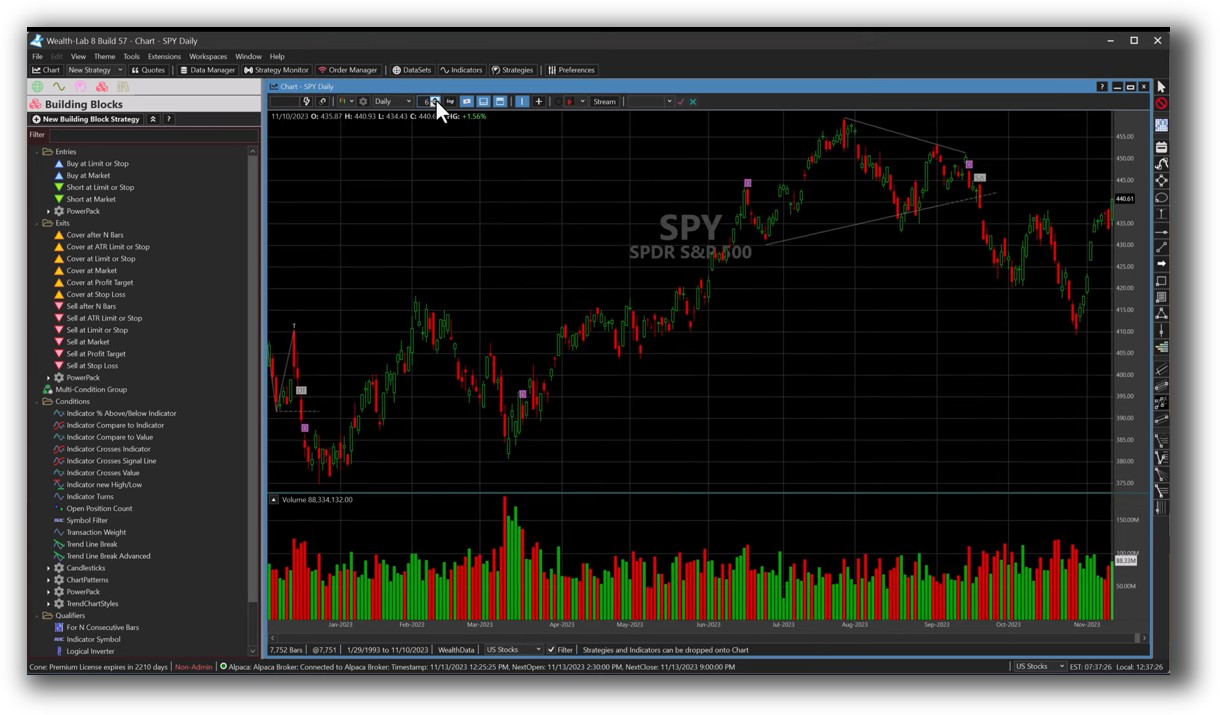
Wealth-Lab is a subscription-based Windows application that supports advanced systematic trading through a modern .NET framework. It combines both visual (drag-and-drop) and code-based strategy design with powerful backtesting tools.
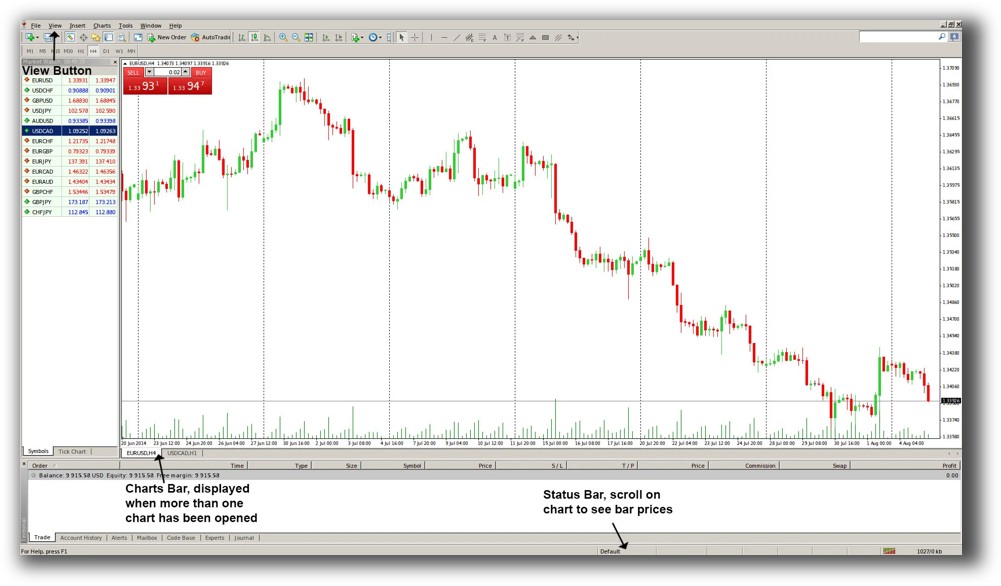
MetaTrader 4 is free and distributed via brokers. It also runs on Windows, with additional mobile apps for trade monitoring. However, Mac users will need Parallels or a VM to run either tool. Wine is not recommended due to stability and compatibility issues.
If you’re serious about building and testing a profitable trading strategy, the ability to code in a flexible, modern language matters. Wealth-Lab’s use of C# makes it more adaptable than MT4’s niche MQL4 language.
Wealth-Lab Main View:
MetaTrader 4 Main View:
Market Access & Data Support in Wealth-Lab VS MetaTrader 4
Wealth-Lab supports a broad range of market data sources via extensions. This includes free and paid data for US stocks, international markets, and crypto (through 3rd-party adapters). Integration with Interactive Brokers makes real-time data and live trading straightforward.
MetaTrader 4 is designed primarily for forex trading. While some brokers offer CFDs on stocks or indices, coverage is patchy. Data is only accessible through the broker – and it’s not always complete or clean for historical backtesting.
If you want diversified exposure across equities, crypto, and global markets, Wealth-Lab is far more capable.
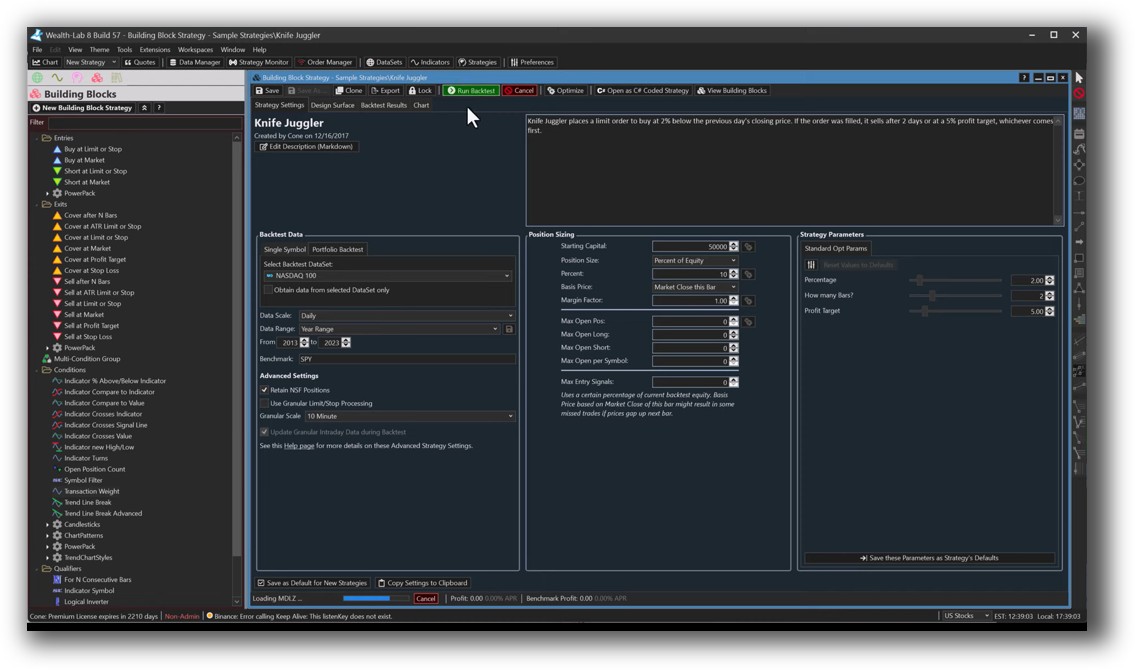
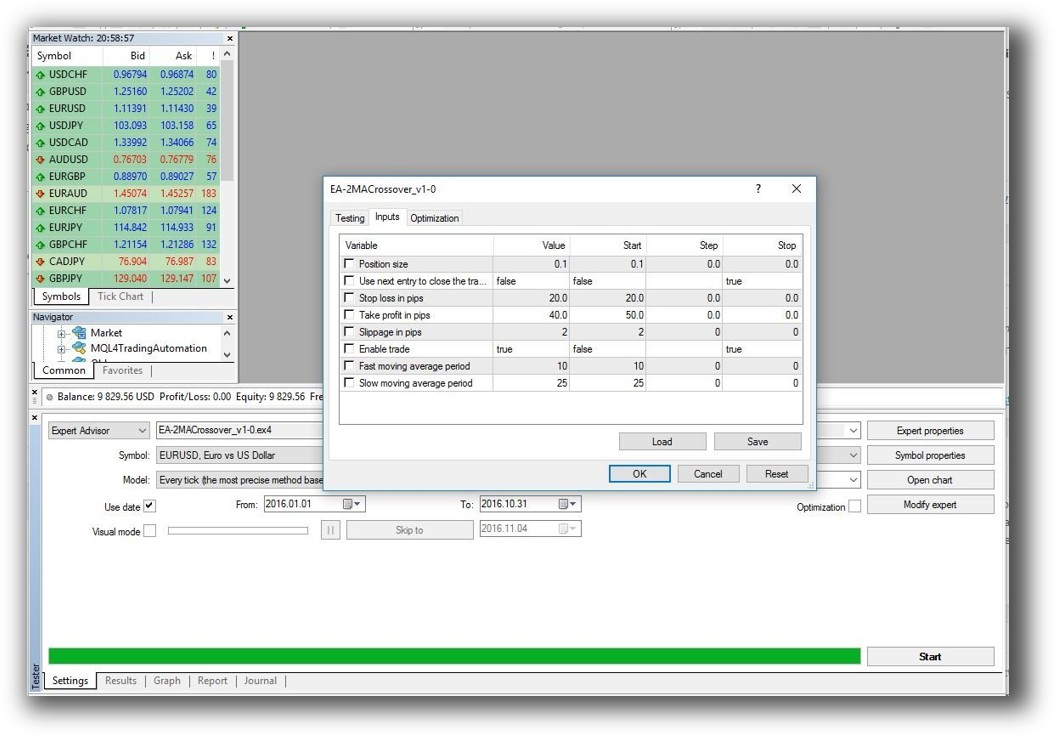
Wealth-Lab Backtesting Interface:
MetaTrader 4 Backtesting Interface:
Building & Customizing Trading Strategies
Wealth-Lab offers both drag-and-drop strategy creation and scripting via WealthScript (a C#-based language). You can design your trading logic visually or write detailed code for full control.
MetaTrader 4 uses MQL4, a purpose-built scripting language that is C-like but lacks the power and flexibility of C#. MT4 has no visual builder, which means you’ll be writing everything manually – and that’s a barrier for many traders, especially if you’re not a developer.
For time efficiency and rapid iteration, Wealth-Lab’s development experience is much smoother.
Check Out: Trading System Development
Wealth-Lab Code Editor:
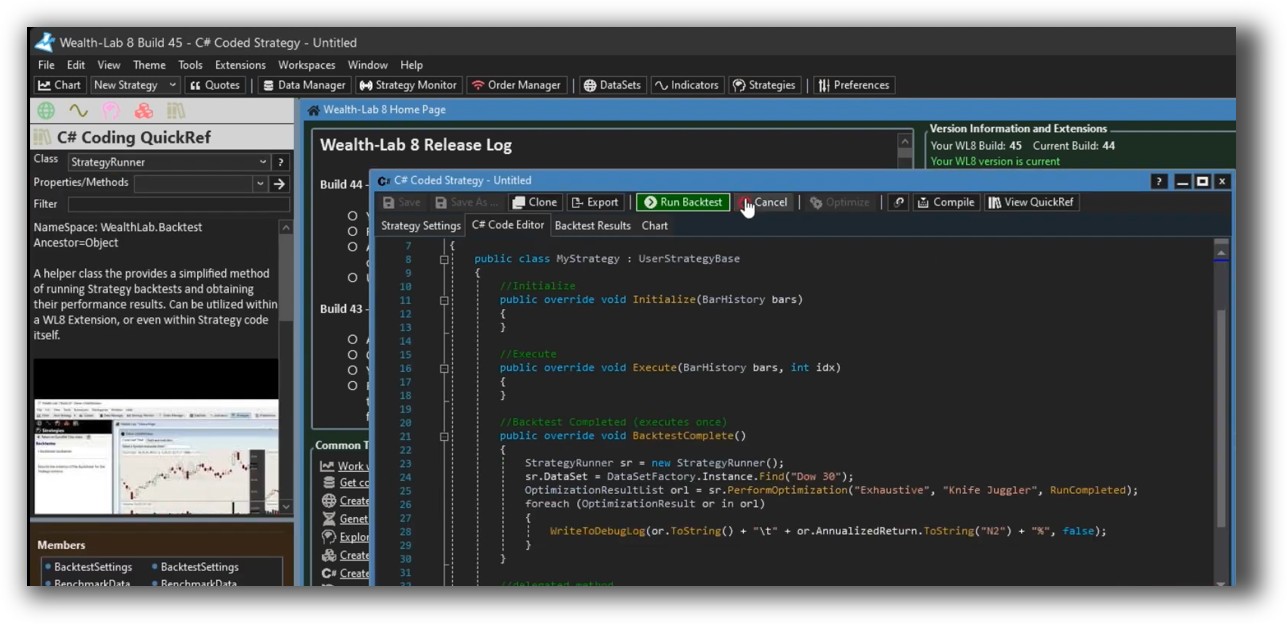
MetaTrader 4 Code Editor:

Backtesting Performance, Speed & Realism
This is where the gap widens.
Wealth-Lab’s engine allows:
- Portfolio-level simulation
- Slippage modeling
- Position-level tracking
- Realistic order types
- Multiple timeframes
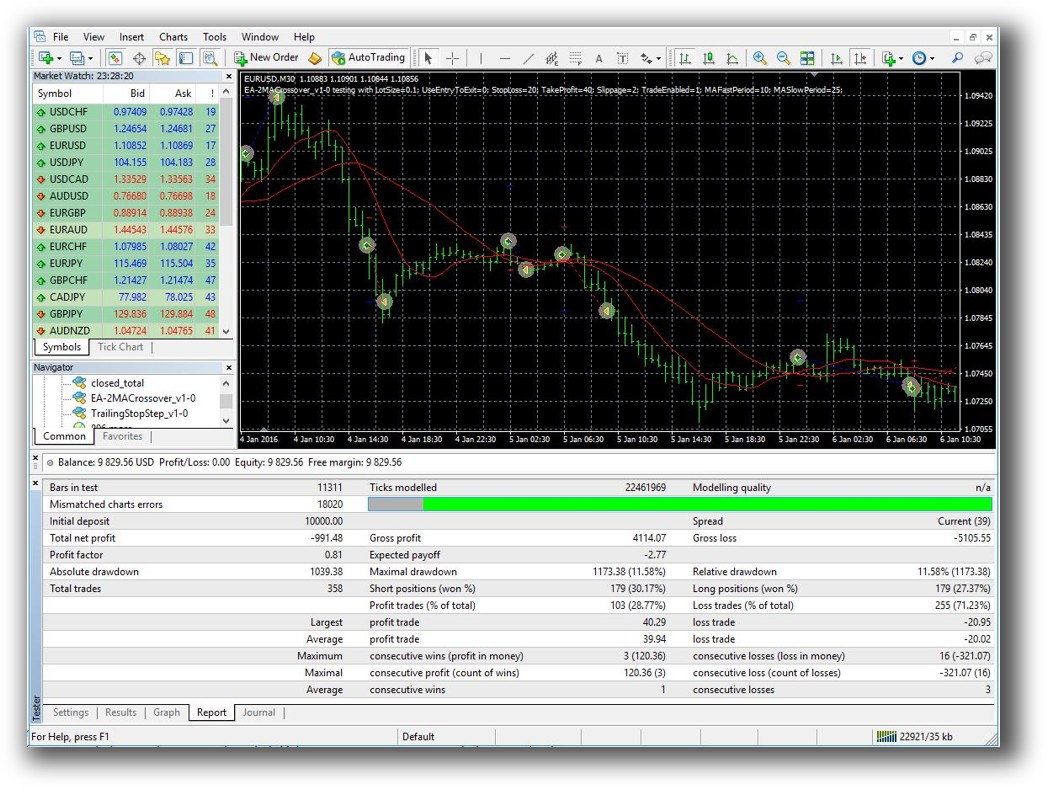
MetaTrader 4 only backtests one symbol at a time. It uses a simplified tick model (or bar-based approximation), with no support for true portfolio simulation or advanced position sizing.
If you can’t test your whole system the way you trade it, how can you trust the results?
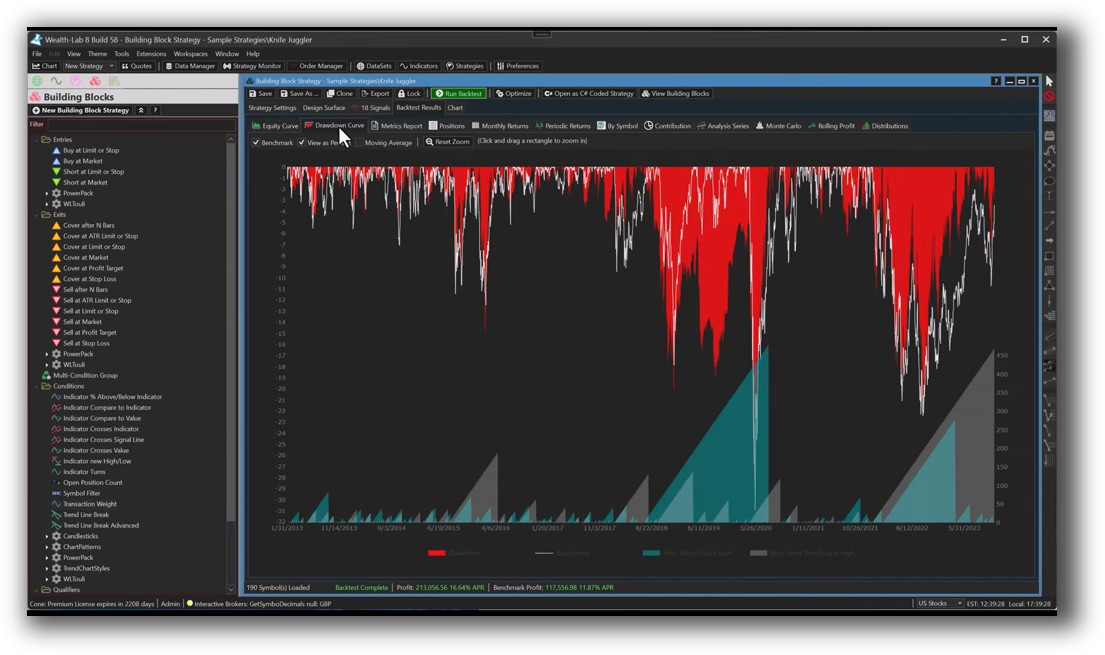
Check out: Backtesting | Drawdown
Wealth-Lab Backtest Report:
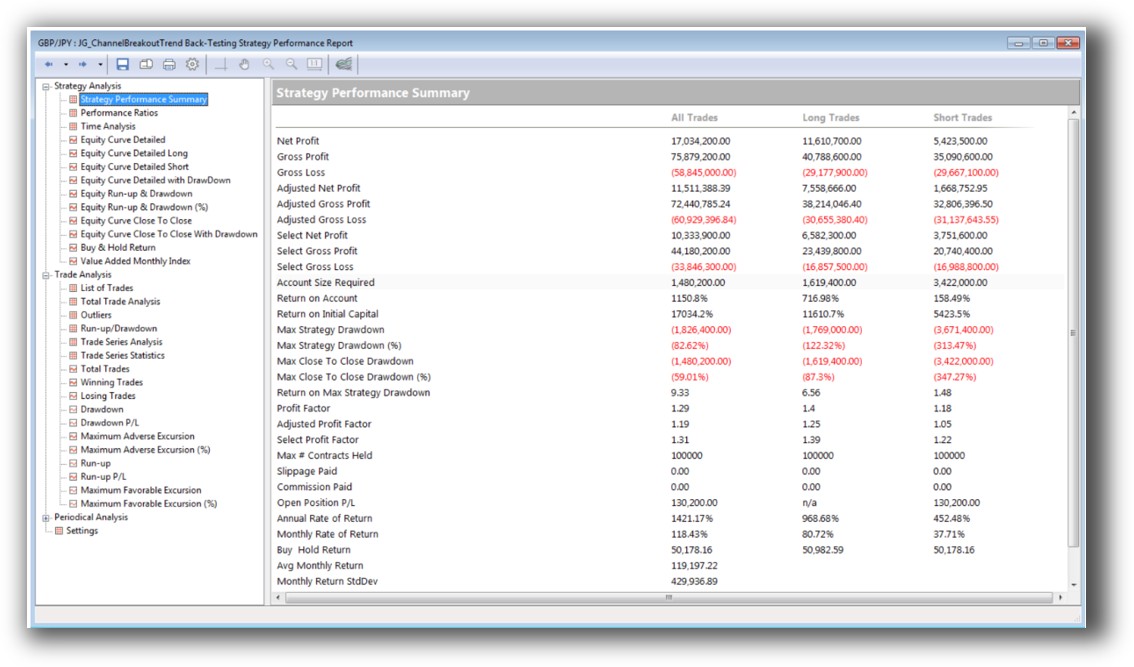
MetaTrader 4 Backtest Report:
Strategy Optimization & Stress Testing Tools
Wealth-Lab has built-in strategy optimization features, including parameter sweeps, walk-forward testing, and Monte Carlo simulation. This makes it suitable for both beginners and advanced quants.
MetaTrader 4 does offer optimization, but it’s limited, clunky, and often unreliable. Many users complain about curve-fitting issues due to the simplified test engine. No walk-forward or robustness tools are provided out-of-the-box.
For serious system testing and reliability, Wealth-Lab is miles ahead.
Check Out: Trading System Optimization
Wealth-Lab Walk-Forward Optimization:

Charting Features, Signal Exploration & Live Execution
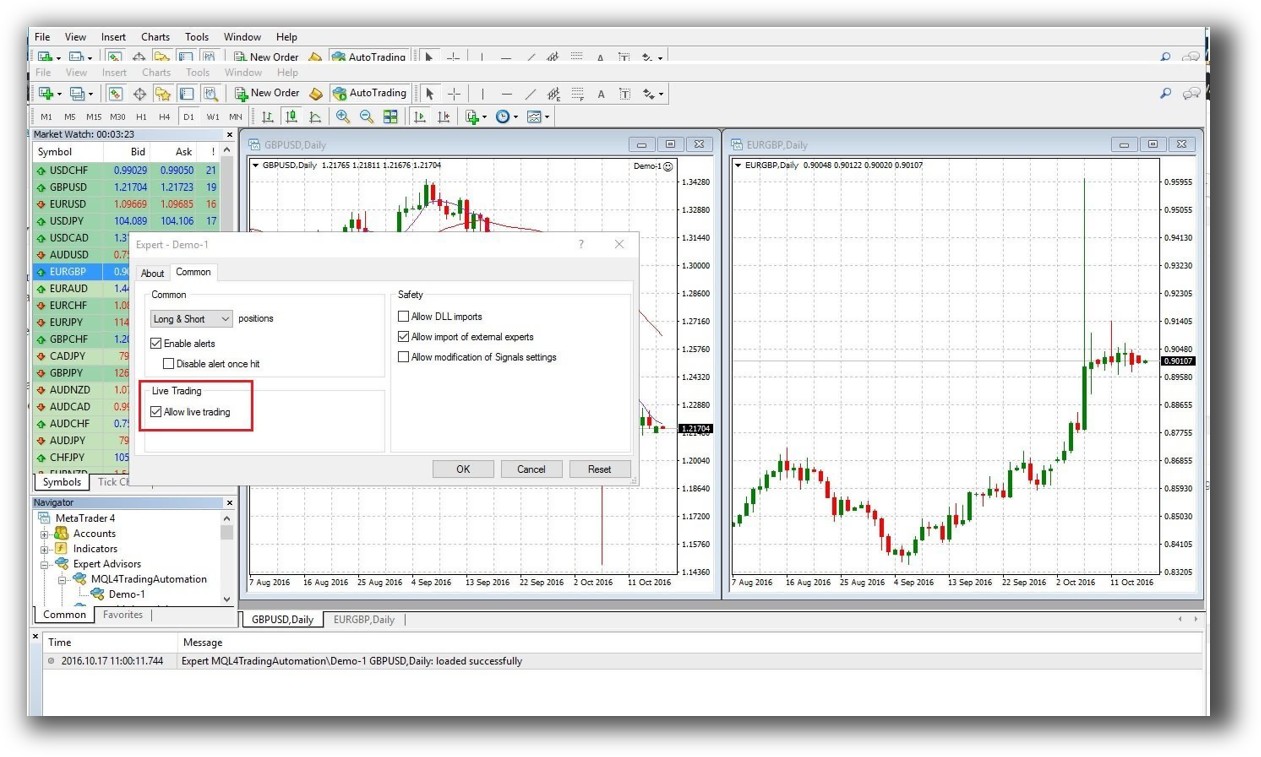
MetaTrader 4 is better known for its real-time charting and trading integration. It supports execution via Expert Advisors (EAs), making it well-suited for high-frequency or forex trading where charts and execution speed matter.
Wealth-Lab’s charting is modern, customizable, and highly integrated with its backtesting. It supports signal-based alerts, scanning, and order automation, but it’s not designed for scalping or rapid intraday execution.
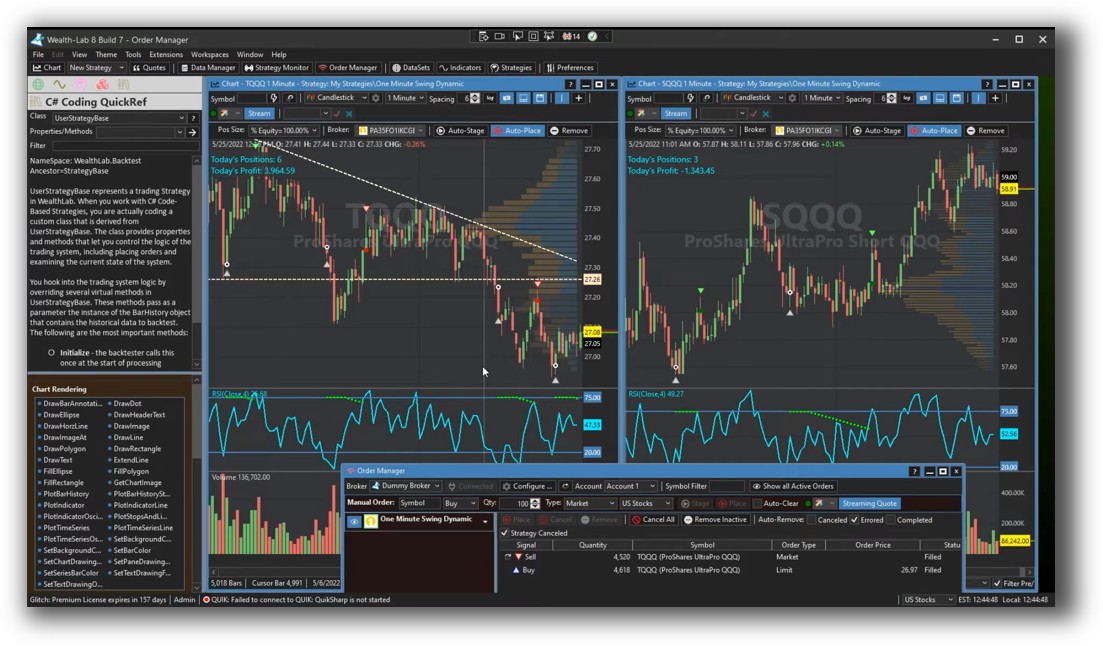
If real-time trade placement is your main goal, MT4 wins. If you want to develop and test multiple trading systems with confidence and deploy with minimal manual intervention, go with Wealth-Lab.
Check Out Order Types | Automated Trading Systems
Wealth-Lab Automation Set Up:
MetaTrader 4 Automation Set Up (Expert Advisor):
Support, Documentation & Learning Resources
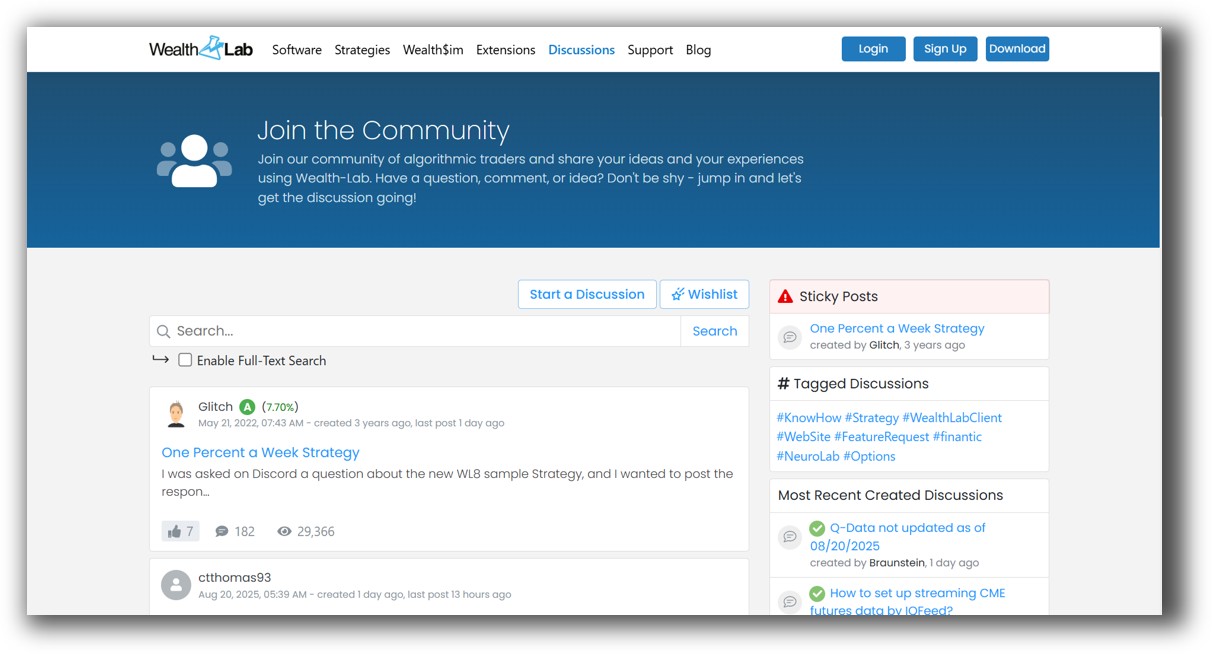
Wealth-Lab’s documentation is modern, well-organized, and supported by an active forum and knowledge base. Tutorials are available for all skill levels, and the development team is responsive.
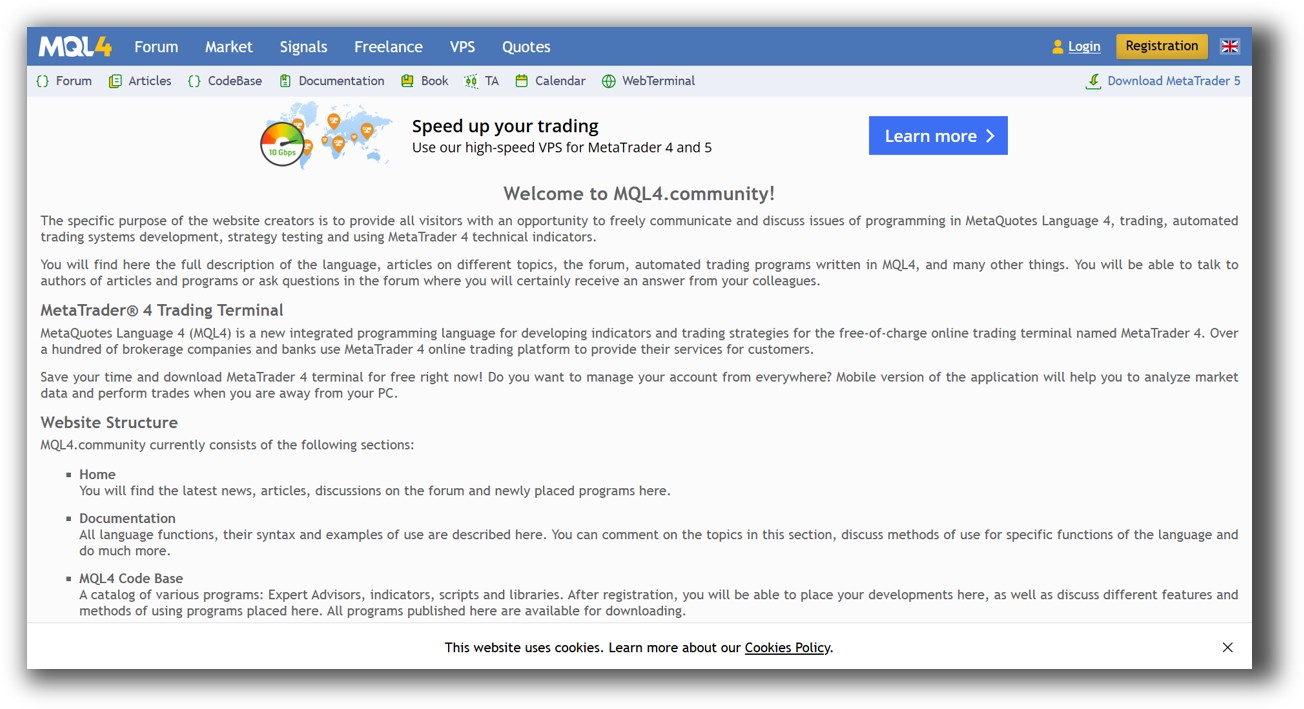
MetaTrader 4’s learning curve is steep, and most of the resources are outdated. You’ll rely heavily on forums, where conflicting answers are common. There is no official structured learning path or beginner-friendly system design approach.
Clarity matters. Confidence comes from understanding your system, not guessing.
Wealth-Lab Forum Front Page is illustrated down below:
MetaTrader 4 Forum Front Page is illustrated down below:
Wealth-Lab VS MetaTrader 4: Which One Should You Use?
If you’re trading manually in forex, MetaTrader 4 is sufficient.
But if you’re serious about building profitable, rules-based systems across multiple markets with proper risk management, then Wealth-Lab is the clear winner.
Our Recommendation
Wealth-Lab is a better choice for system traders who want to:
- Build and test multi-symbol strategies
- Use modern programming tools (C#)
- Run portfolio-level backtests
- Perform robustness testing and walk-forward analysis
- Integrate multiple strategies across markets
If you’re still trading based on instinct or gut feel, now is the time to upgrade. No software will save you from inconsistent rules. But the right platform will save you years of wasted effort.
And remember, neither Wealth-Lab nor MetaTrader 4 is perfect. For ultimate speed, realism, and ease of use, RealTest is our preferred tool for systematic trading. If you need advanced technical analysis and charting, consider Amibroker – but be prepared for a steep learning curve.
Want The Rest of the Puzzle?
Backtesting software is just one piece. The real transformation happens when you align your tools, your systems, and your psychology with your goals.
If you’re tired of chasing tips and want to build wealth systematically, the next step is clear: The Trader Success System.
Inside, you’ll discover:
- Proven trading systems
- A step-by-step backtesting framework
- Position sizing tools
- Automation strategies that let you trade in 30 minutes or less
Trading and Backtesting Software Review List
- RealTest vs Amibroker
- RealTest VS TradeStation
- RealTest VS NinjaTrader
- RealTest VS MultiCharts
- RealTest VS Wealth-Lab
- RealTest VS Beyond Charts
- RealTest VS Optuma
- RealTest VS TradingView
- RealTest VS MetaTrader 4 (MT4)
- RealTest VS MetaTrader 5 (MT5)
- AmiBroker VS TradeStation
- AmiBroker VS NinjaTrader
- AmiBroker VS MultiCharts
- AmiBroker VS Wealth-Lab
- AmiBroker VS Beyond Charts
- AmiBroker VS Optuma
- AmiBroker VS TradingView
- AmiBroker VS MetaTrader 4 (MT4)
- AmiBroker VS MetaTrader 5 (MT5)
- TradeStation VS NinjaTrader
- TradeStation VS MultiCharts
- TradeStation VS Wealth-Lab
- TradeStation VS Beyond Charts
- TradeStation VS Optuma
- TradeStation VS TradingView
- TradeStation VS MetaTrader 4 (MT4)
- TradeStation VS MetaTrader 5 (MT5)
- NinjaTrader VS MultiCharts
- NinjaTrader VS Wealth-Lab
- NinjaTrader VS Beyond Charts
- NinjaTrader VS Optuma
- NinjaTrader VS TradingView
- NinjaTrader VS MetaTrader 4 (MT4)
- NinjaTrader VS MetaTrader 5 (MT5)
- MultiCharts VS Wealth-Lab
- MultiCharts VS Beyond Charts
- MultiCharts VS Optuma
- MultiCharts VS TradingView
- MultiCharts VS MetaTrader 4 (MT4)
- MultiCharts VS MetaTrader 5 (MT5)
- Wealth-Lab VS Beyond Charts
- Wealth-Lab VS Optuma
- Wealth-Lab VS TradingView
- Wealth-Lab VS MetaTrader 4 (MT4)
- Wealth-Lab VS MetaTrader 5 (MT5)
- Beyond Charts VS Optuma
- Beyond Charts VS TradingView
- Beyond Charts VS MetaTrader 4 (MT4)
- Beyond Charts VS MetaTrader 5 (MT5)
- Optuma VS TradingView
- Optuma VS MetaTrader 4 (MT4)
- Optuma VS MetaTrader 5 (MT5)
- TradingView VS MetaTrader 4 (MT4)
- TradingView VS MetaTrader 5 (MT5)
- MetaTrader 4 (MT4) VS MetaTrader 5 (MT5)