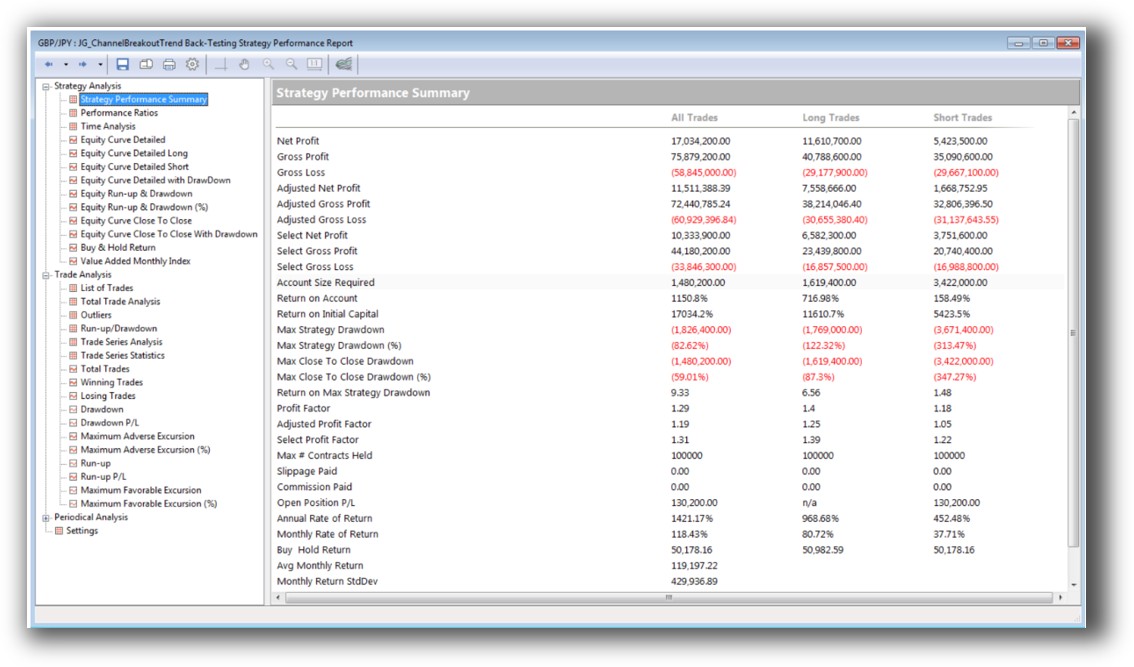
Wealth-Lab VS TradingView: Comparing Backtesting Software for Systematic Trading
Between Wealth-Lab and TradingView, the better platform depends on your trading goals: Wealth-Lab is stronger for strategy development and backtesting, while TradingView excels in visual charting, scanning, and social trading.
But if you’re building a portfolio of trading systems and want to test, optimize and automate with confidence, you’ll likely outgrow both. Tools like RealTest or Amibroker may be worth considering for deeper capability. Let’s unpack why.
Wealth-Lab VS TradingView at a Glance:
Short on time? Here’s how Wealth-Lab VS TradingView compare side by side.
|
Feature Category |
Wealth-Lab |
TradingView |
|
Platform Type |
Windows Desktop App |
Web-based + Desktop (Windows & Mac) |
|
Cost |
Subscription: ~$39.95/mo |
Free, Pro plans from ~$14.95/mo |
|
Programming Language |
C# via WealthScript |
Pine Script (V4/5) |
|
Backtesting Engine |
Advanced portfolio-level simulation |
Single-symbol bar-by-bar |
|
Charting |
Solid, traditional |
Highly interactive, social & aesthetic |
|
Optimization |
Yes – Multi-dimensional |
No |
|
Automation |
Supported (broker dependent) |
Limited via alerts or 3rd-party integration |
|
Broker Integration |
Interactive Brokers, Tradier, etc. |
Interactive Brokers, Alpaca, etc. |
|
System Design Interface |
Drag & Drop + Code |
Code only (Pine Script) |
Platform Overview, Cost & Compatibility
Wealth-Lab is a Windows-only software for system development, testing and execution. It’s available via a subscription (~$39.95/month or $299.95/year). It does not run natively on Mac, though it can be accessed using Parallels or a Windows VM setup.
TradingView, on the other hand, is browser-based, runs on all major operating systems and offers both free and paid tiers. The interface is modern and beginner-friendly, but this simplicity comes at a cost, especially if you’re serious about portfolio-level backtesting.
Bottom Line: TradingView wins for platform flexibility. Wealth-Lab is more restrictive but purpose-built for system traders.
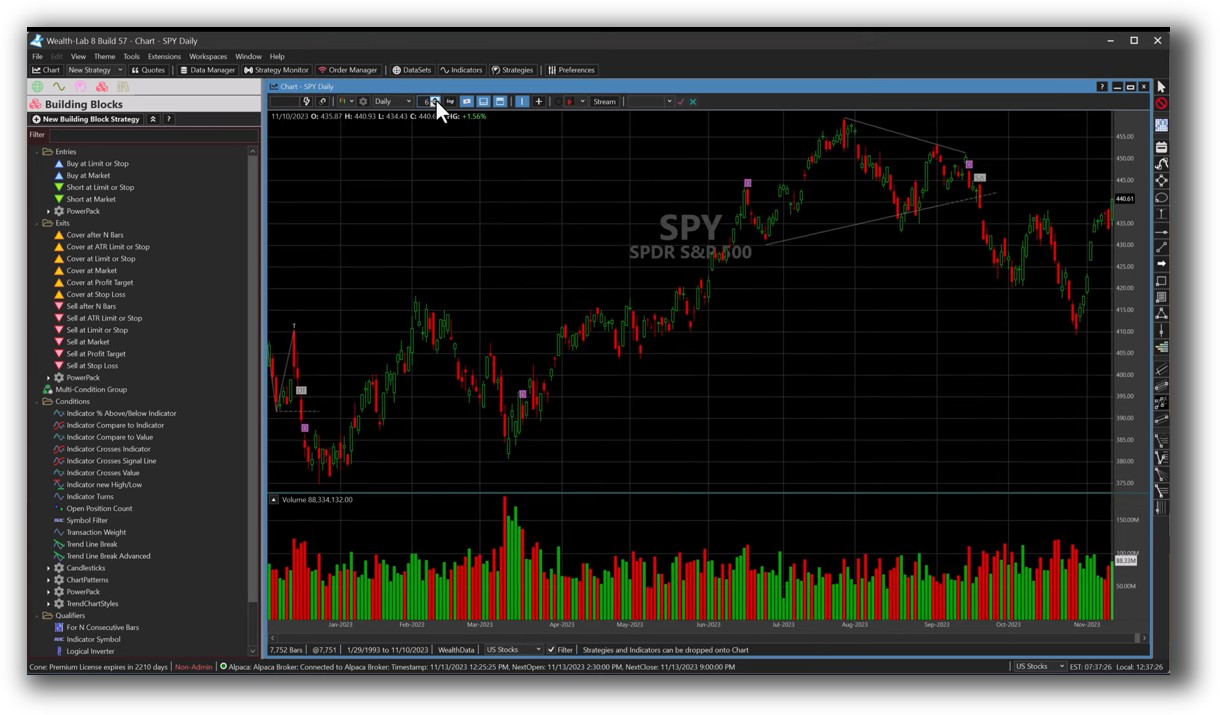
Wealth-Lab Main View:
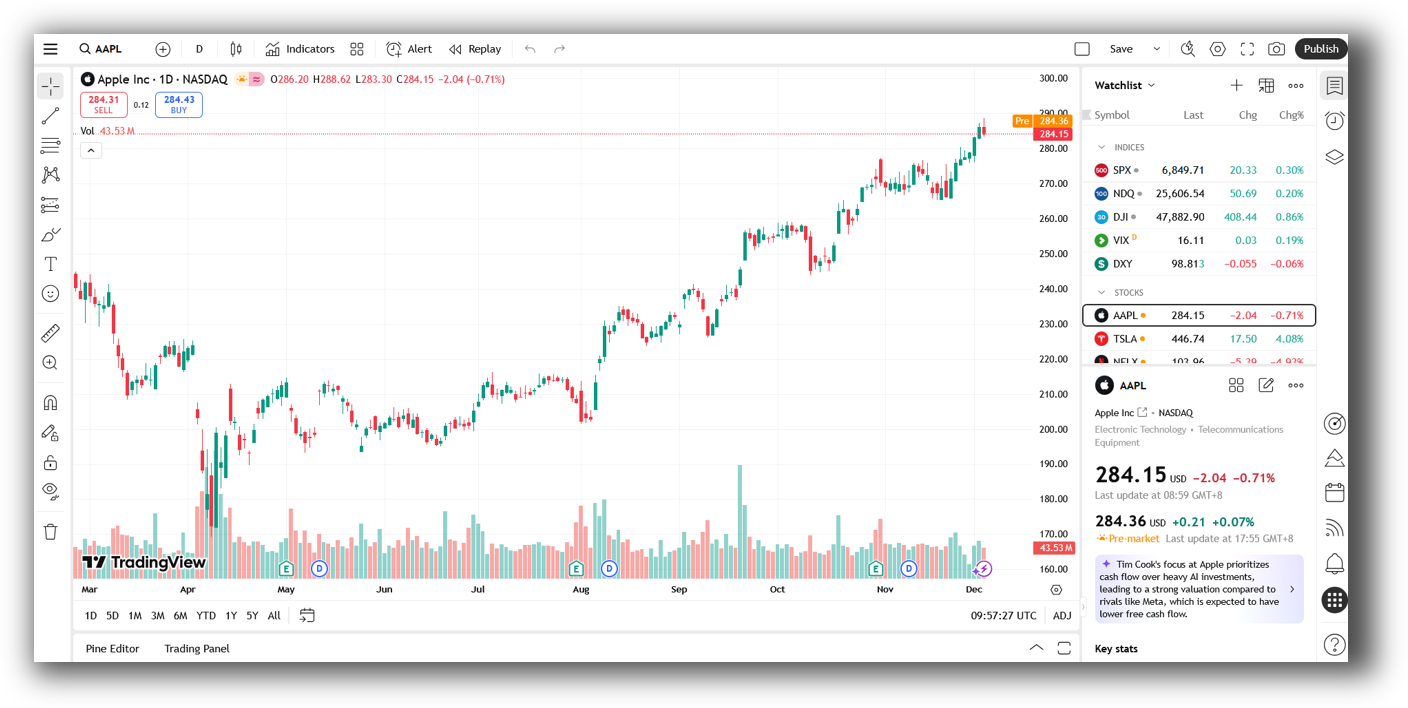
TradingView Main View:
Market Access & Data Support in Wealth-Lab VS TradingView
Wealth-Lab supports live and historical data feeds from multiple providers and brokers, including Norgate Data and Interactive Brokers. This makes it more suitable for realistic backtesting and portfolio simulations across a wide range of stocks.
TradingView is powered by its own real-time data feeds, covering equities, futures, forex and crypto. However, it doesn’t allow portfolio-level simulations or handle survivorship bias and delisted symbols properly.
If you’re testing diversified systems across multiple stocks and markets, Wealth-Lab has the edge.
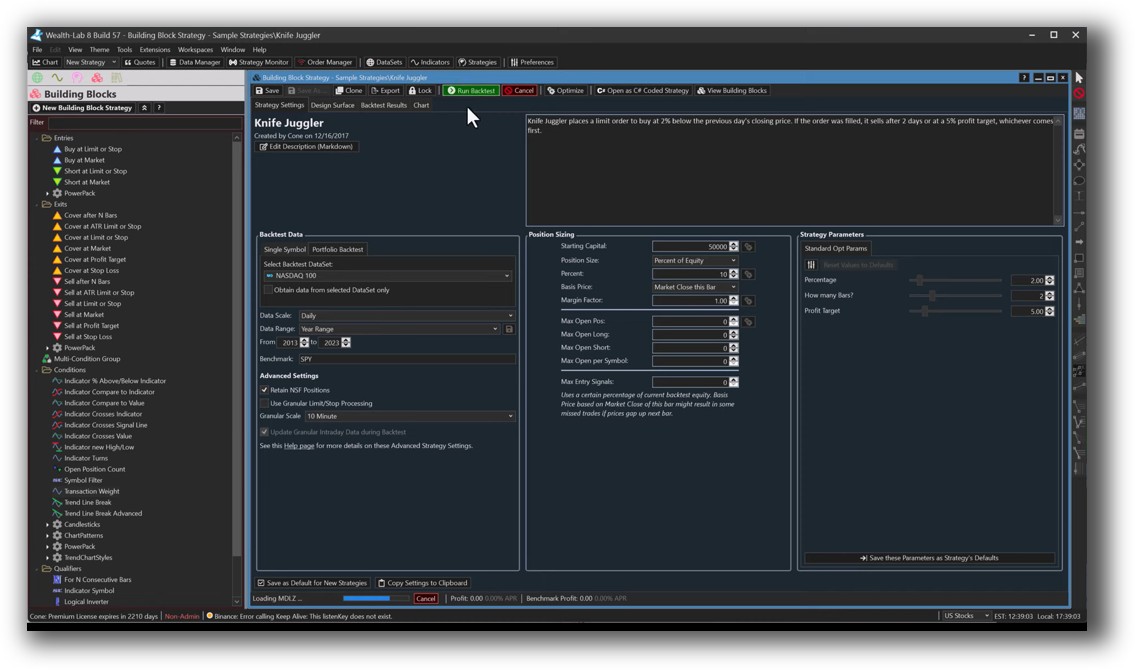
Wealth-Lab Backtesting Interface:
TradingView Backtesting Interface:
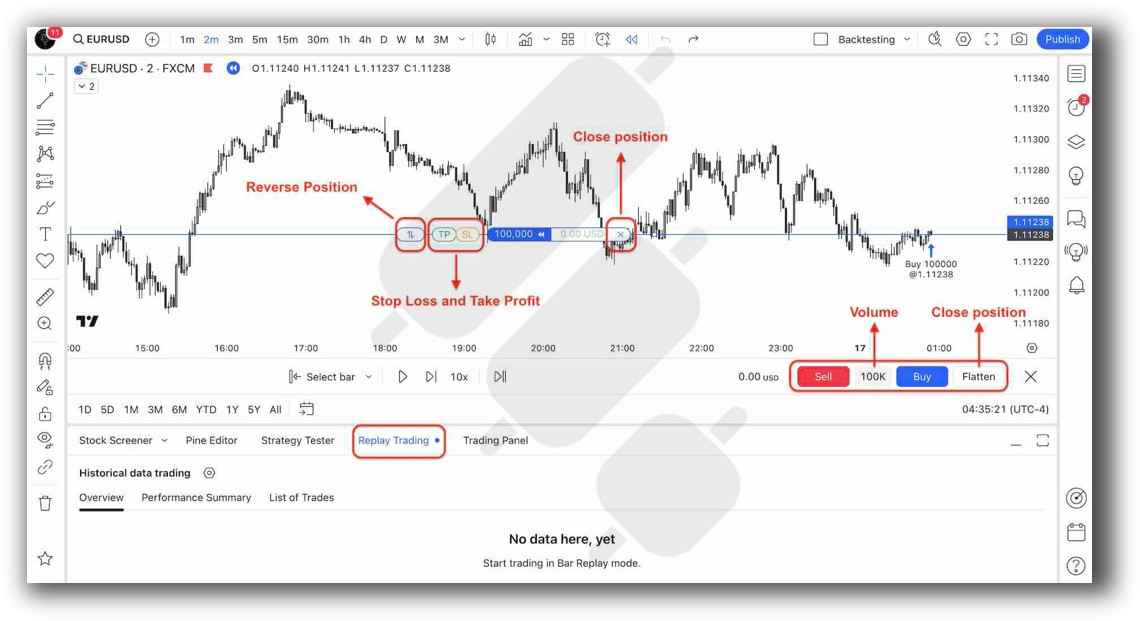
Building & Customizing Trading Strategies
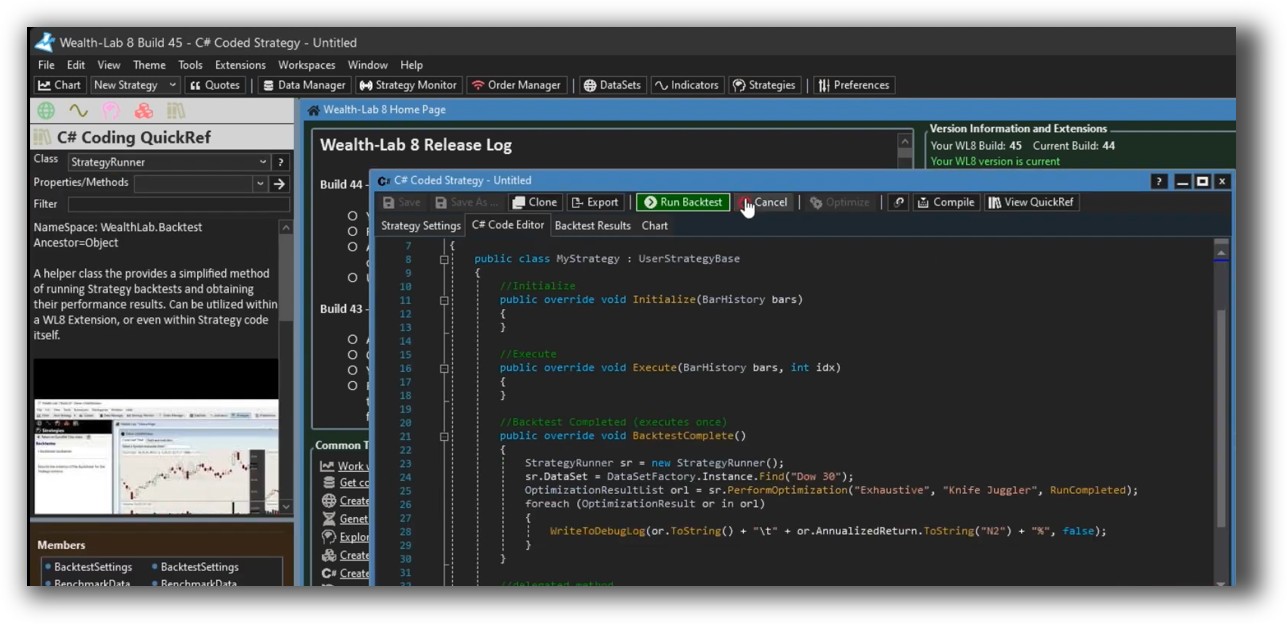
Wealth-Lab offers a hybrid system builder: Drag-and-drop blocks for non-coders and full C# scripting for advanced users. This flexibility makes it easier to evolve your trading strategy over time.
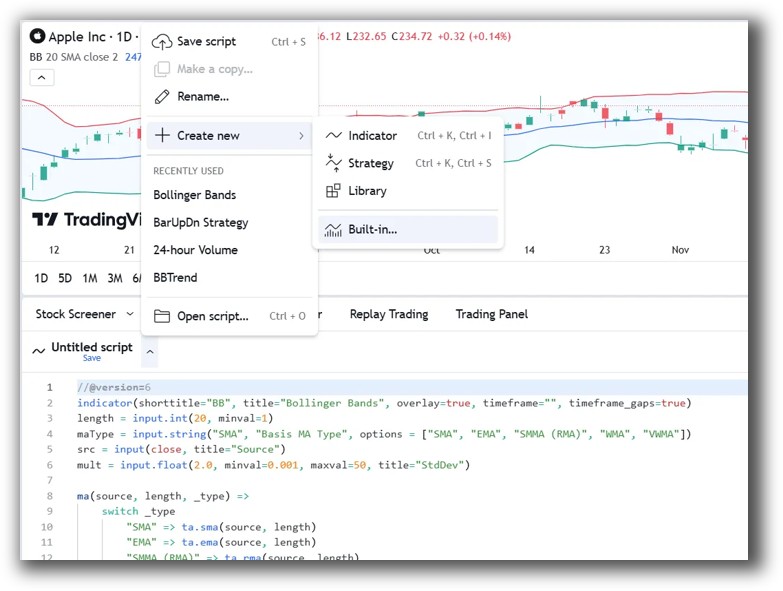
TradingView relies entirely on Pine Script. While clean and well-documented, it lacks native support for portfolio testing and has limited execution logic compared to full programming languages like C# or AFL.
If you’re methodically building a portfolio of strategies like trend following and mean reversion, Wealth-Lab gives you far more room to grow.
Wealth-Lab Code Editor:
TradingView Code Editor:
Backtesting Performance, Speed & Realism
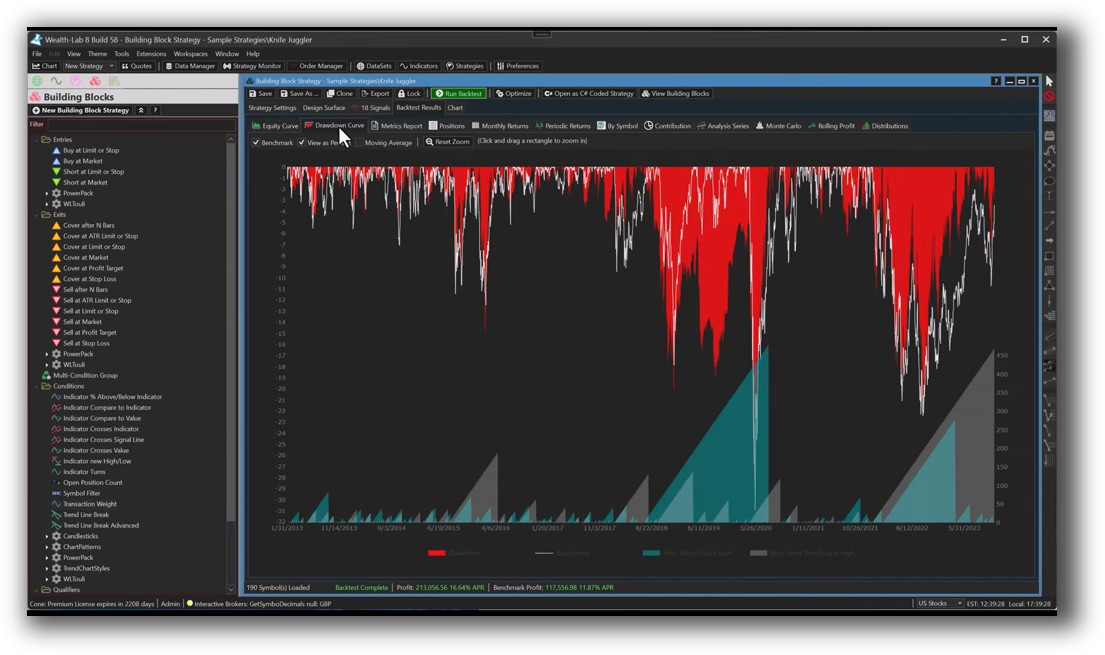
This is where Wealth-Lab pulls ahead decisively. It supports:
- Multi-strategy and portfolio-level backtesting
- Bar-by-bar or full bar simulation
- Slippage, commissions, position sizing, walk-forward testing
TradingView’s backtesting is single-symbol only and doesn’t support position sizing, cash constraints or portfolio-level capital allocation.
Realistic backtesting is critical if you want confidence in live trading. If your results rely on assumptions that fall apart in practice, you’re flying blind.
Check out: Backtesting | Drawdown
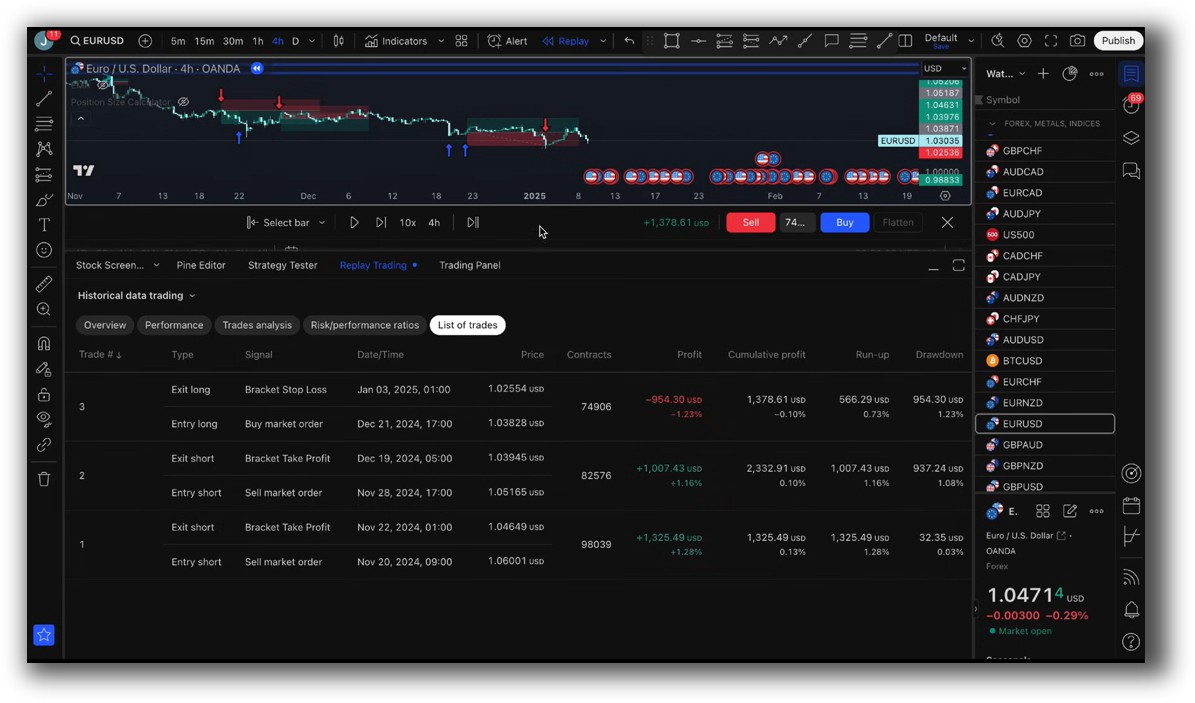
Wealth-Lab Backtest Report:
TradingView Backtest Report:
Strategy Optimization & Stress Testing Tools
Wealth-Lab includes built-in optimization tools with support for:
- Grid and Monte Carlo simulations
- Multi-parameter sweeps
- Walk-forward testing
TradingView does not support any form of strategy optimization. You can manually tweak parameters, but there’s no automated or structured way to explore parameter stability.
This limitation alone makes TradingView unsuitable for traders who want to validate their system’s robustness.
Check Out: Trading System Optimization
Wealth-Lab Walk-Forward Optimization:

Charting Features, Signal Exploration & Live Execution
TradingView dominates in charting. It’s fast, visually elegant and packed with community indicators and drawing tools. Its real-time scanning, alerts and watchlists make it a top-tier tool for discretionary or hybrid traders.
Wealth-Lab offers solid traditional charting, but it’s not designed for visual trading. The scanning tools are powerful but not as fluid or social.
On the execution side, both platforms support live trading with brokers like Interactive Brokers, but automation is easier and more integrated in Wealth-Lab if you’re using C#.
Check Out Order Types | Automated Trading Systems
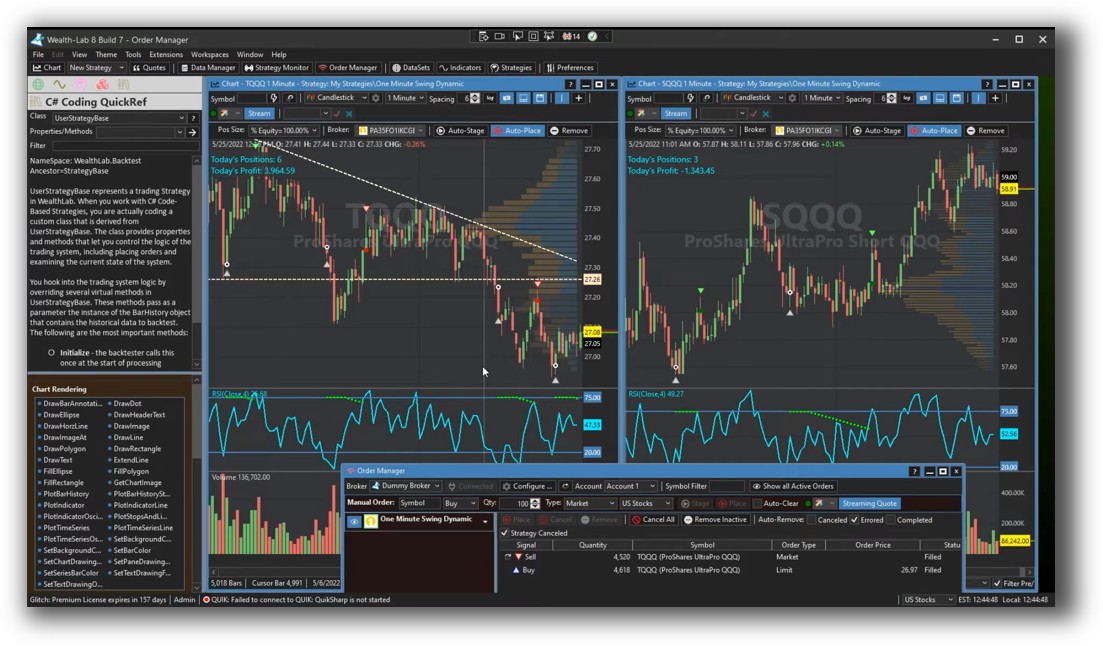
Wealth-Lab Automation Set Up:
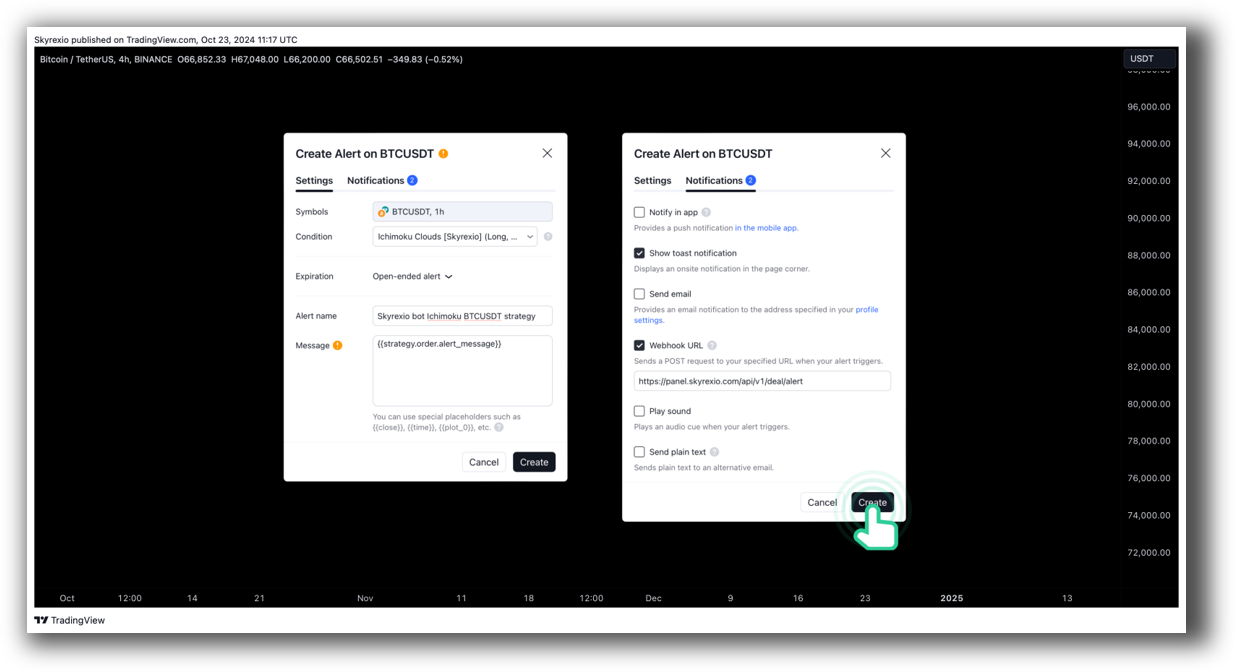
TradingView Automation Set Up:
Support, Documentation & Learning Resources
TradingView has strong community support, active forums, and plenty of user-generated scripts.
Wealth-Lab has technical documentation and a supportive user forum, but its learning curve is steeper, particularly if you’re not familiar with C#. That said, if you’re aiming to become a confident, independent system trader, a little complexity is a small price to pay.
Both lag behind RealTest, which stands out for having clear, modern documentation that is aligned with professional trading system development.
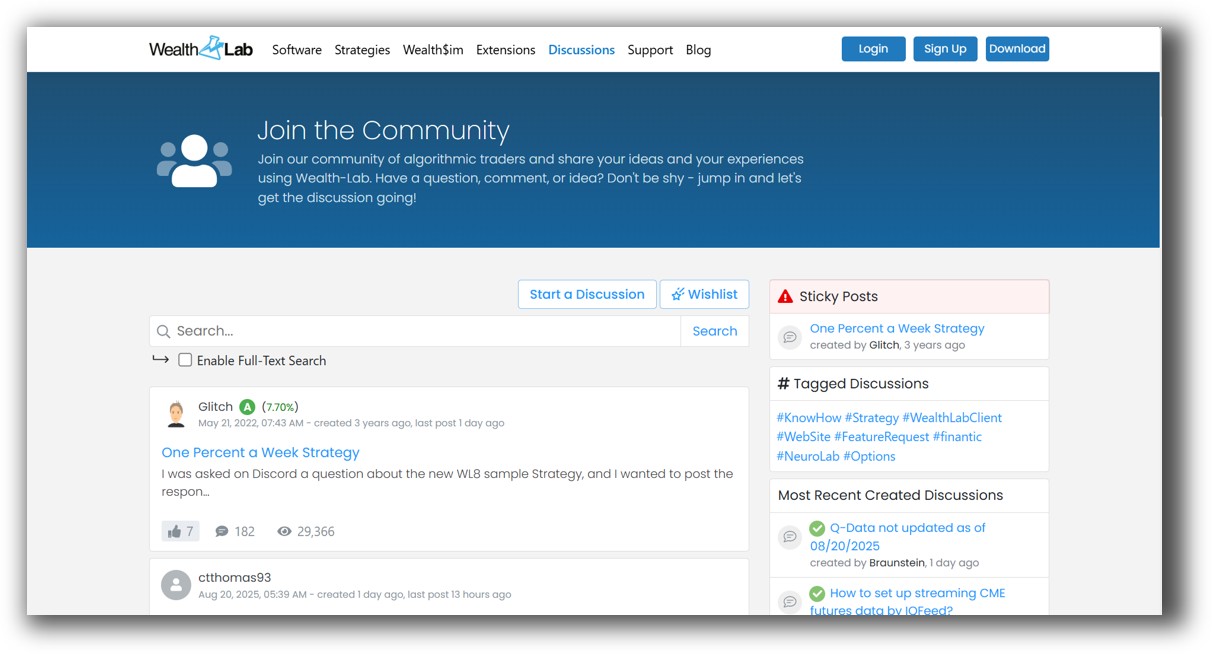
Wealth-Lab Forum Front Page is illustrated down below:
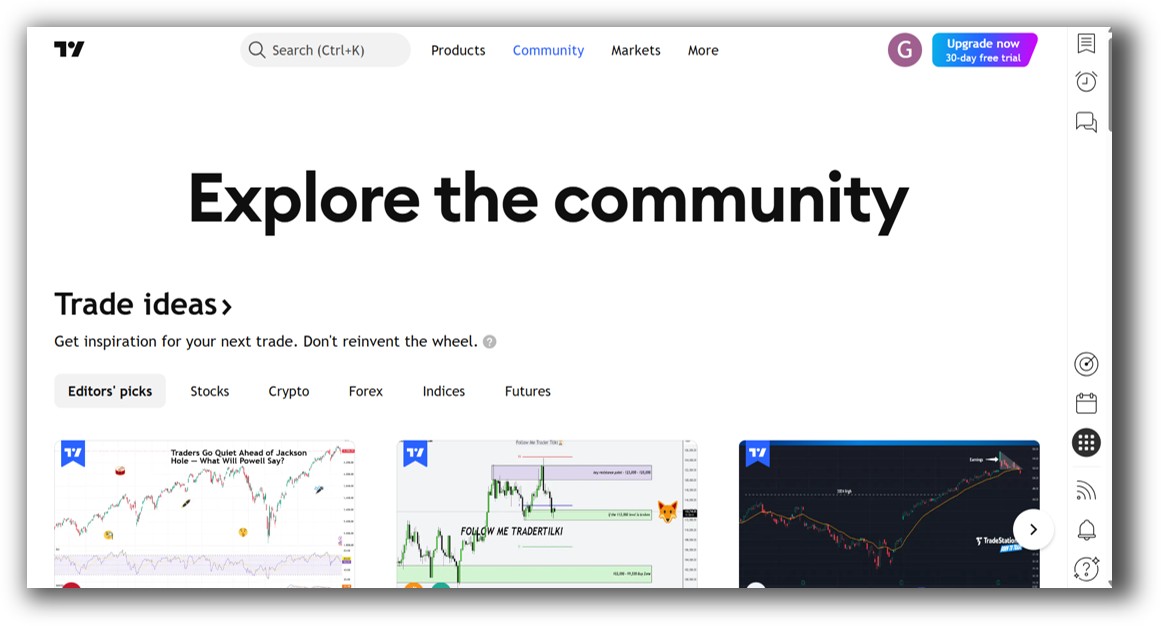
TradingView Community Ideas Front Page is illustrated down below:
Wealth-Lab VS TradingView: Which One Should You Use?
If your focus is on charting, scanning, and casual backtesting on single symbols, TradingView is a fantastic tool.
But if your priority is building, testing and refining a systematic trading portfolio, Wealth-Lab is the clear winner in this comparison. It’s more aligned with a data-driven approach to trading, allowing realistic simulations and robust system testing.
Just know this: For serious system traders, even Wealth-Lab may become limiting as your skill level rises. For those ready to truly scale and automate, RealTest or Amibroker offer more control and flexibility.
Our Recommendation
Use TradingView for visual analysis and market scanning. It’s fast, beautiful, and useful for discretionary trade ideas.
Use Wealth-Lab if you want to take a scientific approach to trading – building and testing real systems with realistic rules, risk, and performance tracking.
But if you’re looking to go deeper – portfolio-level backtesting software, faster learning, and a proven process – neither of these are the final answer.
Want The Rest of the Puzzle?
Backtesting software is just one piece. The real transformation happens when you align your tools, your systems, and your psychology with your goals.
If you’re tired of chasing tips and want to build wealth systematically, the next step is clear: The Trader Success System.
Inside, you’ll discover:
- Proven trading systems
- A step-by-step backtesting framework
- Position sizing tools
- Automation strategies that let you trade in 30 minutes or less
Trading and Backtesting Software Review List
- RealTest vs Amibroker
- RealTest VS TradeStation
- RealTest VS NinjaTrader
- RealTest VS MultiCharts
- RealTest VS Wealth-Lab
- RealTest VS Beyond Charts
- RealTest VS Optuma
- RealTest VS TradingView
- RealTest VS MetaTrader 4 (MT4)
- RealTest VS MetaTrader 5 (MT5)
- AmiBroker VS TradeStation
- AmiBroker VS NinjaTrader
- AmiBroker VS MultiCharts
- AmiBroker VS Wealth-Lab
- AmiBroker VS Beyond Charts
- AmiBroker VS Optuma
- AmiBroker VS TradingView
- AmiBroker VS MetaTrader 4 (MT4)
- AmiBroker VS MetaTrader 5 (MT5)
- TradeStation VS NinjaTrader
- TradeStation VS MultiCharts
- TradeStation VS Wealth-Lab
- TradeStation VS Beyond Charts
- TradeStation VS Optuma
- TradeStation VS TradingView
- TradeStation VS MetaTrader 4 (MT4)
- TradeStation VS MetaTrader 5 (MT5)
- NinjaTrader VS MultiCharts
- NinjaTrader VS Wealth-Lab
- NinjaTrader VS Beyond Charts
- NinjaTrader VS Optuma
- NinjaTrader VS TradingView
- NinjaTrader VS MetaTrader 4 (MT4)
- NinjaTrader VS MetaTrader 5 (MT5)
- MultiCharts VS Wealth-Lab
- MultiCharts VS Beyond Charts
- MultiCharts VS Optuma
- MultiCharts VS TradingView
- MultiCharts VS MetaTrader 4 (MT4)
- MultiCharts VS MetaTrader 5 (MT5)
- Wealth-Lab VS Beyond Charts
- Wealth-Lab VS Optuma
- Wealth-Lab VS TradingView
- Wealth-Lab VS MetaTrader 4 (MT4)
- Wealth-Lab VS MetaTrader 5 (MT5)
- Beyond Charts VS Optuma
- Beyond Charts VS TradingView
- Beyond Charts VS MetaTrader 4 (MT4)
- Beyond Charts VS MetaTrader 5 (MT5)
- Optuma VS TradingView
- Optuma VS MetaTrader 4 (MT4)
- Optuma VS MetaTrader 5 (MT5)
- TradingView VS MetaTrader 4 (MT4)
- TradingView VS MetaTrader 5 (MT5)
- MetaTrader 4 (MT4) VS MetaTrader 5 (MT5)